
Documents and email
Setting up e-mail server
An option to enter your server for sending e-mails is added. The steps are the following: :
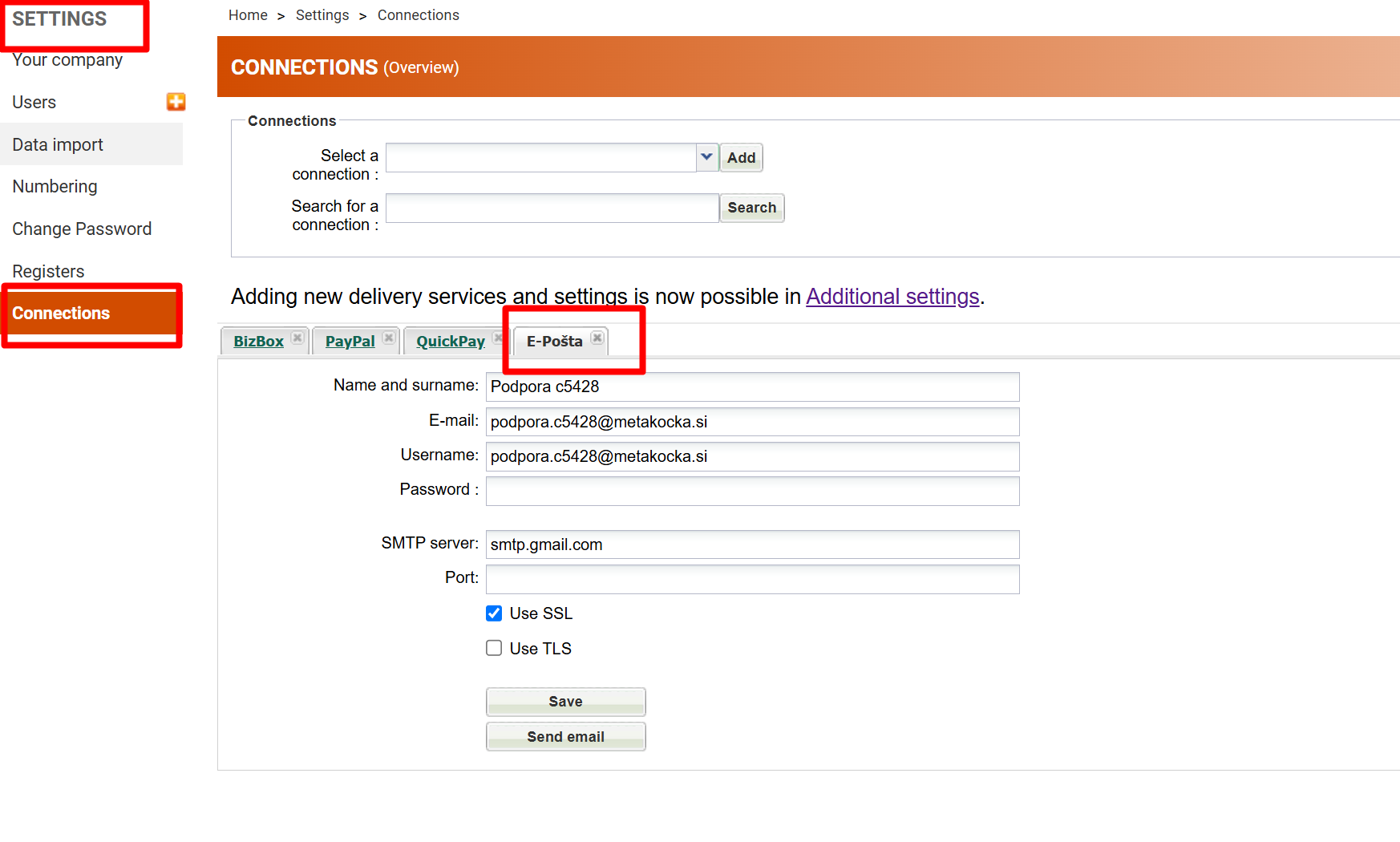
- select “Settings” and “Connections”,
- under “Select a connection” select “E-mail” and click on ''Add'',
- enter your name and surname, your e-mail address, and password. This should be the password that is typically used for logging in to G-Mail, SiOL, etc. or it is set in the program for retrieving e-mail (Outlook, etc.)
- enter SMTP server. For some more sophisticated e-mail service providers (such as G-Mail, SiOL, etc.) the program will find the appropriate settings on its own,
- in the end, select ''Save'' and ''Send e-mail''. Please wait until the message about the successfully sent e-mail is displayed.
Using Office 365? Configuration instructions
If using multiple e-mail addresses (the picture below), the server should be configured for each e-mail address.
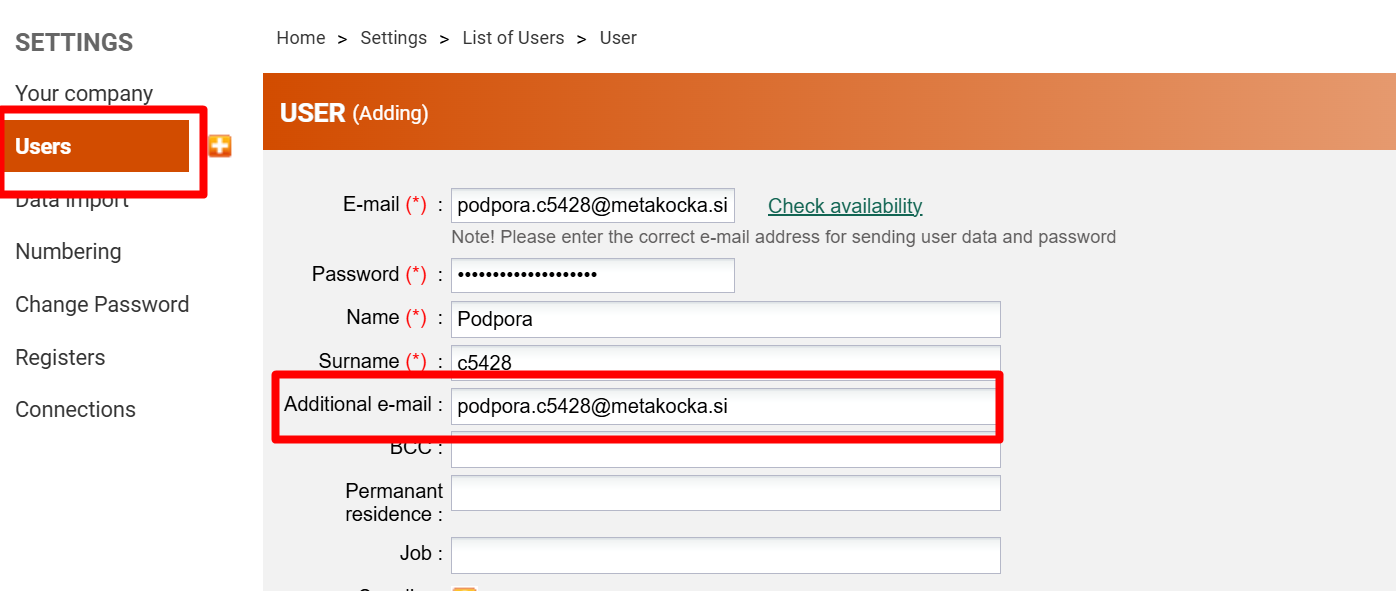
If the server is not set, MetaKocka default (previous) server for sending e-mails will be used.
Was this article helpful?
That’s Great!
Thank you for your feedback
Sorry! We couldn't be helpful
Thank you for your feedback
Feedback sent
We appreciate your effort and will try to fix the article