This article is not available in Croatian, view it in Slovenian
Enter the change fund in the first cash register to which you deposited the change fund. The number will be automatically transferred to the following cash registers.
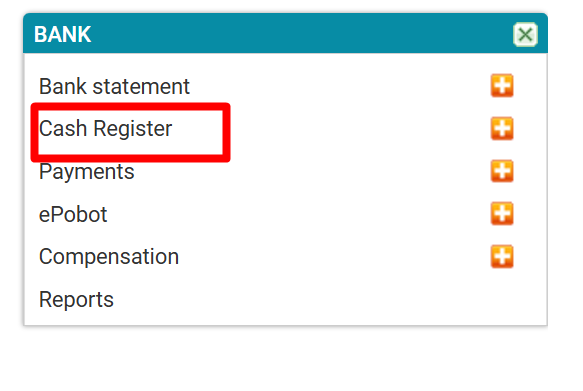
In the Bank, click on Cash Register
Create a new cash register
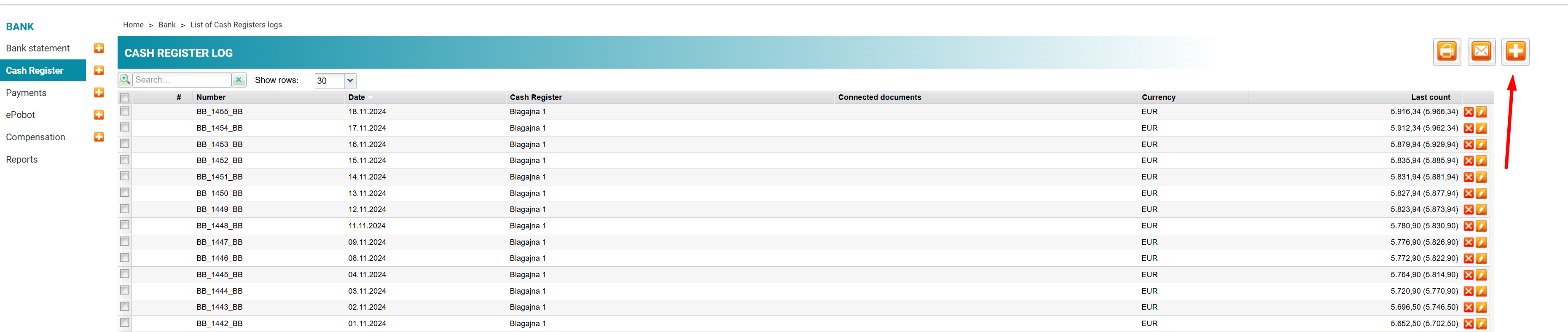
For change funds, enter the appropriate amount and save changes.
In the final cash register state, the amount with and without change fund will be displayed (the amount in brackets)

Was this article helpful?
That’s Great!
Thank you for your feedback
Sorry! We couldn't be helpful
Thank you for your feedback
Feedback sent
We appreciate your effort and will try to fix the article