
Mandrill - API key
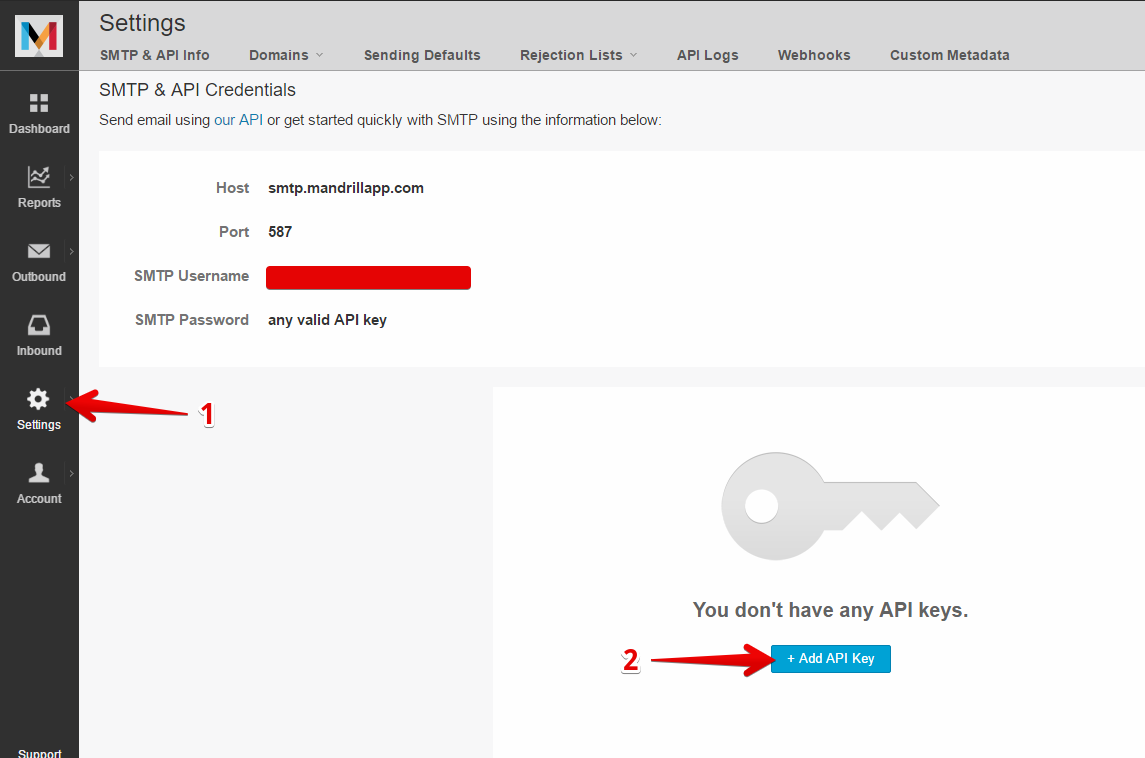
To establish a connection with the Mandrill system for sending transactional electronic messages, the following data must be obtained first:
- URL
- API key
The pocedure is described in the following pictures:

Adding a connection to MetaKocka
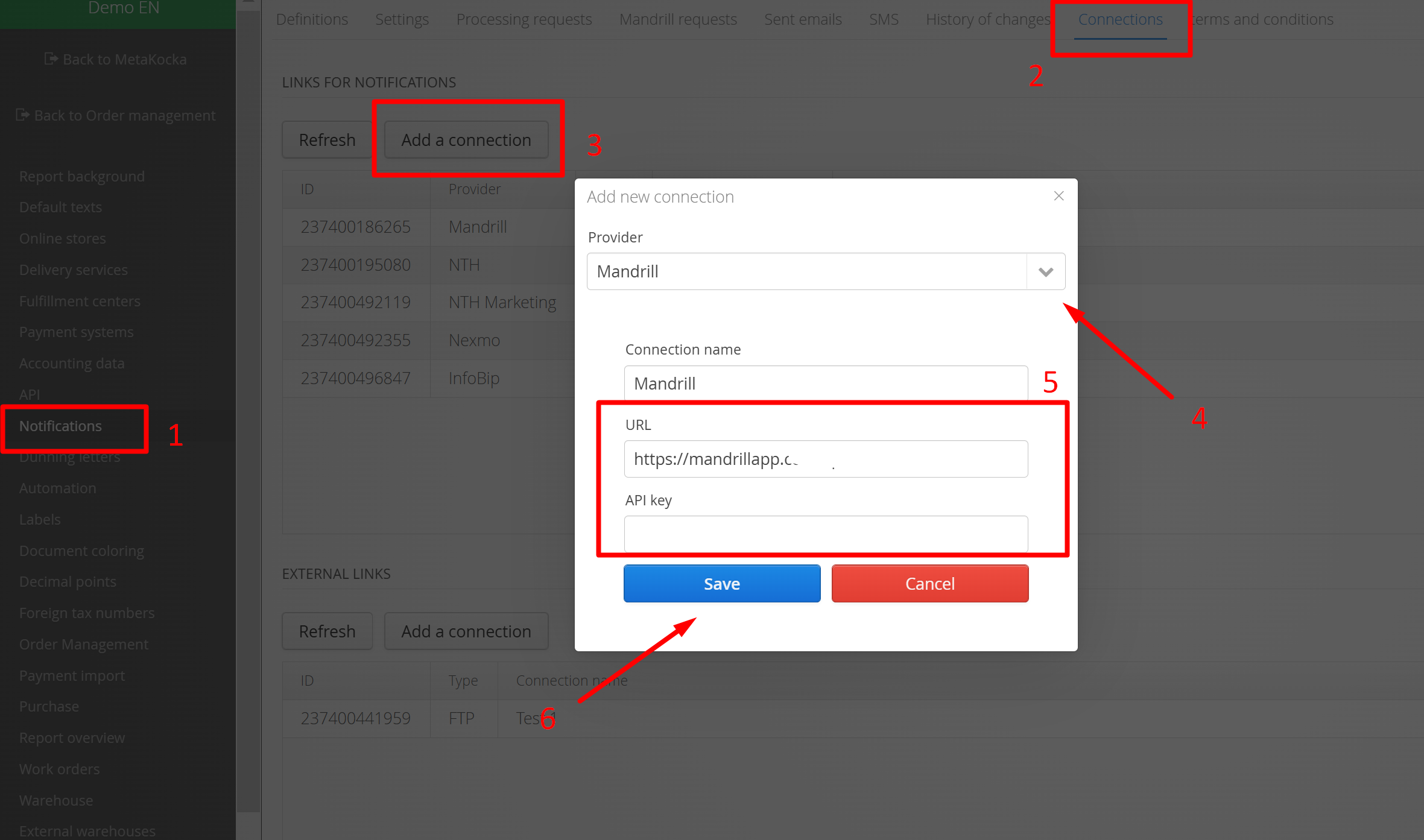
In Additional settings go to:
1. Notifications
2. Connections
3. Add a connection
4. Select Mandrill as a service provider
5. For URL add:
https://mandrillapp.com/api/1.0/
API Key: key obtained after the procedure above
6. Save
In order to successfully send e-mails via Mandrill, your DNS records must be configured as well, according to the instructions on the Mandrill webpage:
Was this article helpful?
That’s Great!
Thank you for your feedback
Sorry! We couldn't be helpful
Thank you for your feedback
Feedback sent
We appreciate your effort and will try to fix the article