
e-Invoices
eInvoices
Dieser Artikel ist auf German nicht verfügbar. Sehen Sie ihn sich auf Slovenian an
| Bank / intermediary | Import support | Instructions | Confirmed to work with eSlog 2.0 |
| ABANKA d.d. | (not verified) | ||
| ADDIKO BANK d.d. | (not verified) | ||
| BANKA INTESA SANPAOLO D.D. | NO (the invoice must be signed beforehand) | We recommend using a different bank or Post of Slovenia | No |
| BANKA SPARKASSE d.d. | (not verified) | ||
| DEŽELNA BANKA SLOVENIJE d.d. | (not verified) | ||
| GORENJSKA BANKA d.d., KRANJ | (not verified) | ||
| NOVA KREDITNA BANKA MARIBOR d.d. (NKBM) | NO (the invoice must be signed beforehand) | We recommend using a different bank or Post of Slovenia | No |
| NOVA LJUBLJANSKA BANKA d.d., LJUBLJANA | YES | Importing eInvoices from MetaKocka into Halcom eInvoices - ProKlik does not import the envelope, it only accepts the eInvoice | YES. At least version 22.0.1.00 of the ProKlik application |
| SBERBANK BANKA d.d. | It depends on what the user uses:
| https://www.sberbank.si/pripomocki/financni-nasveti/e-racuni https://www.sberbank.si/docs/default-source/pripomocki/e-ra%C4%8Dun---izdajatelji.pdf?sfvrsn=6 | (not verified) |
| SKB BANKA d.d. LJUBLJANA | YES | eInvoices - SKB | YES |
| SID - SLOVENSKA IZVOZNA IN RAZVOJNA BANKA, d.d., LJUBLJANA | (not verified) | ||
| UNICREDIT BANKA SLOVENIJA d.d. | (not verified) | ||
| Delavska hranilnica | YES | eInvoices - Delavska hranilnica | YES. |
| ZZI / BizBox | YES | eInvoices - import via the BizBox application BizBox - direct sending | YES. Some settings need to be configured in the BizBox application. |
| Post of Slovenia | YES | YES (via the eNabiralnik application) | |
| UJP eInvoices | YES | On the website https://eracuni.ujp.gov.si/ | (not verified) |
Document rejected because of a missing reference number
If the rejection contains the error below, enter the reference document number on the invoice (quote, purchase order, etc. If nothing else applies, enter the invoice number). Steps:
- Under Settings -> Your company, find "Additional fields on the invoice" and enable "Customer order"

- Then enter the value under "Customer order" on the invoice.
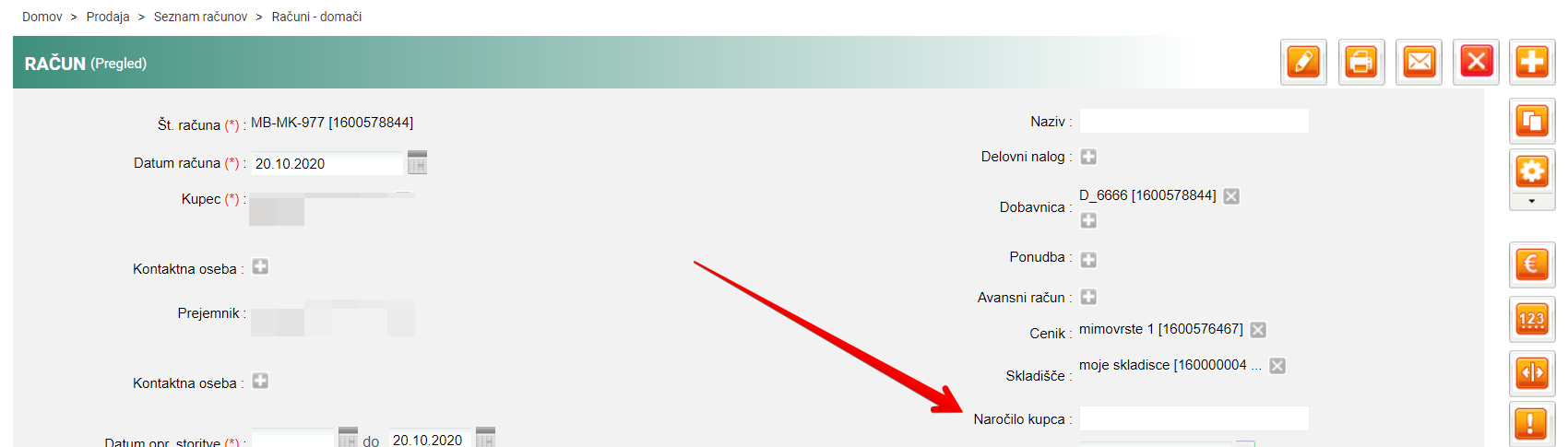
error message:

Document rejected because of the old eSlog schema
If you get the message below, enable support for eSlog 2.0 - https://blog.metakocka.si/potrjevanje-eracuna-eslog-2-0/

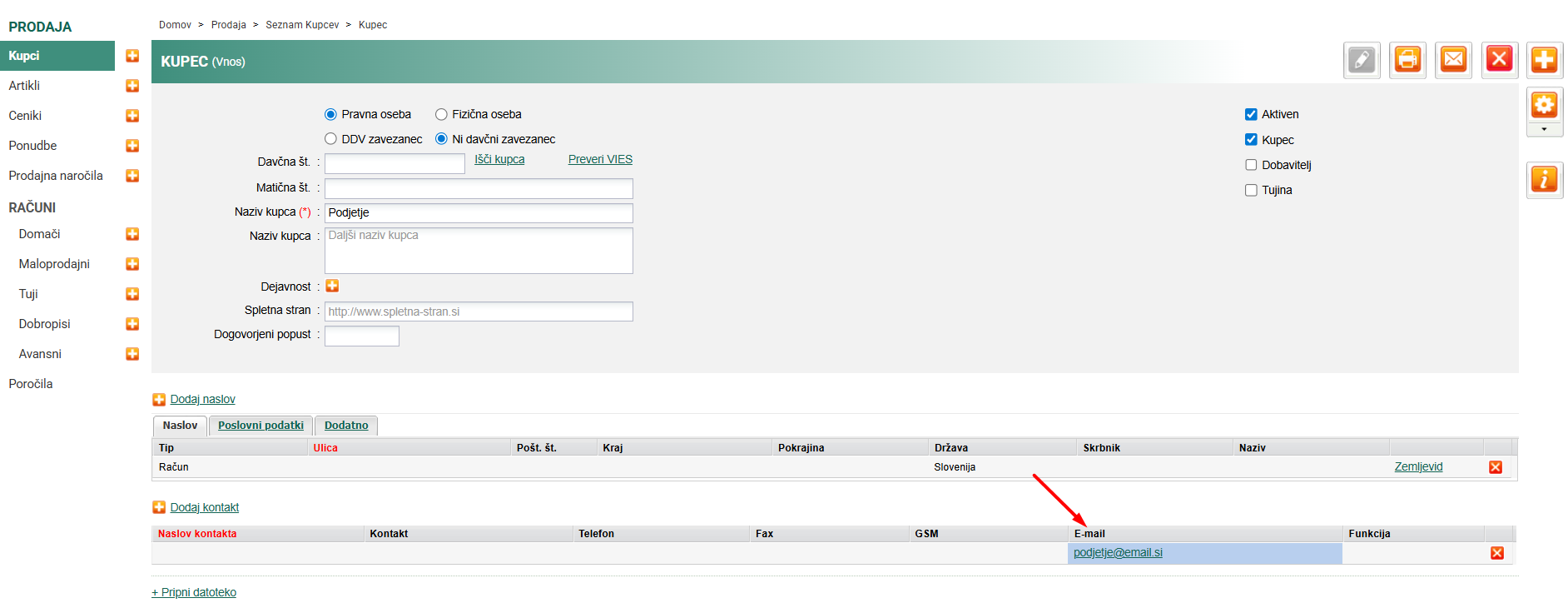
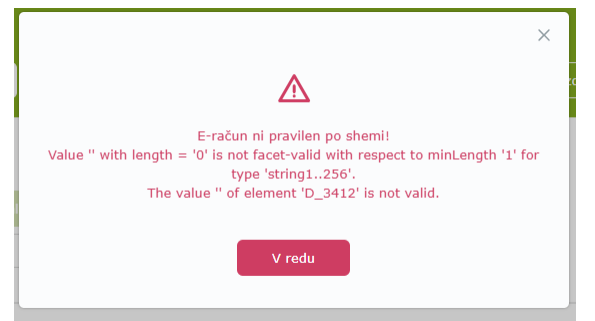
Document rejected because the contact has no email address
If you get the error below, add an email address to the contact
Was this article helpful?
That’s Great!
Thank you for your feedback
Sorry! We couldn't be helpful
Thank you for your feedback
Feedback sent
We appreciate your effort and will try to fix the article