
Automatic language and currency selection for partners from abroad
In MetaKocka we have a function, that helps you with business for abroad - Automatic language and currency choosing.
This function makes sure, when adding a new foreign customer - e.g USA, the program automatically adds language ''English'' and the currency ''USD''.
1. Settings - your company
Turn on the function in Settings/Your company (picture below).
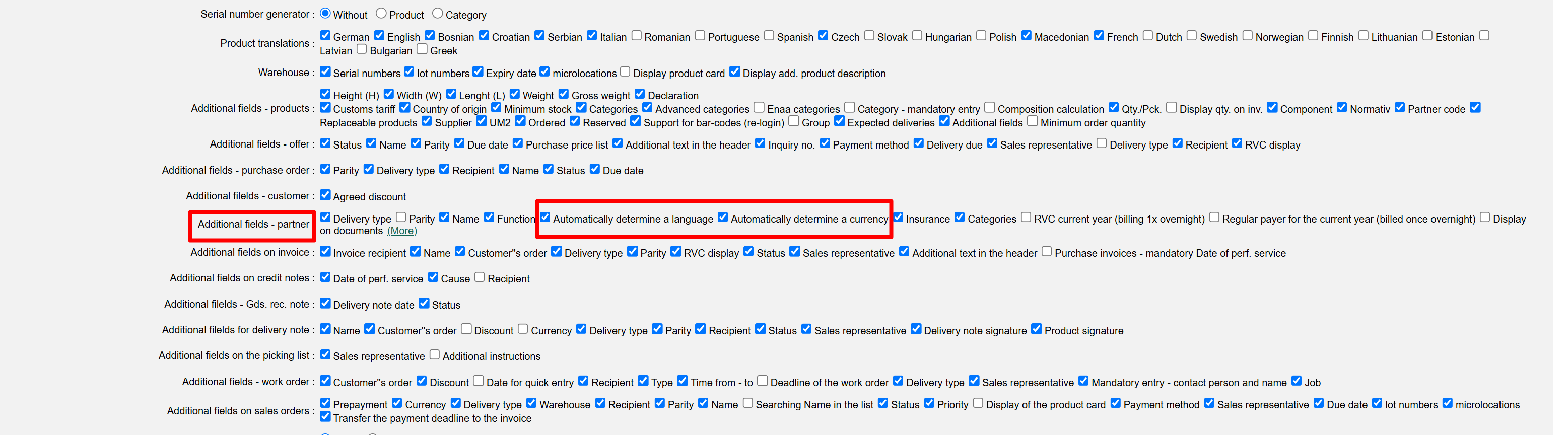
Additional fields - partner check ''Automatically determine a language'' and ''Automatically determine currency''
2. Save changes
3. Showing on the document
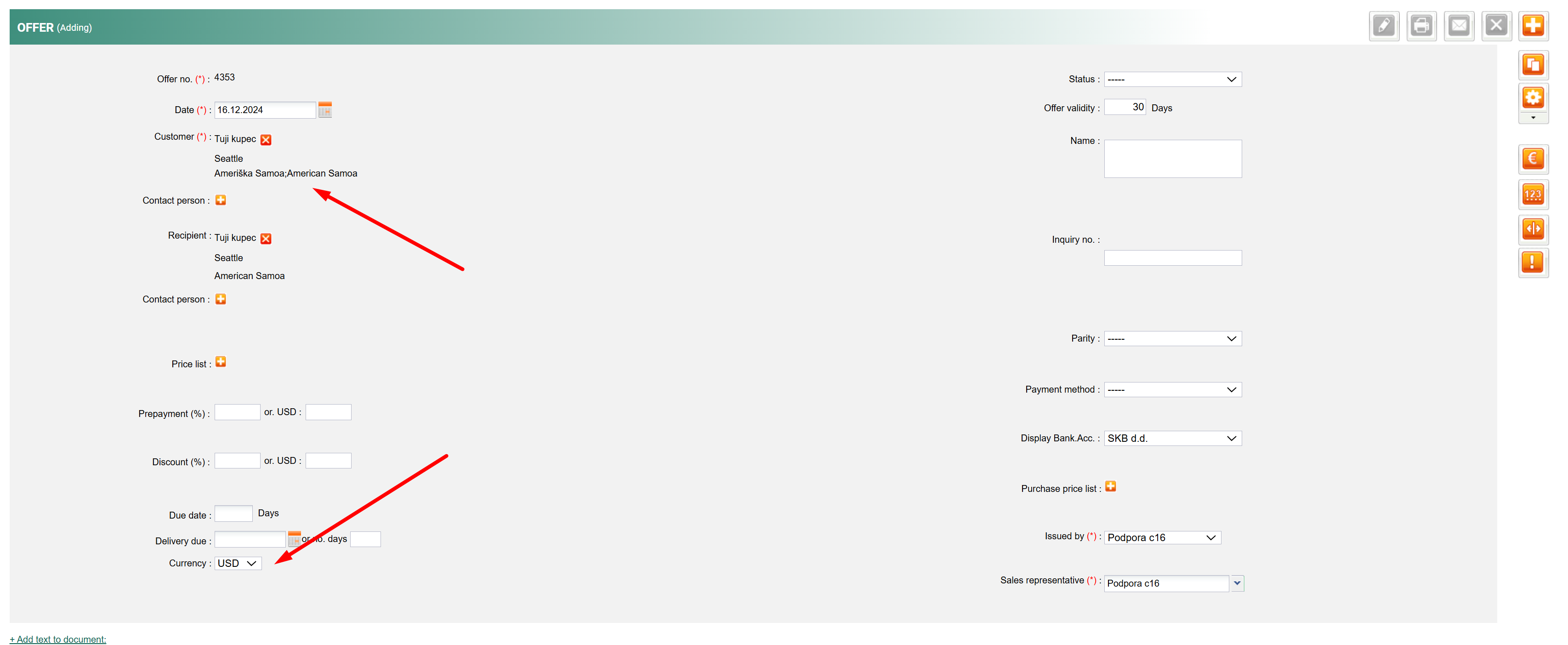
When creating a document - e.g. offer, the currency is selected automatically.
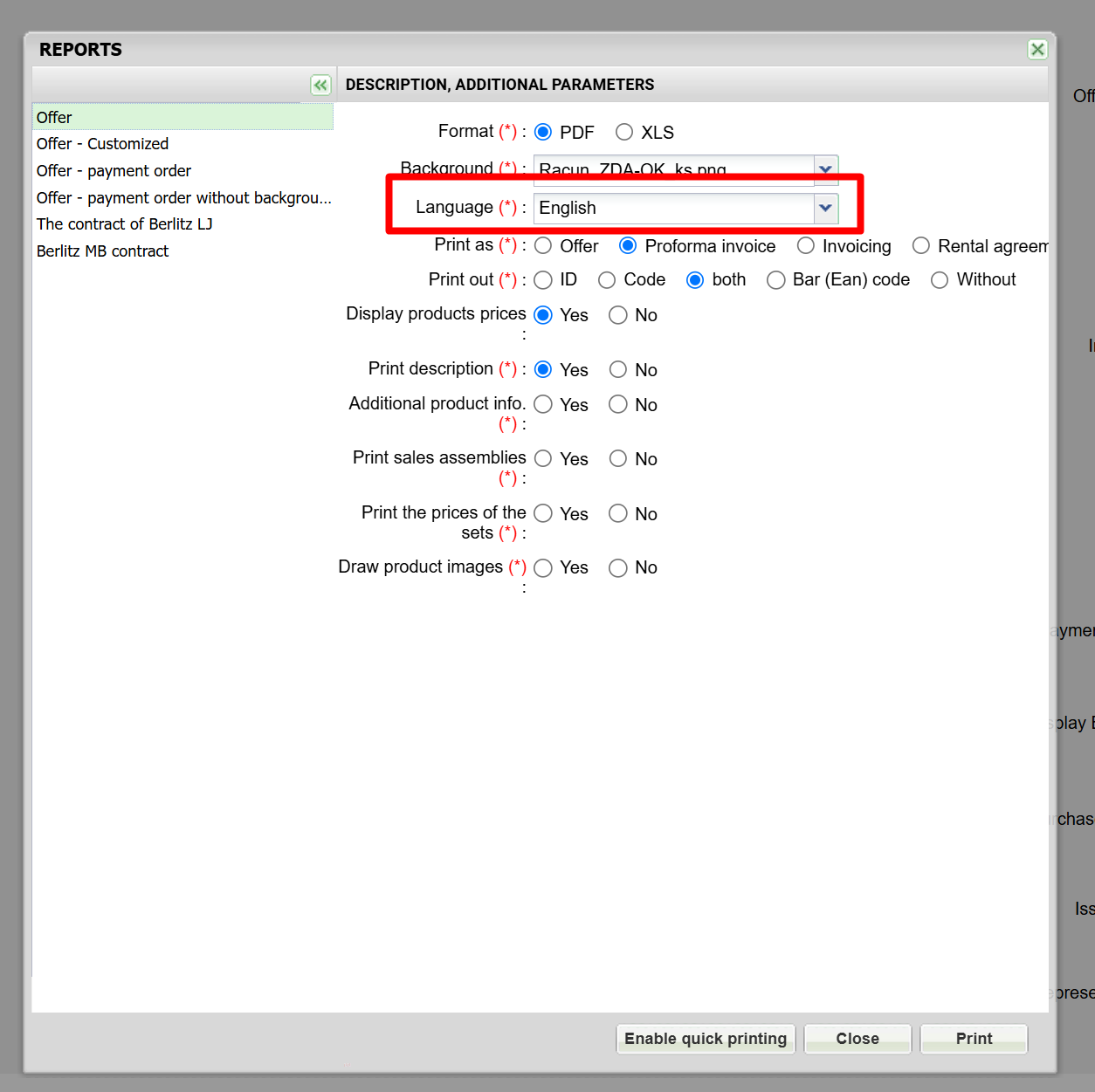
When printing the offer, the language you selected for the partner is also selected while printing (you can also change the language)
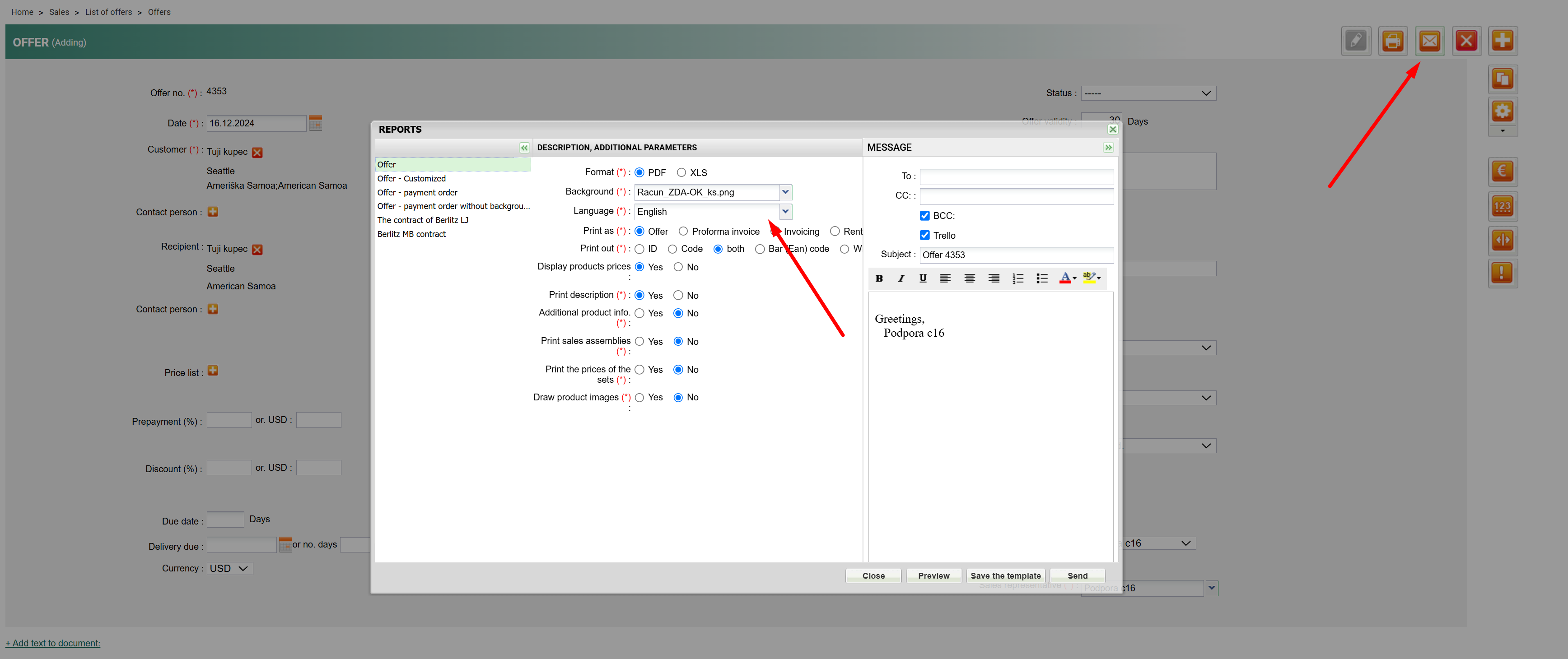
This also applies for sending emails.
Was this article helpful?
That’s Great!
Thank you for your feedback
Sorry! We couldn't be helpful
Thank you for your feedback
Feedback sent
We appreciate your effort and will try to fix the article