
Importing invoices (data transfer from the previous program)
1. Settings/Data import
To import partners to MetaKocka, click on "Data import" in "Settings".
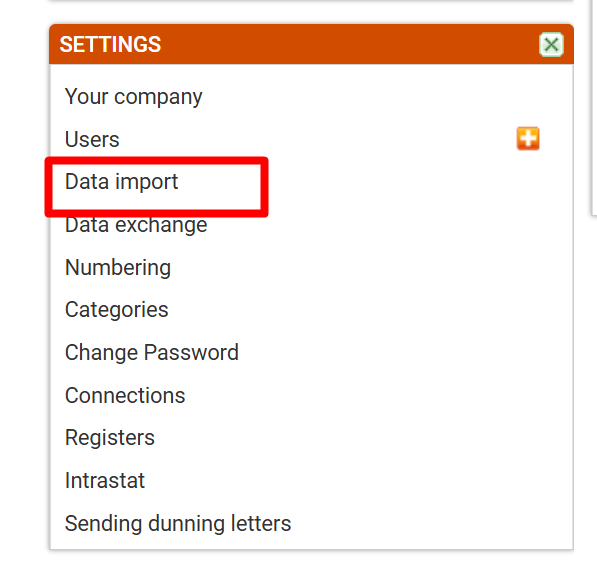
Go to "Data import".
2. Table for importing invoices
Under the point "d.) Invoices" click on ''Invoices'' (or ''Invoices with products'' if products should be on invoices imported from the other program).
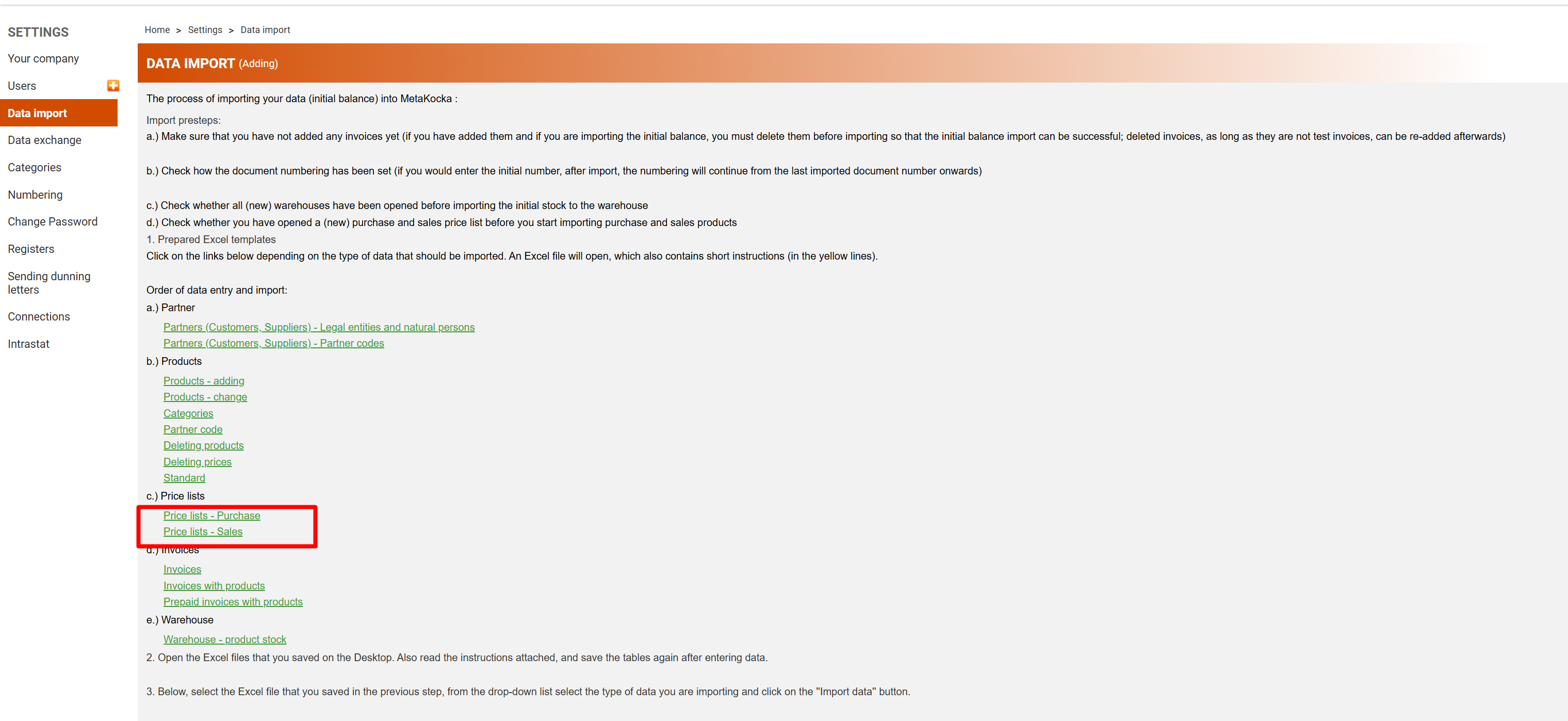
Click on "Invoices"
The Excel table is exported, which should be filled in with data (mandatory columns are marked with a bold font and an asterisk).
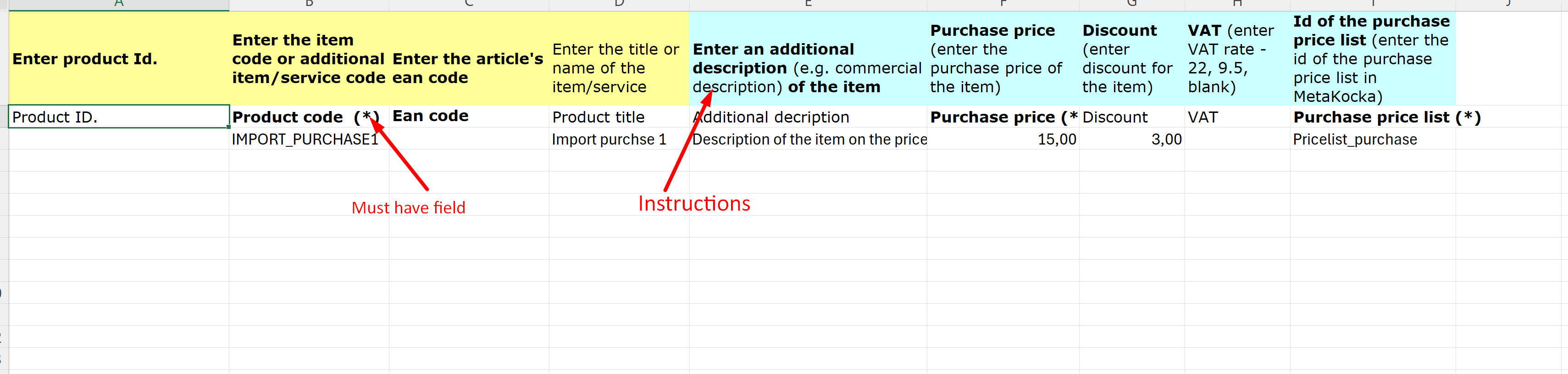
After data entry is completed, save the table.
3. Importing invoices to MetaKocka
In settings/data import, import the table with invoices next to point number 3.
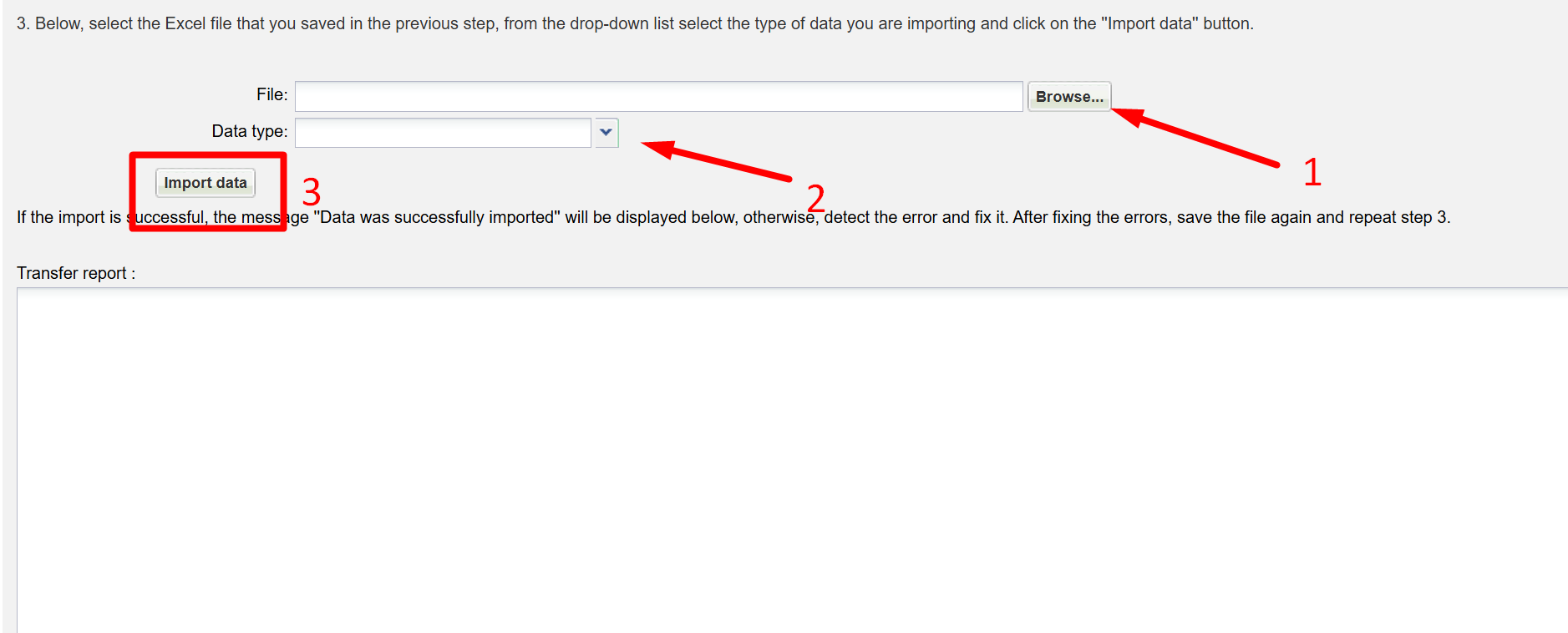
1. click on "Browse" and select the file for import of invoices
2. for "Data type" select "Invoices"
3. click on "Data import"
Was this article helpful?
That’s Great!
Thank you for your feedback
Sorry! We couldn't be helpful
Thank you for your feedback
Feedback sent
We appreciate your effort and will try to fix the article