
Delivery service integrations
Integration - SEUR
MetaKocka - establishing a connection
1. go to Additional settings/Delivery services/New
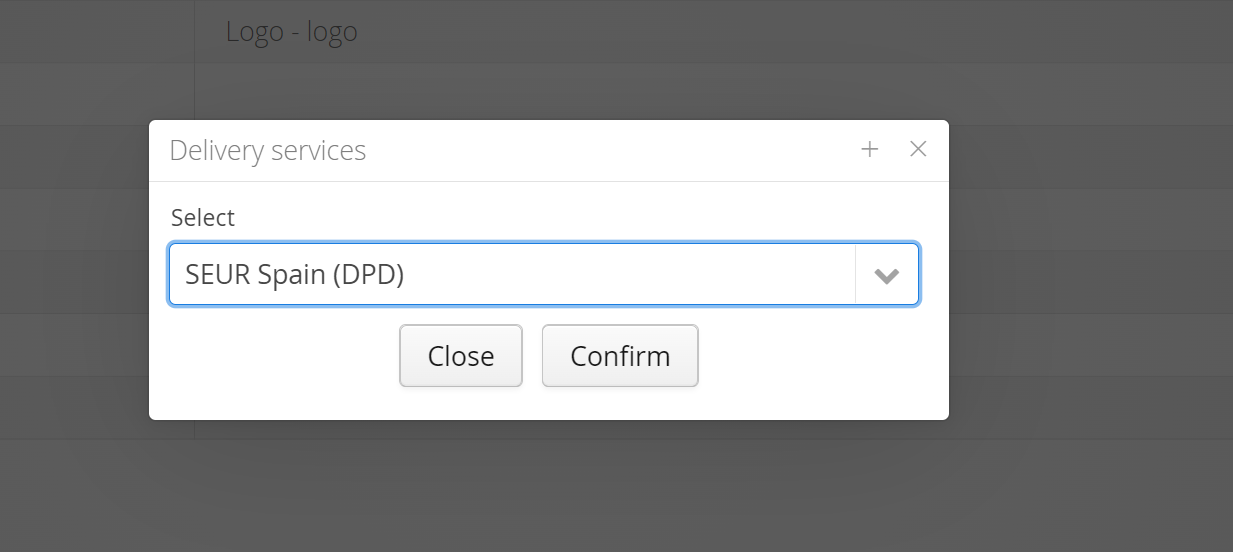
2. Select the delivery service SEUR
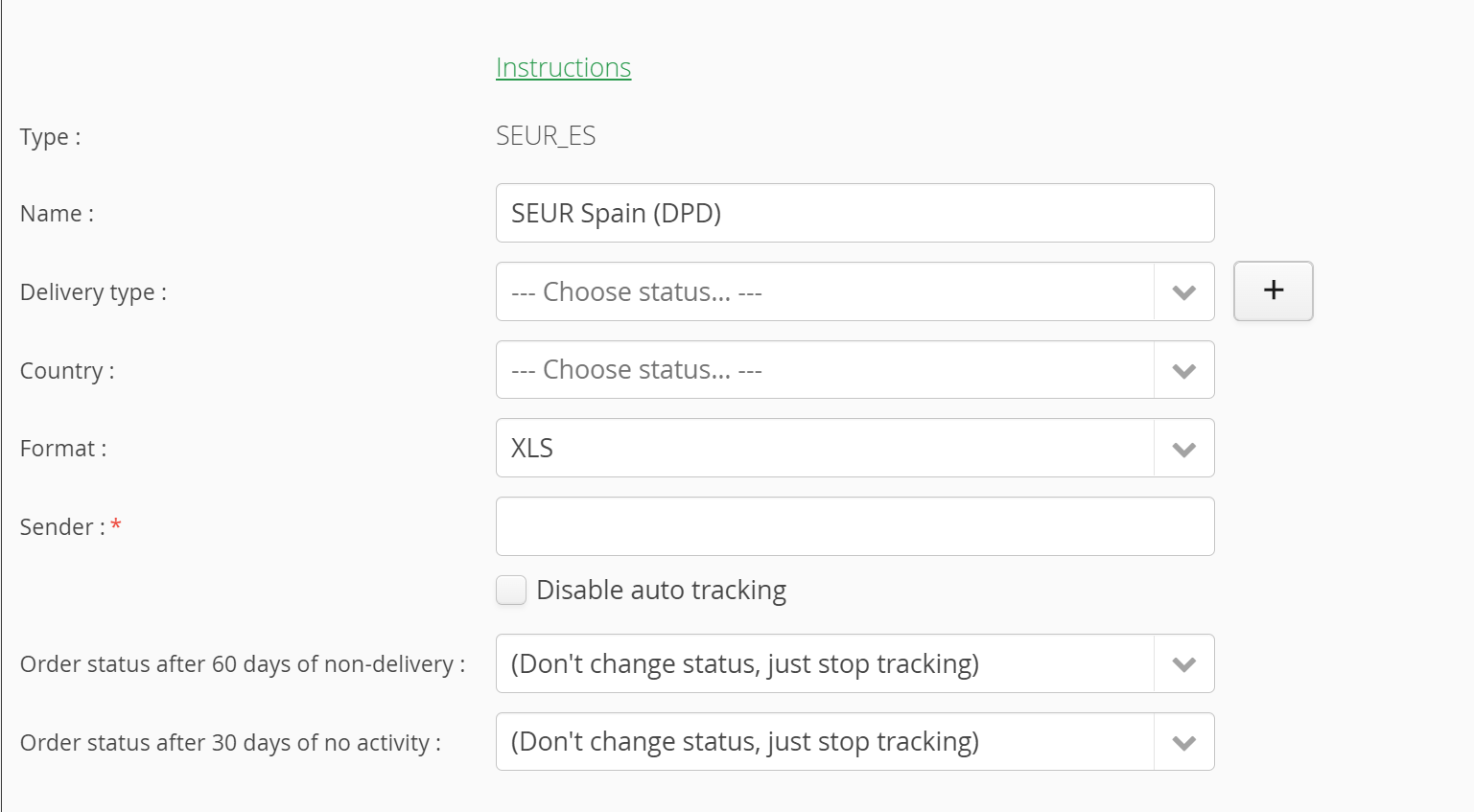
3. enter data that you received from SEUR
4. save and test the connection performance
1. Adding delivery service in additional settings: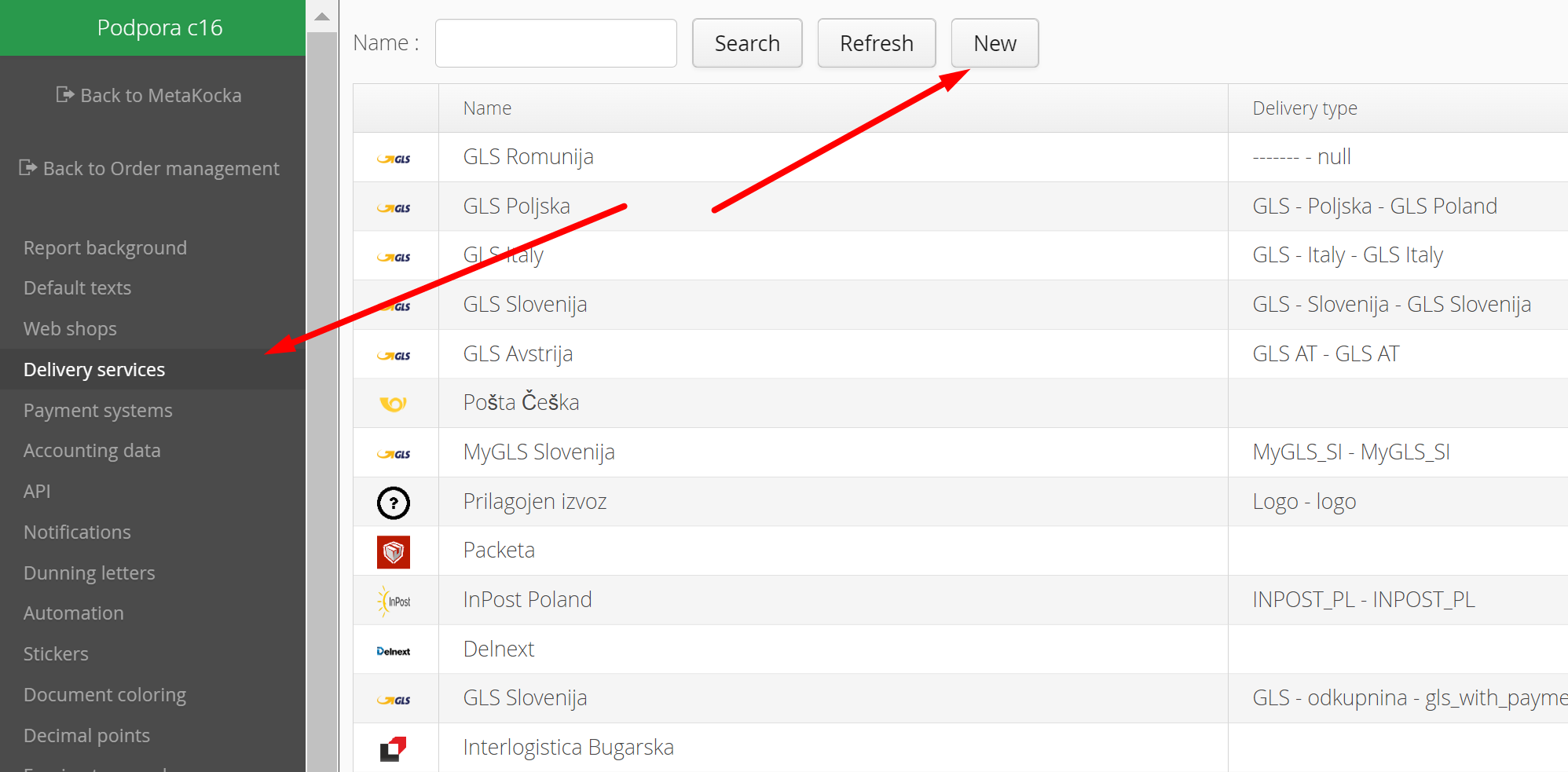
2. Select the delivery service SEUR and confirm it:
3. Delivery service SEUR is supported with export,
Specify the new type of delivery, that will be used for delivery service SEUR, you can add new (+)
Was this article helpful?
That’s Great!
Thank you for your feedback
Sorry! We couldn't be helpful
Thank you for your feedback
Feedback sent
We appreciate your effort and will try to fix the article