
Mobile scanner - unclaimed parcels / returns / incomplete returns
In mobile scanner go to Settings / Additional
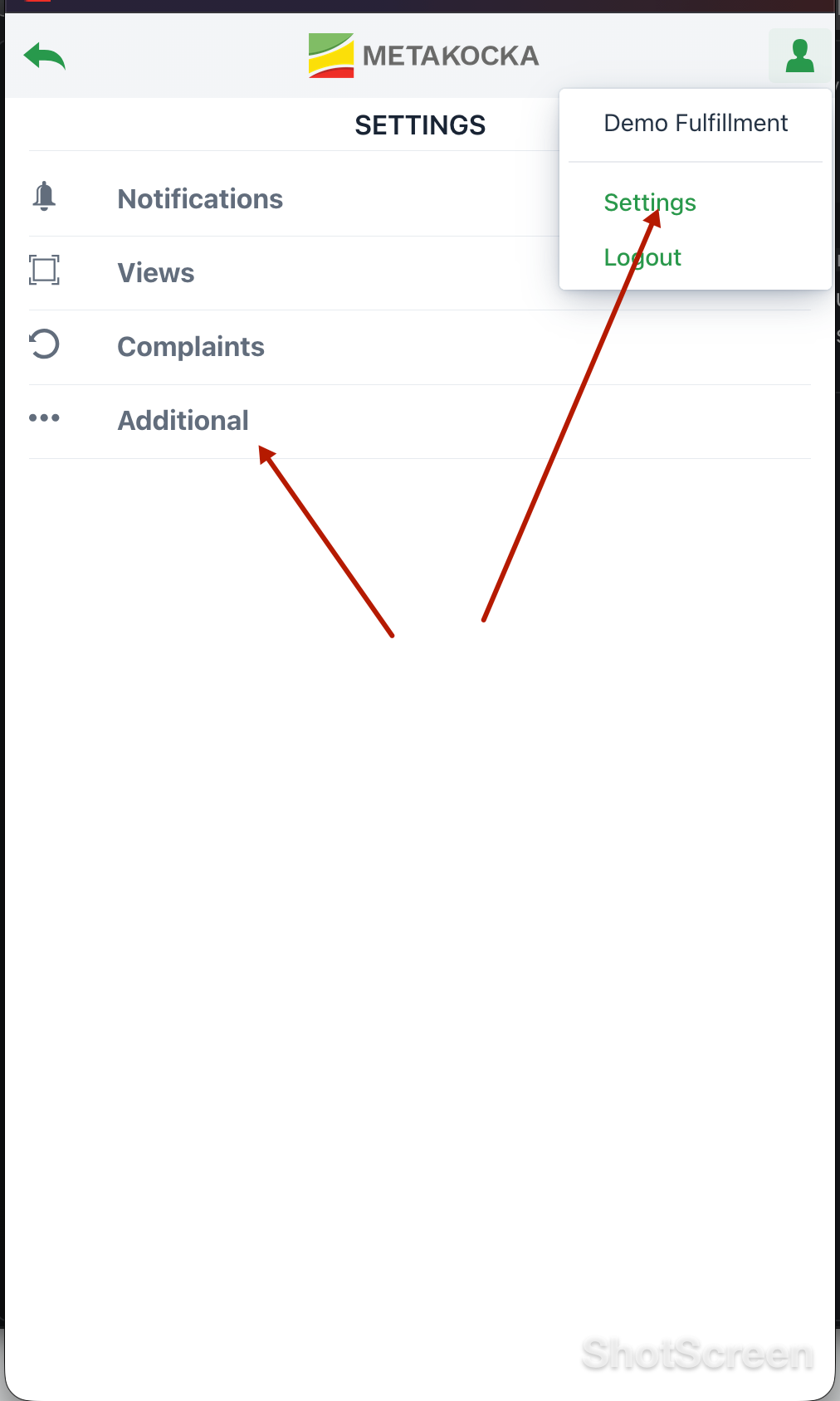
and in "Receiv.– unclaimed parcels" set order statuses - Shipped, Completed and Order returned for as valid statuses for returns
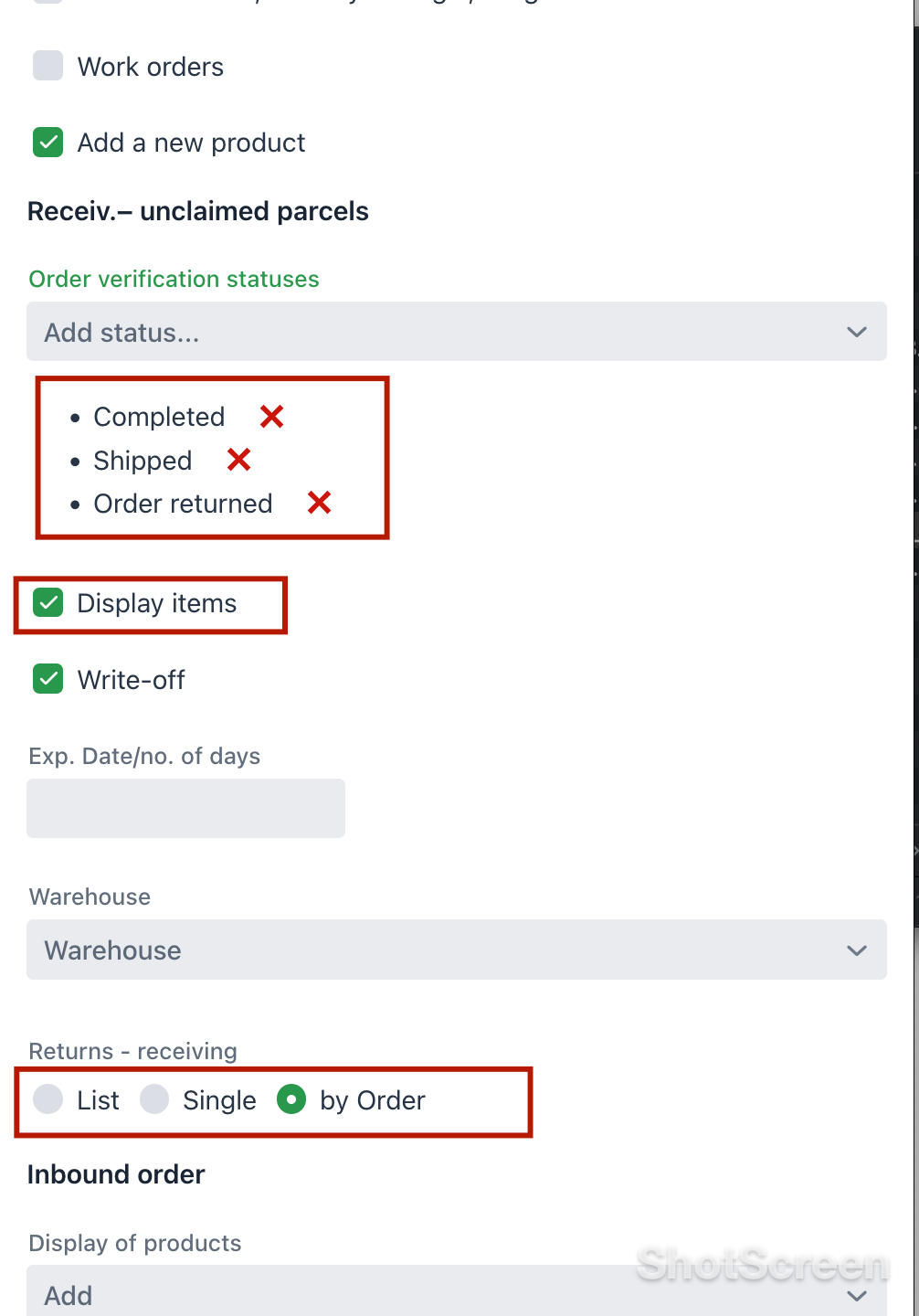
Enable: "Display items". to show the items that were shipped with the order you received ( scanned return).
When you scan the returned package label - order and items are shown
Choosing option: "By order" will not sum up same sku-s but show order / items for each scanned order
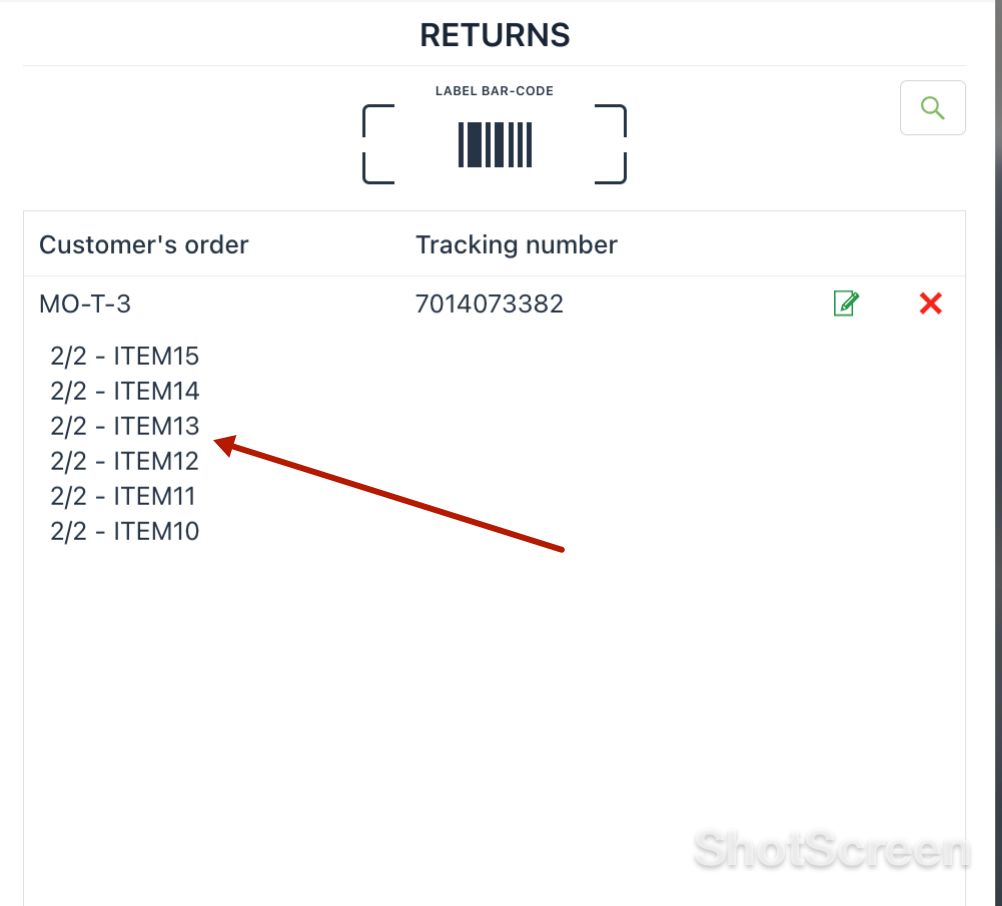
to correct item list/ quantity that has been returned ( incomplete returns) click on edit icon and order will open
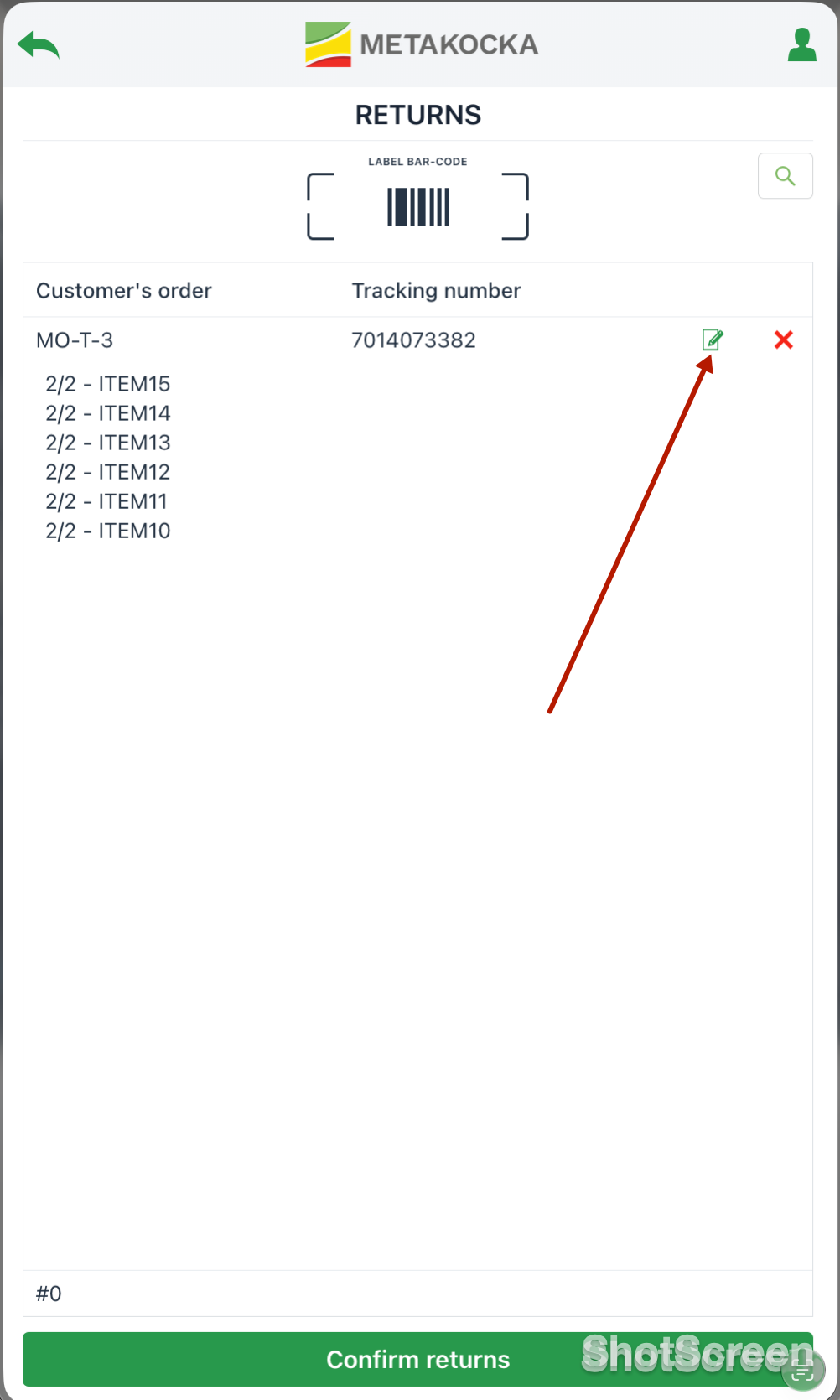 Click on line and delete / edit order, and confirm. If order has not been claimed you can just confirm without editing order.
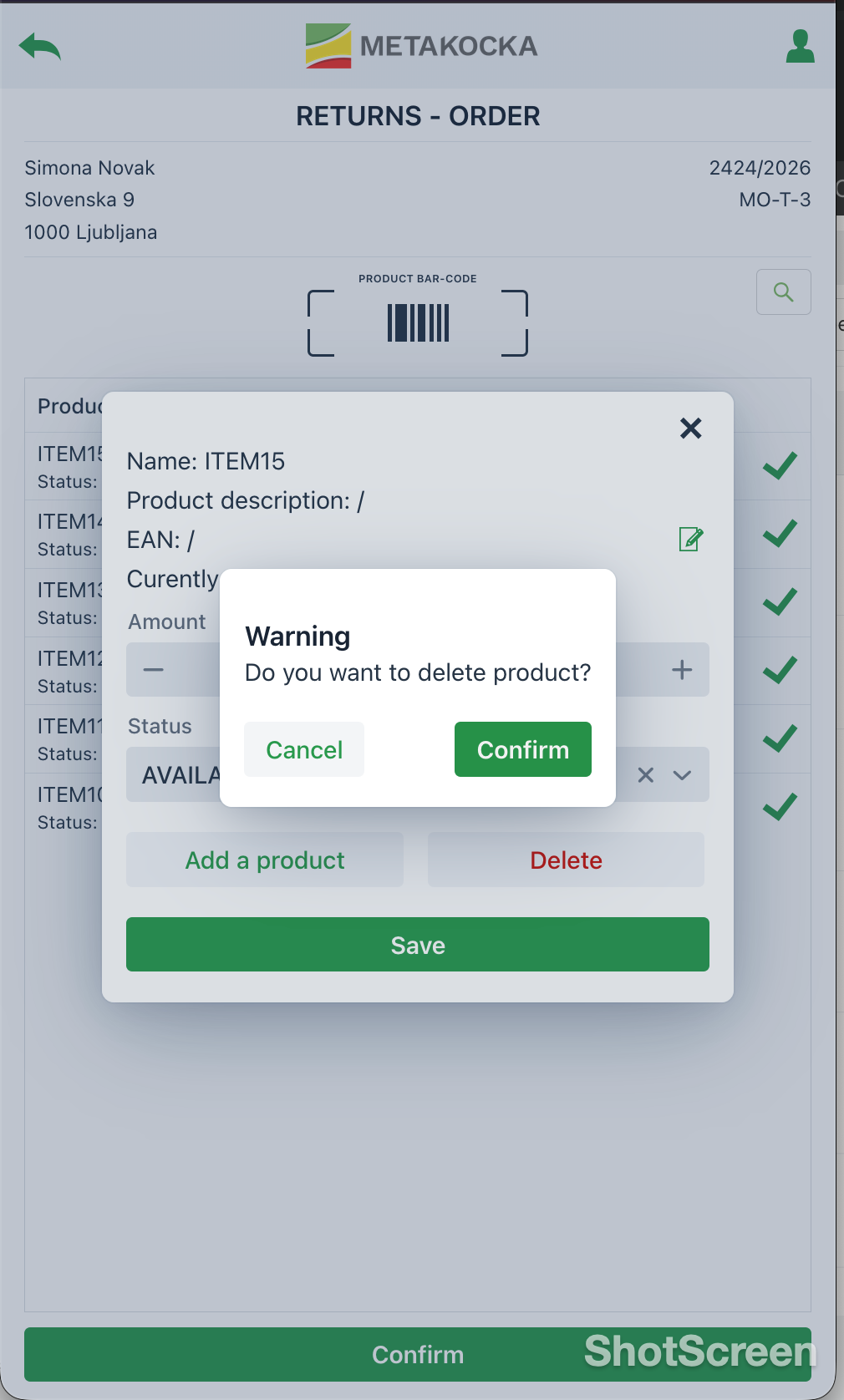
When returns are confirmed Inbound order is created to allow receiving back stock / shelve it or put it on location for further inspection.
Was this article helpful?
That’s Great!
Thank you for your feedback
Sorry! We couldn't be helpful
Thank you for your feedback
Feedback sent
We appreciate your effort and will try to fix the article