
Mobile scanner
Mobile scanner - unclaimed parcels/return - rules for reading labels
Log in - use the same credentials as in Dispatch
https://main.metakocka.si/apps/mobilewarehouseapp/login
Upon logging in, click on "Receiving - unclaimed parcels"
Instructions https://metakocka.freshdesk.com/sl/support/solutions/articles/3000100390-čitalec-neprevzeti-paketi
Delivery services
Unifaun - Enabled - left label below - enabled. Disabled - label OMBUDSRETUR ( Right label)
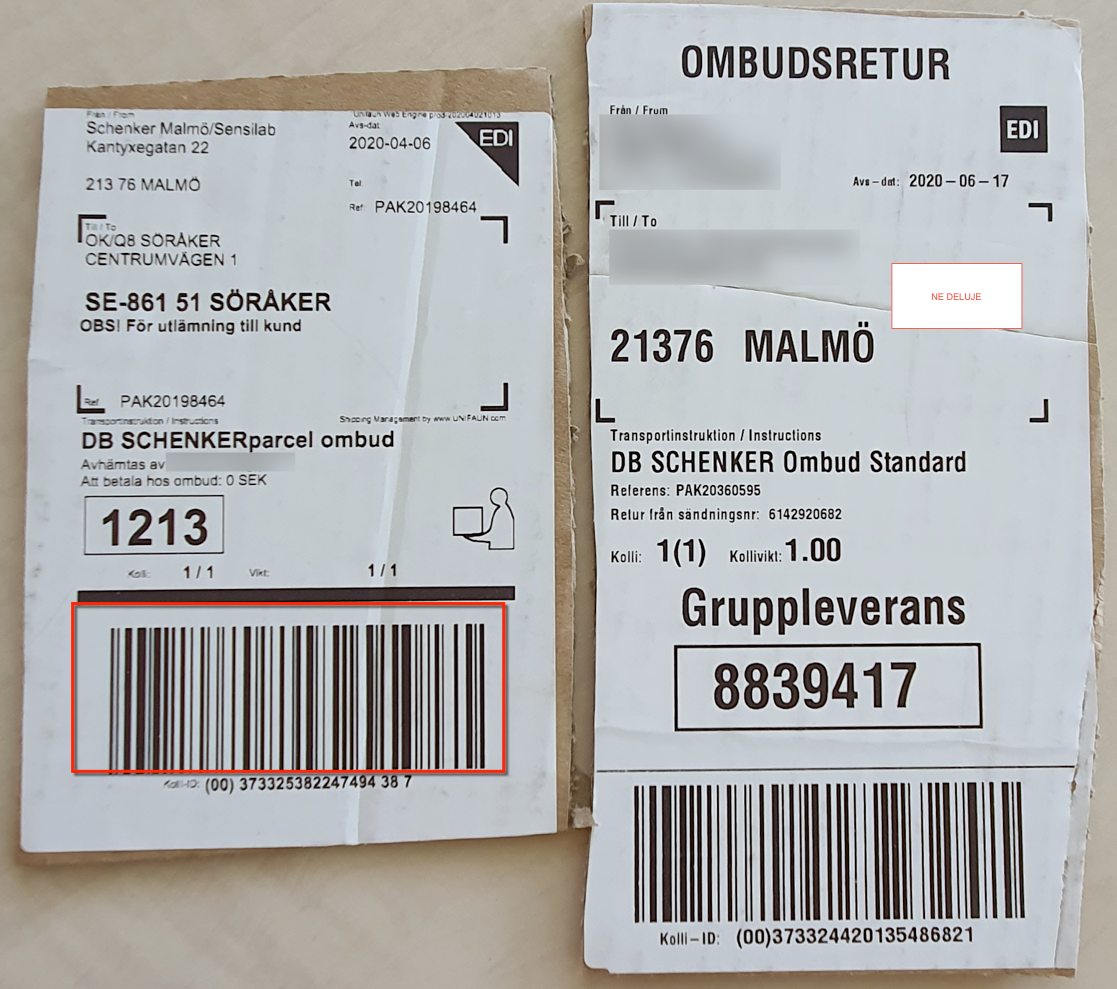
Gls DE, AT, FR ( scanning the left QR Code is needed - marked below)

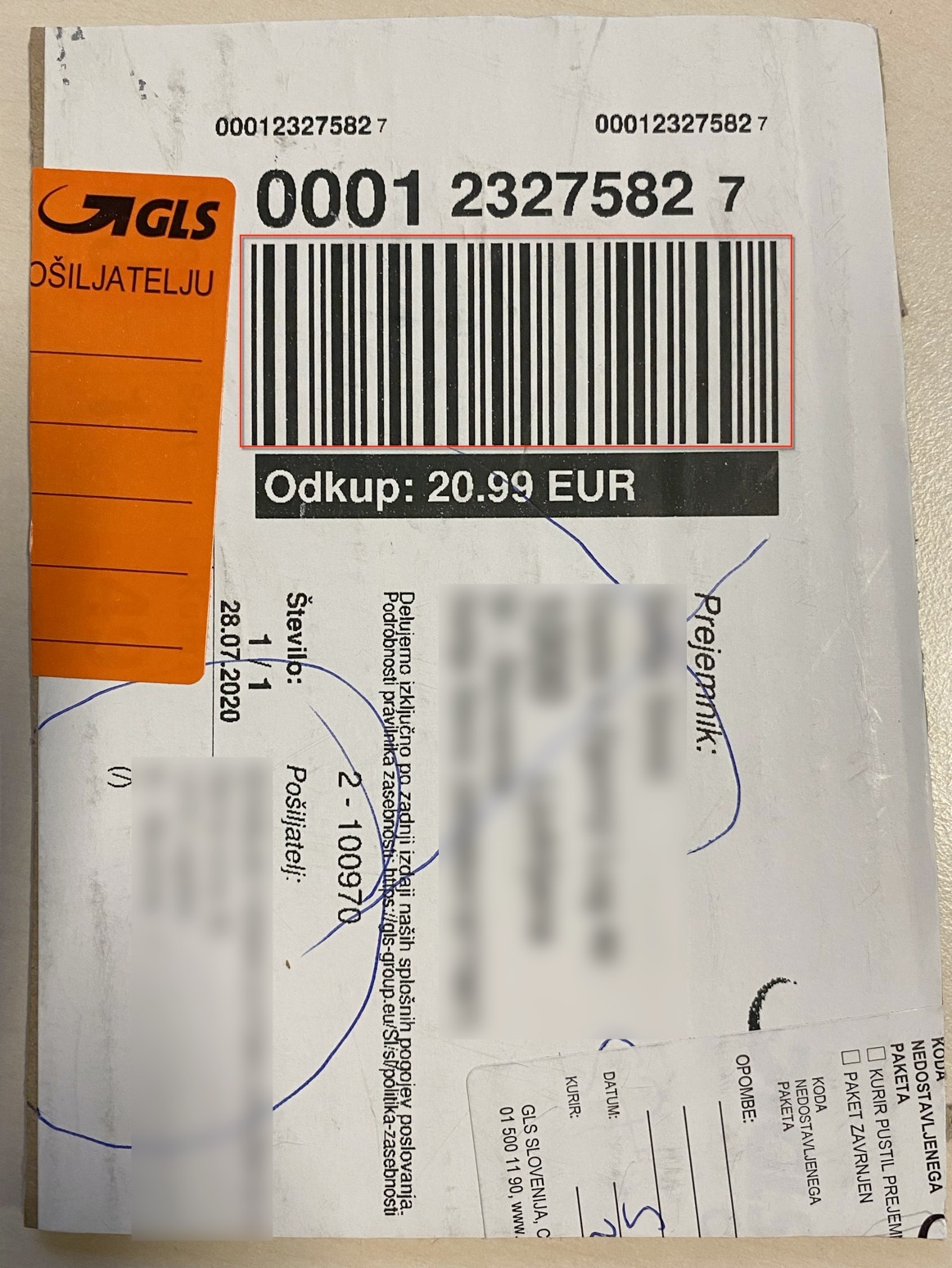
Gls Slo, HR, SK, ( scanning the tracking number- The marked tracking number is scanned)
- Gls Pol ( scanning the left QR code) - we need more examples of labels
- DHL-DE ( scanning the BAR-CODE below )

DHL DE - not functioning

- Overseas (still without an example of a label)
- Pošta Slovenije (still without an example of a label)
- Urgent c. - No support to read returns - no connection through API to that delivery service
- BRT - No support to read returns - no connection through API to that delivery service
Was this article helpful?
That’s Great!
Thank you for your feedback
Sorry! We couldn't be helpful
Thank you for your feedback
Feedback sent
We appreciate your effort and will try to fix the article