
Company and users
Set the default bank account
1. Settings/Your Company
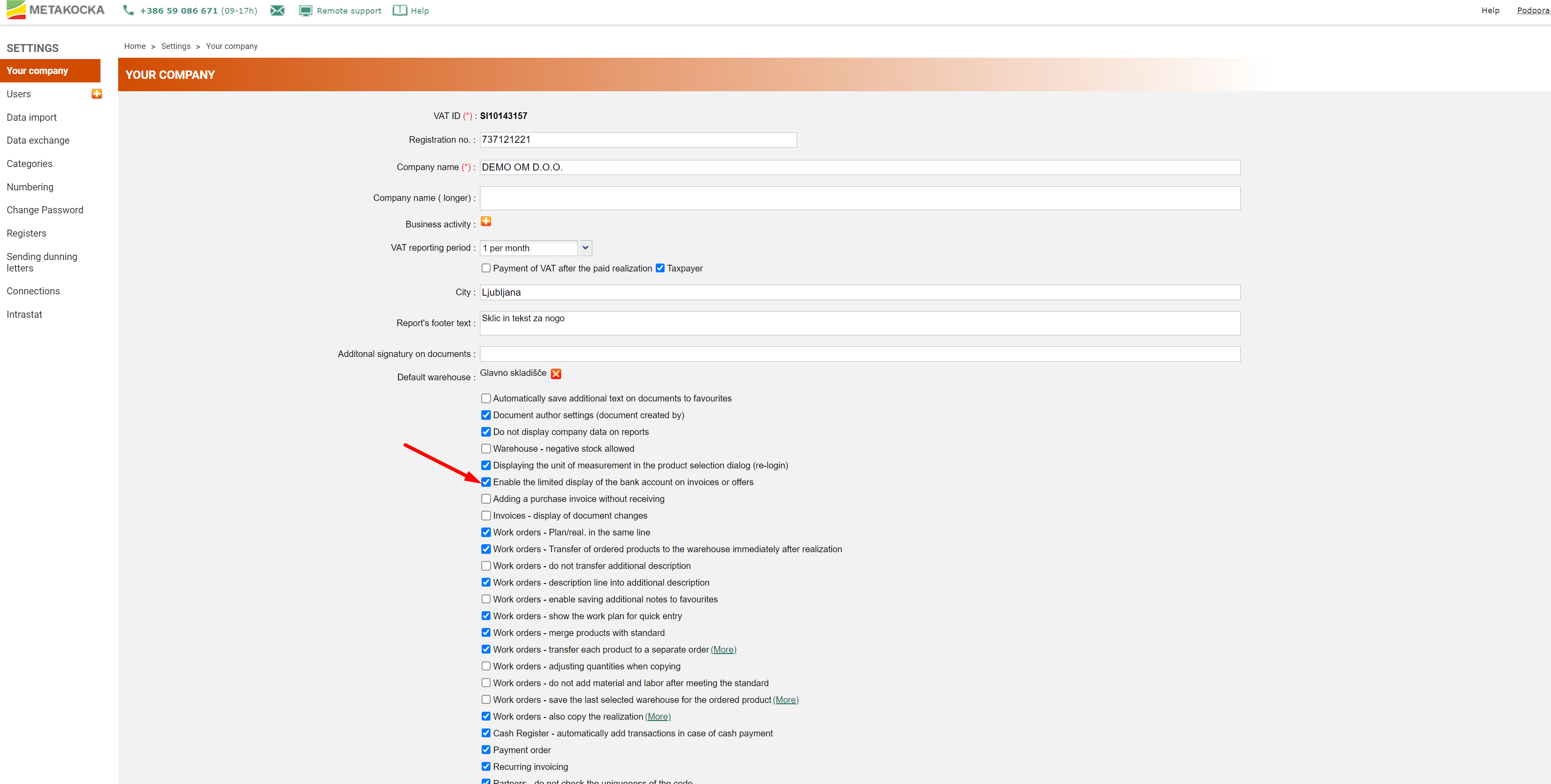
Firstly, in "SETTINGS/Your company tick the ''Enable the limited display of bank account on invoices or offers'' feature.
2. Default bank account displayed
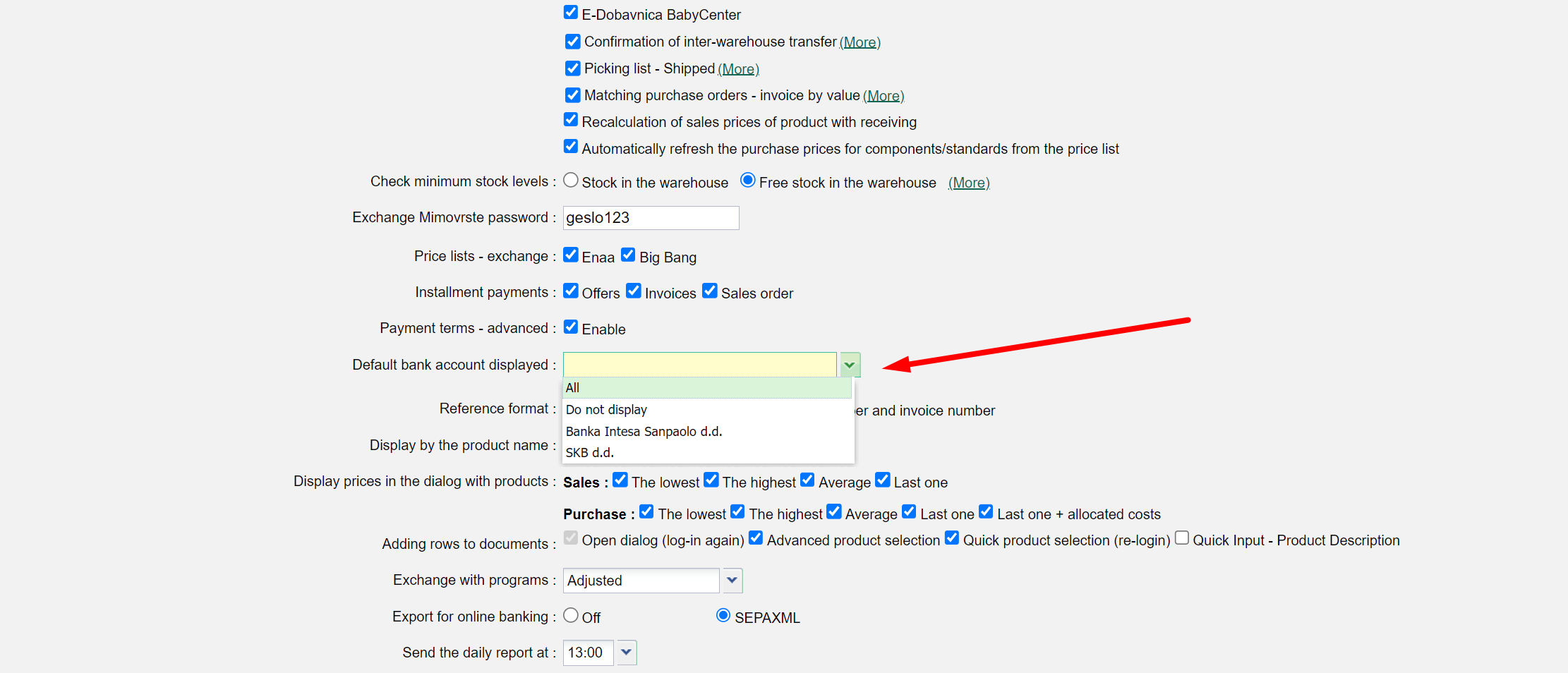
Then, for the ''Default bank account displayed'' select which bank account should be displayed on the documents as a default one.
At the end, save your settings.
Was this article helpful?
That’s Great!
Thank you for your feedback
Sorry! We couldn't be helpful
Thank you for your feedback
Feedback sent
We appreciate your effort and will try to fix the article