
Order processing and automation
Order Management - Column order - Adjusted
In additional settings of Order Management, it is possible to adjust the column order in the sales orders list.
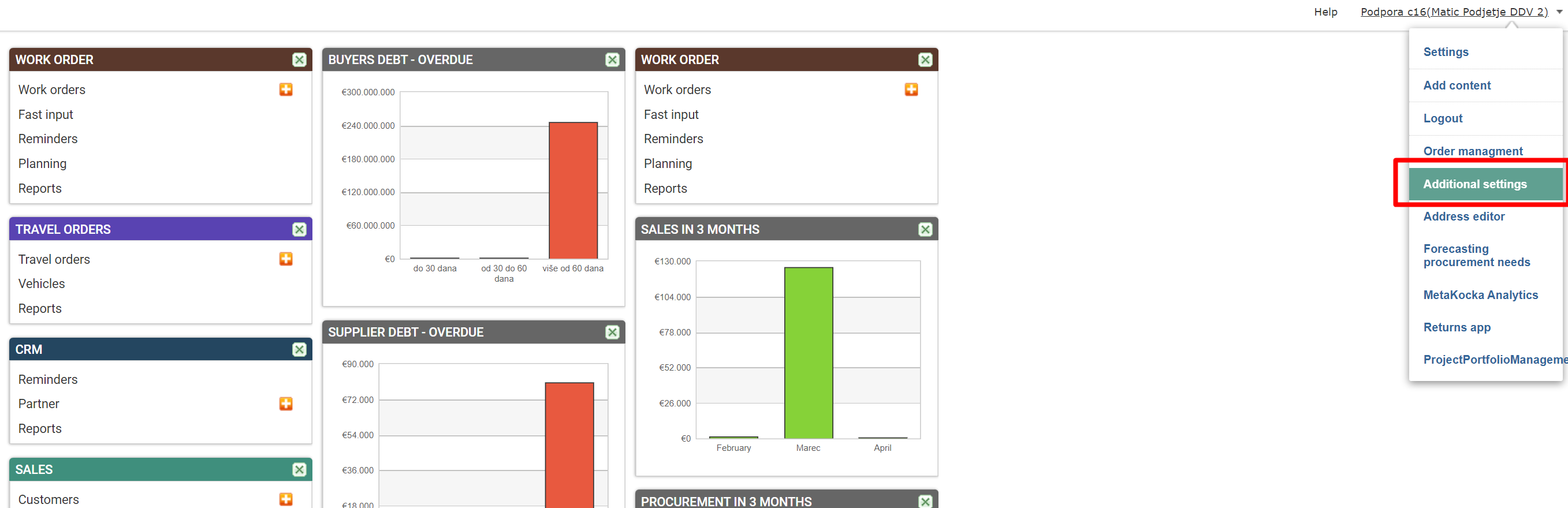
1. Additional settings / Order Management
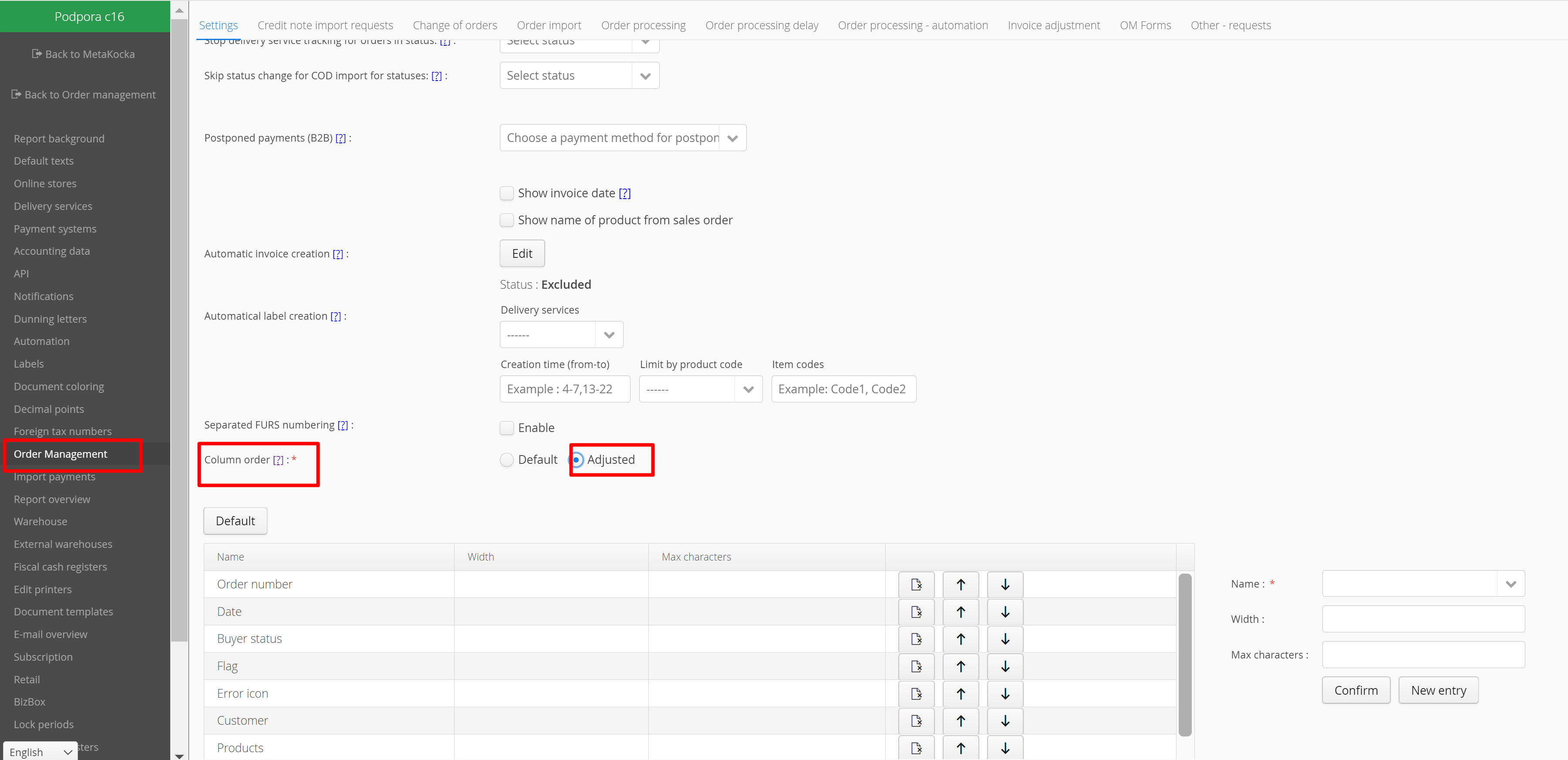
In additional settings / Order Management / Column order - mark Adjusted
2. Arranging column order
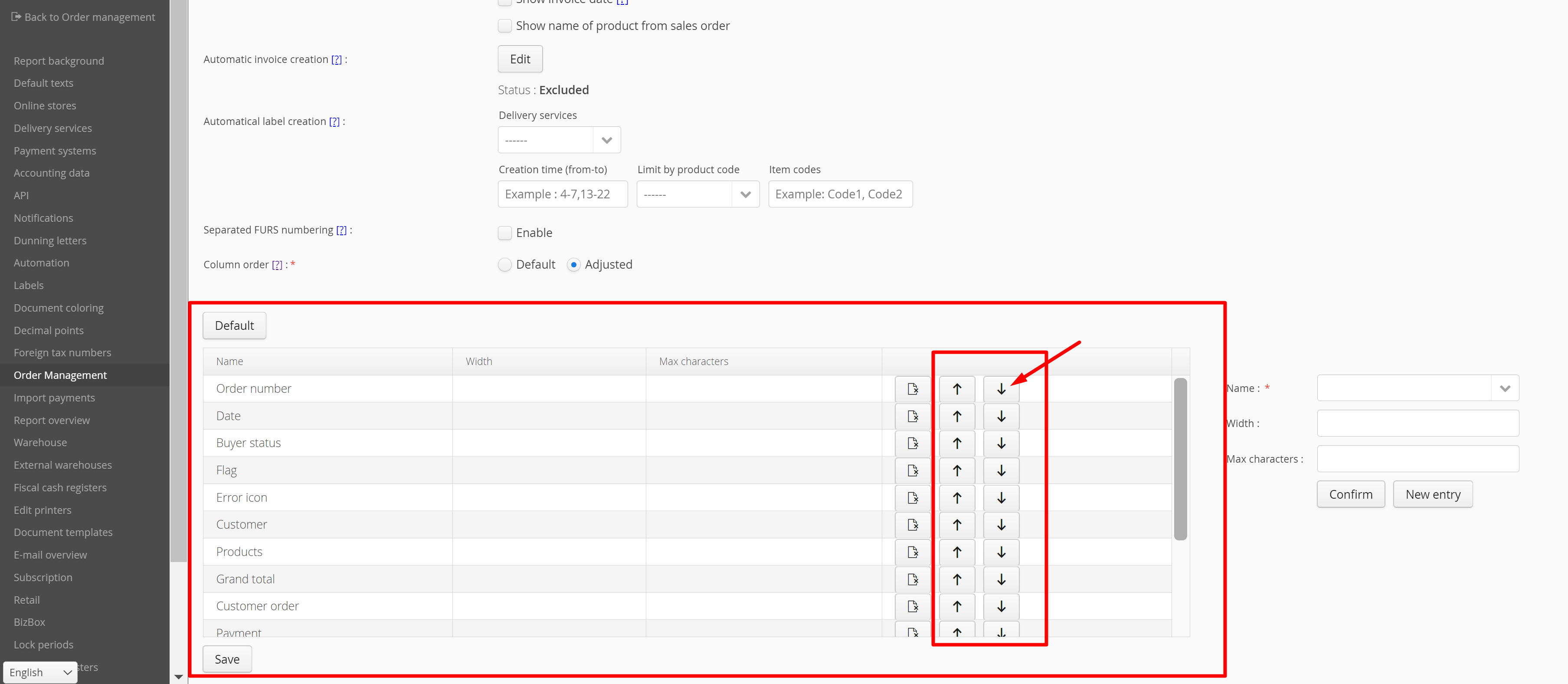
Order can be arranged by clicking on the arrow up/down. Order in the sales orders list will be the same as the order determined in the settings.

Was this article helpful?
That’s Great!
Thank you for your feedback
Sorry! We couldn't be helpful
Thank you for your feedback
Feedback sent
We appreciate your effort and will try to fix the article