
Order processing and automation
Order Management - Adding the product's additional description/note inside a received order
By double-clicking on the row in the list, you will open a sales order.

In the middle part of the order, ordered products are displayed, to which you may add an additional description and note.
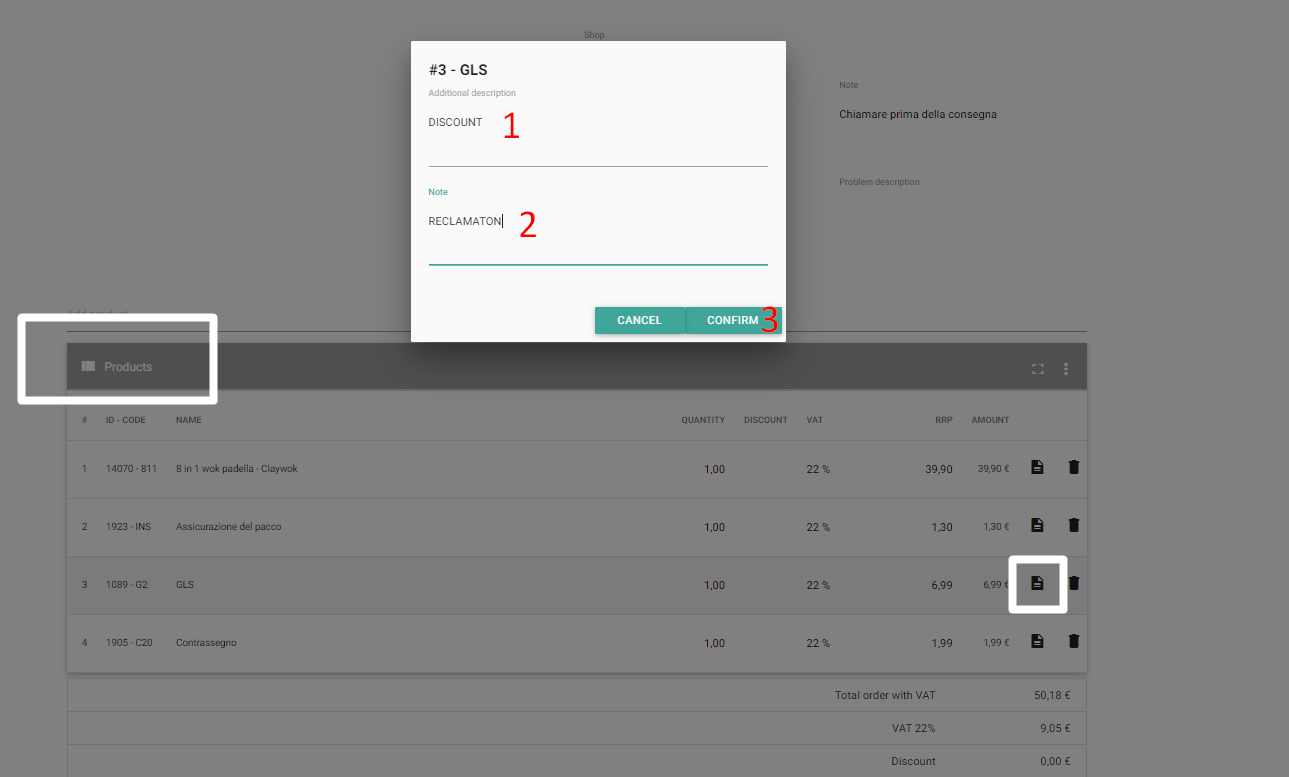
Additional description and note will be displayed under the product.
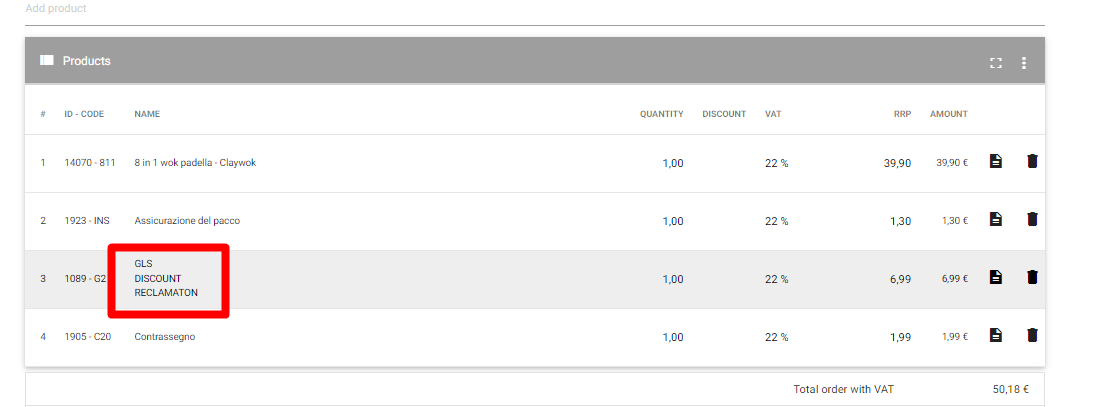
Additional product description will be visible in the document (invoice), content entered in the notes is internal and it will not be shown on the invoice.
Was this article helpful?
That’s Great!
Thank you for your feedback
Sorry! We couldn't be helpful
Thank you for your feedback
Feedback sent
We appreciate your effort and will try to fix the article