
Mobile scanner
Mobile scanner - Transfers
The functionality enables the creation of an inter-warehouse.
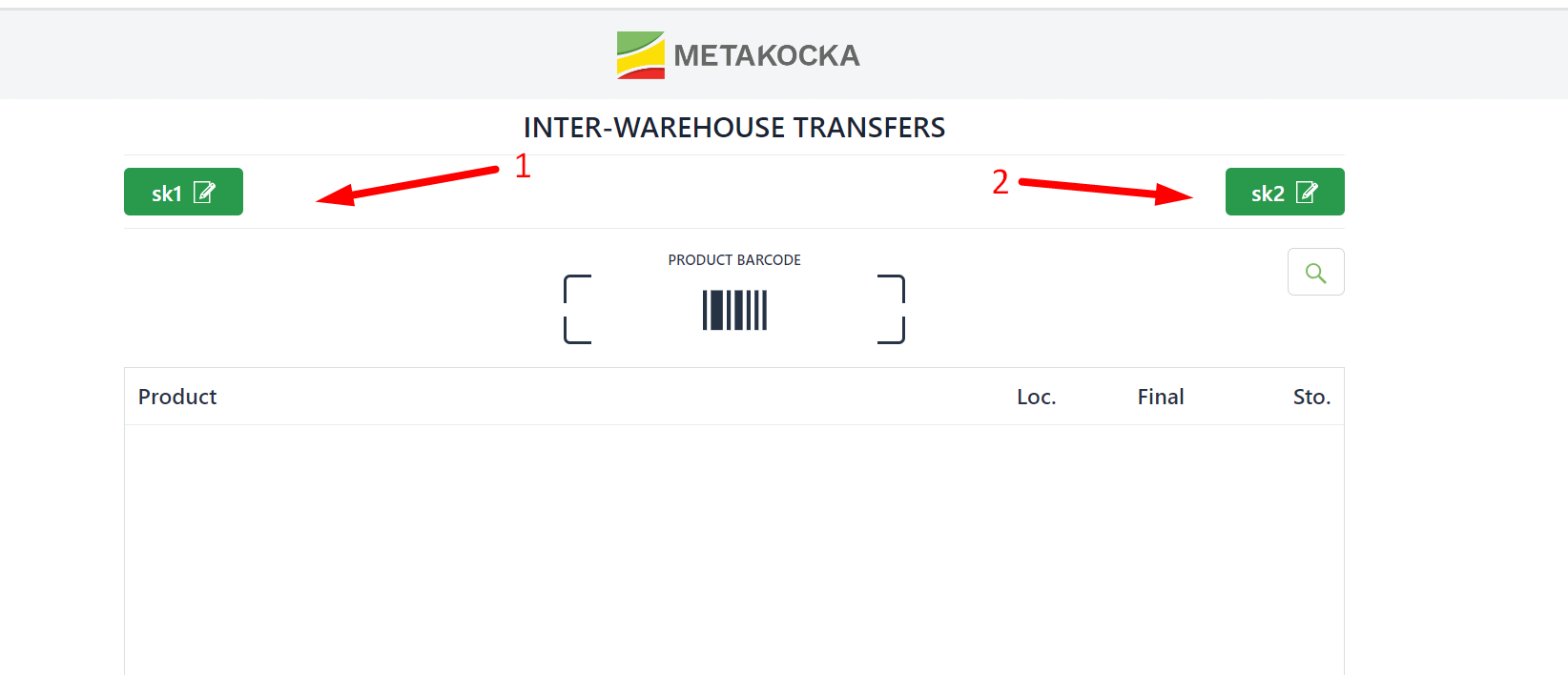
1. Specify the default warehouse for the transfer
2. Specify the targeted warehouse for the transfer
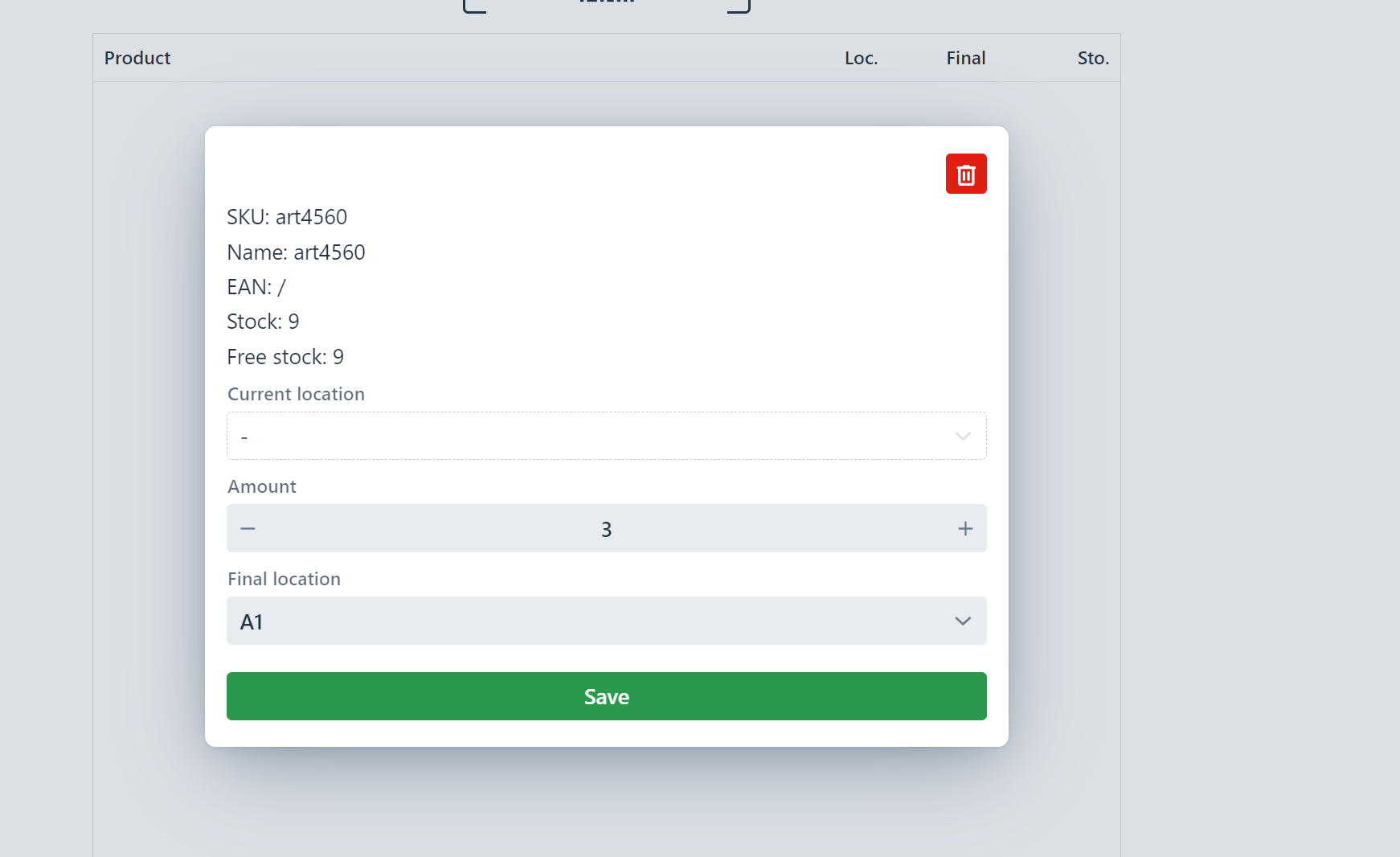
When you scan the product code, enter the quantity to be transferred, determine the micro-location (if you are using them), and confirm your entries.
When you enter all products, click on ''Confirm'' to create an inter-warehouse.
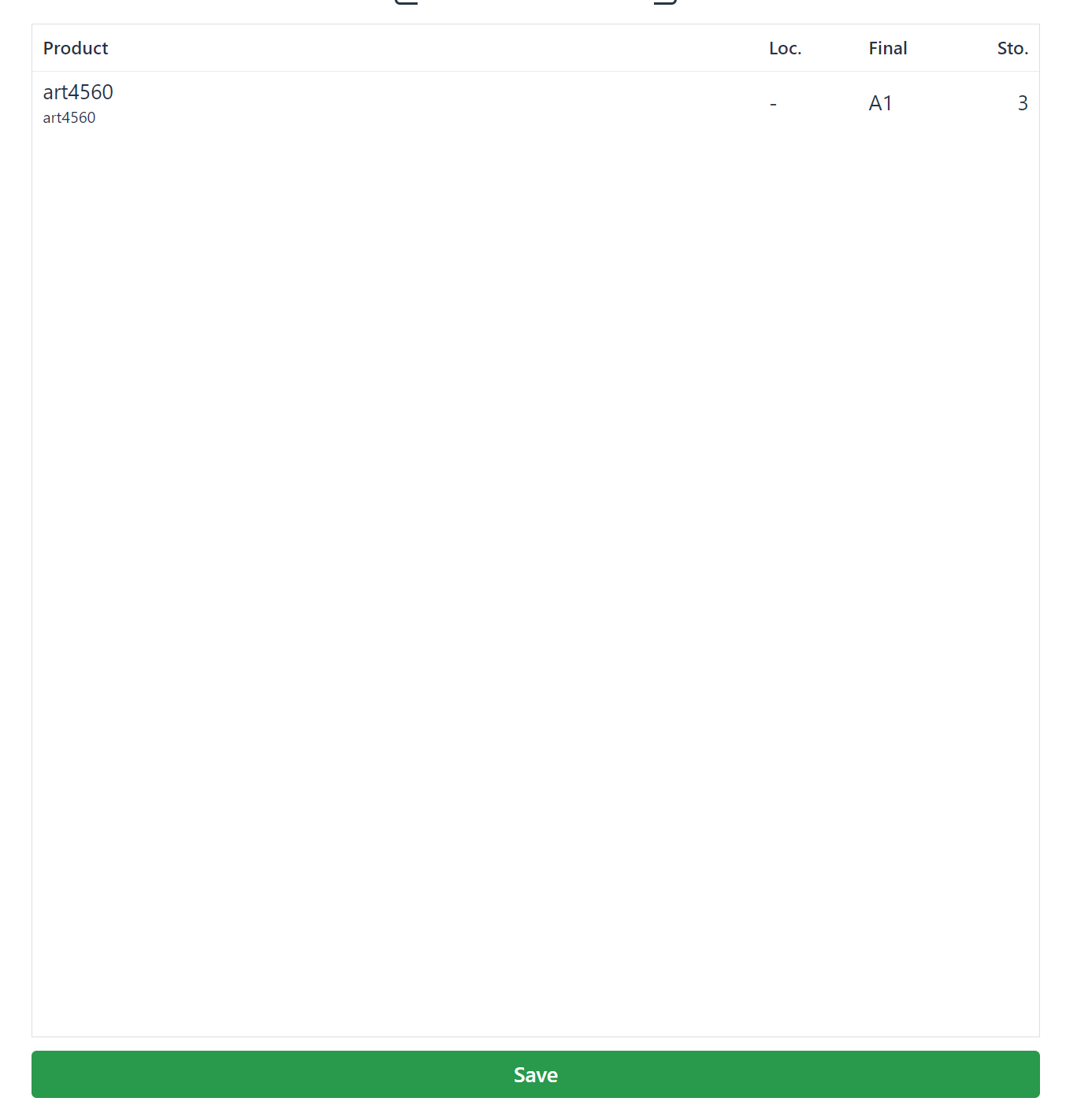
In settings, you can set the default warehouse for the transfer or the targeted warehouse for the transfer.
Was this article helpful?
That’s Great!
Thank you for your feedback
Sorry! We couldn't be helpful
Thank you for your feedback
Feedback sent
We appreciate your effort and will try to fix the article