If you are transitioning from a sole proprietorship (s.p.) to a limited liability company (d.o.o.) or vice versa, it is necessary to create a new account in MetaKocka with the data of the new company.
1. data export from "old" MetaKocka
Data, such as Products, Partners, Stock, and Price lists, can be exported into Excel
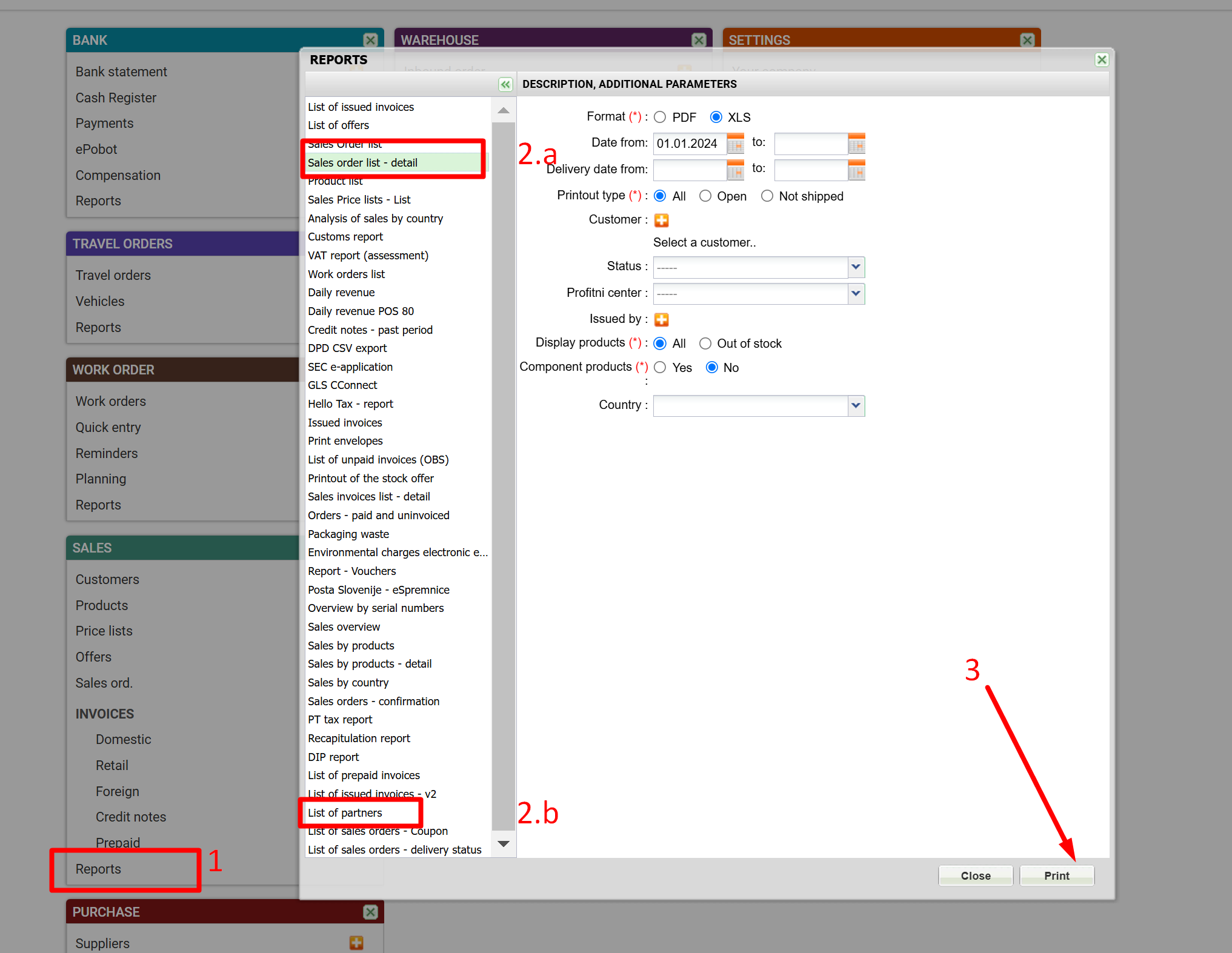
- partners and products can be exported in Sales/Reports
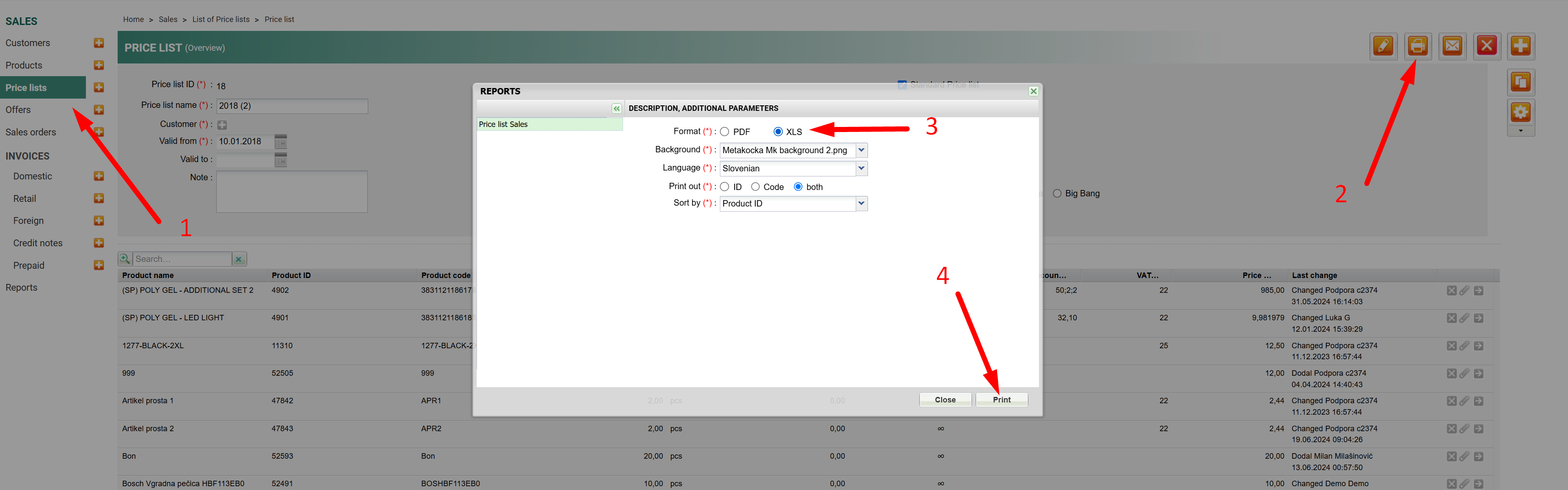
- price lists can be exported by going to Sales/Price lists, opening the price list, and printing it in XLS format.
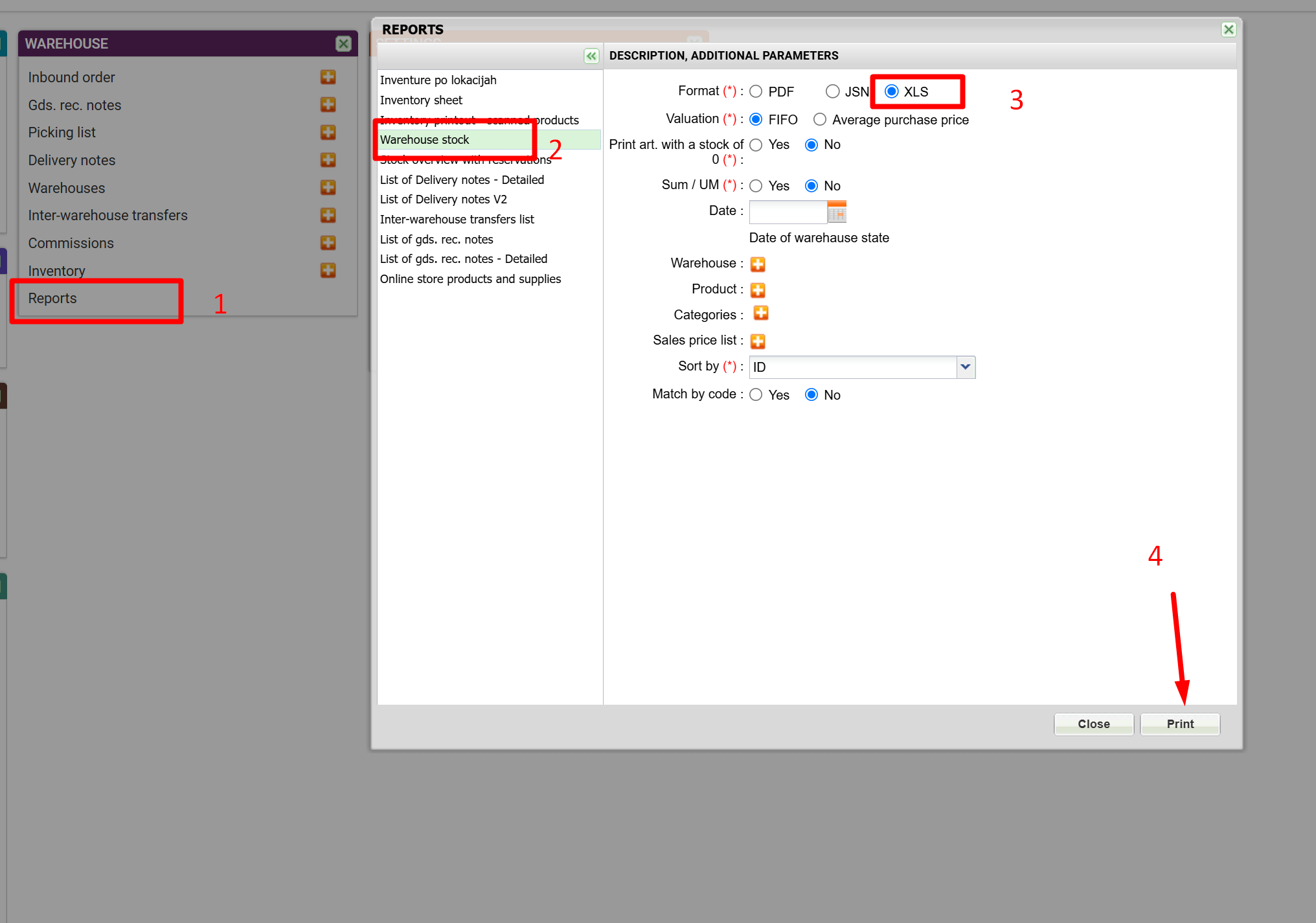
- supplies can be exported by going to Warehouse/Reports and printing the supplies in the warehouse in XLS format
2. Data import into "new" MetaKocka
Acquired data should be imported into MetaKocka according to the following instructions:
From the files obtained, copy the data into importing files
- Data Import
https://metakocka.freshdesk.com/sl/support/solutions/articles/3000071037-uvoz-artiklov
- Import of partners
https://metakocka.freshdesk.com/sl/support/solutions/articles/3000071074-uvoz-partnerjev
- Sales price list Import
https://metakocka.freshdesk.com/sl/support/solutions/articles/3000077781-uvoz-cenika
- Import of initial stock
https://metakocka.freshdesk.com/sl/support/solutions/articles/3000071179-uvoz-za%C4%8Detne-zaloge
Was this article helpful?
That’s Great!
Thank you for your feedback
Sorry! We couldn't be helpful
Thank you for your feedback
Feedback sent
We appreciate your effort and will try to fix the article