
Order Management
Adding B2B Customer in Order Management
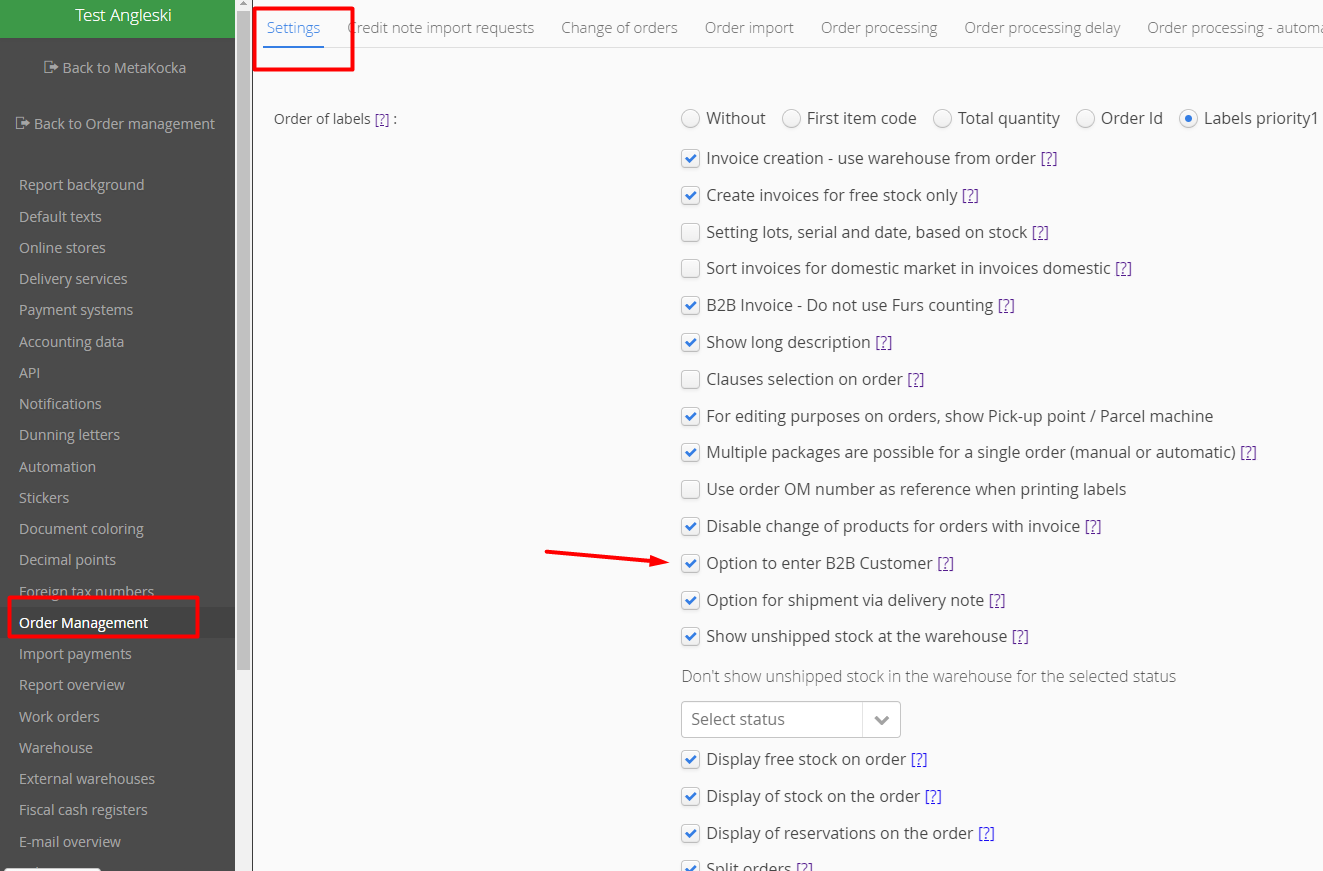
If a customer in Order Management should be indicated as a legal entity by entering a tax ID number, that can be done via the following functionality:
Additional settings/OrderManagement/Settings
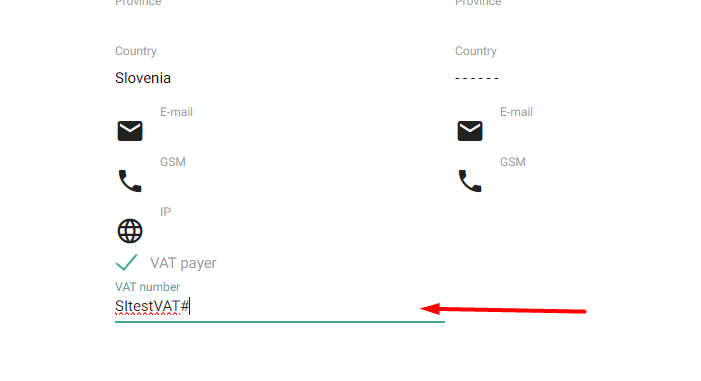
After activating the functionality, the customer can be marked as a VAT payer in the sales order and its VAT number can be added, which will be recorded in the customer's data accordingly:
Was this article helpful?
That’s Great!
Thank you for your feedback
Sorry! We couldn't be helpful
Thank you for your feedback
Feedback sent
We appreciate your effort and will try to fix the article