Now in Order Management, it is possible to display Lot, Serial number, and Expiry date on the invoice.
Pre-requisites:
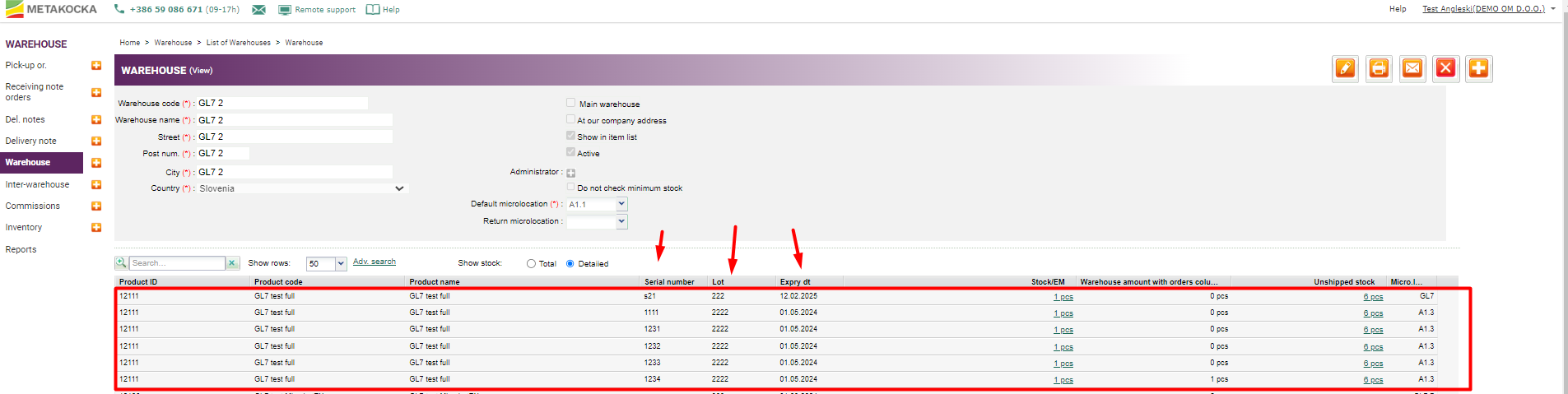
- The product must exist in the warehouse with positive stock and specified data (Lot/Serial number, and Expiry date). Those can be set in the settings:
Settings
1. In Additional settings - Order Management, tick the ''Determining lots/serial numbers and expiry date, based on stock" option and save it.
1.1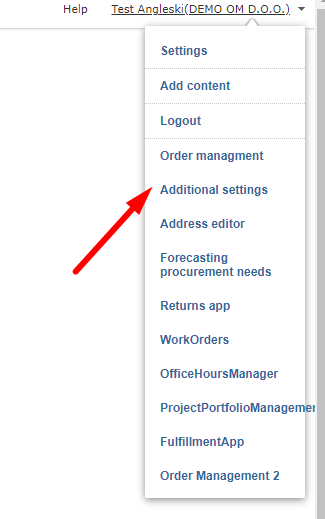
1.2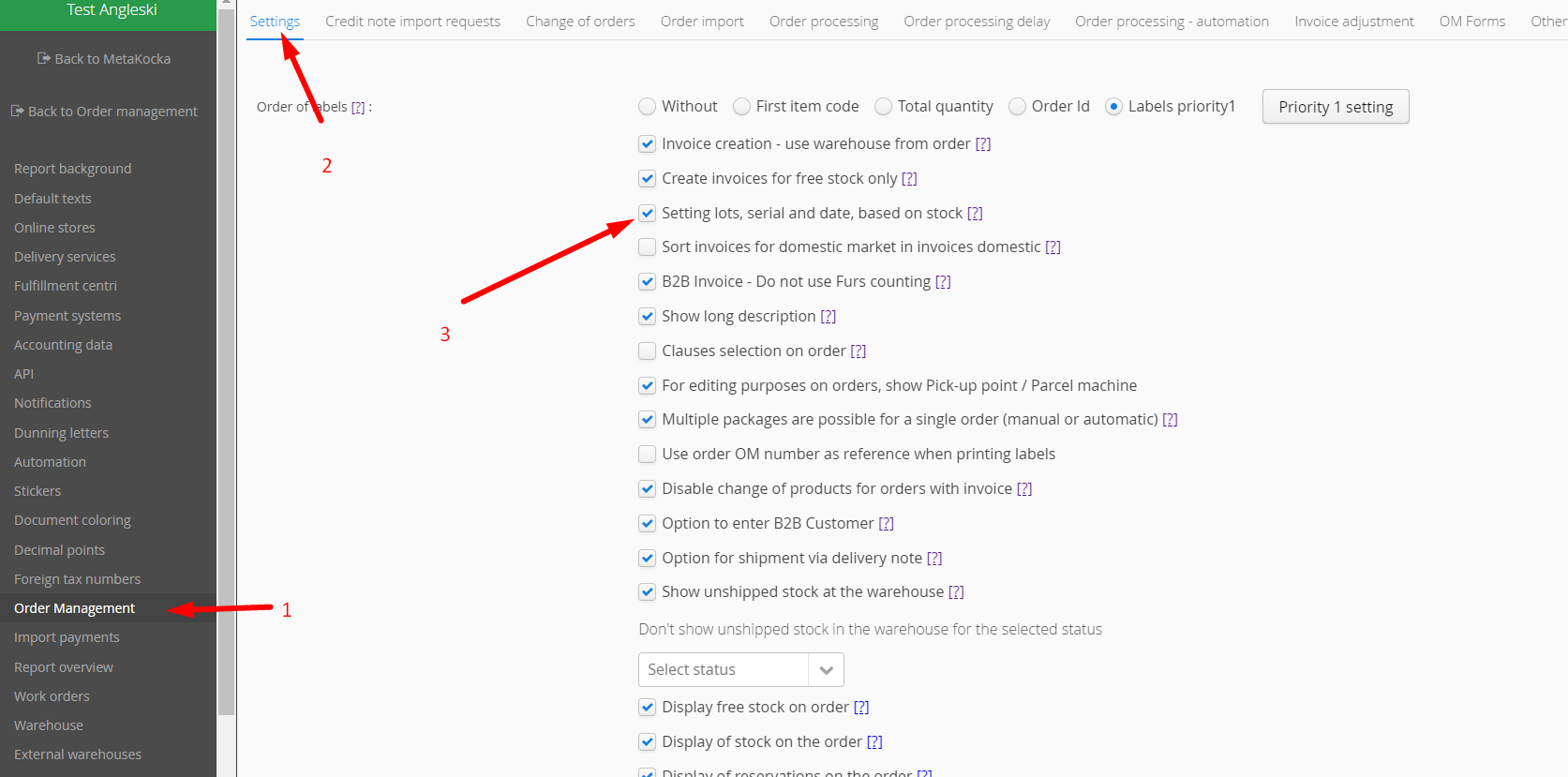
1.3
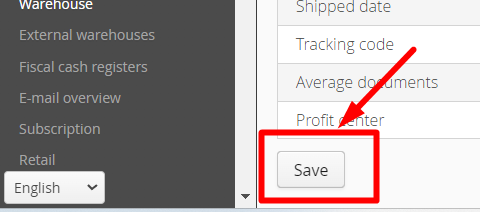
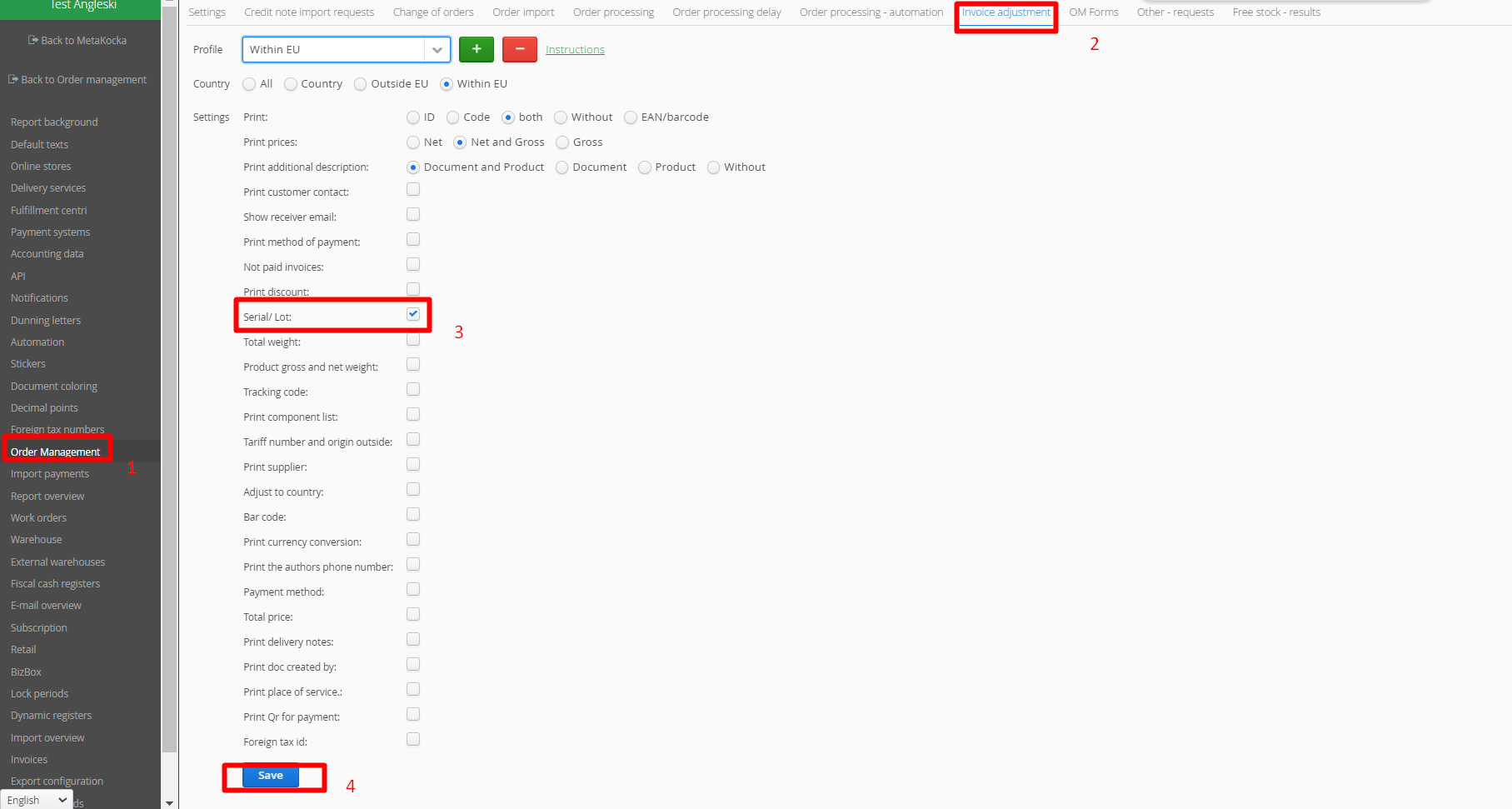
2. Configure the invoice adjustment profile for Order Management accordingly:
https://metakocka.freshdesk.com/a/solutions/articles/3000106359?lang=sl
In Additional Settings - Order Management, open the ''Invoice adjustment'' tab, tick the ''Serial/Lot'' option, and save it.
Final display
LOT/Serial numbers and Expiry dates will be displayed for invoices created in Order Management.
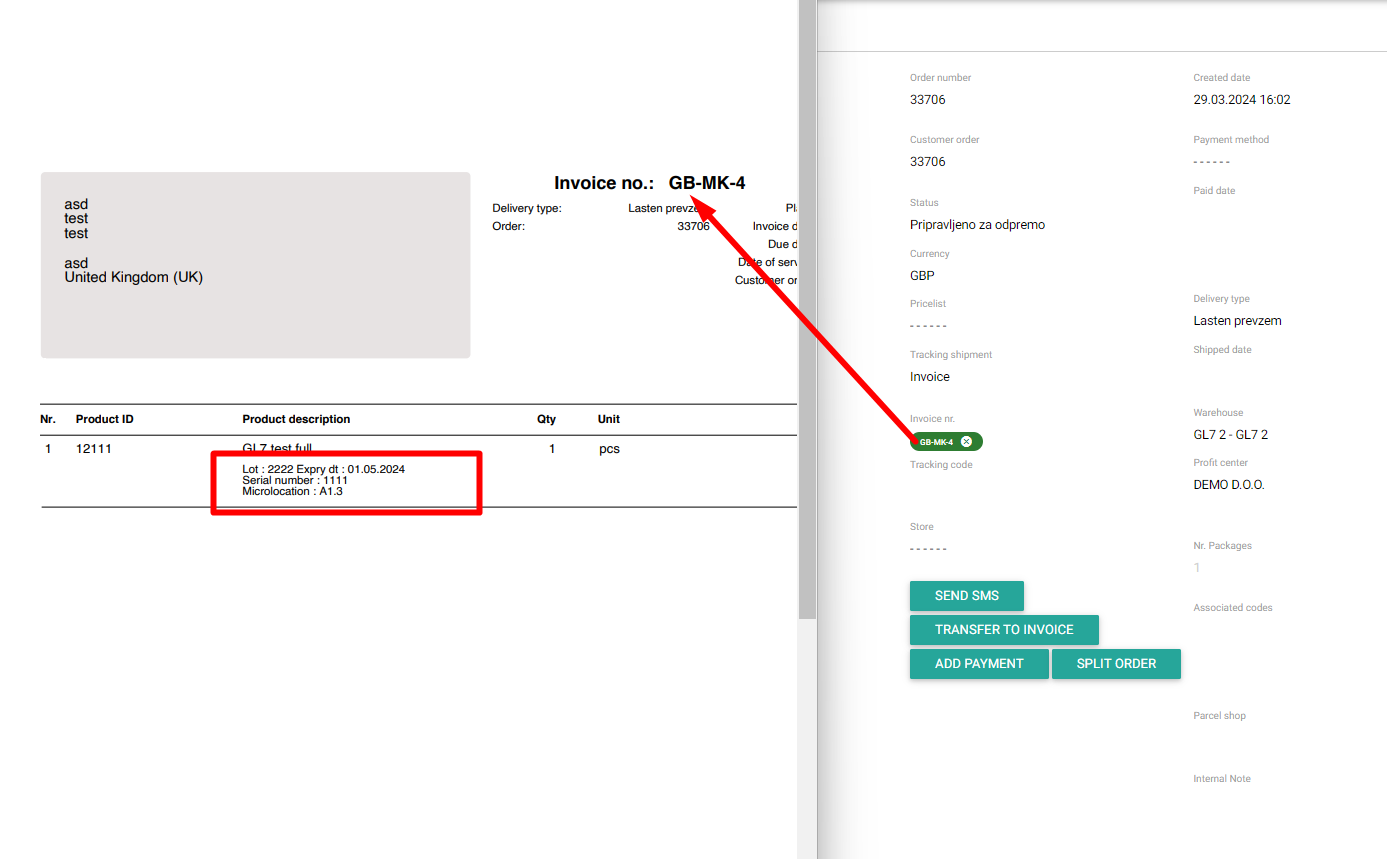
Note: a) Be careful and ensure that products have been created correctly with positive stock in the warehouse
b) Display of LOT/Serial numbers and Expiry date is enabled,
c) when adjusting the invoice, be careful about profiles (selection of countries for which the settings are used).
Was this article helpful?
That’s Great!
Thank you for your feedback
Sorry! We couldn't be helpful
Thank you for your feedback
Feedback sent
We appreciate your effort and will try to fix the article