
Delivery service integrations
Integration - Overseas
MetaKocka - establishing a connection
1. go to Additional settings/Delivery services/New
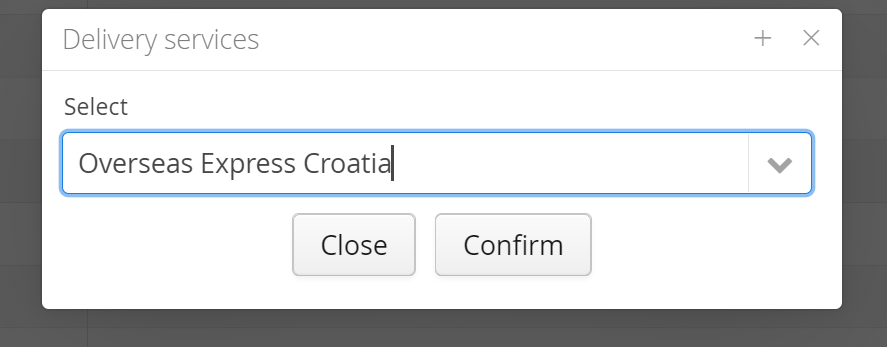
2. Select the delivery service Overseas
3. enter data that you received from the Overseas
4. save and test the connection performance
1. Adding delivery service in Additional Settings: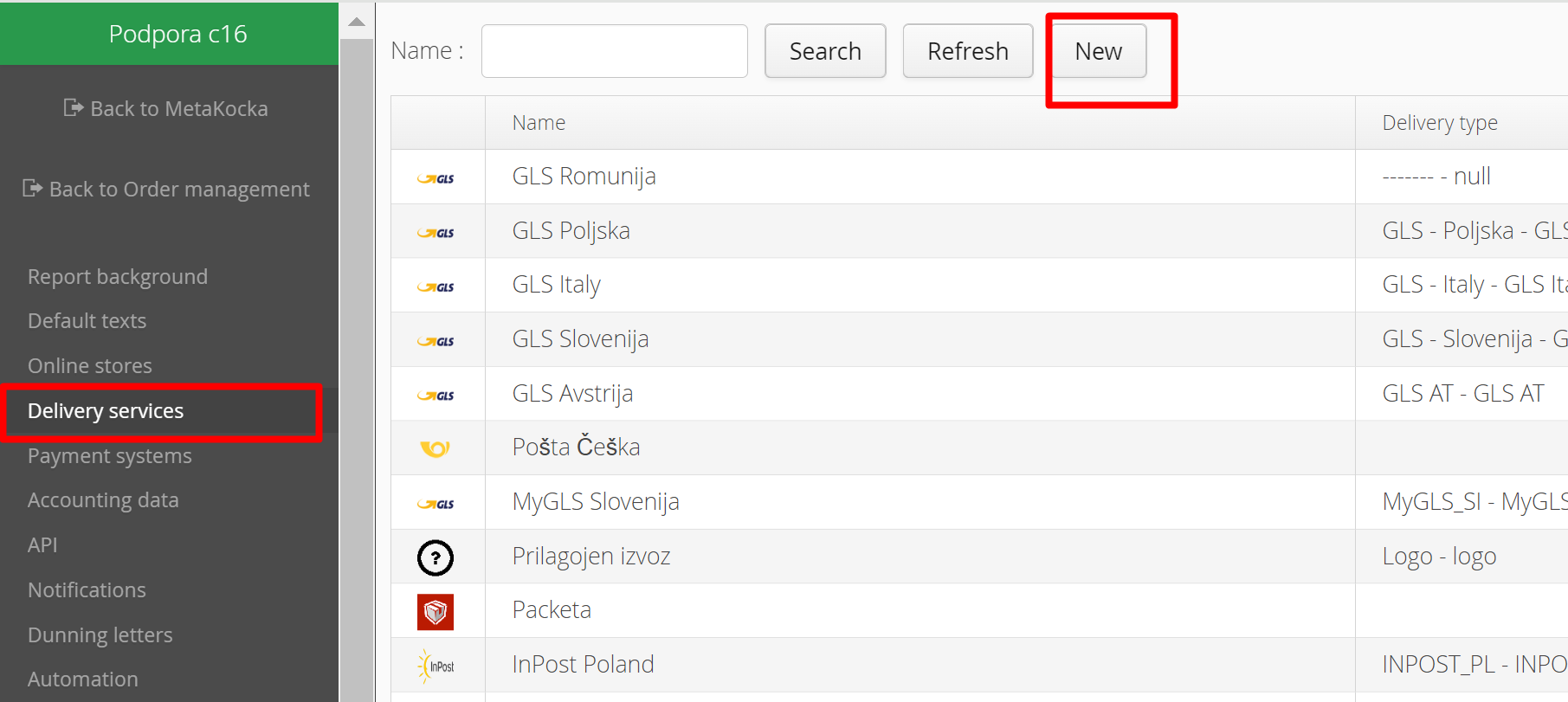
2. Select the delivery service Overseas Express Croatia and confirm it:
3. Enter the password and username that you received from Overseas Express Croatia,
Specify the new type of delivery that will be used for delivery service Overseas, you can add new (+)
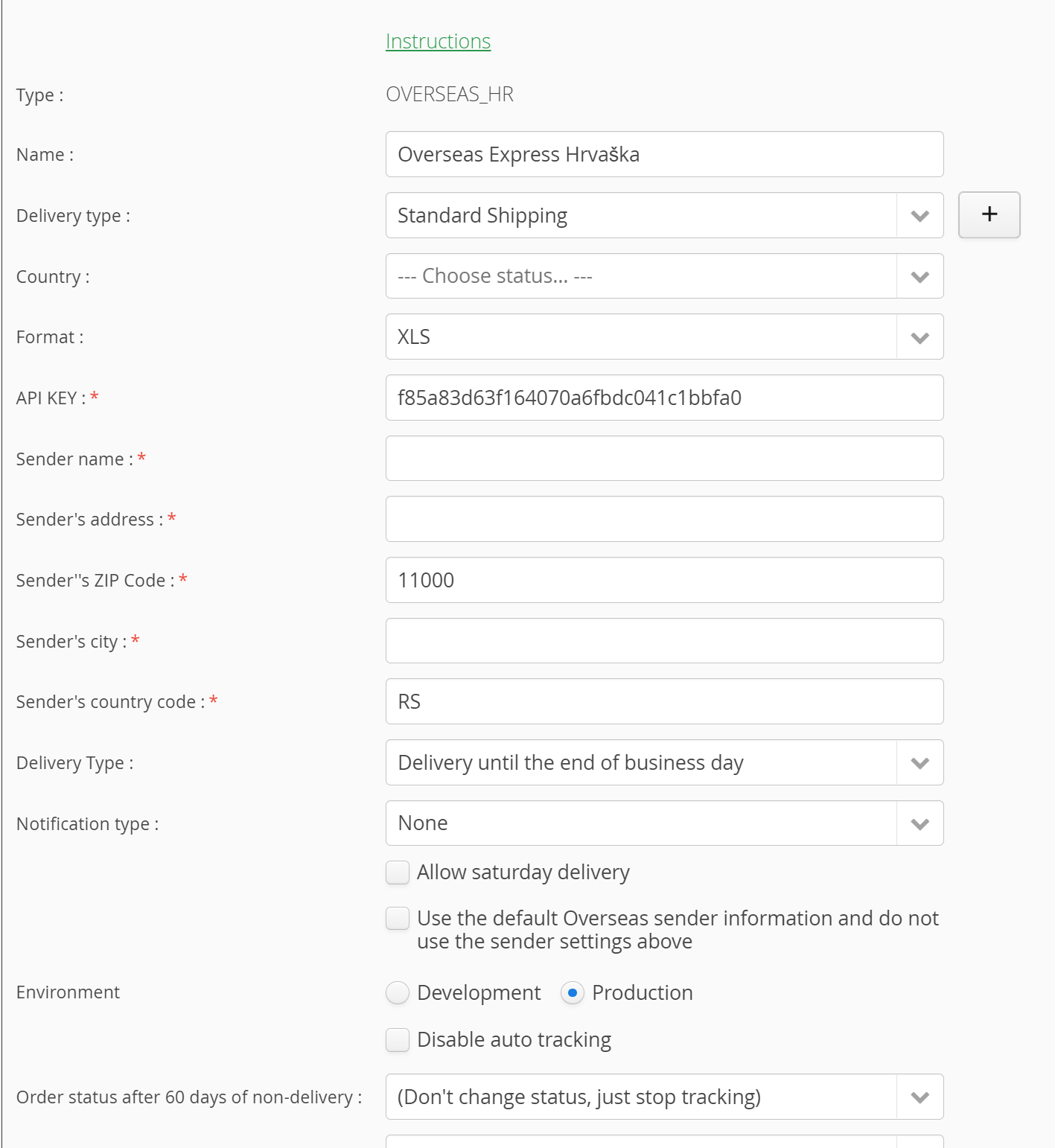
4. Save and test:
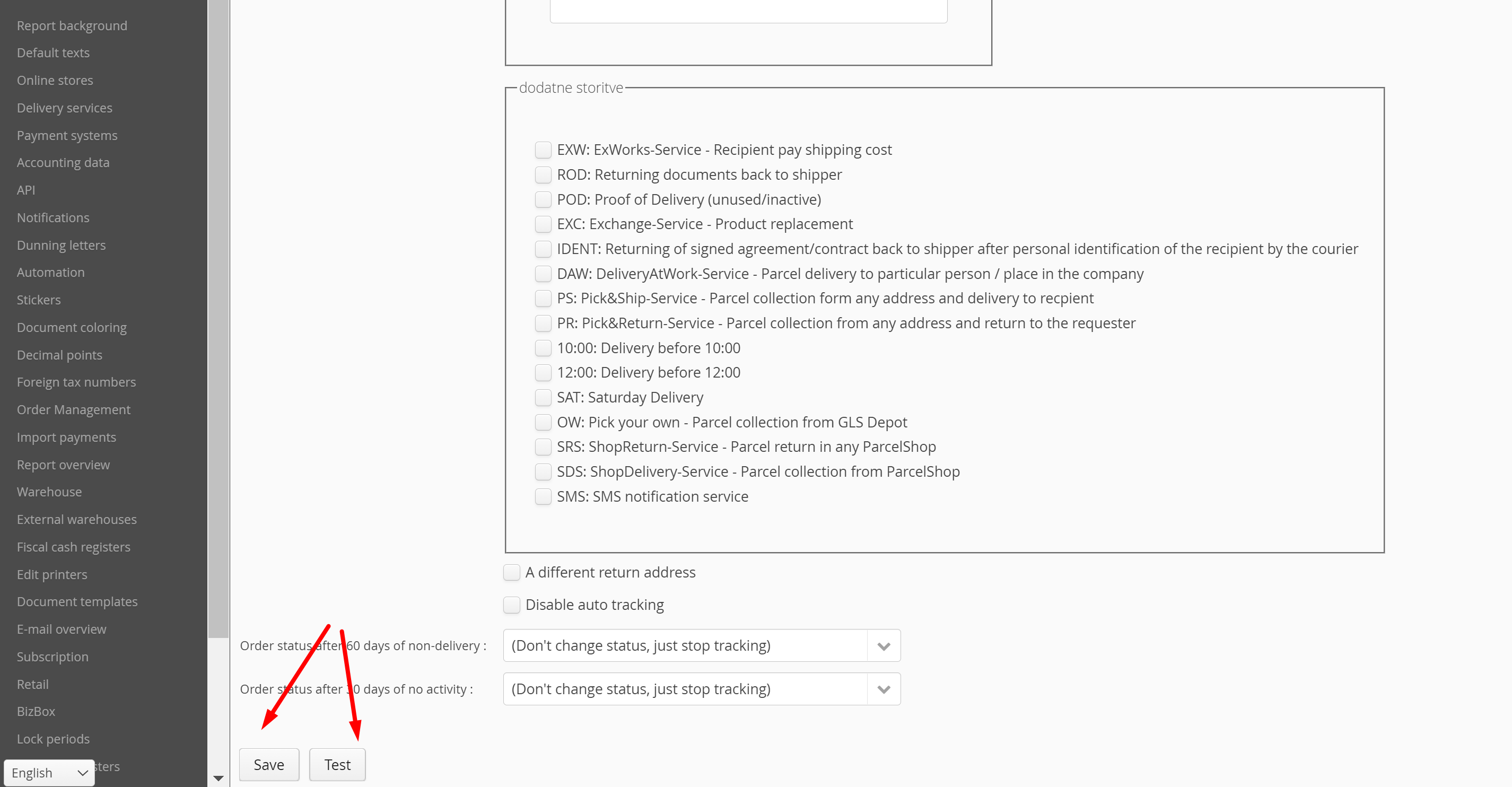
Save the entered data and click ''Test'' to check its validity.
Specifics
- Printing labels for Overseas Express Croatia is somewhat longer compared to the other delivery services
- Regarding label format and template, agreeing with Overseas Express beforehand is needed
- Supported currency for Overseas Express is EUR
- In the case of being an international Overseas Express client, due to the specific process of returning orders, the following ''Sender'' data must be set to these values:
- Sender Address: Zastavnice 38a
- Sender Postal Code: 10251
- Sender City: Hrvatski Leskovac
- Sender Country Code: HR
Was this article helpful?
That’s Great!
Thank you for your feedback
Sorry! We couldn't be helpful
Thank you for your feedback
Feedback sent
We appreciate your effort and will try to fix the article