MetaKocka - establishing a connection
1. go to Additional settings/Delivery services/New
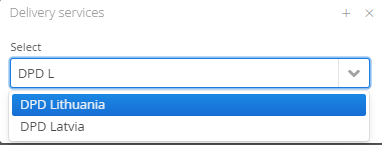
2. Select the delivery service DPD Lithuania/Latvia/Estonia
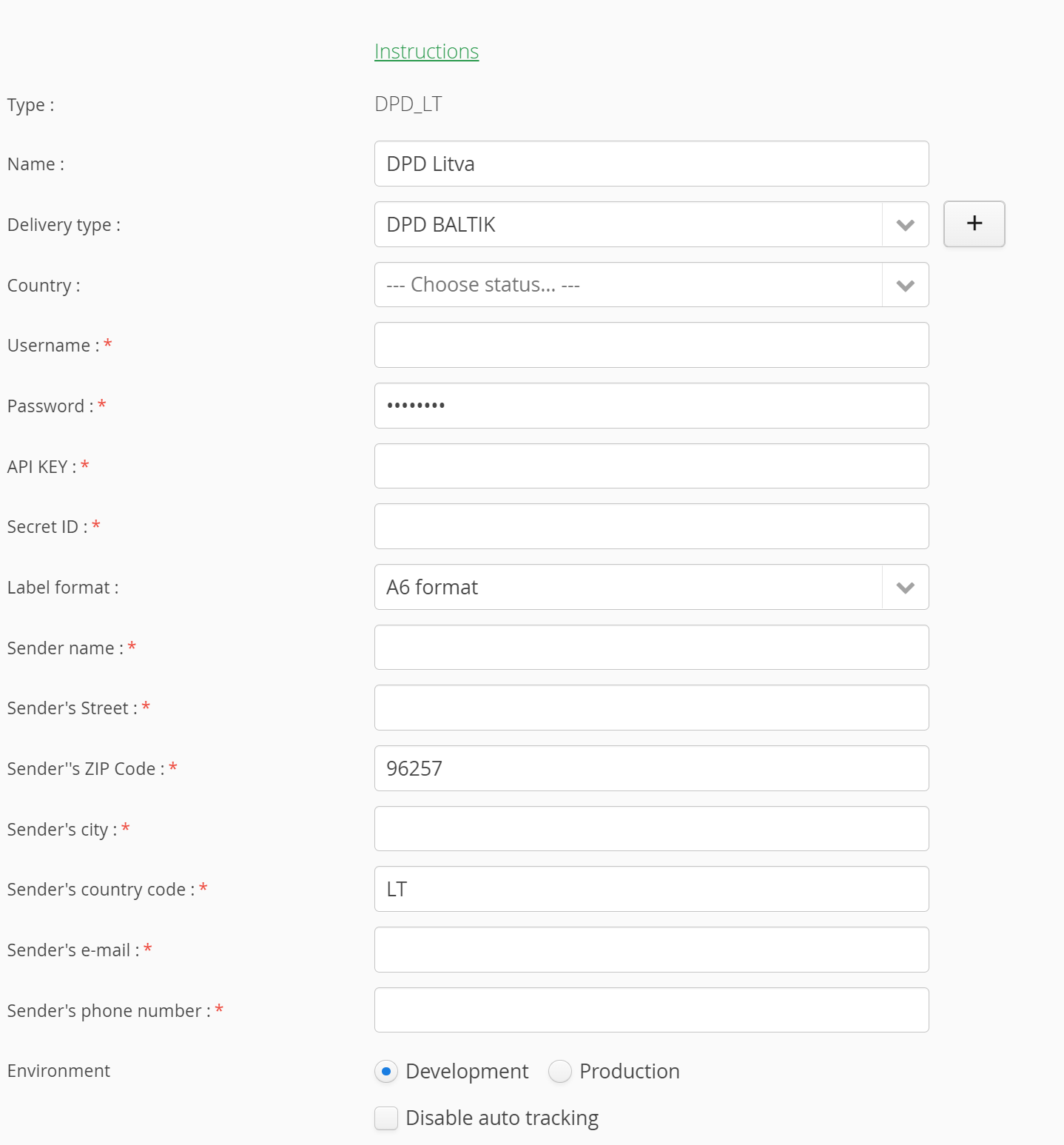
3. enter data that you received from DPD
4. save and test connection performance
1. Adding delivery service in Additional Settings: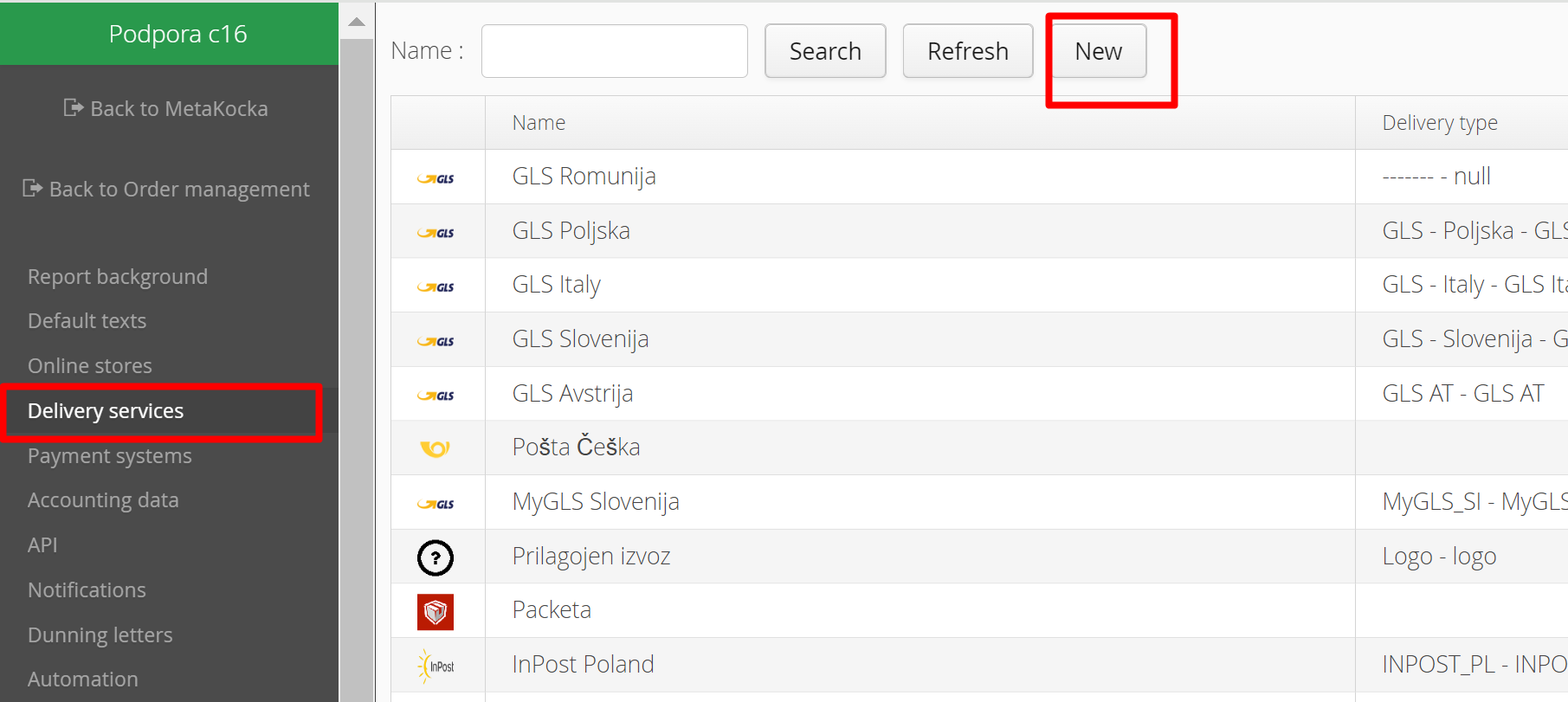
2. Select the delivery service DPD Lithuania/Latvia/Estonia and confirm it:
3. Enter the password and username that you received from DPD,
Specify the new type of delivery that will be used for delivery service DPD Lithuania/Latvia/Estonia, you can add new (+)
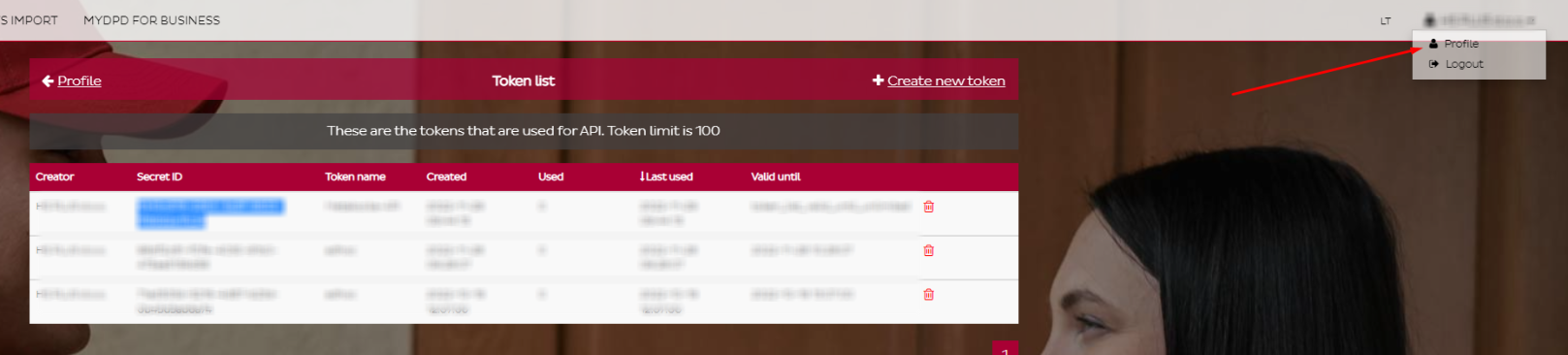
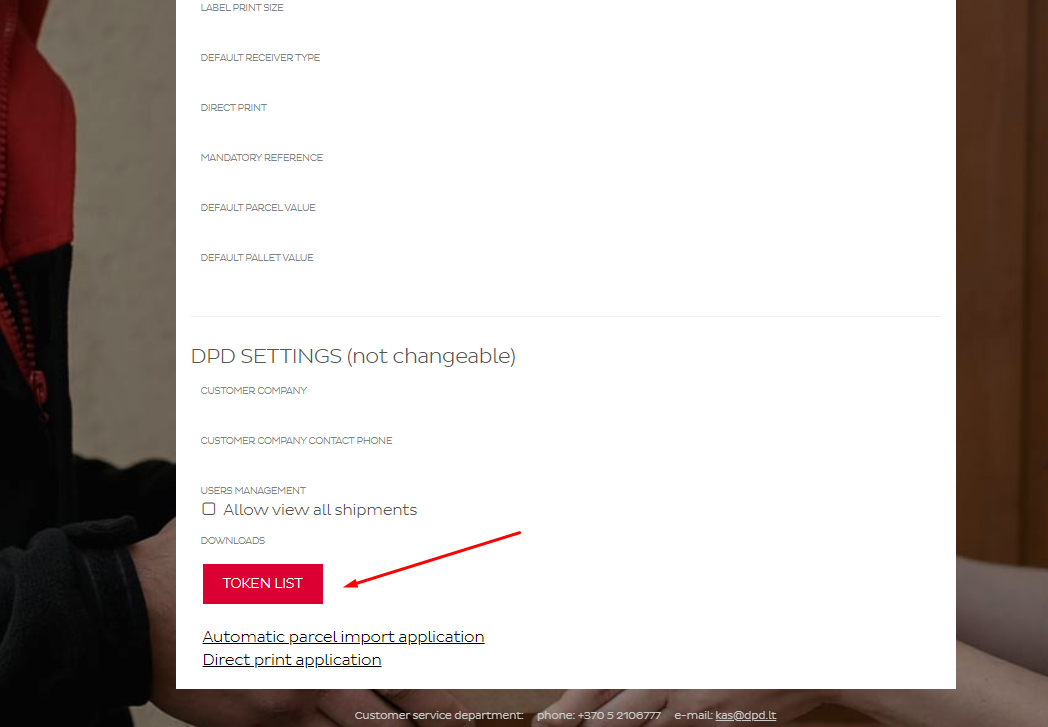
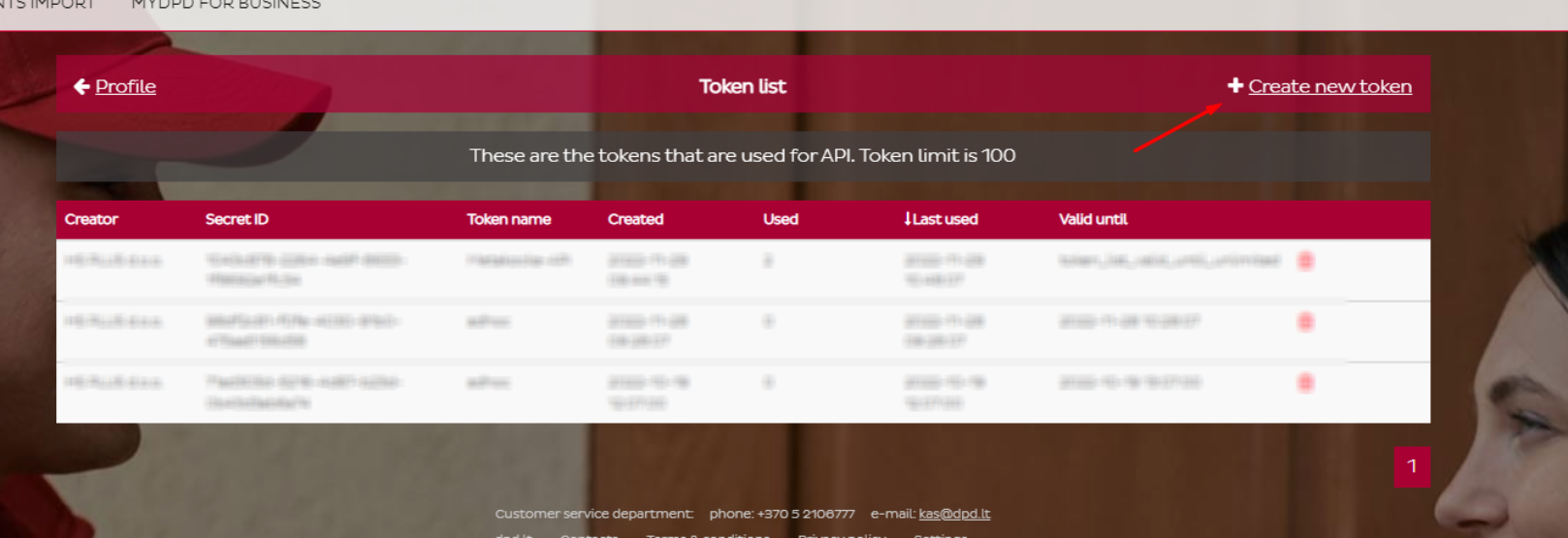
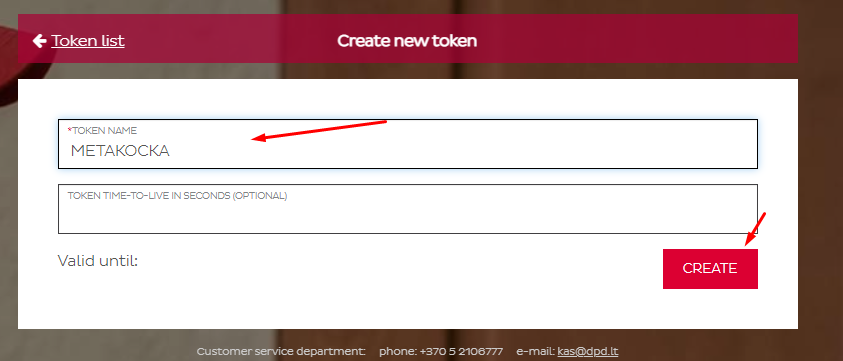
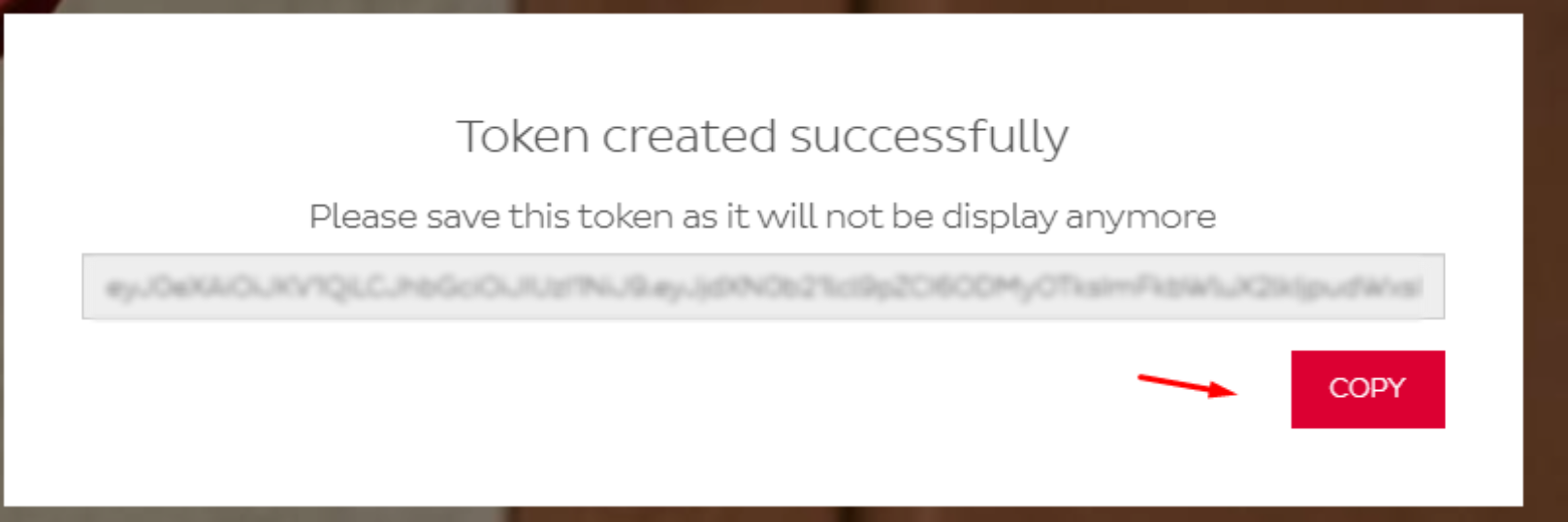
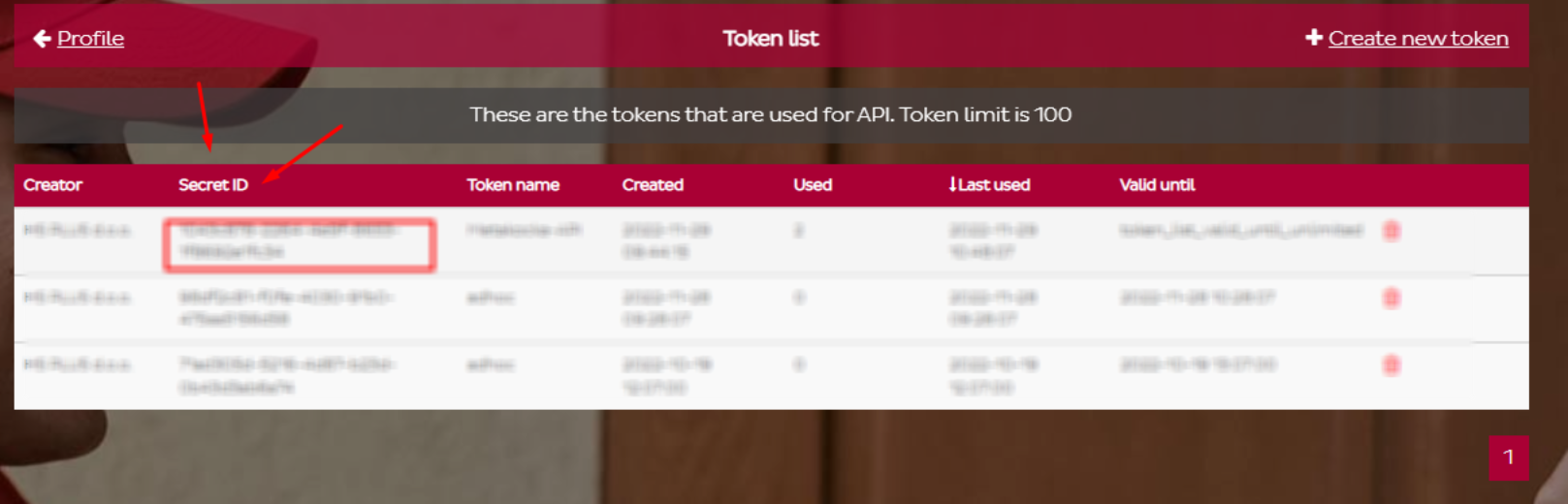
API KEY and Secret ID are displayed in the DPD profile:
4. Save and test:
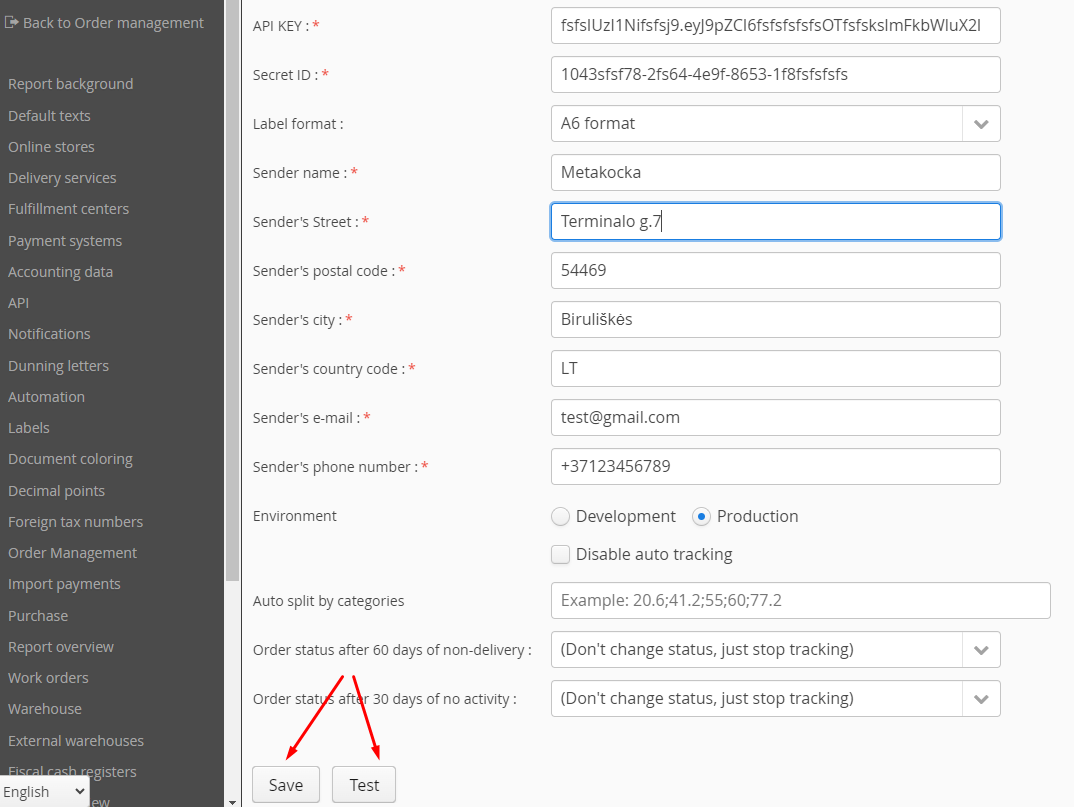
Save the entered data and click ''Test'' to check its validity.
Specifics
- Phone numbers must have the appropriate format
- Considerable sensibility of the delivery service regarding ZIP codes
- The field for entering the product has a maximum length of 35 characters
Was this article helpful?
That’s Great!
Thank you for your feedback
Sorry! We couldn't be helpful
Thank you for your feedback
Feedback sent
We appreciate your effort and will try to fix the article