
Products and price lists
Adding attachment to a product
This article is not available in Polish, view it in Slovenian
A picture or a document can be added to a product as an attachment.
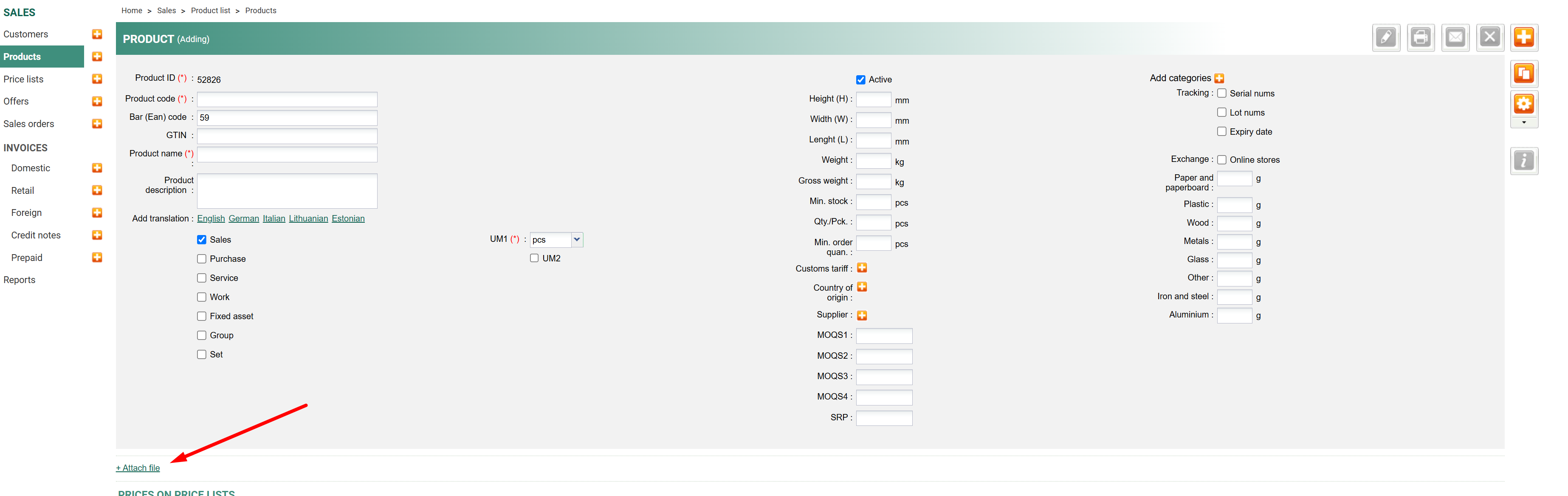
If one attachment should be added to multiple products, that can be done in bulk, by:
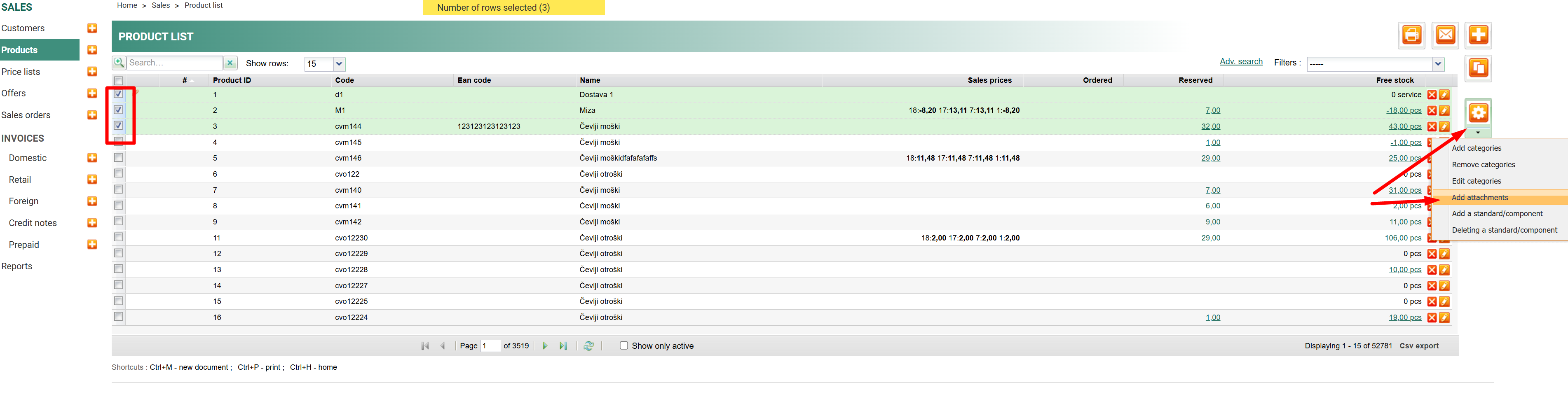
1. going to Sales/Products
2. ticking products to which an attachment should be added
3. click on Tools
4. select adding attachment/s
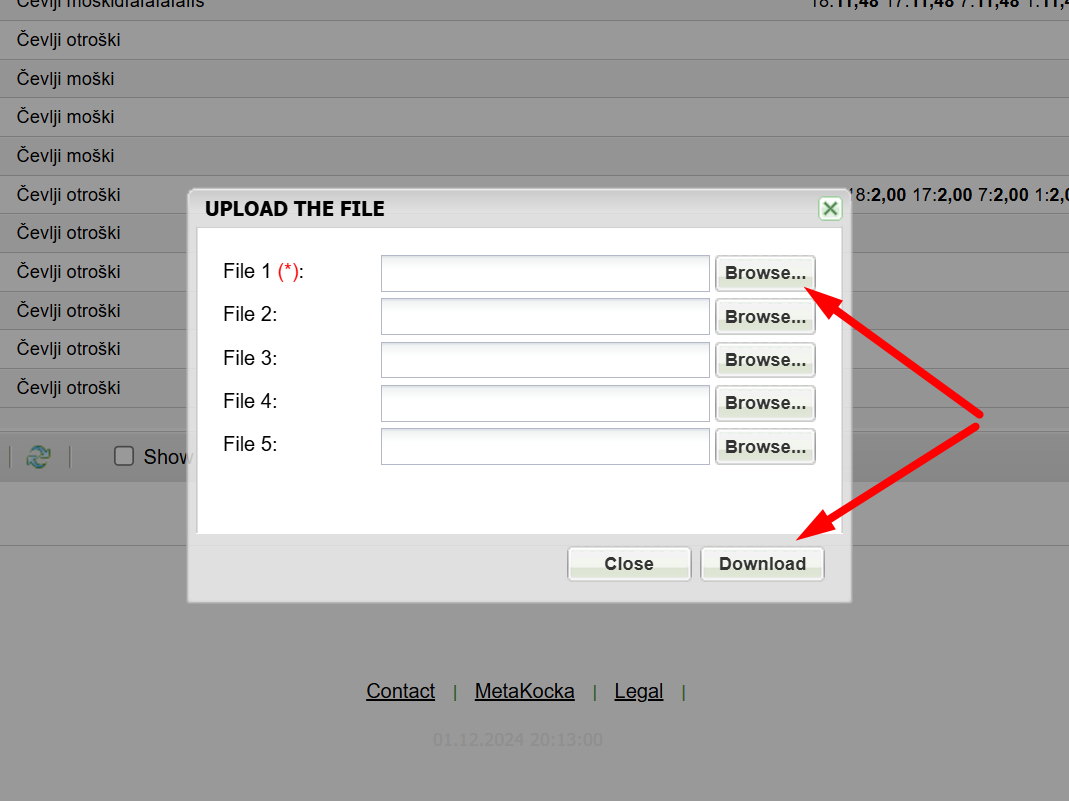
5. a window will open in which the attachments should be selected
6. click on Transfer
Was this article helpful?
That’s Great!
Thank you for your feedback
Sorry! We couldn't be helpful
Thank you for your feedback
Feedback sent
We appreciate your effort and will try to fix the article