
Returns - components
If the product is composed of a component, it is colored in blue:
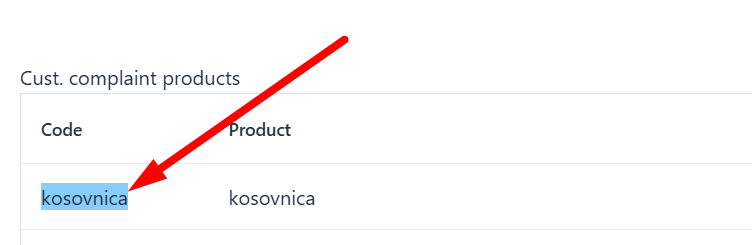
Submitting customer complaints for products is possible in 2 ways:
1. Only the parent product can be a part of the customer complaint without components: 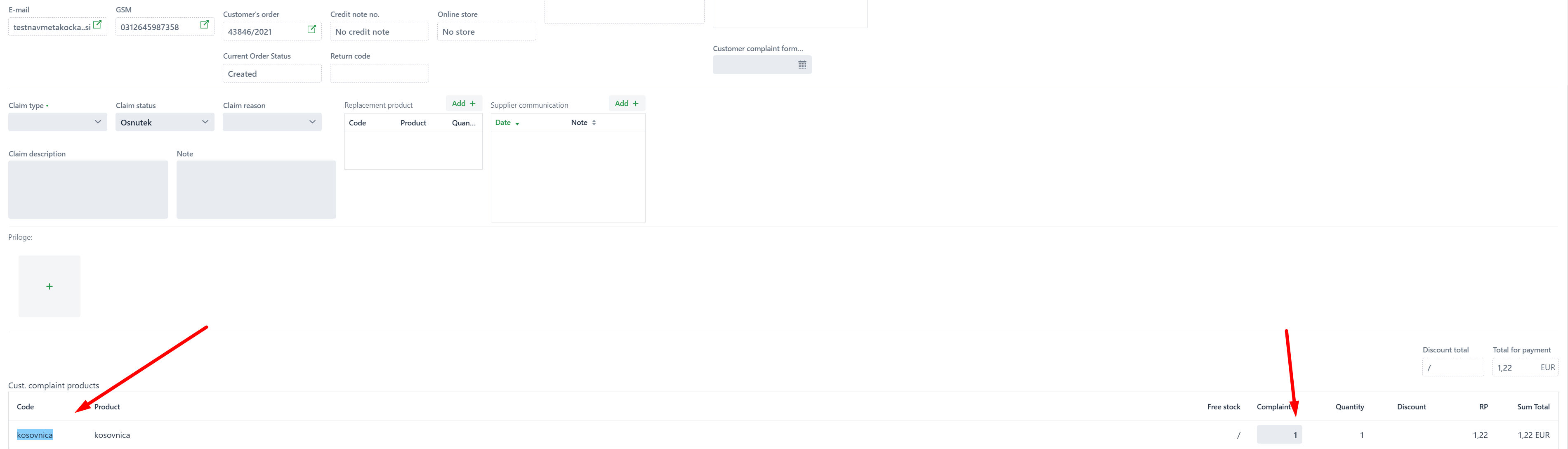
This option records the number of customer complaints for the parent product, allowing you to choose whether the credit note will be issued with or without a value:
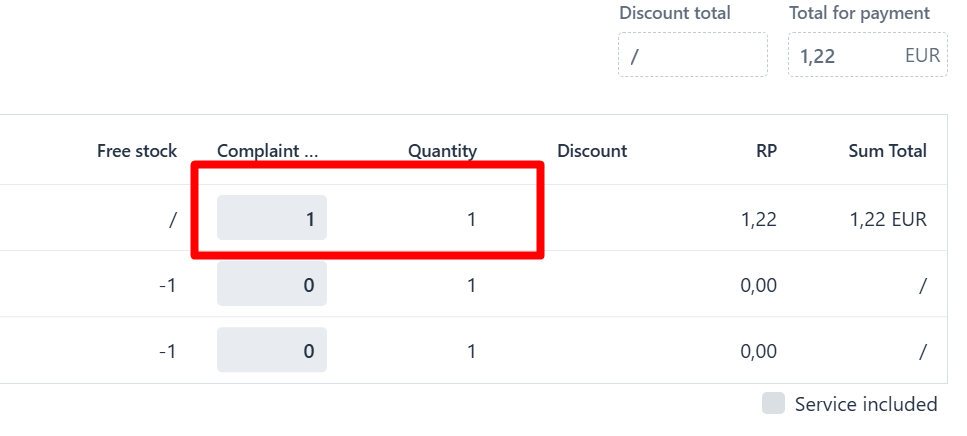
A selection without value means that the credit note will be created with a value of 0, and the new order will also have a value of 0
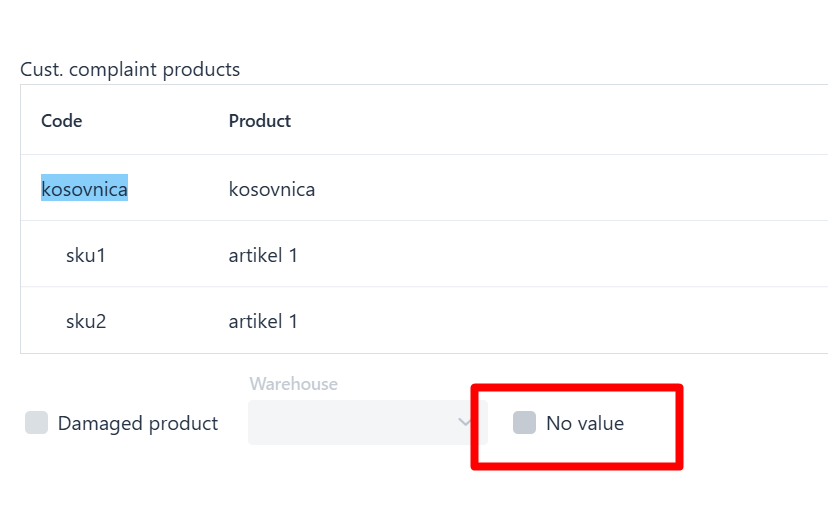
2. Components of the parent product can also be a part of the customer complaint:

If the claim is submitted through the MetaKocka form, it will be recorded in the returns application as:
Display of parent product only and quantity that is part of the customer complaint.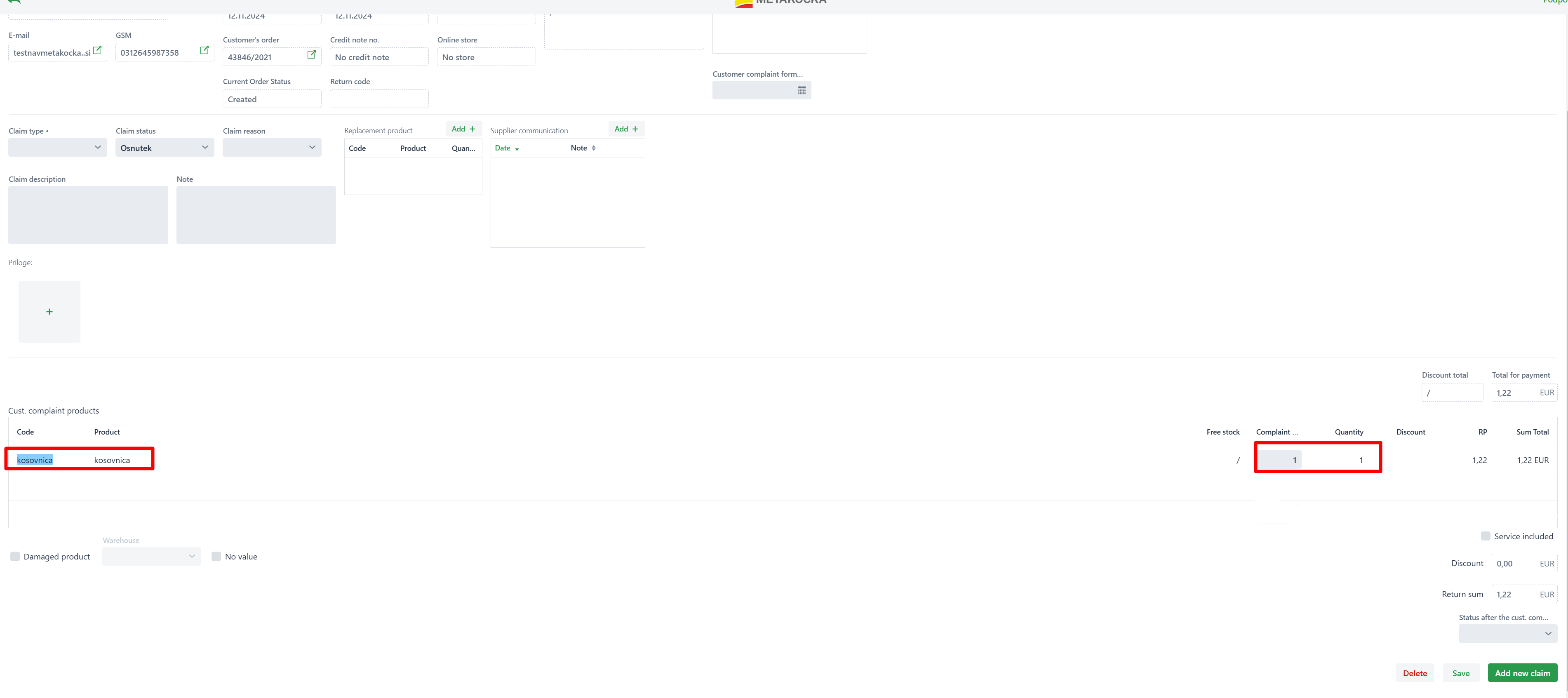
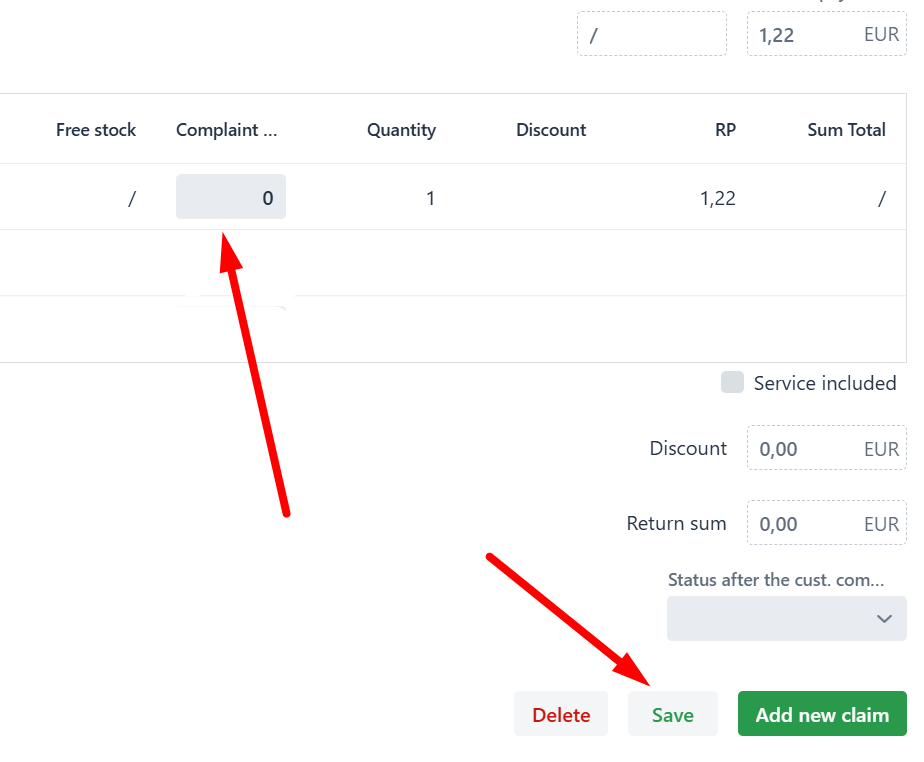
If the components should be part of the customer complaint, adjust the quantity of the parent product to 0 and save:
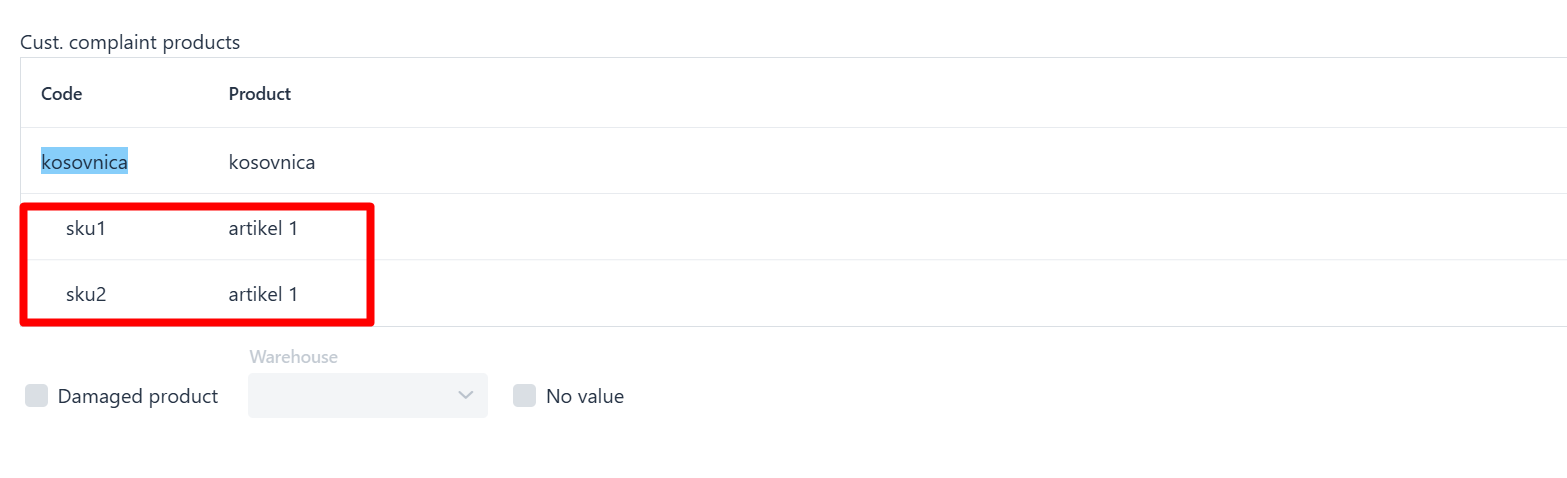
When saving, the list of all product components will open:
Mark the component and quantity that should be part of the customer complaint; it will always be created without value, therefore both credit note and order will always have 0 as their values if selecting components as part of the customer complaint: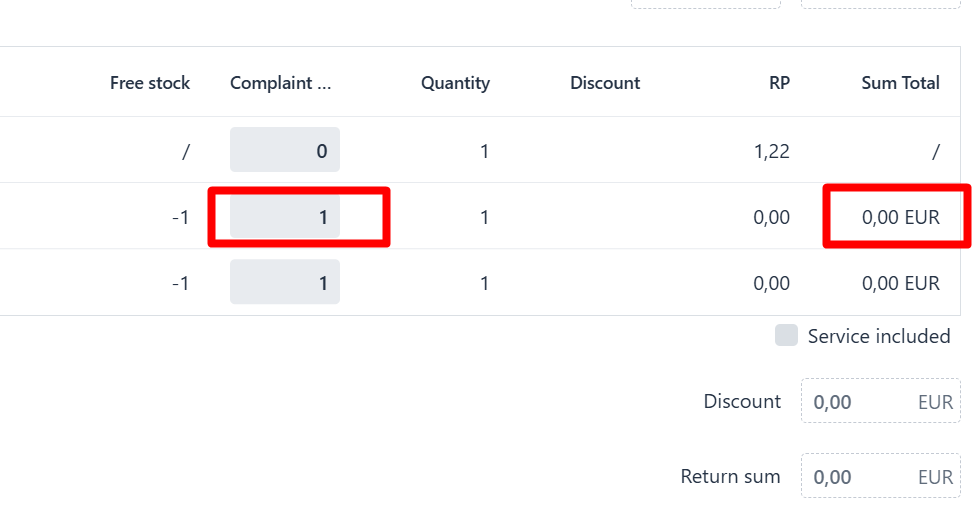
Was this article helpful?
That’s Great!
Thank you for your feedback
Sorry! We couldn't be helpful
Thank you for your feedback
Feedback sent
We appreciate your effort and will try to fix the article