The Order Import is intended for entering new sales orders. This action has been moved from Additional Settings to Order Management.
At the bottom, you have an example file.
1. Getting Started:
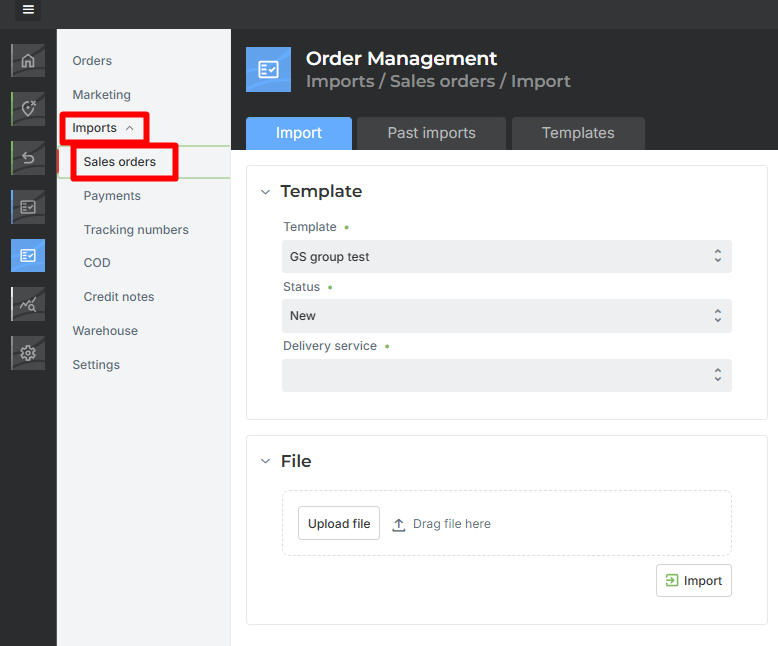
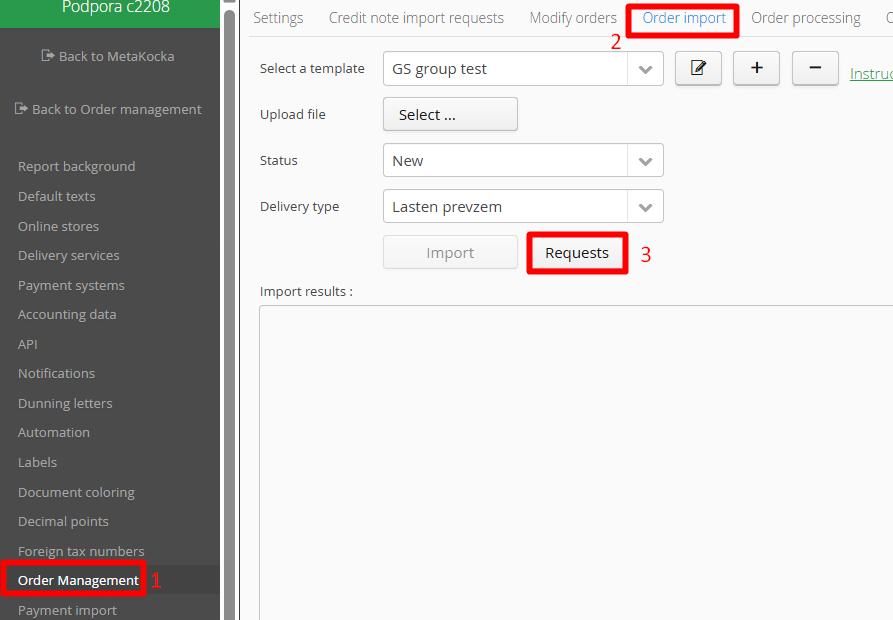
In Order Management 2, go to Imports → Sales Orders.
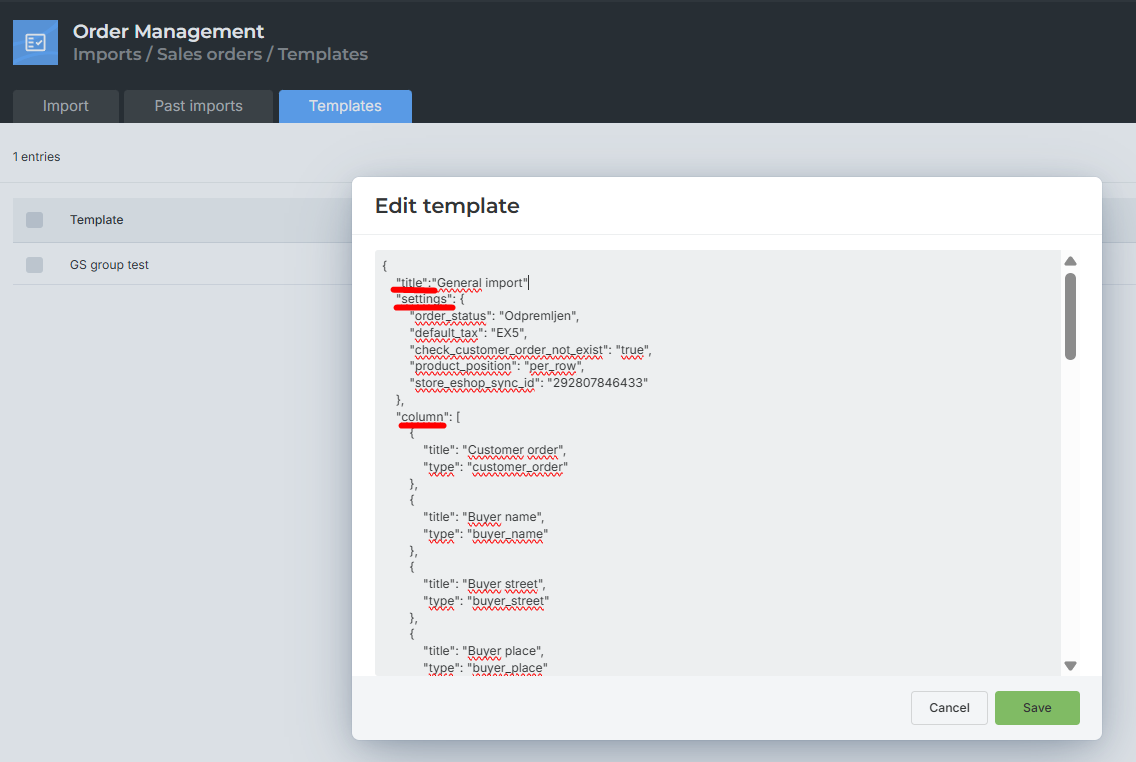
The values for creating the JSON template are provided in the tables below.
An example JSON template with a test input file is also included.
3. File Import:
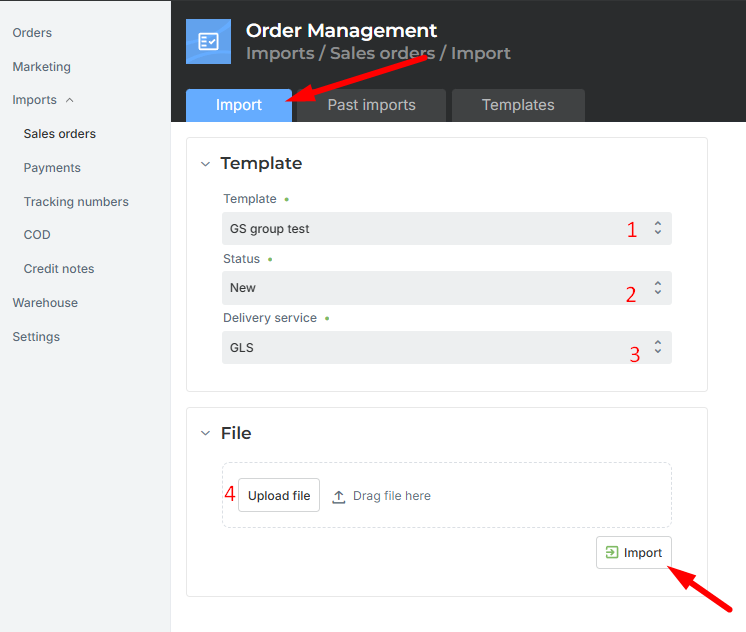
You need to select:
The template to be used
The status in which the orders will be created
The delivery service to be assigned to the orders
The file to be imported
4. Import Results
4.1 The import results will be displayed on the right. The status indicates whether the import was successful or not, and any errors will show what went wrong.
4.2 Import History
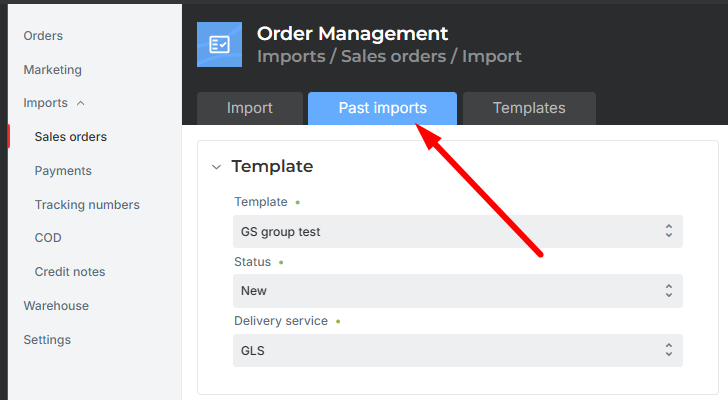
The import history is available under Previous Imports → this will open Additional Settings, where you can review past imports.
Values for Creating a Template
Configuration for Order Import:
| Type | Meaning | Note |
|---|---|---|
| title | Template title | Required field |
| settings | Import settings | Required field |
| column | Column mapping | Required field |
| doc_date | Order import date | The value is automatically set to the date and time of the import |
Values for the settings Object:
| Type | Meaning | Note |
|---|---|---|
| product_position | Method of reading the input file | Required field. Values: per_row |
| store_eshop_sync_id | Store ID | |
| default_tax | Tax | If not provided, the company default is used |
| check_customer_order_not_exist | Check if orders already exist before import | Values: true / false |
| method_of_payment | Payment method for orders | Example: Bank Account |
| mark_as_full_paid | Order payment status | Values: yes / no |
| method_of_payment_map | Payment method mapping | Example: [{"PAY_PAL": "PayPal"}] — PAY_PAL is the value in the file, PayPal is the code in MetaKocka |
| payment_map | Payment type mapping | Example: [{"PAY_PAL": "PayPal"}] — PAY_PAL is the value in the file, PayPal is the code in MetaKocka |
| default_status | Status automatically selected when clicking the template | |
| default_delivery_type | Delivery type automatically selected for EU orders | If you have both EU and non-EU delivery types, enter the type for EU here |
| default_delivery_type_nonEU | Delivery type automatically selected for non-EU orders | If you have a separate delivery type for non-EU |
| create_bill | Create invoice for imported order | Values: true / false |
| header_notes | Order note – header | |
| footer_notes | Order note – footer | |
| empty_customer_order | Import orders without a customer order – auto numbering | Values: true / false. If true, it is not possible to check if orders already exist |
Values for the column Object:
Values for the type Field in the column Object:
| Type | Meaning | Note |
|---|---|---|
| customer_order | Customer order | Required field |
| buyer_name | Buyer first name | Required field |
| buyer_surname | Buyer last name | Will be combined with first name, separated by a space |
| buyer_street | Buyer street address | Required field |
| buyer_street_2 | Buyer additional address | Combined with buyer_street, separated by a space |
| buyer_place | Buyer city | Required field |
| buyer_post_number | Buyer postal code | Required field |
| buyer_province | Buyer province | |
| buyer_country | Buyer country | Required field |
| buyer_email | Buyer email | Required field |
| buyer_mobile | Buyer mobile number | Required field |
| receiver_name | Recipient first name | |
| receiver_surname | Recipient last name | Will be combined with first name, separated by a space |
| receiver_street | Recipient street address | |
| receiver_street_2 | Recipient additional address | Combined with receiver_street, separated by a space |
| receiver_place | Recipient city | |
| receiver_post_number | Recipient postal code | |
| receiver_province | Recipient province | |
| receiver_country | Recipient country | |
| receiver_email | Recipient email | |
| receiver_mobile | Recipient mobile number | |
| count_code | Order number | |
| payment_type | Payment method | |
| order_sum | Total order amount | |
| payment_sum | Payment amount | |
| payment_date | Payment date | |
| product_amount | Product quantity | |
| product_sku | Product SKU | |
| product_price | Product price | |
| currency | Currency | If not set, company default is used. Symbols: €, $, Three-letter code: EUR, HUF, etc. |
| whole_product_sum | Total product amount (quantity > 1) | |
| notes_header | Order note – header | |
| notes | Order note – footer |
In the file "Example Order Import Template", you only need to add the status and the store ID, as these are specific to your company.
Was this article helpful?
That’s Great!
Thank you for your feedback
Sorry! We couldn't be helpful
Thank you for your feedback
Feedback sent
We appreciate your effort and will try to fix the article