
Order Management 2 – Payment Import
The Payment Import functionality is designed for importing payments received for orders into your bank account. You export the transaction data from your online banking in XML format and import it into MetaKocka.
This way, received payments for orders where customers selected bank transfer (or pre-invoice) as the payment method are added to the orders in MetaKocka and recorded accordingly.
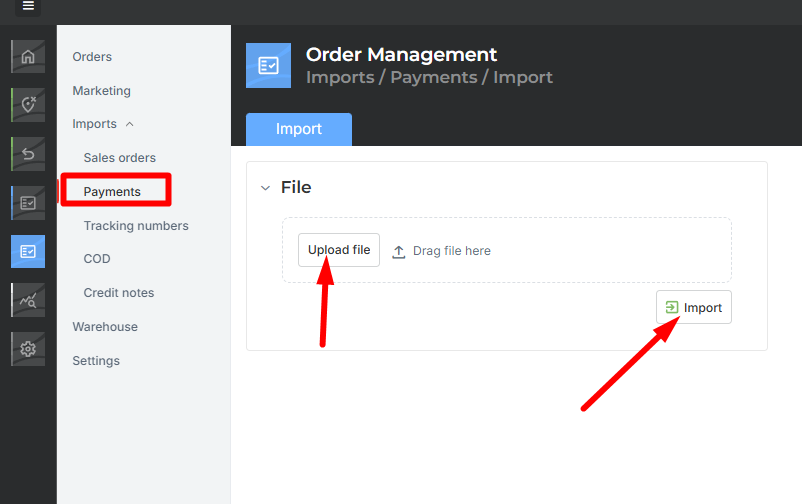
Upon import, a list of orders for which the payment was successfully added, as well as a list of errors, will be displayed.
Possible errors:
The amount in the file does not match the amount on the order.
The reference in the file does not match any order in MetaKocka. The reference must be written in the format: SI00 CUSTOMER ORDER NUMBER.
"Internal server error" – the program did not find a single order with correct data, so the entire import is rejected.
Was this article helpful?
That’s Great!
Thank you for your feedback
Sorry! We couldn't be helpful
Thank you for your feedback
Feedback sent
We appreciate your effort and will try to fix the article