A well-organized register of customers and suppliers is one of the areas that facilitate business operations long-term. To do this independently, we are unveiling a new functionality that enables merging customers and suppliers that were mistakenly imported/added multiple times.
Novelty can be found in the register of customers and suppliers as shown below:
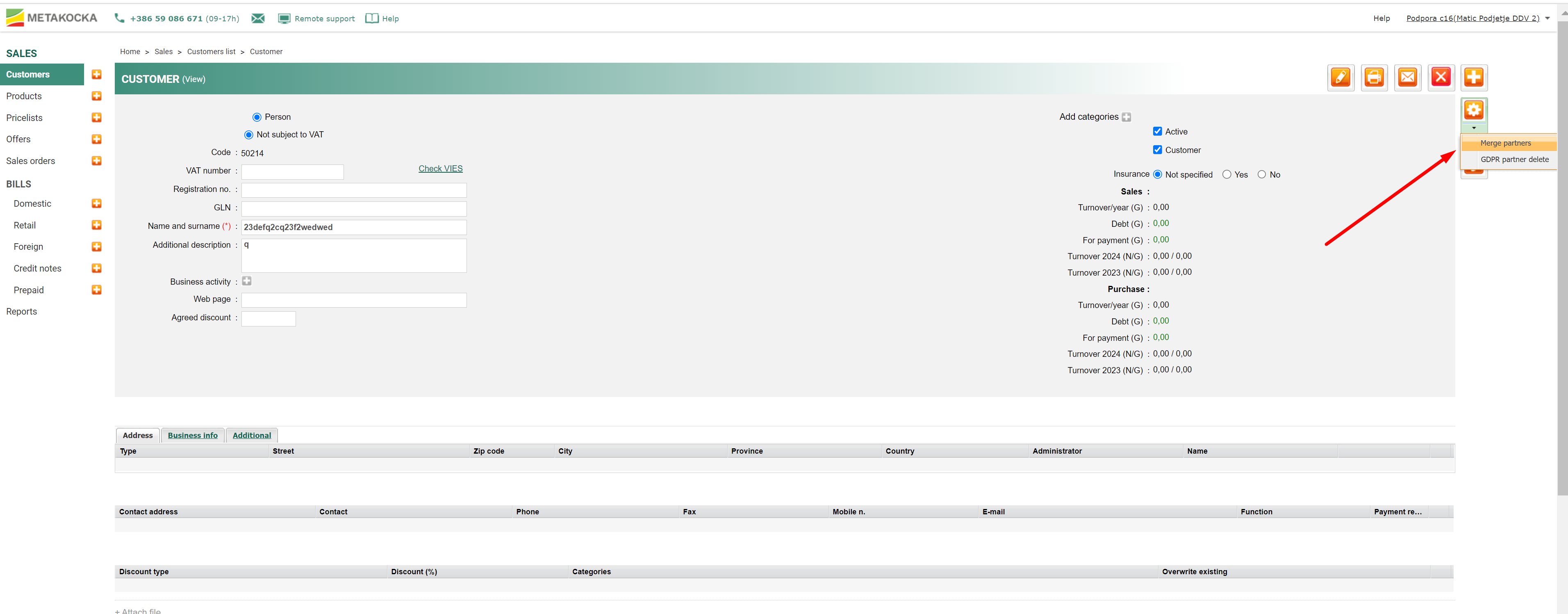
When a duplicated entry is found, select the one that should be merged with its duplicate and deleted simultaneously. When you select merging, a dialog will open where the customer/supplier should be selected with whom the duplicated one will be merged (targeted partner), as shown in the picture below:
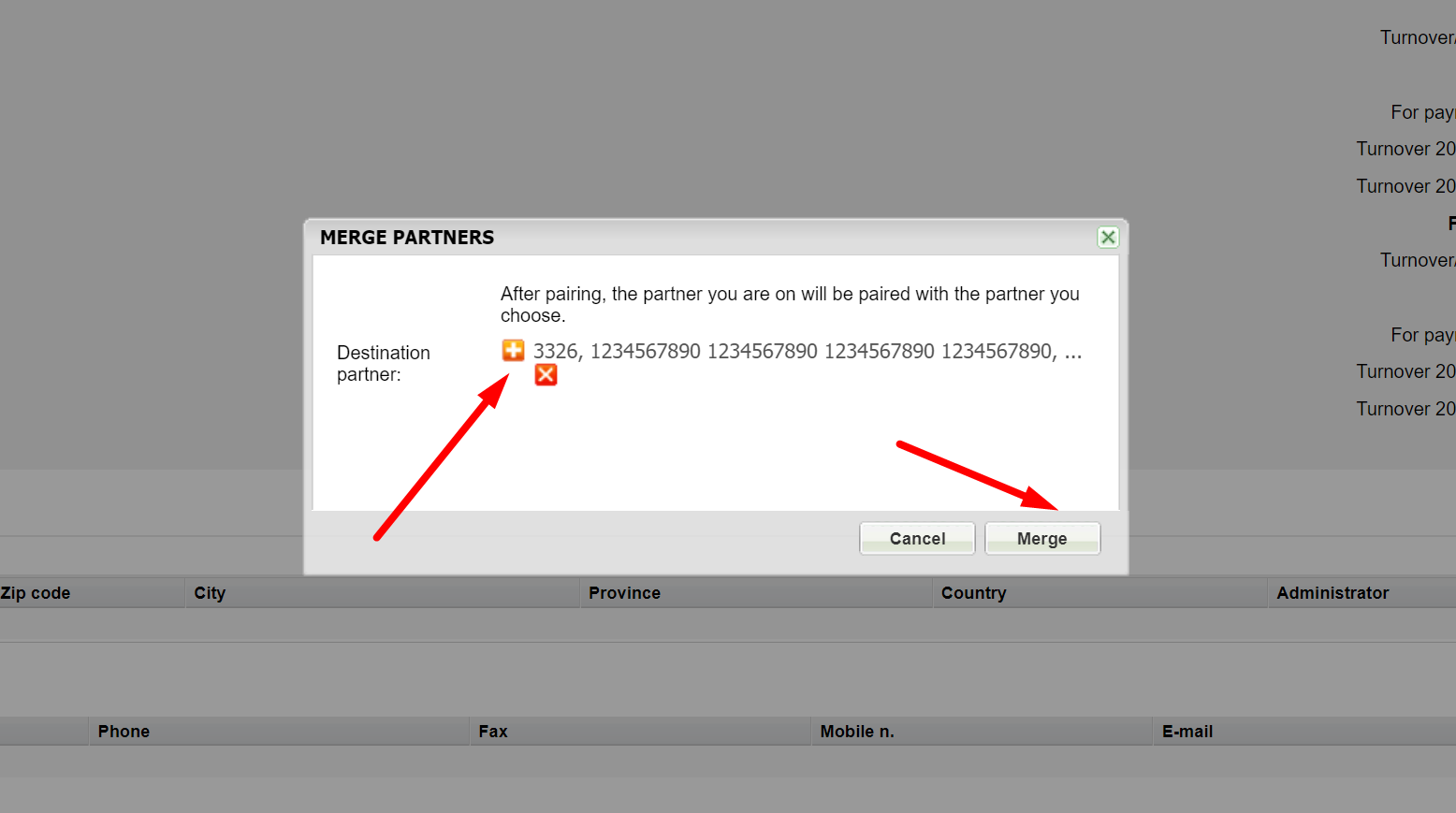
After the successfully executed merging operation, the first customer (supplier) will be deleted, while all data and transactions will be transferred to the targeted (selected) partner.
Was this article helpful?
That’s Great!
Thank you for your feedback
Sorry! We couldn't be helpful
Thank you for your feedback
Feedback sent
We appreciate your effort and will try to fix the article