1. CRM - select Partners
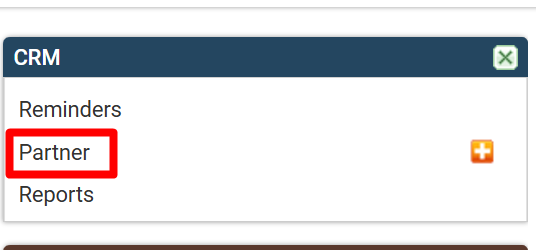
Click on the sub-menu "Partners"
2. Partners list - select adding a new Partner

Click on the icon (+) to add a new customer.
3. Enter partner data
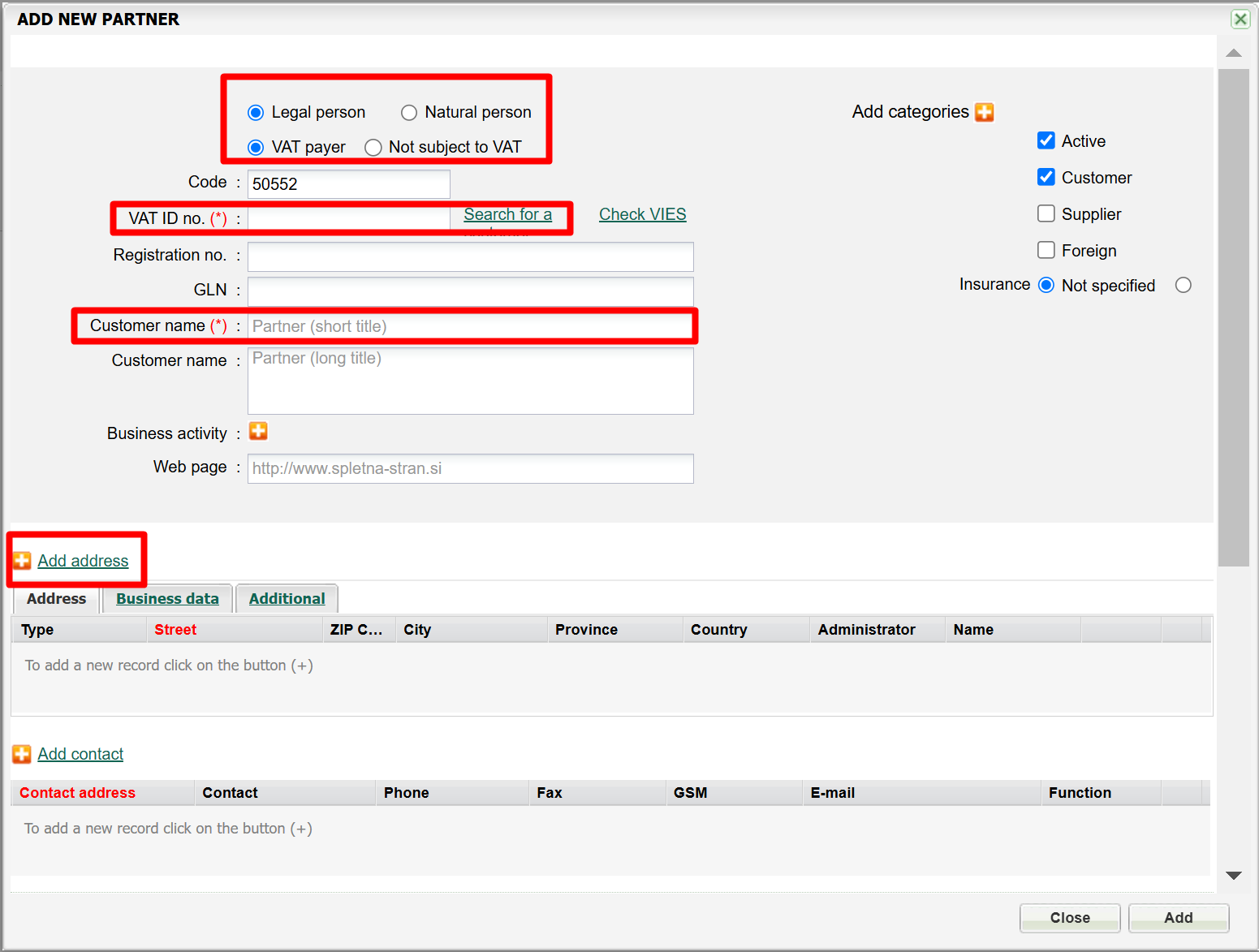
Add Partner data
1. OIB
2. Customer name
3. Address, ZIP Code, and city
4. Indicate whether the supplier/customer is from abroad
5. Add a Contact - person/phone number/e-mail address
once you complete the entries, click on "Add"
4. Add an activity or reminder connected to a partner

Click on ''Add activity'' or ''Add reminder'' if the reminder should be added for later.
5. Enter the activity/reminder details
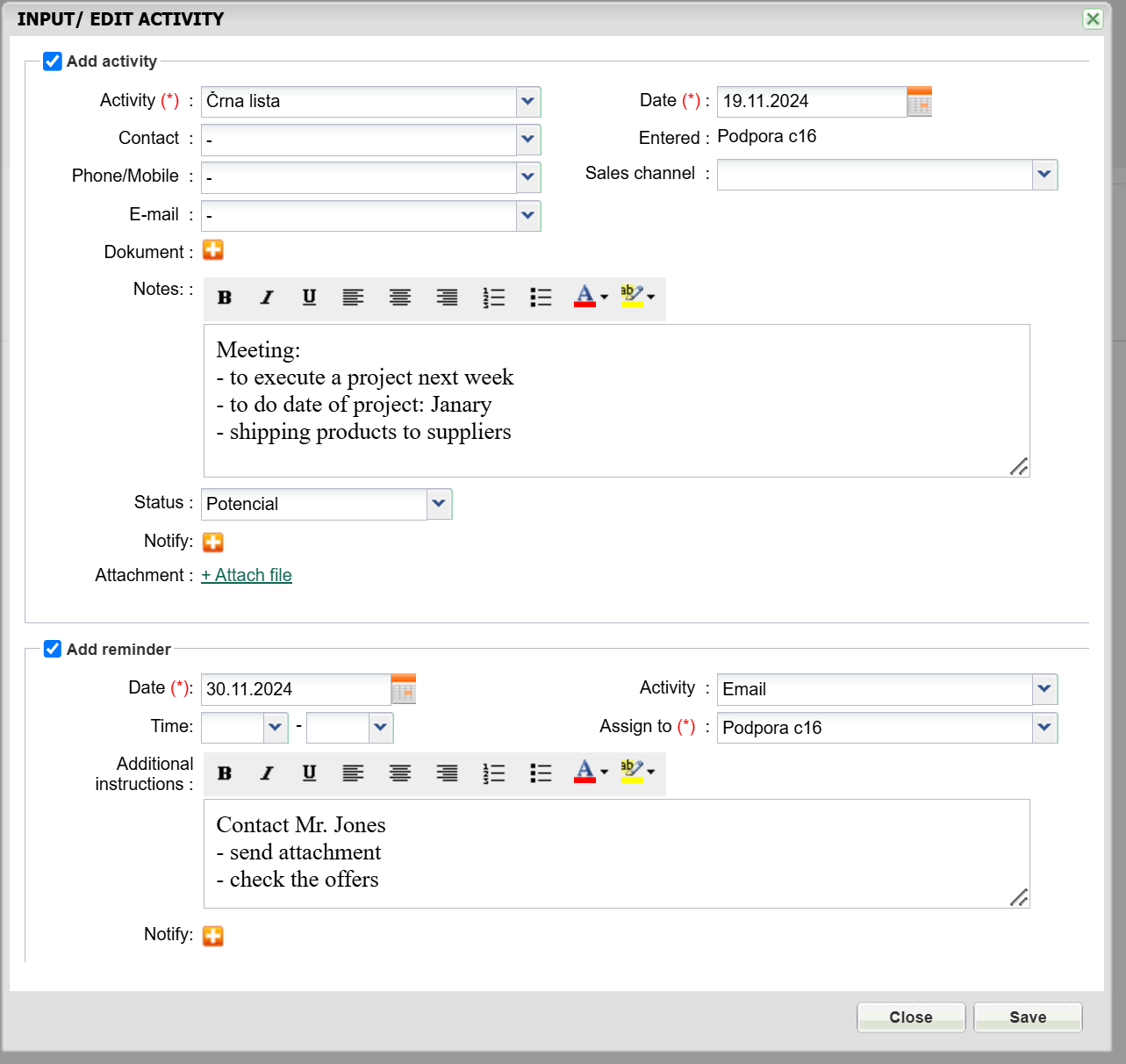
1. Select the type of activity and date
2. Select the contact (if it was added previously)
2.a - if the entry is related to a document in MetaKocka, i.e. offer, select it by clicking on (+) Document
3. Enter activity details
4. If someone else should be notified about the entry, select it by clicking on (+) notifications. Attachments can also be added - i.e. external photos, sent plans,...
to add a reminder, first, select "Add reminder"
4. Enter the date and time of a reminder
5. Select an activity that should be performed
6. Select who needs to complete the activity. If a colleague is selected, they will receive the corresponding notification.
Save changes.
Was this article helpful?
That’s Great!
Thank you for your feedback
Sorry! We couldn't be helpful
Thank you for your feedback
Feedback sent
We appreciate your effort and will try to fix the article