
Retail
Retail - Payment coloring
Payment coloring in retail is intended to facilitate easier recognition of payments on Retail invoices.
Payments can be colored in Additional settings/retail/payment color.
Select ''New entry'' and specify the payment and the color you want to paint it.

The colors of payment methods are visible in this way: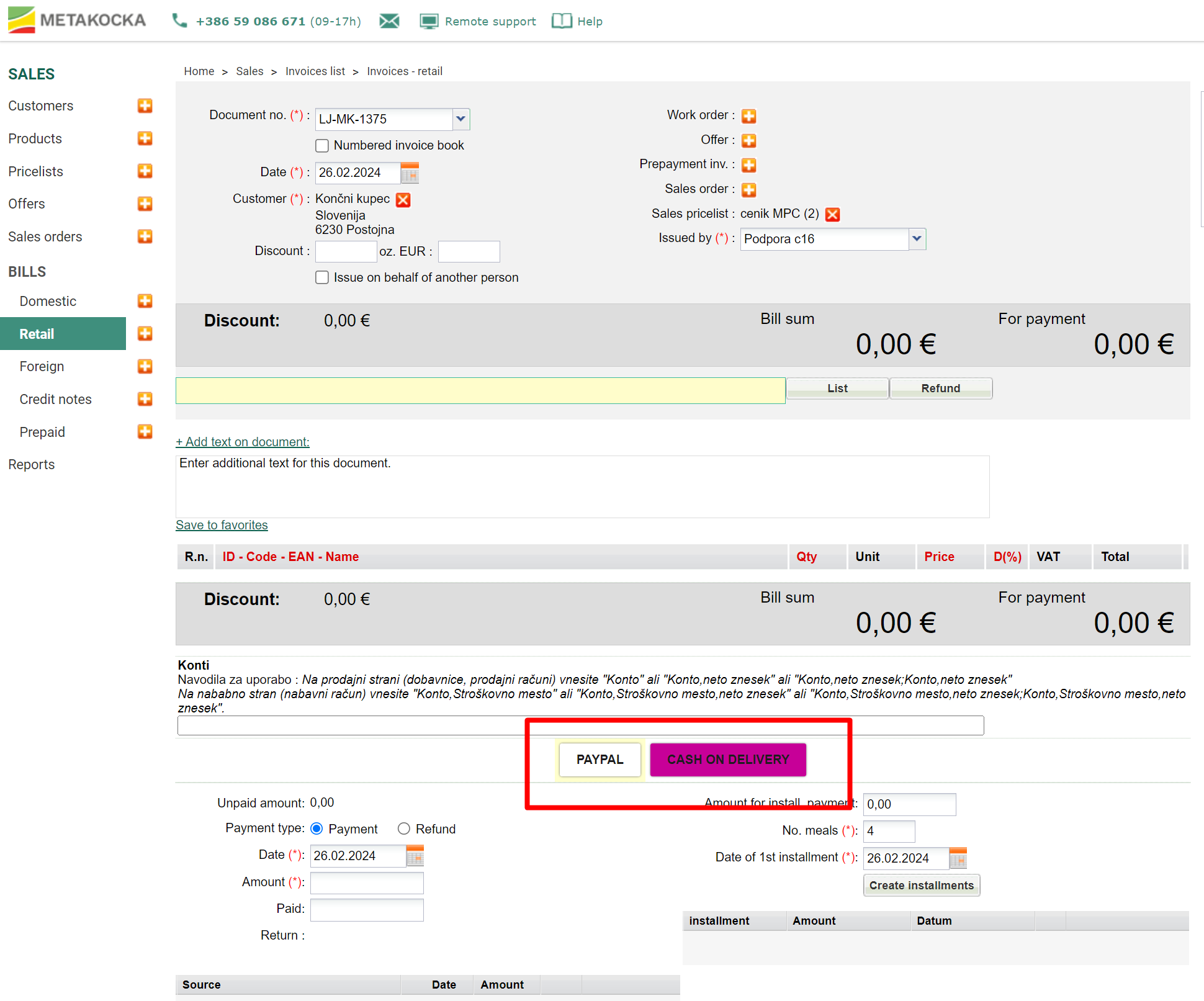
Was this article helpful?
That’s Great!
Thank you for your feedback
Sorry! We couldn't be helpful
Thank you for your feedback
Feedback sent
We appreciate your effort and will try to fix the article