
Export of XML file from the accounting program
When exchanging data with different accounting programs, issues may arise when transferring data, since the data set in MetaKocka is different from what is transferred to the accounting program. Namely, MetaKocka contains data about the entire document (invoices), whereas the exchanges only contain the mapping to accounts and document header. The simplest method for detecting the cause of the error is to correct the document in the accounting program (or create a test document) and export it in XML format, which MetaKocka should prepare only for that document. Described methods of export from different accounting programs can be found below.
Vasco
- in the GKW program, in menu 1.1, create the same posting for VAT records
- in the same menu (1.1), via the ''Various'' button, select the option "Export to XML" and a file will be obtained.
Opal Description
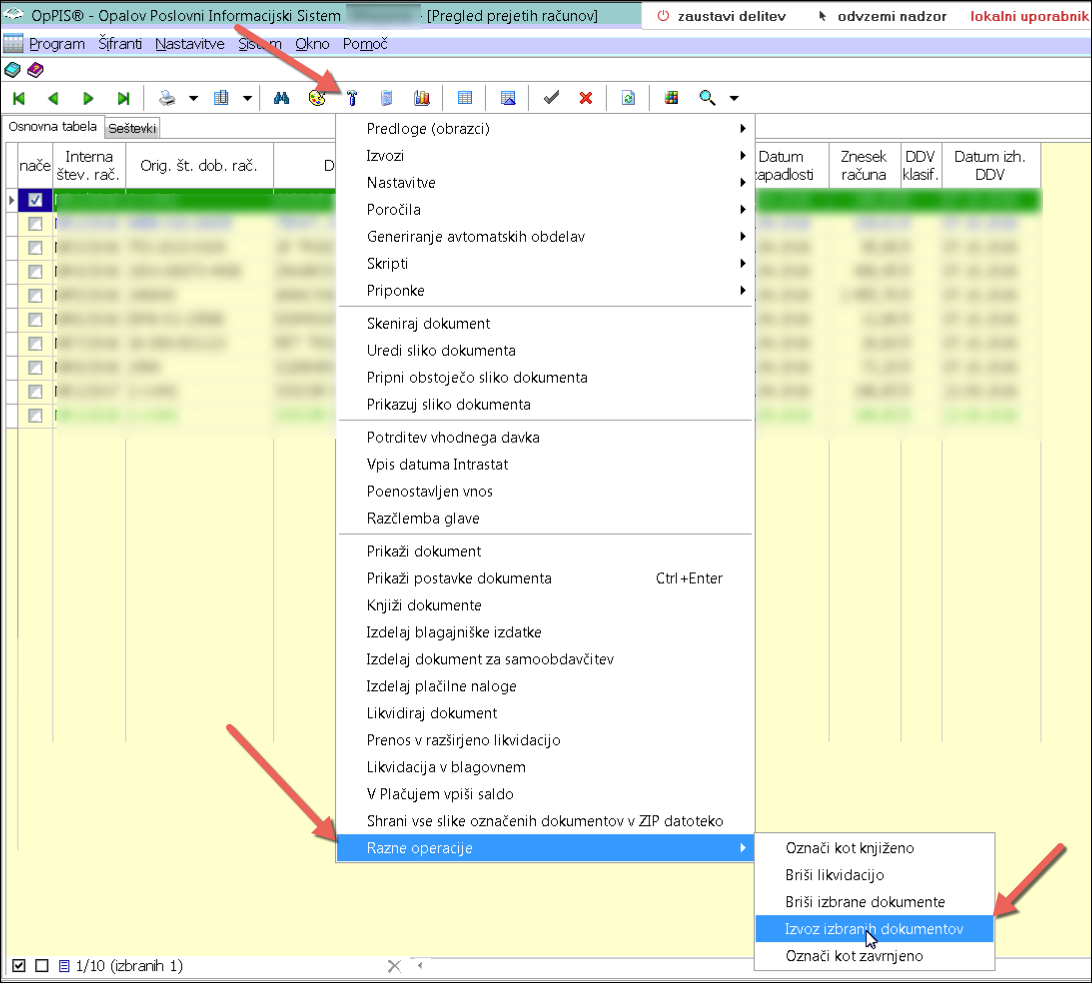
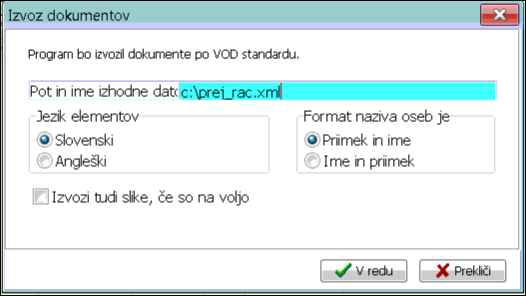
SAOP MiniMax
Via processing in-bulk > inside the Double-entry bookkeeping module > it is possible to export data into an XML file.
Detailed instructions:
http://help.minimax.si/sl/izvoz-temeljnic-v-xml-datoteko-za-uvoz-v-druge-programe
AccountingBox (PRONET)
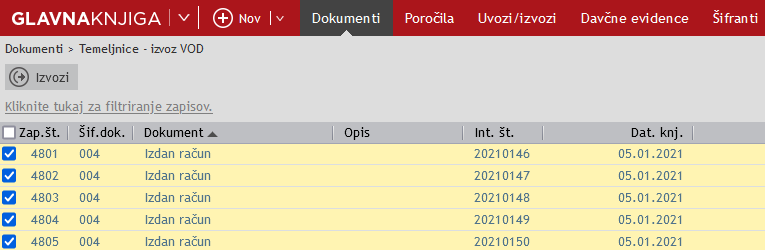
- Option for za izvoz datoteke po VOD standardu is located in the module "Glavna knjiga" on the menu "Poročila – Izvoz VOD".
- After clicking on the button "New" the list of all accounting statements will be displayed, filter them accordingly, mark them, and export them by clicking on the "Export" button
Was this article helpful?
That’s Great!
Thank you for your feedback
Sorry! We couldn't be helpful
Thank you for your feedback
Feedback sent
We appreciate your effort and will try to fix the article