
Customer debt limit
The debt limit allows you to set a permissible amount of overdue or outstanding balances for the customer. By setting this limit, you prevent the debt from exceeding the agreed (or insured) amount.
You can enable this functionality in Settings / Your company.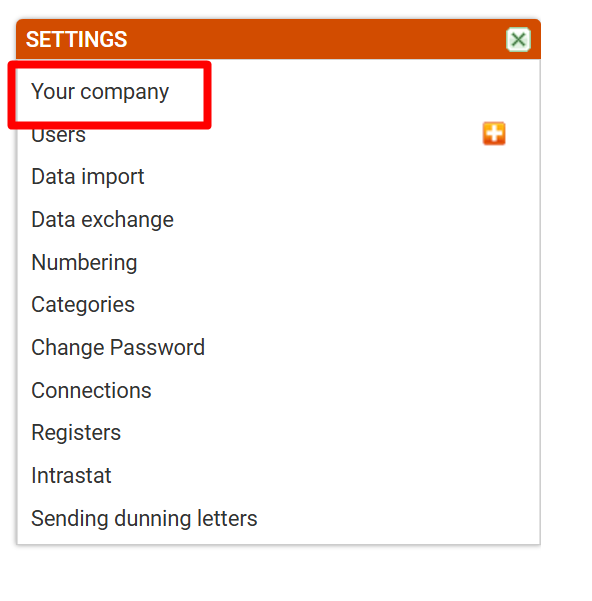
Select “Customer - debt limit.”
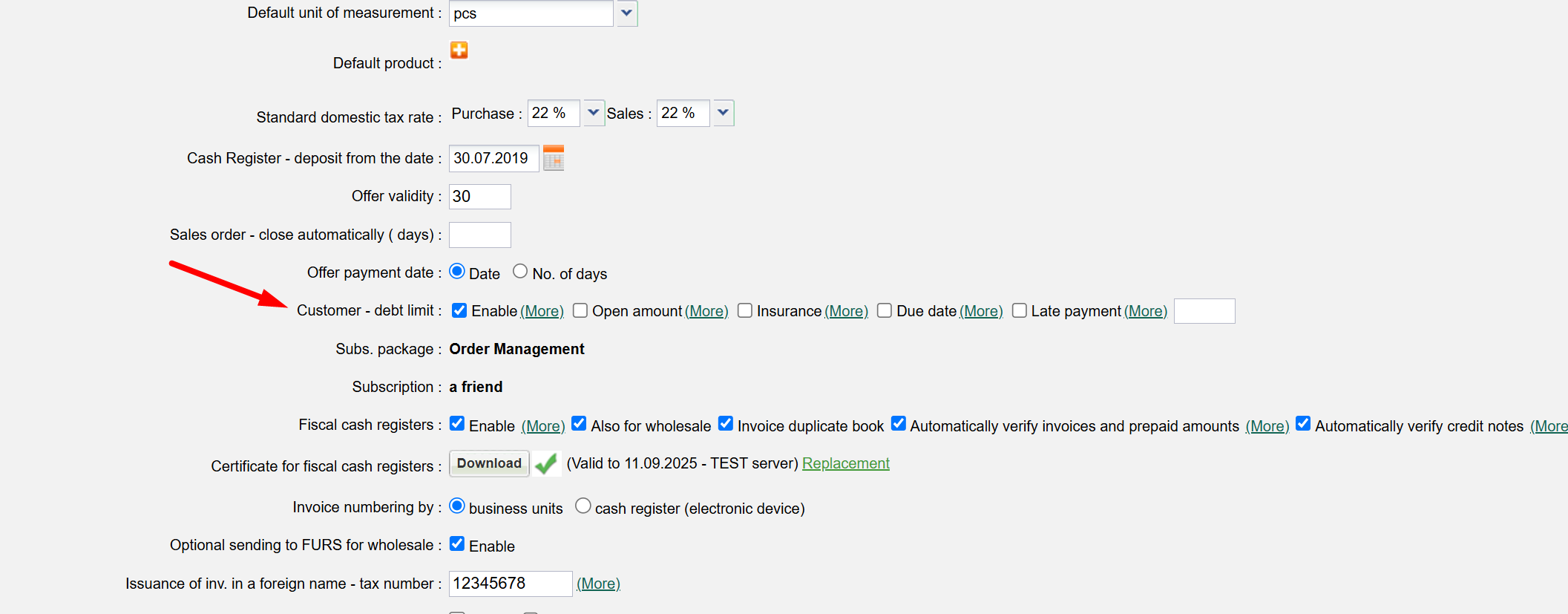
Activate "Enable" and "Outstanding amount" to gain the option to enter the Customer debt limit.
Enabling the options "Insurance" and "Payment term" ensures that these two fields are filled in for the customer before saving. The "Late payment" option allows you to prevent issuing an invoice/delivery note to a customer who exceeds a certain number of overdue days, even if the debt amount has not yet been reached.
Entering the customer debt limit (Sales/Customers).
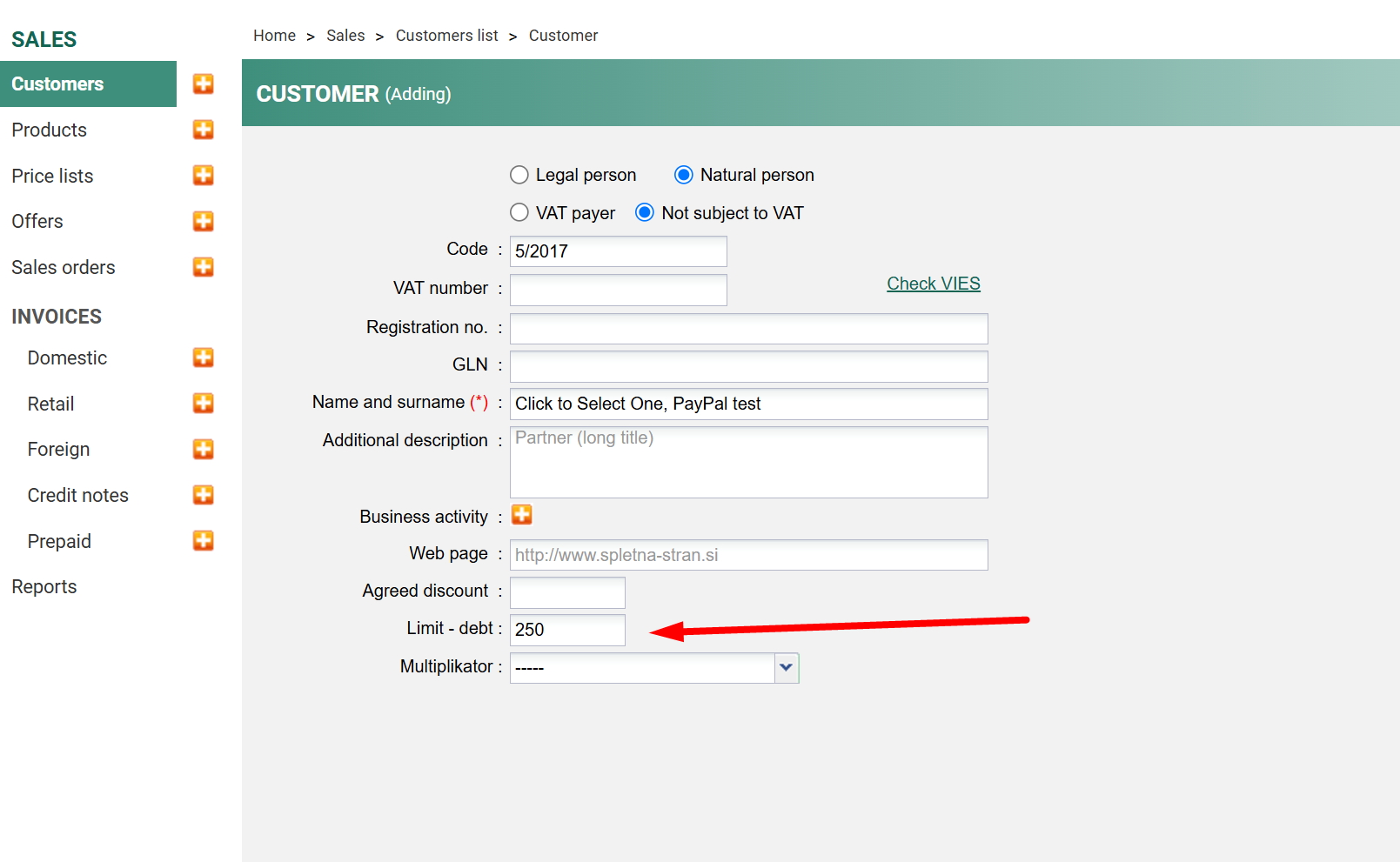
In the “Limit - Debt field, enter the debt amount for each individual customer.
When a customer reaches or exceeds the limit, a dialog box will appear upon saving the invoice/delivery note that prevents saving but allows transferring to another document (depending on functionality) – sales order from which you can request prepayment or a retail invoice for immediate payment
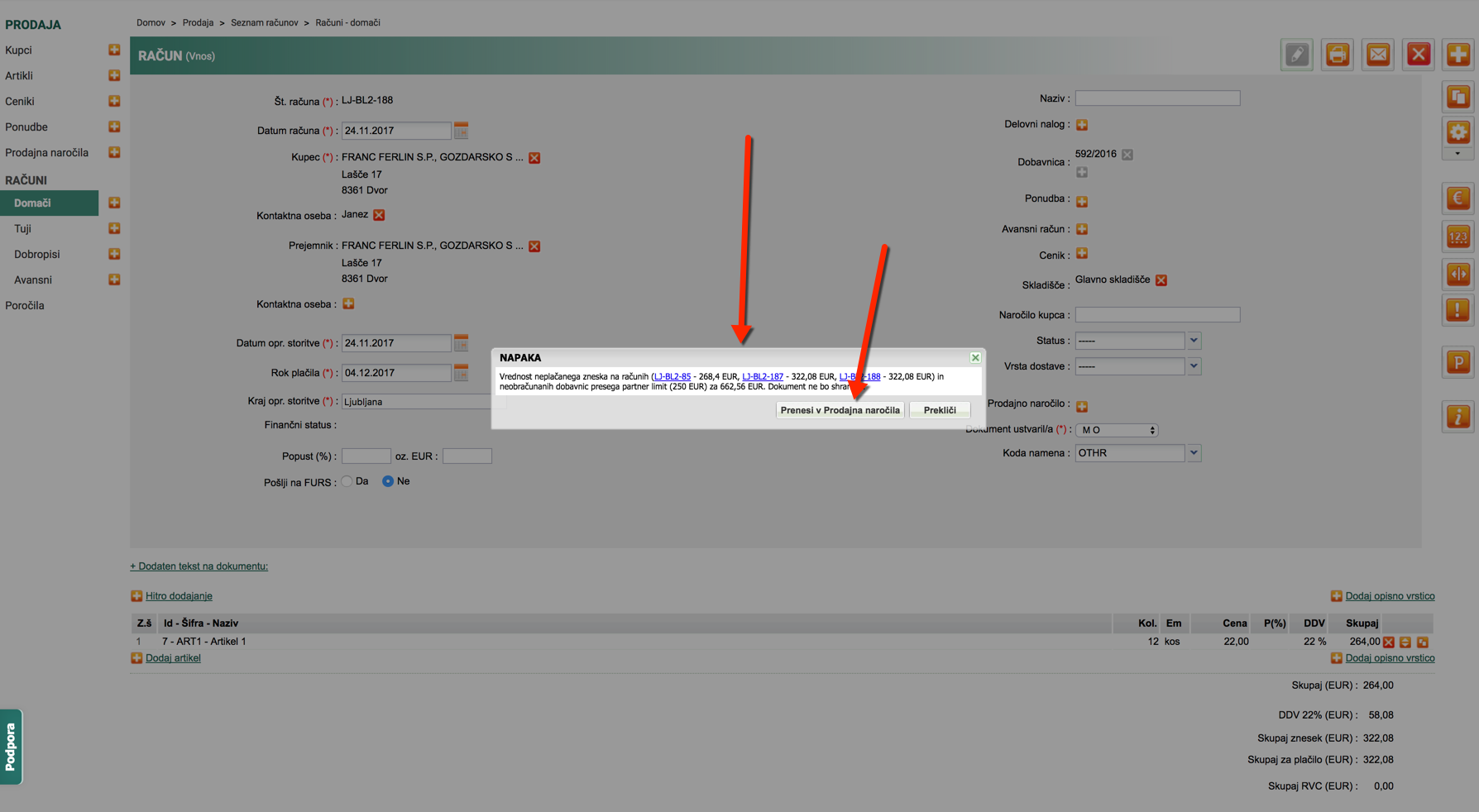
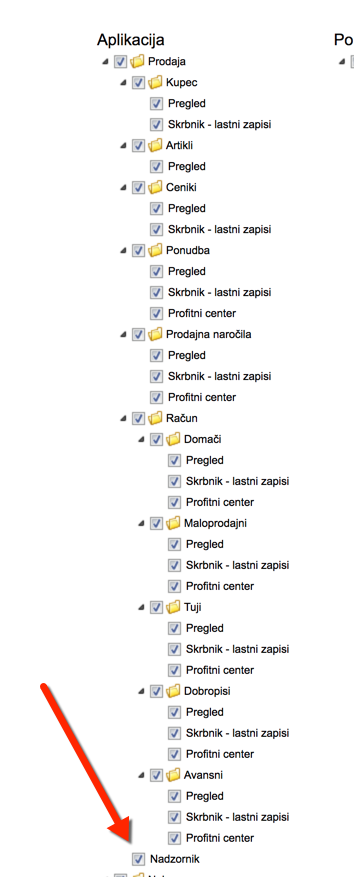
A user who is a Supervisor can still save an invoice or delivery note despite the limit.
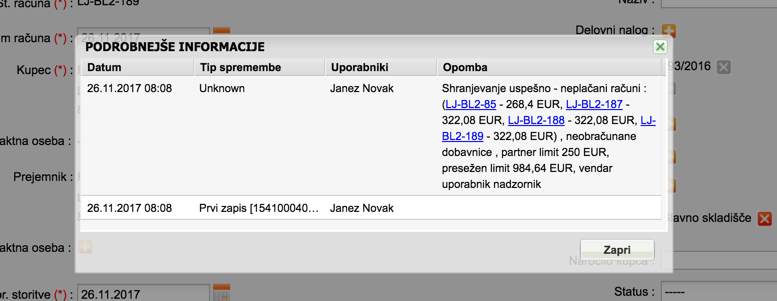
In the document created by the supervisor that exceeds the limits, the information document records who saved it, when it was saved and what the debt status was at the time of saving.
Was this article helpful?
That’s Great!
Thank you for your feedback
Sorry! We couldn't be helpful
Thank you for your feedback
Feedback sent
We appreciate your effort and will try to fix the article