
Shopify (up to and including 2021) - establishing integration with MetaKocka
Establishing a connection for exchange/synchronization
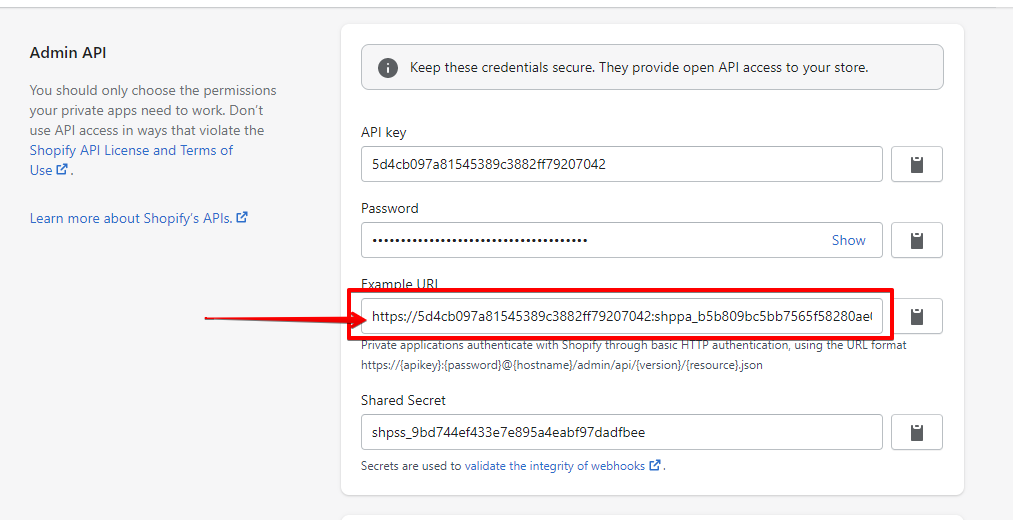
To establish a connection with the Shopify online store, the following data must be obtained:
- Example URL
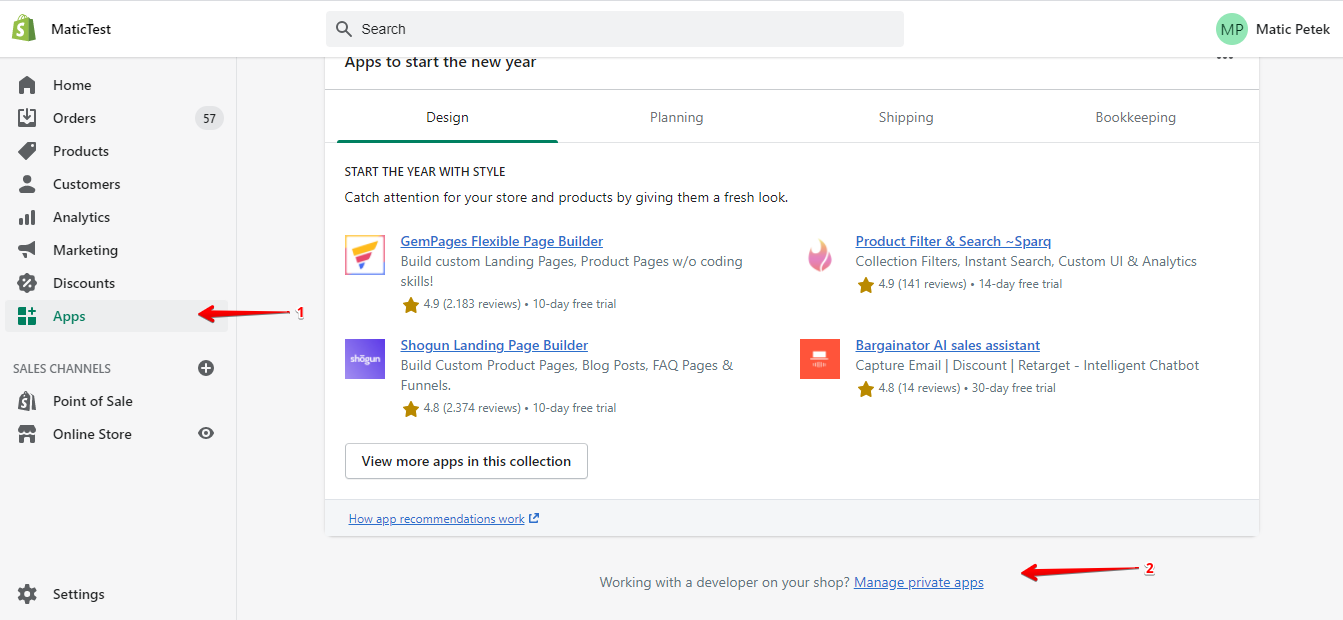
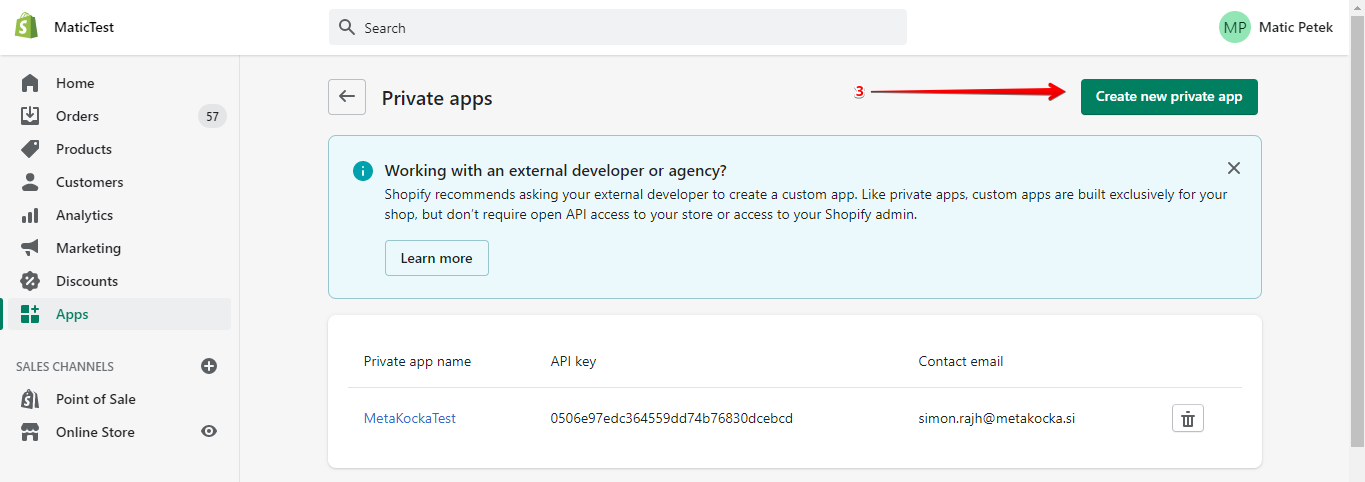
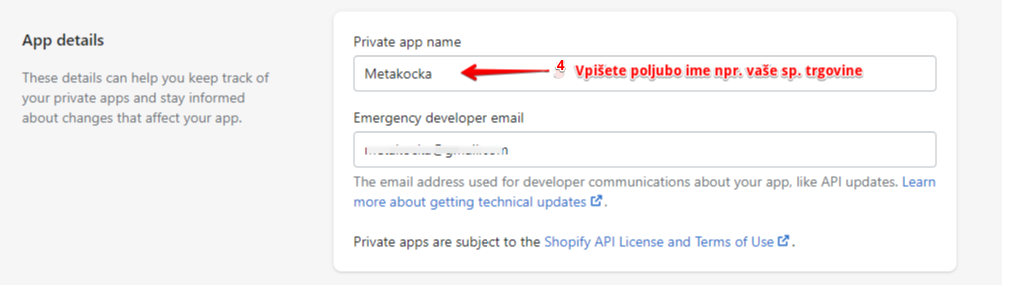
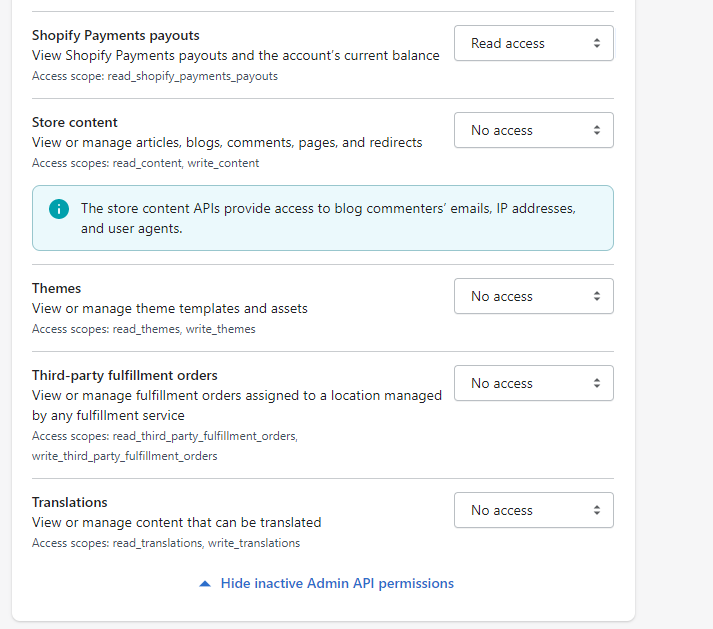
It is important to set access permissions in the following way:
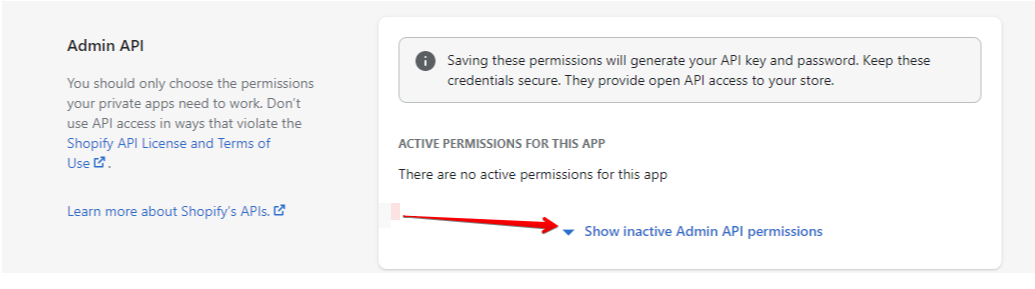
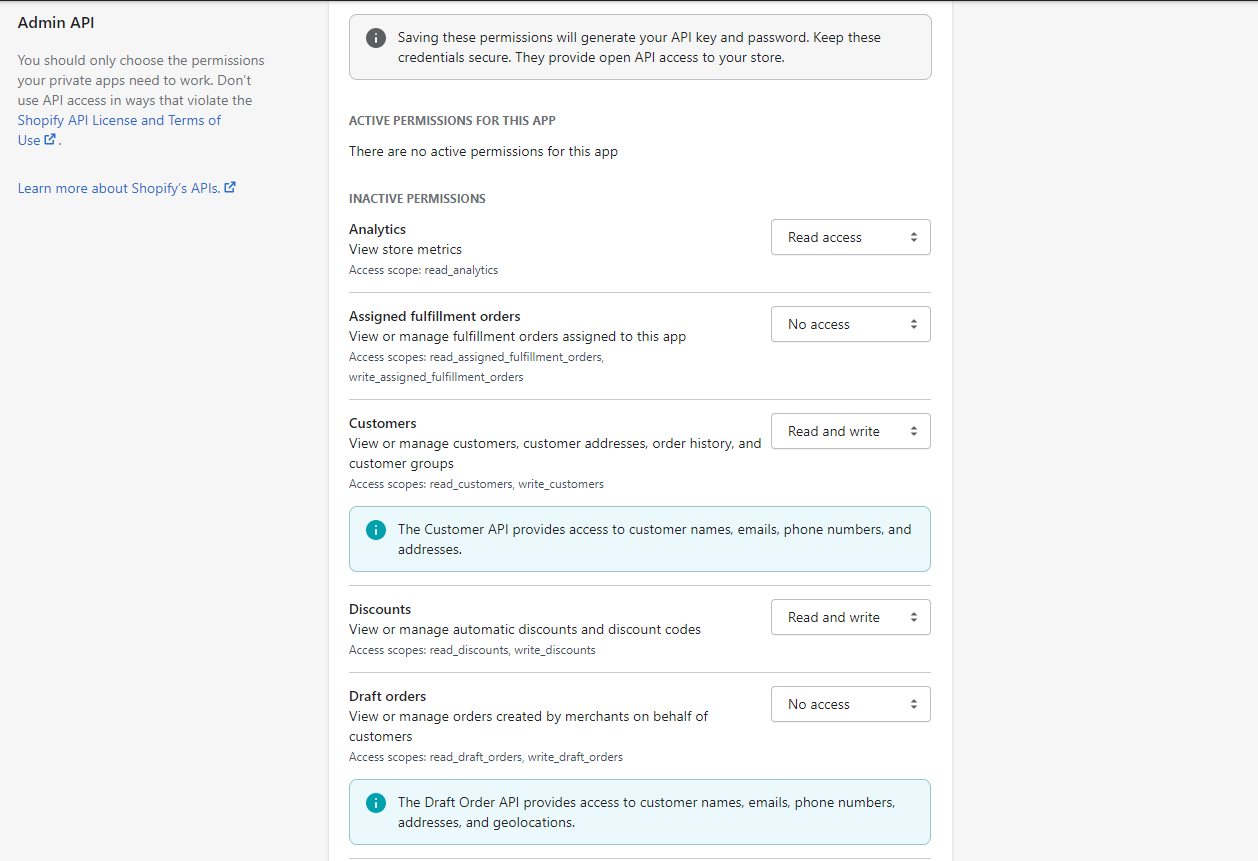
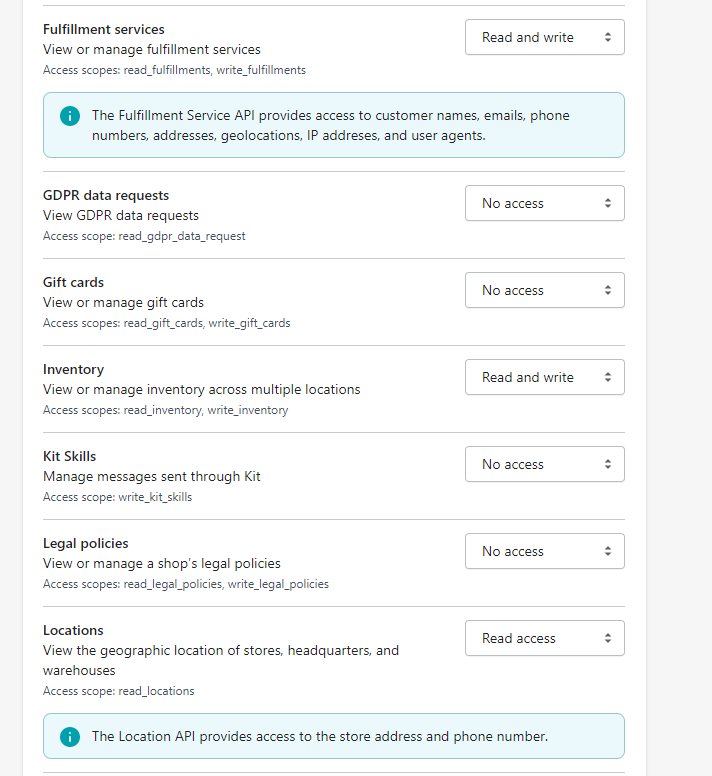
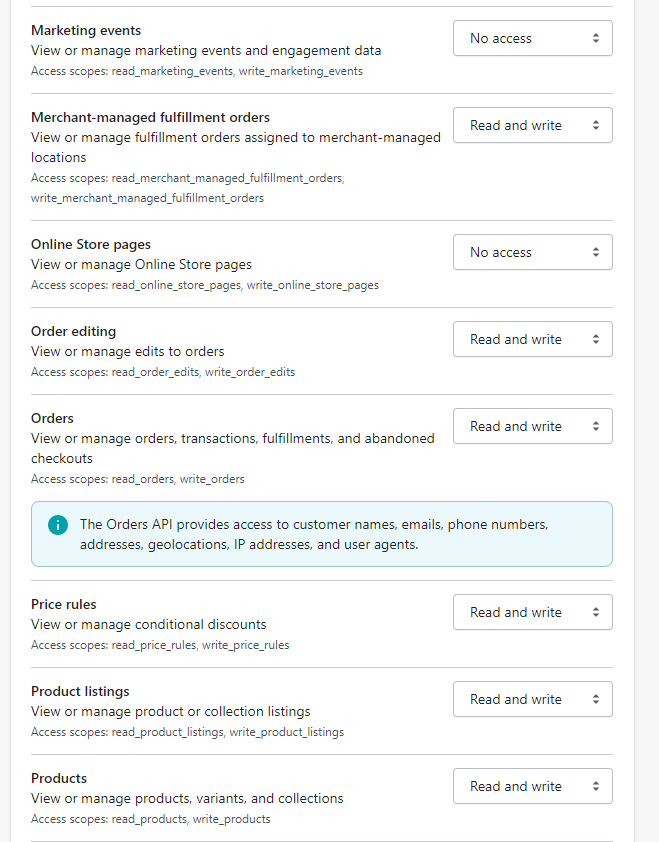
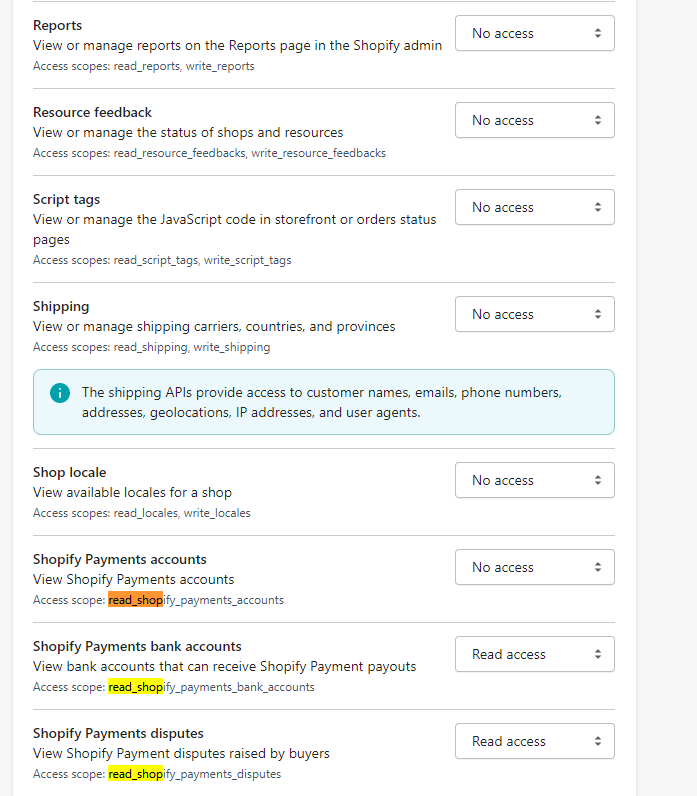
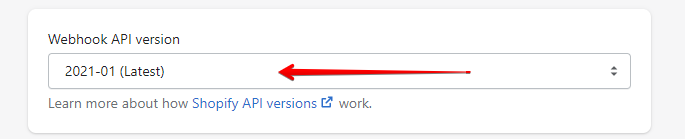
To configure the "Webhook API version" select version 2020-01, used by MetaKocka from March 2020:
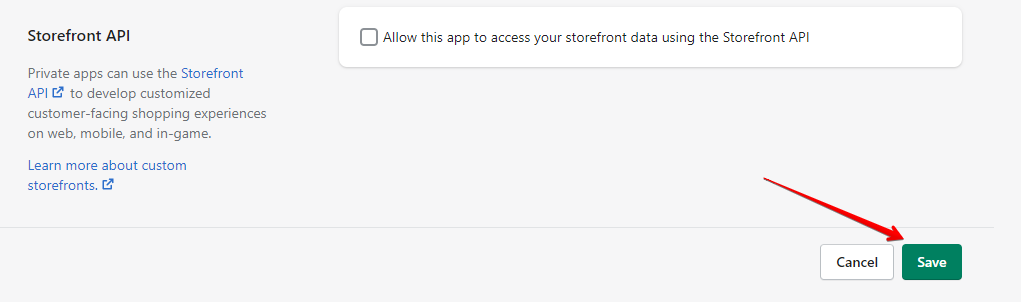
Save settings:
Copy the connection that is displayed:
Adding a connection to MetaKocka
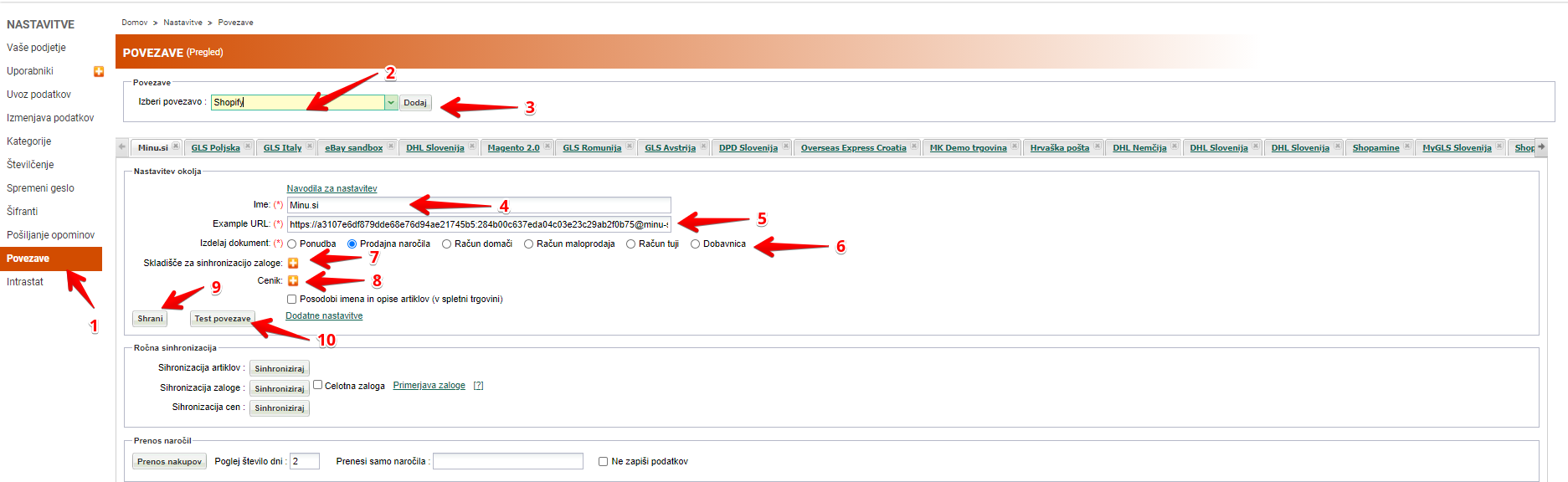
1. In Settings, go to Connections
2. Select Shopify as your connection
3. Click on Add
4. Enter the preferred name of your online store
5. Enter/paste the Example URL, received in your online store
6. Specify the document the order should be transferred to
7. If stock synchronization is required, select the warehouse from which the data will be read; synchronization is unidirectional - from MetaKocka to the online store
8. If prices from MetaKocka should be sent to the online store, select the exchange price list
9. Click on Save to save the connection
10. Click on Test connection
If the message confirming the successful connection is received, by clicking on the Transfer of Purchases, such can be transferred to MetaKocka, while invoices can be printed and verified in FURS.
When the connection is successfully established, AUTOMATIC ORDER TRANSFER should also be set.
Was this article helpful?
That’s Great!
Thank you for your feedback
Sorry! We couldn't be helpful
Thank you for your feedback
Feedback sent
We appreciate your effort and will try to fix the article
