
Delivery service integrations
Courier Center Greece
MetaKocka - Establishing a Connection
Define a new delivery type to be used for the Courier Center delivery service
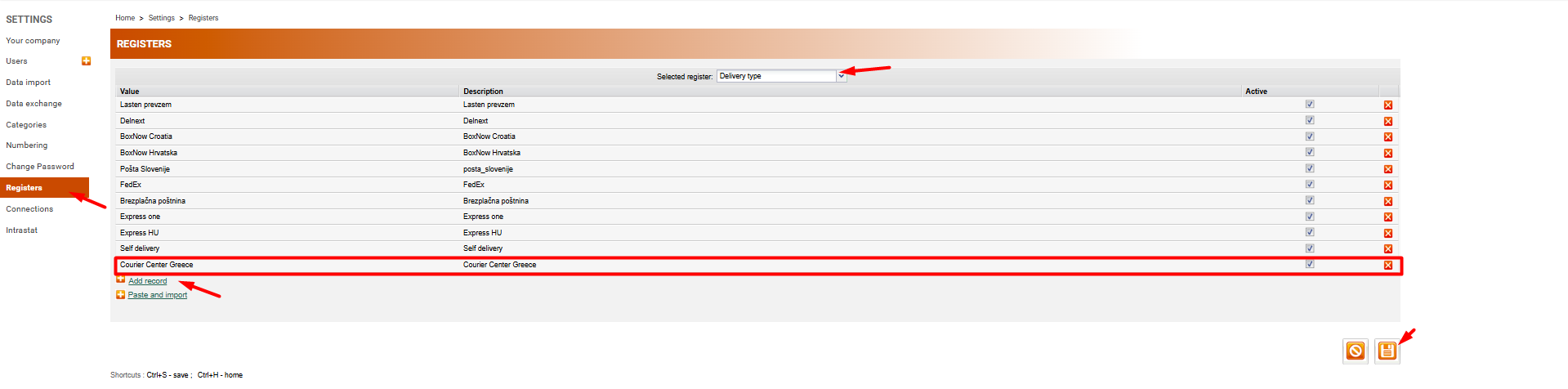
1. Go to Advanced Settings/Delivery Services/New
2. Select the Courier Center delivery service
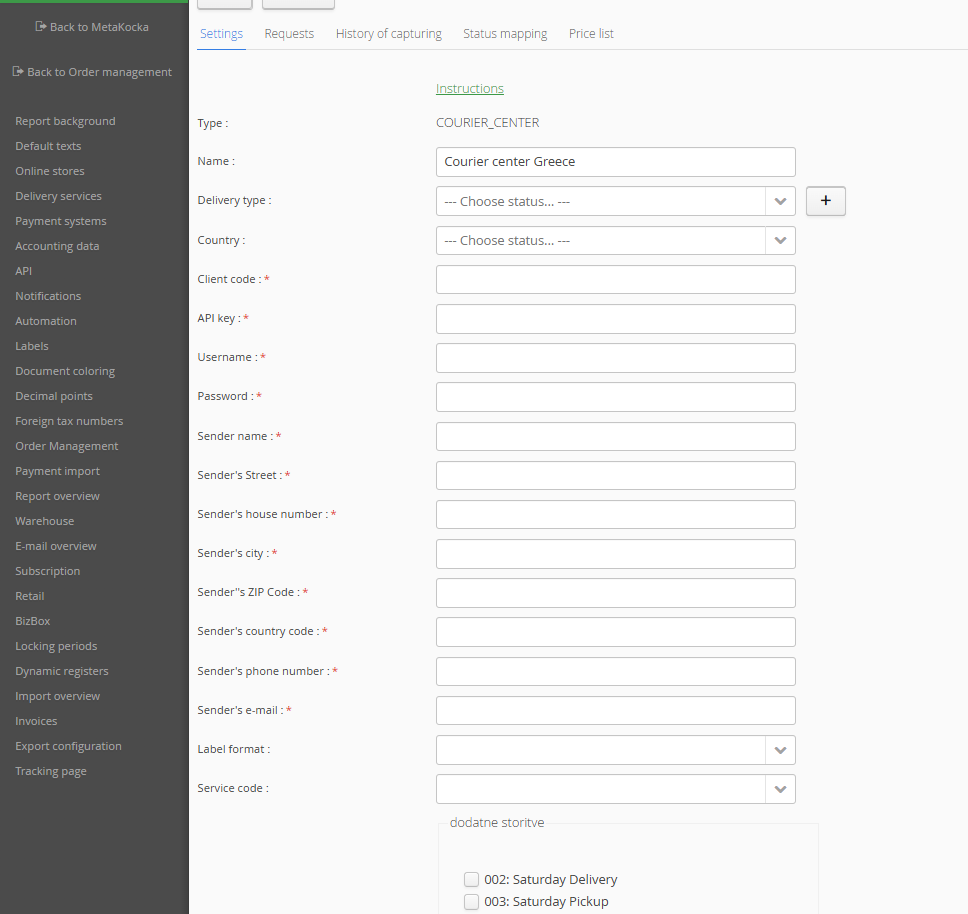
3. Enter the details received from Courier Center
4. Save and test the connection for success
1. Add a delivery service in Advanced Settings, select the Courier Center delivery service and confirm it: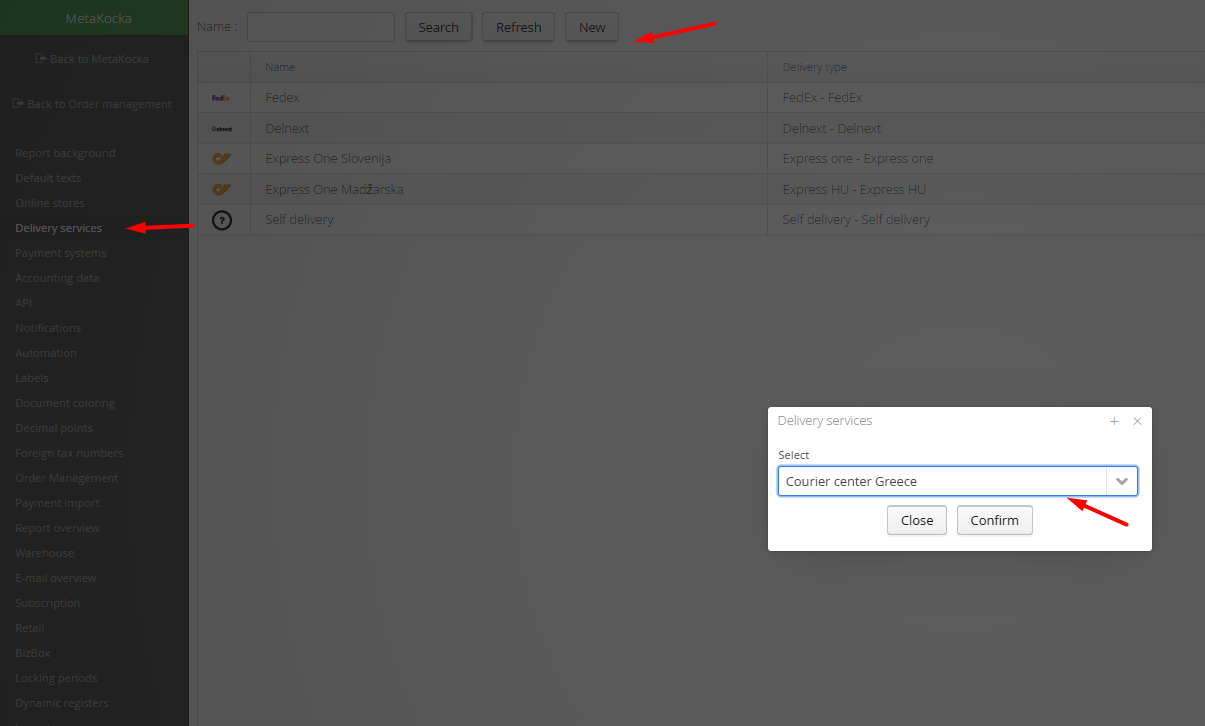
3. Enter the username and password received from Courier Center
Was this article helpful?
That’s Great!
Thank you for your feedback
Sorry! We couldn't be helpful
Thank you for your feedback
Feedback sent
We appreciate your effort and will try to fix the article