Documents and email
Setting up the server for sending documents through Gmail
Get an app password:
- Open Google App Passwords.
- Enable 2-Step Verification, if it is not active yet.
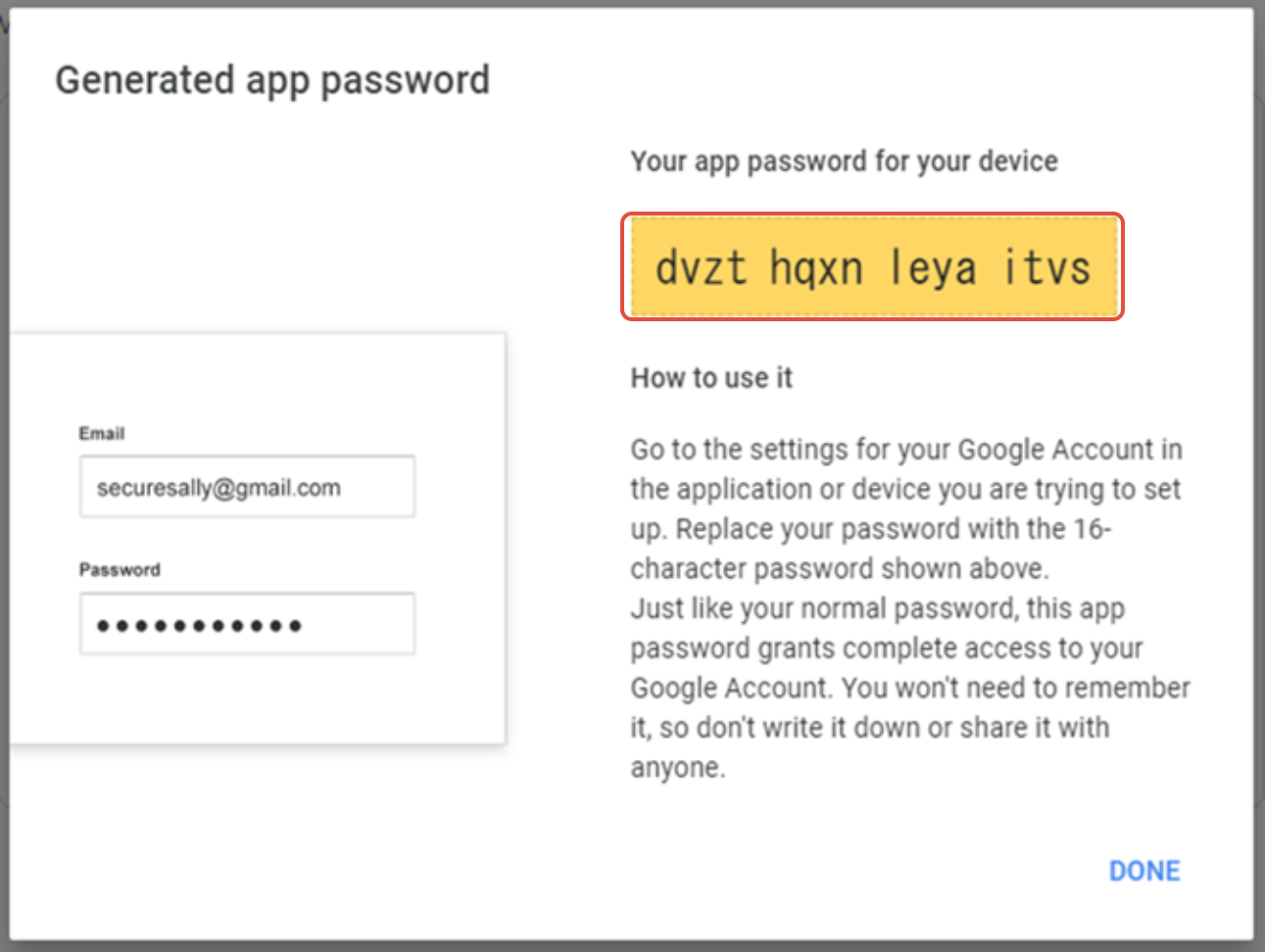
- Select App Passwords, enter the app and device name (MetaKocka), then click GENERATE.
- Copy the password shown.

- After it is generated, the password appears; copy it into MetaKocka.
Set up the connection in MetaKocka:
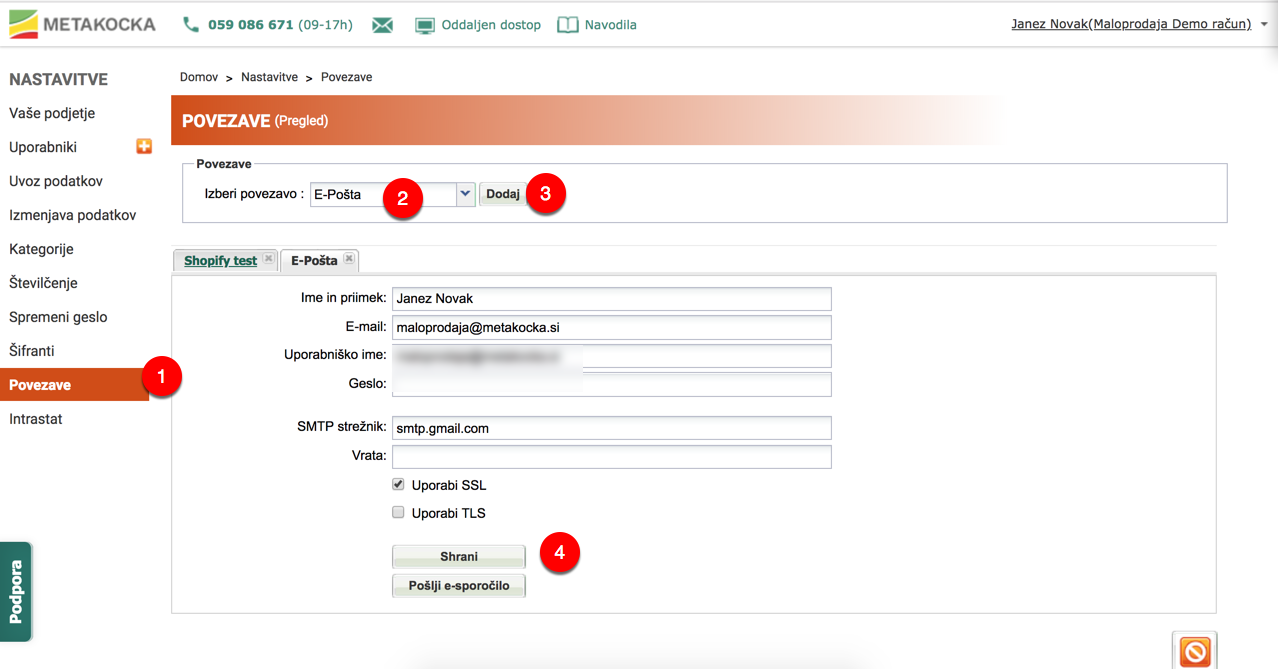
- Open MetaKocka → Settings → Links.
- Under Select connection , select Email and click Add.
- Enter:
- First and last name
- Your Gmail address
- App password (from Google App Passwords)
- SMTP server
- ClickSave
SUCCESSFUL TEST

Was this article helpful?
That’s Great!
Thank you for your feedback
Sorry! We couldn't be helpful
Thank you for your feedback
Feedback sent
We appreciate your effort and will try to fix the article