
Documents and email
Chrome - Opening PDF files in Acrobat Reader
Dieser Artikel ist auf German nicht verfügbar. Sehen Sie ihn sich auf Slovenian an
In certain cases (the more accurate print on POS printers; opening and reviewing PDF files with more than 100 pages) in Chrome, it is more reasonable to open files in Acrobat Reader, rather than in the internal browser.
- If it is not configured yet, configure Adobe Acrobat Reader
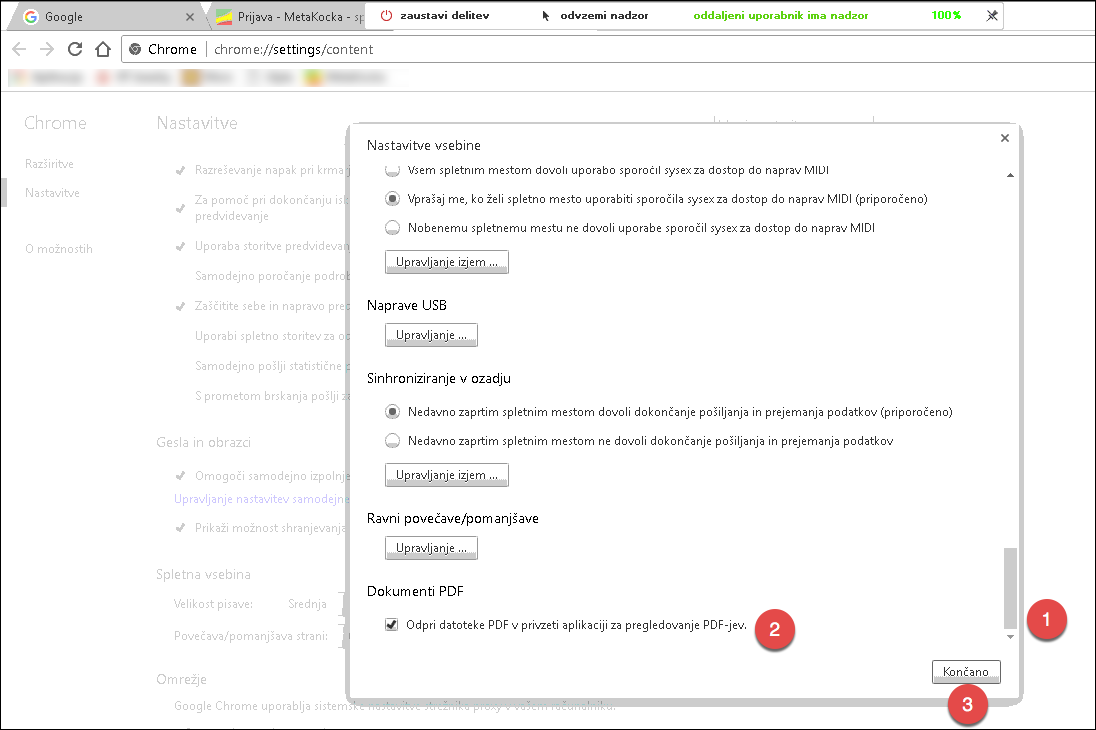
- In Chrome, in the search field, enter chrome://settings/content
- Navigate to the end of the page and choose the selected option
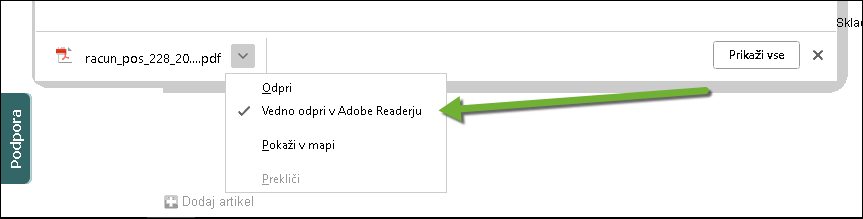
4. When printing for the very first time, also indicate that the document should open automatically
Was this article helpful?
That’s Great!
Thank you for your feedback
Sorry! We couldn't be helpful
Thank you for your feedback
Feedback sent
We appreciate your effort and will try to fix the article