
Viber - Transactional messages
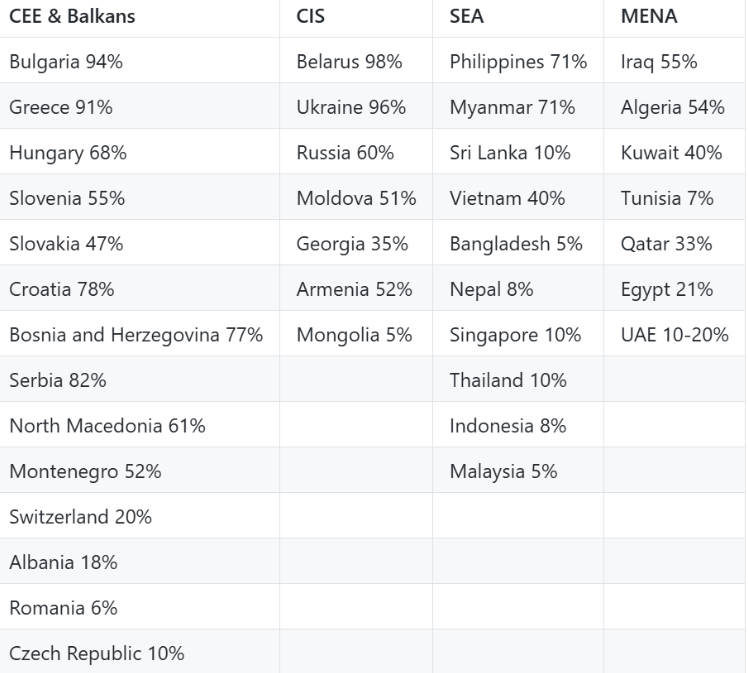
Viber is a messaging channel that is especially popular in Central and Eastern Europe:
If you want to notify customers through Viber messages as part of your business process, you need to register a Sender ID, e.g. NAJSHOP. To register the sender, fill in the forms at thisLINKand send them back to us, so we can register the Sender ID on your behalf and complete the settings.
Transactional messages can contain text only.
Sending settings
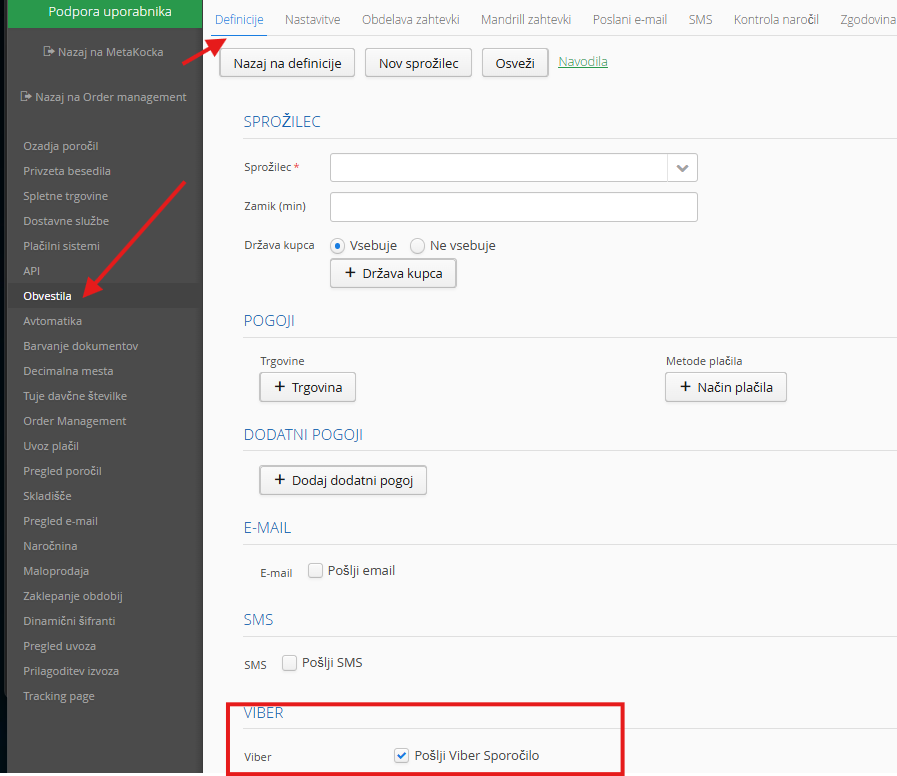
In Additional settings / Notifications / New definition
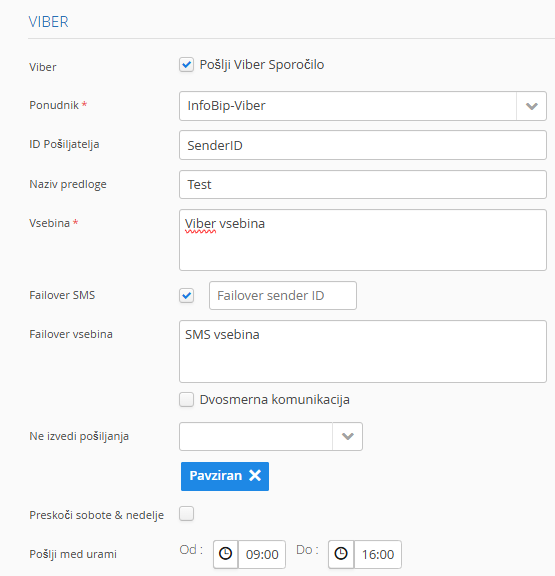
Provider: Infobip -viber
Sender ID: enter the sender you registered
Template name: enter a name for your reference
Content: enter the content you want to send to the recipient
Failover SMS: if the recipient does not have the Viber app, you can choose to send an SMS instead, so you need to set which Sender is used for the SMS
Failover content:Set the content that will be sent by SMS to recipients who do not have the Viber app
Was this article helpful?
That’s Great!
Thank you for your feedback
Sorry! We couldn't be helpful
Thank you for your feedback
Feedback sent
We appreciate your effort and will try to fix the article