
Address Editor - automatic order merging
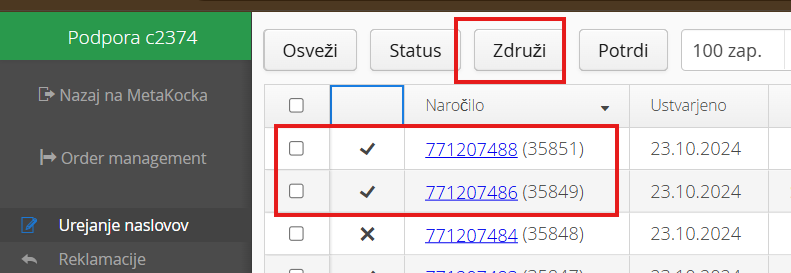
The Address Editor module has a function for merging orders manually with the MERGE button, which merges the selected orders into one order:
Automatic order merging merges orders automatically according to certain rules. Set the rules in the Address Editor module / Settings:
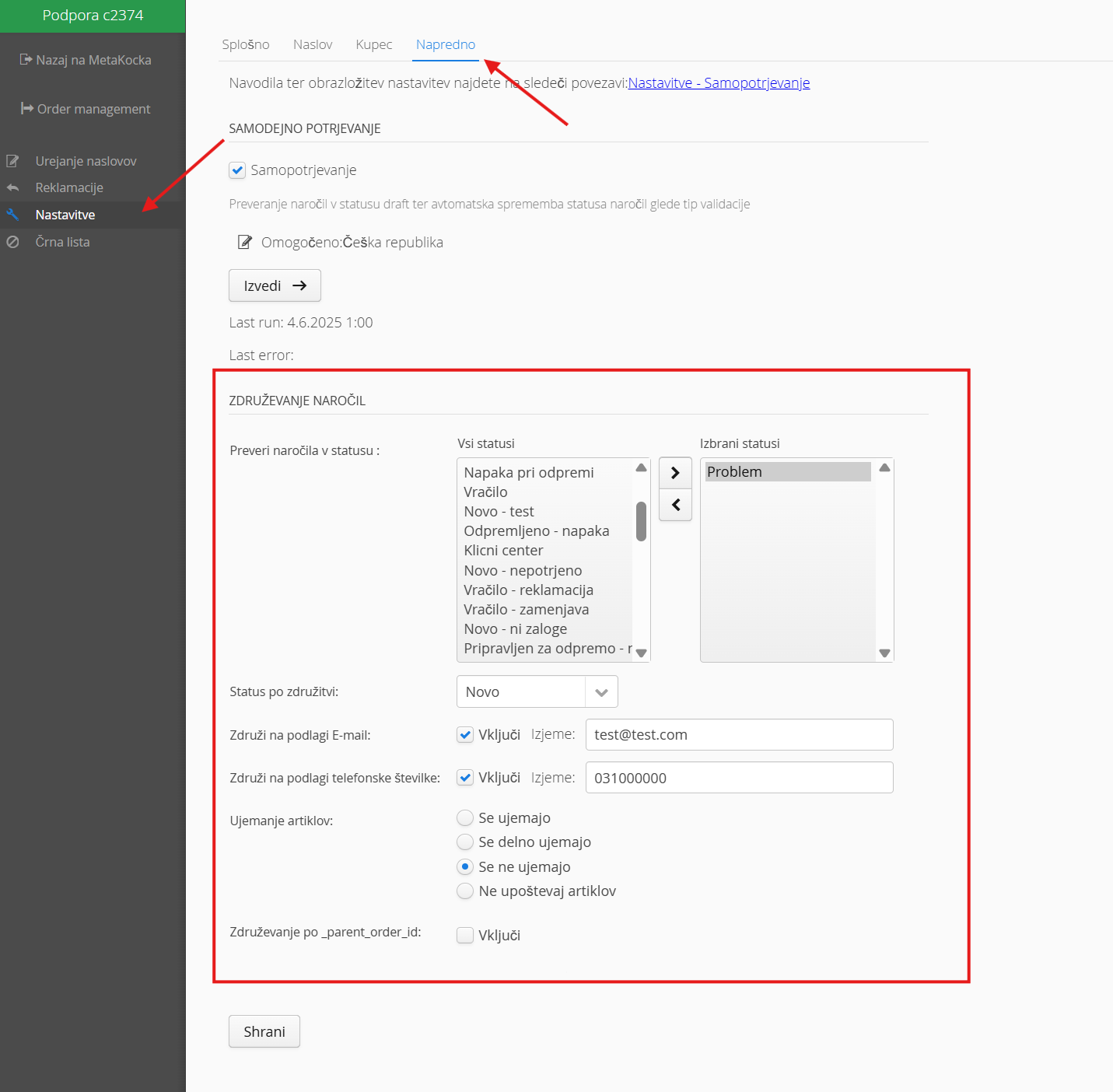
Check orders in status: Select the status in which orders are checked and then merged
Status after merging: Set the status the order changes to after merging
Merge by email: orders with the same email are merged; you can also set exceptions when merging should not happen
Merge by phone number: orders with the same phone number are merged, taking the exceptions into account
Product match: you can set an additional condition so that merging also depends on the products. Match (the order products match 100%), Partially match (at least one of the products matches), Do not match (the products are completely different), Ignore products (products are not a condition for merging; the contact merge settings apply).
Merging by _parent_order_id: supported for WooCommerce. If the order has the meta_data _parent_order_id with the customer's order it should be merged with, the two orders are merged.
If orders meet the conditions you set, they are merged. Every 45 minutes, MetaKocka checks whether there are orders in the list that meet the merging conditions.
Was this article helpful?
That’s Great!
Thank you for your feedback
Sorry! We couldn't be helpful
Thank you for your feedback
Feedback sent
We appreciate your effort and will try to fix the article