
Order processing and automation
Prohibited products
.
The Prohibited products function lets you move orders that contain certain products to a selected status.
The function is useful when you want to check orders with selected products more closely, stop shipping, etc.
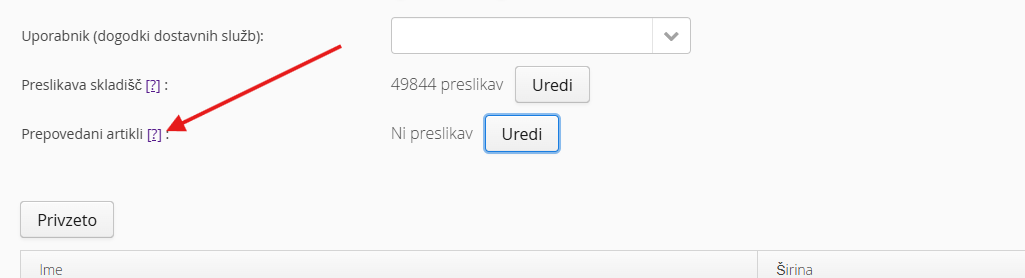
You can find the setting for Prohibited products in the Order Management Additional settings
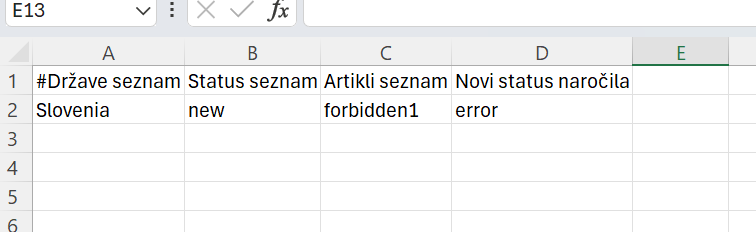
We recommend editing the data in Google Sheets or Microsoft Excel
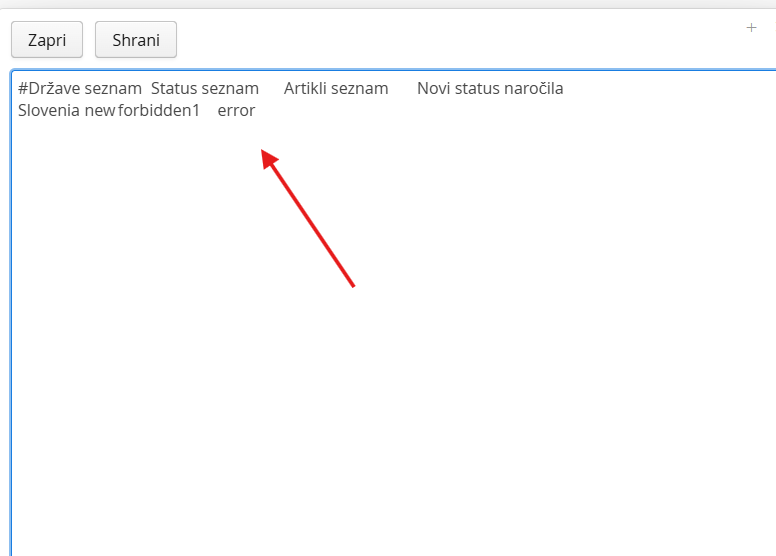
Copy the whole entry into the empty field in Additional settings and save. If the entry is not correct, an error is shown - fix it and save again.
Was this article helpful?
That’s Great!
Thank you for your feedback
Sorry! We couldn't be helpful
Thank you for your feedback
Feedback sent
We appreciate your effort and will try to fix the article