
Enabling SMS in Analytics
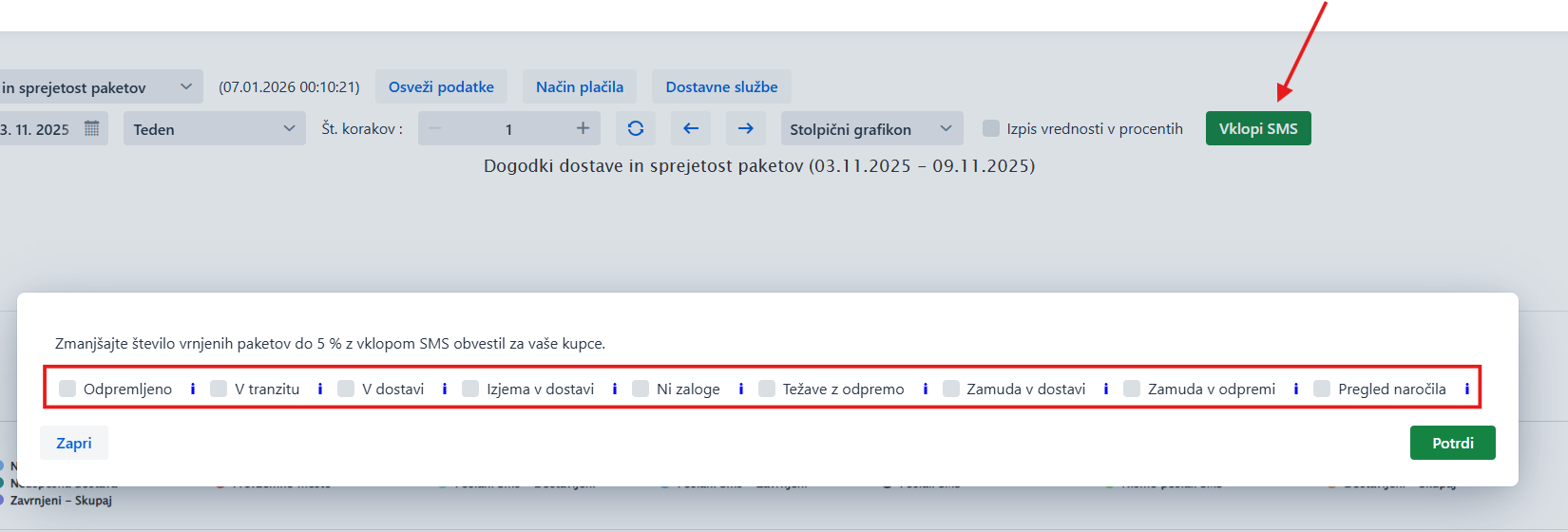
In Analytics, you can enable SMS messages linked to the Tracking page.
The Tracking page offers automated sending of SMS messages with ready-made texts and translations, with a link to the Tracking page. SMS messages are charged according to the current price list, available in Additional settings/ Notifications / Usage.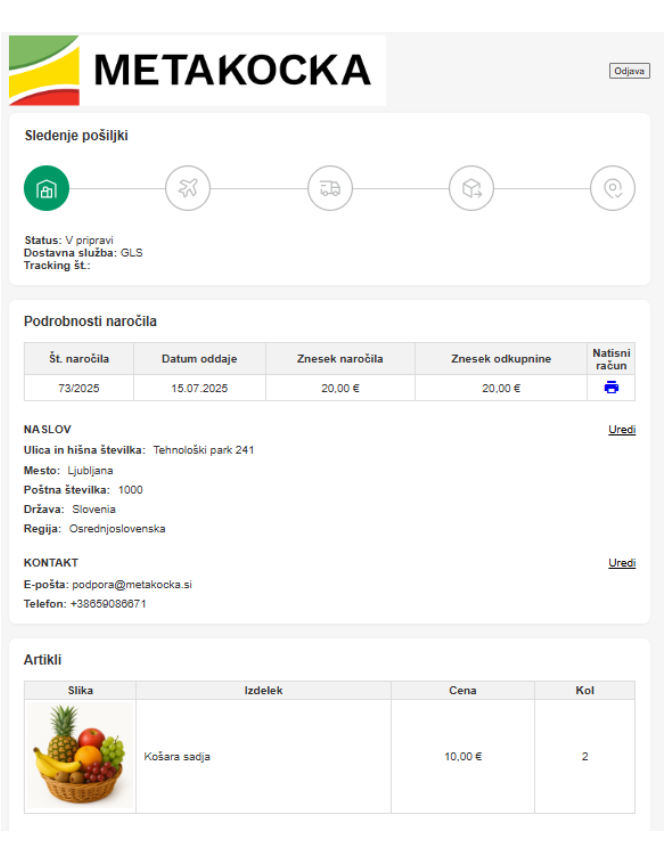
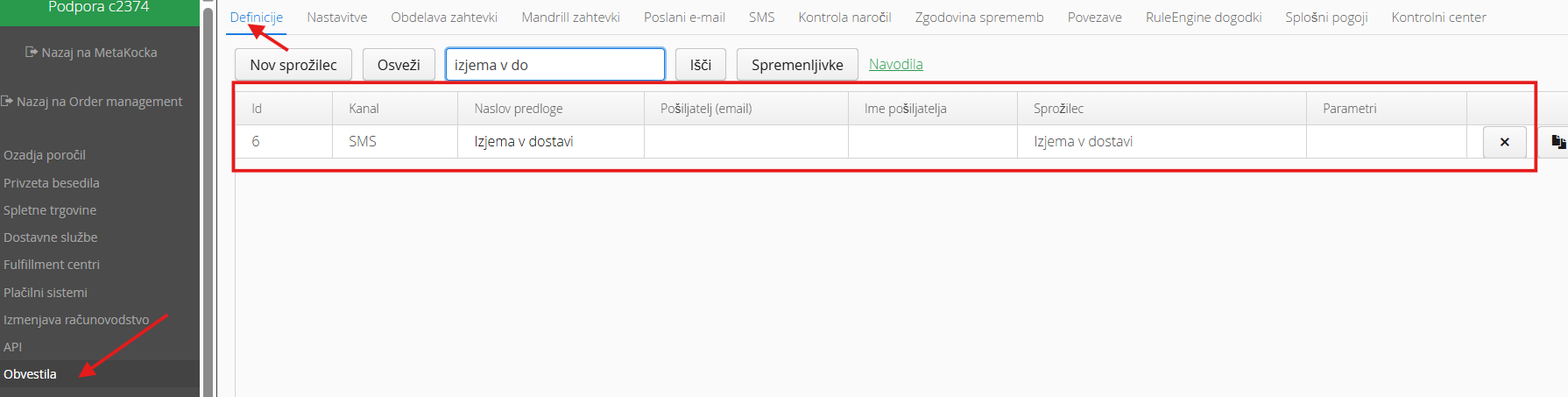
If you enable SMS in Analytics, a definition is generated in Additional settings / Notifications that automatically sends SMS notifications for the selected triggers
SMS messages you can choose from:
Out of stock: the SMS is sent when the order status changes to the status you set in the setting Set status for Out of stock.
Example SMS:
We would like to let you know that a product from your order is currently out of stock. We will ship the parcel as soon as the product is available. Check your order details at *|tracking_page_url_short|*. Thank you for your understanding!
Shipping issues: The SMS is sent when the order status changes to the status you set in the setting Set status for Shipping issues.
Example SMS:
We cannot ship your order because of incomplete or incorrect delivery data. Please check your order details at *|tracking_page_url_short|* and correct them.
Shipped: the SMS is sent when the order gets a shipping date and the status Shipped.
Example SMS:
Your parcel has been shipped! You can follow it at *|tracking_page_url_short|*
In transit: the SMS is sent when the parcel is accepted at the courier's hub
Example SMS:
Your parcel has been accepted by the delivery service. See the details at *|tracking_page_url_short|*. Thank you for your purchase!
Out for delivery: the SMS is sent when the parcel is handed over for delivery
Example SMS:
The courier has picked up your parcel and it is on its way to you. It will be delivered soon. See the details at *|tracking_page_url_short|*. Thank you for your trust!
Delivery exception: the SMS is sent if the delivery was unsuccessful, the address is incorrect or the parcel is waiting at a pickup point
Example SMS:
We were unable to deliver your parcel. Check the status and location of the parcel at *|tracking_page_url_short|*
Shipping delay: the SMS is sent if the date is past the Expected shipping date on the order and the order has not been shipped yet. Or if the order has not been shipped yet and is among the 10% slowest orders for that delivery service.
Example SMS:
Your parcel will be on its way with a delay. Thank you for your patience! You can check the parcel status at:*|tracking_page_url_short|*
Delivery delay:The SMS is sent if there is a shipping date, the order is not in an exception status (parcel locker, failed delivery, wrong address) and the order has not been delivered or returned. Or if it is among the 10% slowest orders for that delivery service.
Example SMS:
Your parcel is delayed in delivery. You can check the parcel status here:*|tracking_page_url_short|*
Order overview: the SMS is sent when the order is entered in MetaKocka. It tells the customer where they can follow the order.
Example SMS:
Thank you for your purchase. To view your order, visit:*|tracking_page_url_short|*
Was this article helpful?
That’s Great!
Thank you for your feedback
Sorry! We couldn't be helpful
Thank you for your feedback
Feedback sent
We appreciate your effort and will try to fix the article