
Order processing and automation
Order Management - Activating mandatory payment method when creating an order
It is possible to enable an option that makes the payment method mandatory when creating an order. This prevents the system from defaulting to 'Cash on Delivery' if no other method has been previously selected.
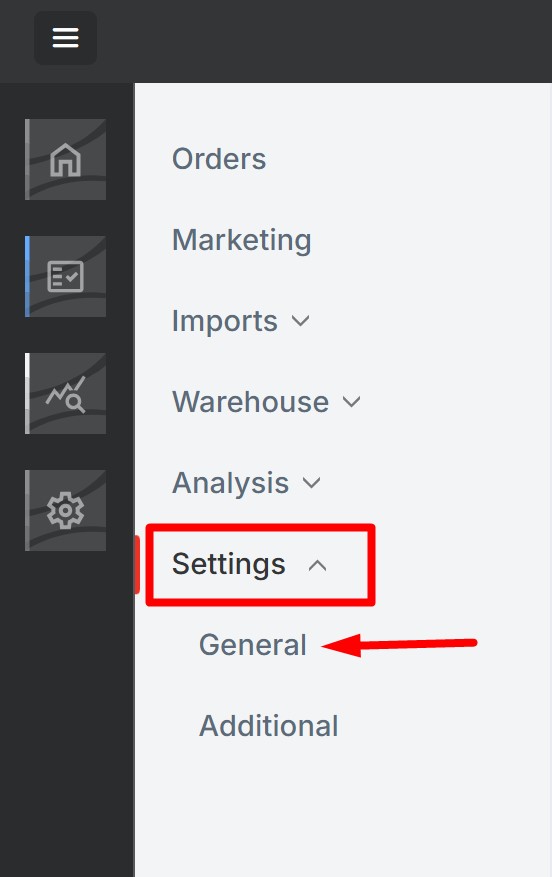
To activate it, go to Order Management ->Settings -> General
Under Data requirement, activate the option "Payment method".
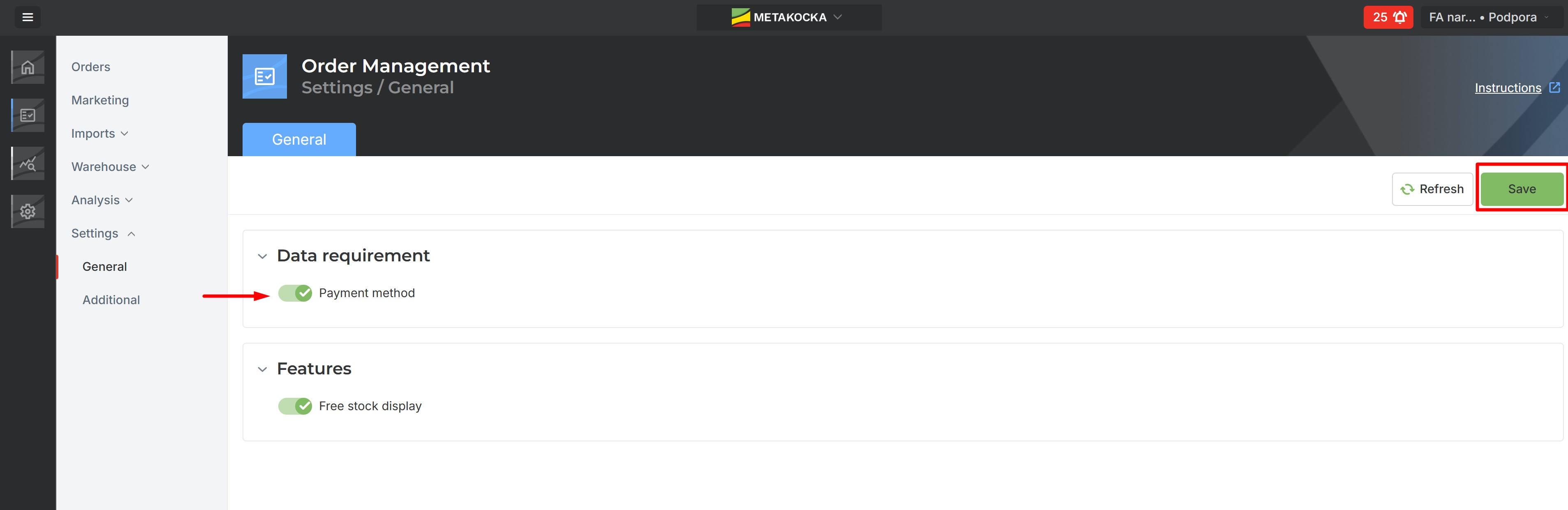
Save the changes.
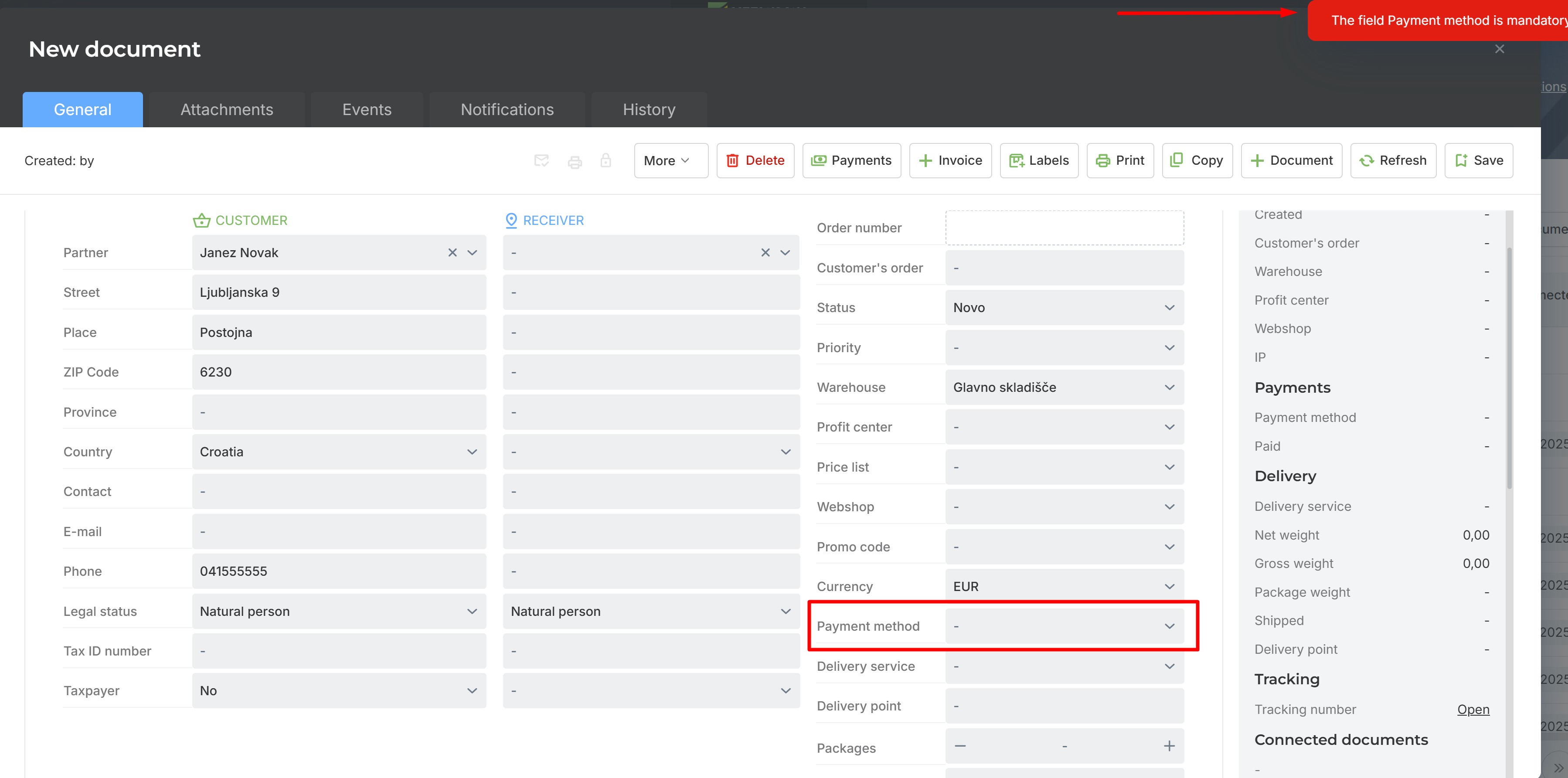
You can verify that it is now impossible to place an order until a payment method has been entered.
Was this article helpful?
That’s Great!
Thank you for your feedback
Sorry! We couldn't be helpful
Thank you for your feedback
Feedback sent
We appreciate your effort and will try to fix the article