If you have arranged with Fhb to handle packaging and shipping for you, the following steps must be completed for the integration:
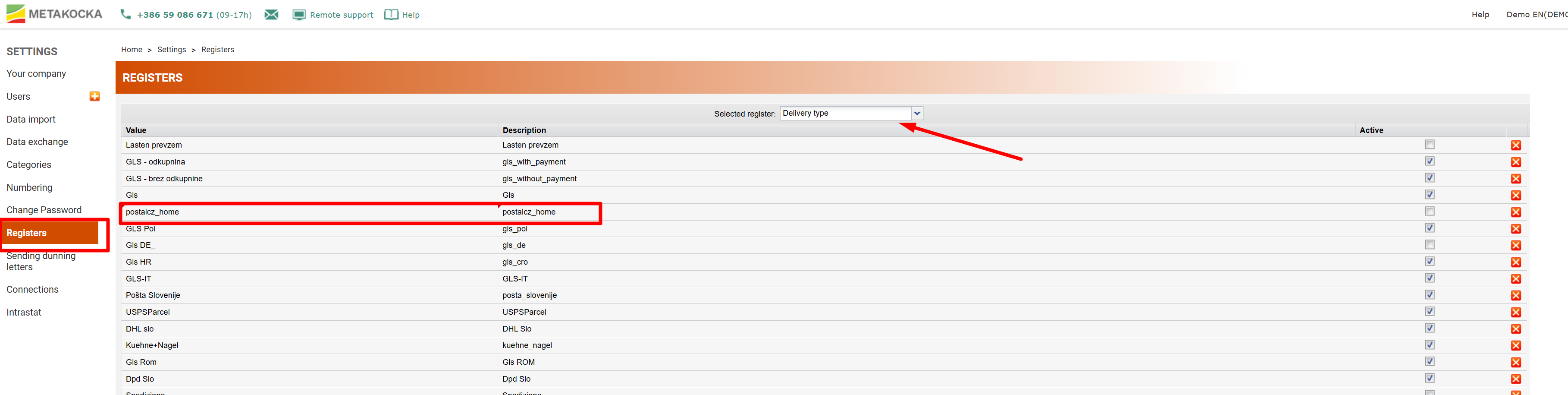
1. MetaKocka Settings/ Master data (delivery type): Enter the code of the courier service through which Fhb will send packages on your behalf (this will be provided to you by Fhb).
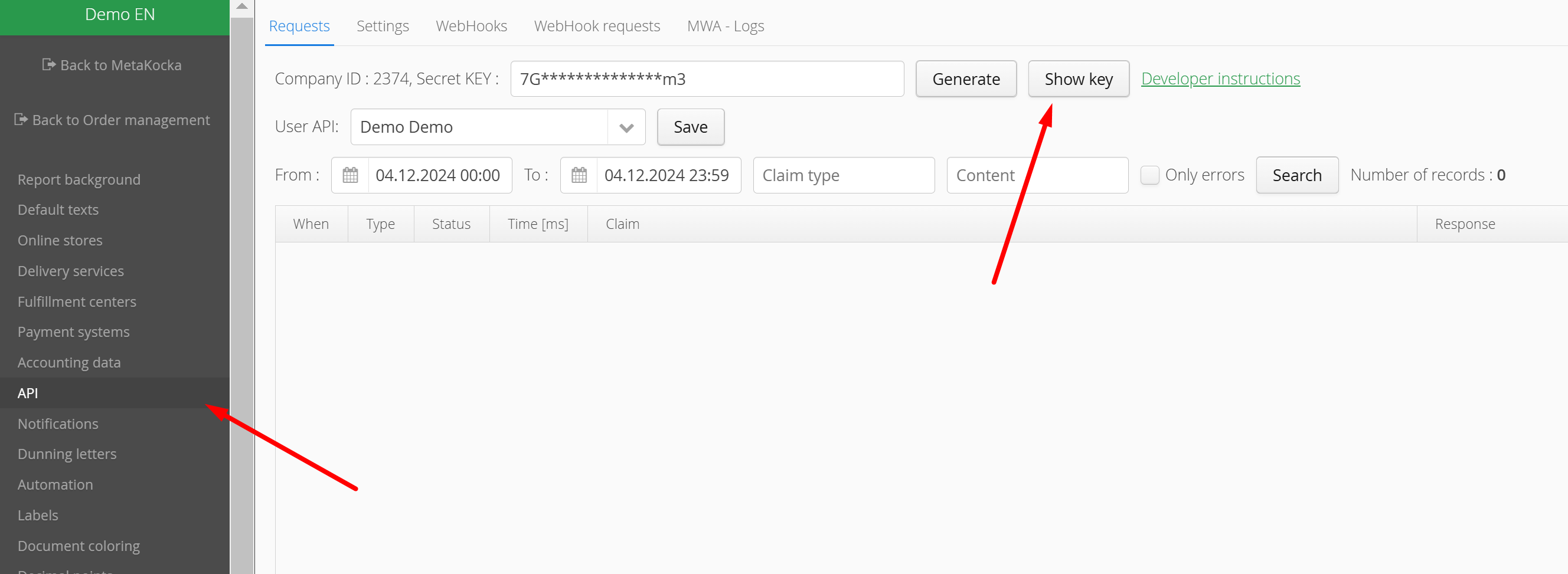
2. You will need the Cid and API key to access their system – ZOE. These details can be found under Additional Settings /API.
3. After logging into ZOE, enter the data into the relevant fields.
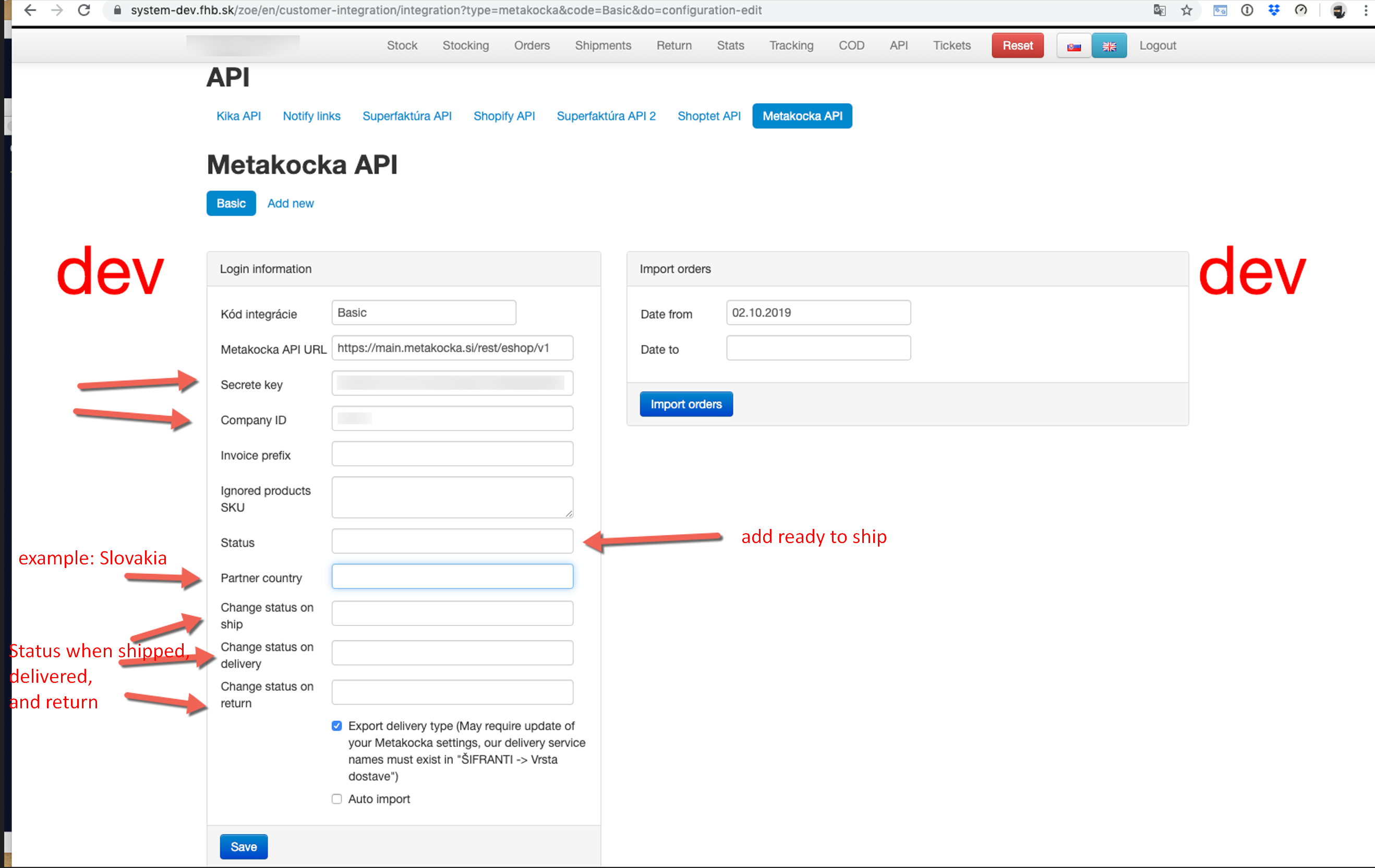
Status: enter ready_to_ship ( prepared for shipment)
Partner country: for example, if they will be delivering to Slovakia, enter "slovakia."
Change status on ship: shipped
Change status on delivery: completed
Change status on return: package_returned
save, set the order date and import them
Was this article helpful?
That’s Great!
Thank you for your feedback
Sorry! We couldn't be helpful
Thank you for your feedback
Feedback sent
We appreciate your effort and will try to fix the article