
Delivery service integrations
Integration - BEX Express Serbia
This article is not available in Polish, view it in Slovenian
MetaKocka - setting up the connection
1. go to Additional settings/Delivery services/New
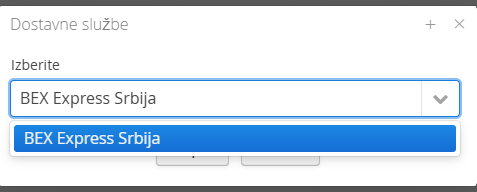
2. Select the delivery service BEX Express Srbija
3. enter the data you received from BEX Express
4. save and test the connection
1. Adding the delivery service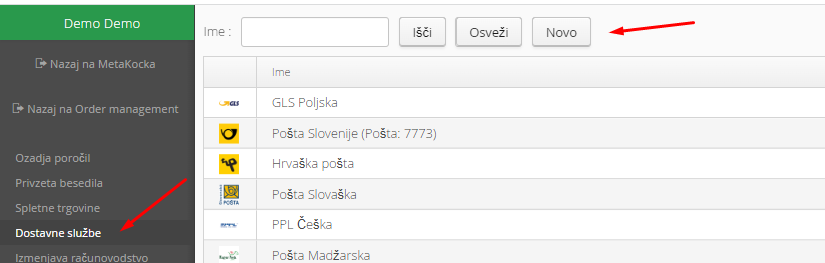
2. Select the delivery service BEX Express Srbija and confirm:
3. Enter the required data you received from BEX Express
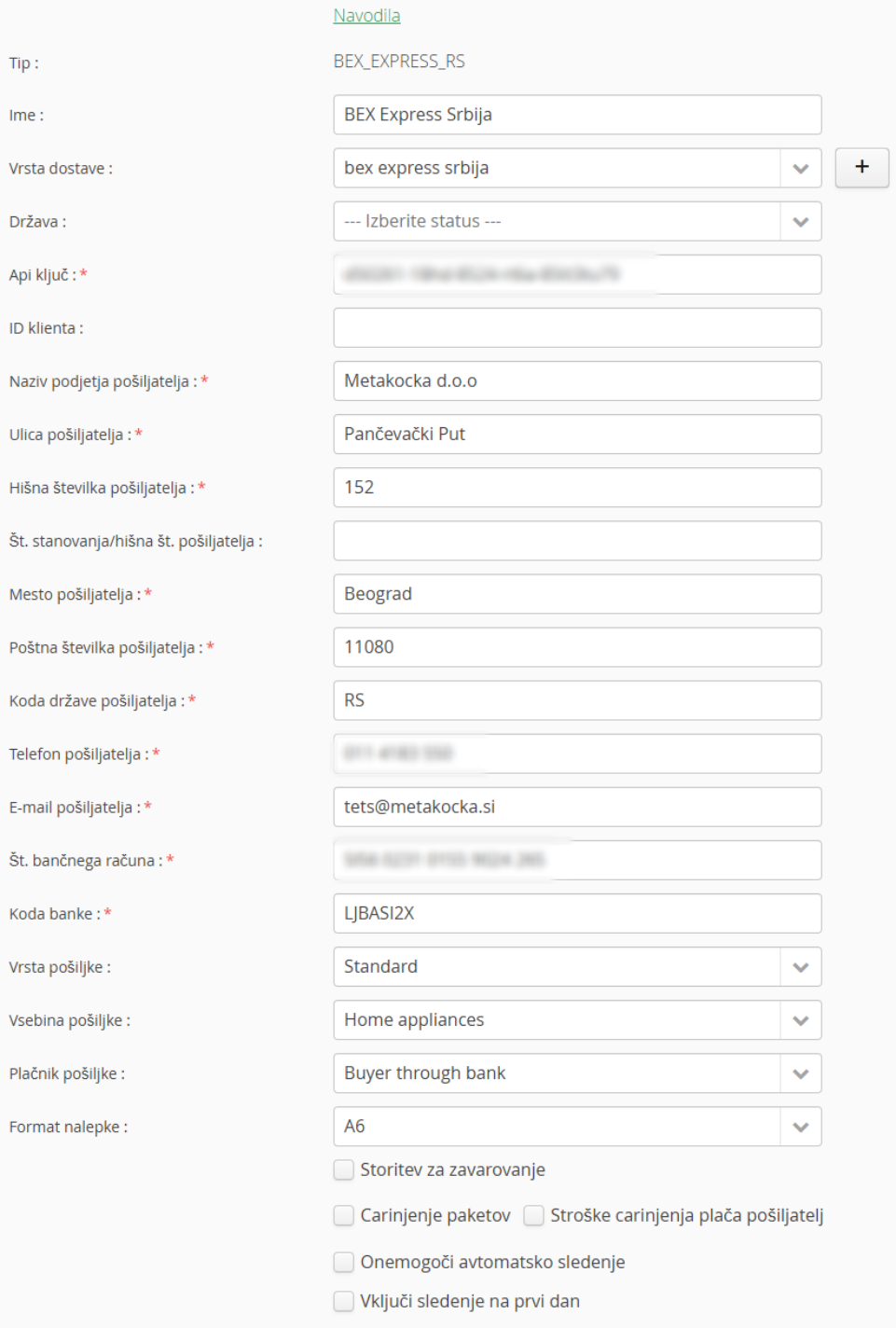
If you send parcels to Serbia from outside Serbia, the parcels need customs clearance. Select Customs clearance of parcels and, if you pay the customs costs, also: Customs costs paid by the sender
Was this article helpful?
That’s Great!
Thank you for your feedback
Sorry! We couldn't be helpful
Thank you for your feedback
Feedback sent
We appreciate your effort and will try to fix the article