Transition of Bulgaria from BGN to EUR currency will include the following steps, effective from 1 January 2026
- Saving documents with BGN currency will be disabled.
- When importing orders from an online store or via API, orders with BGN currency will be automatically converted to EUR.
- Creation of courier shipping labels will be disabled if the source account has BGN currency, even if the invoice was created in 2025.
- A method for mass conversion of Sales Orders from BGN to EUR will be enabled.
- Credit notes will always be in EUR, even if the source invoice is in BGN currency.
Cash-on-delivery import – the user can select the COD currency: EUR or BGN. Orders shipped in 2025 can be closed with BGN or EUR currency.
Online stores – instructions for a smooth transition
To make the transition as simple as possible, we recommend that online stores:
- Before the end of the year, transfer all orders in BGN currency and ship them / print shipping labels for the selected courier.
- Change currencies in their online stores so that products are no longer coming in BGN currency, but in EUR.
Order import – automatic conversion from BGN to EUR
If orders are imported after 31 December 2025 and have BGN currency, they will be automatically converted to EUR. This applies to:
- Importing orders from the online store
- API vmesnik - klic put_document
When importing orders from an online store, a note will also be displayed during the import if an automatic conversion is performed, using the exchange rate: 1 EUR = 1.95583 BGN
Disabled saving of documents in BGN currency
After 31 December 2026, it will no longer be possible to save any document (orders, invoices, offers, bank statements, etc.) in BGN currency.
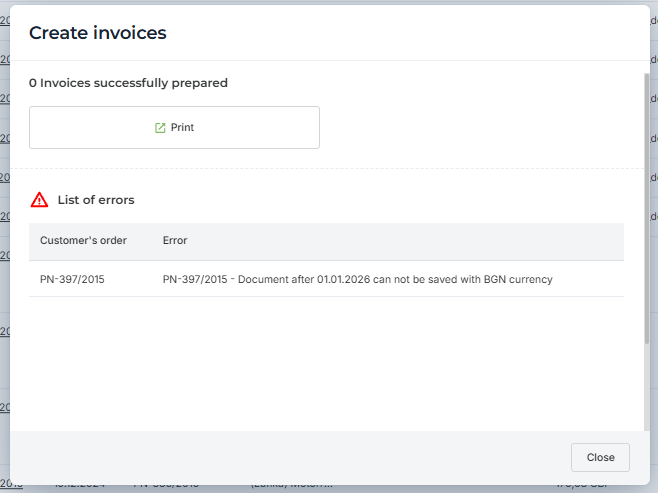
Orders and invoices still in BGN currency, shipment after the New Year
If you created an order and invoice in BGN currency in 2025 and want to ship it in 2026, shipment will not be possible due to the BGN currency (an error will be shown when printing shipping labels, as shown in the image below). In this case, the following is required: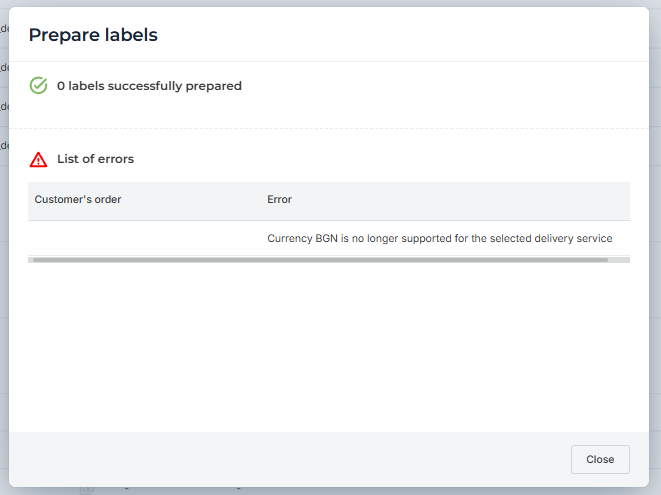
Conversion of orders from BGN to EUR:
1. If an invoice has already been created, the currency will also be changed on the invoice. Orders that contain both an invoice and a credit note will be ignored. The conversion will be performed using the exchange rate: 1EUR = 1.95583 BGN
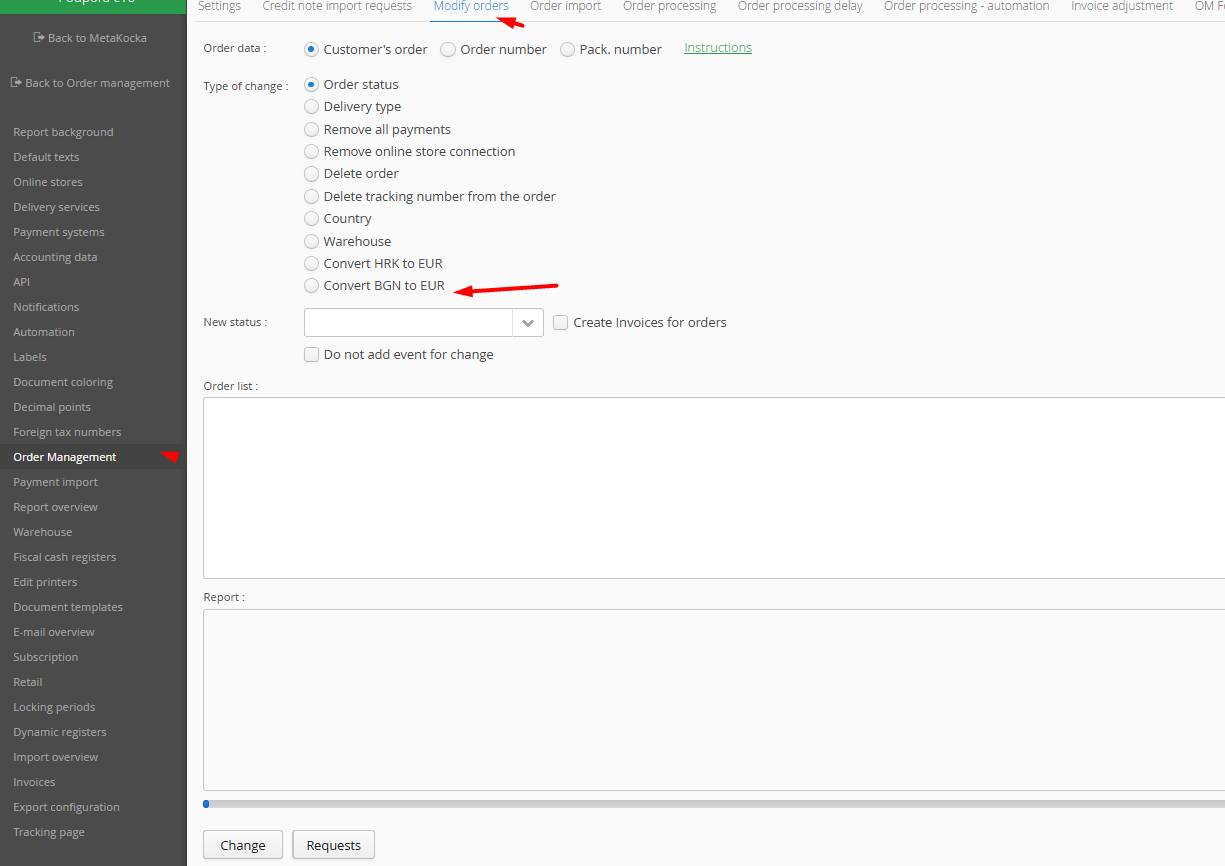
2. After successful currency conversion, you can repeat the label printing.
Credit notes – automatic creation
In certain parts of MetaKocka / OrderManagement, credit notes are created automatically:
- Setting order status to “Cancelled, Deleted, Storno, Package return”
- Shipment tracking ends after 60 days
- Courier service reports that the order was not accepted
- OrderManagement – mass import of credit notes
- OrderManagement – order overview – click on (X) next to the invoice
- Other
In all these cases, a credit note for BGN invoices will be created in EUR currency. Orders and invoices will be closed accordingly.
Credit notes – manual creation
Based on an invoice in MK, you can create a manual credit note in two ways:
- Click on the invoice, select Tools → Transfer to credit note – financial / goods.
This option does not support creating a credit note in EUR. You will receive a credit note in BGN, which you will not be able to save.
- Under Credit Notes, select New and enter the customer. The currency will be set to EUR, but you will still be able to search for invoices in BGN. Select the invoice and you will receive items that still have prices in BGN. In this case, you must manually convert the prices to EUR. Then save the credit note.
Was this article helpful?
That’s Great!
Thank you for your feedback
Sorry! We couldn't be helpful
Thank you for your feedback
Feedback sent
We appreciate your effort and will try to fix the article