
Online store integrations
Amazon SP-API: integration with MetaKocka
Setting up the connection for exchange / synchronization
Integrating the Amazon SP-API online store with MetaKocka enables:
- automatic transfer of orders with all customer data (recipient, payer, payment type and ordered products)
- product synchronization - products can be transferred from the online store to MetaKocka
- stock synchronization from MetaKocka to the online store
- marking the order as shipped, which also sends the parcel tracking code to the store
- The Amazon SP-API connection in MetaKocka relies on the OAuth authorization process, so you first need to log in to Amazon Seller Central in the same browser you use for MetaKocka.
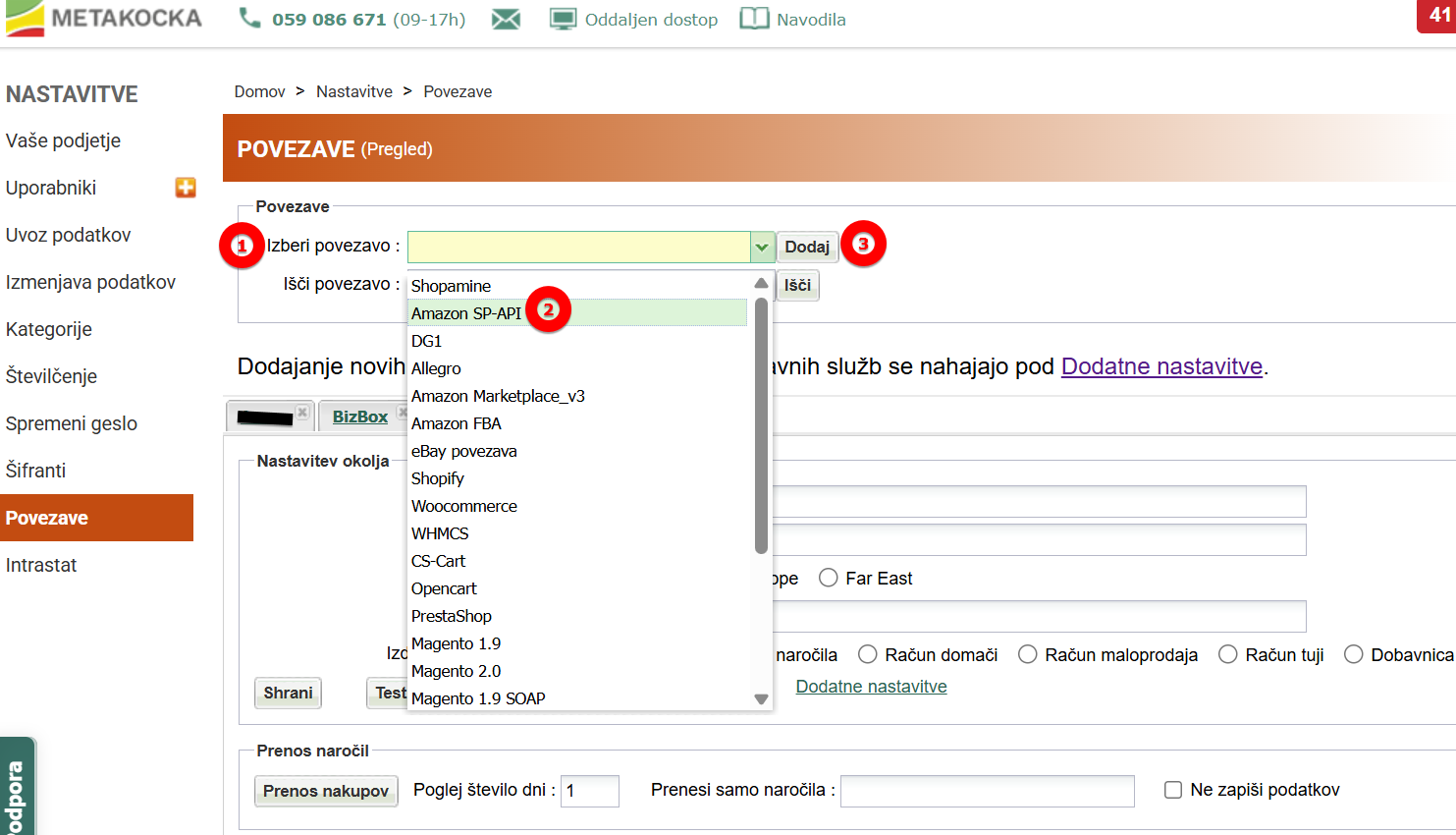
- Then add a new connection in MetaKocka:
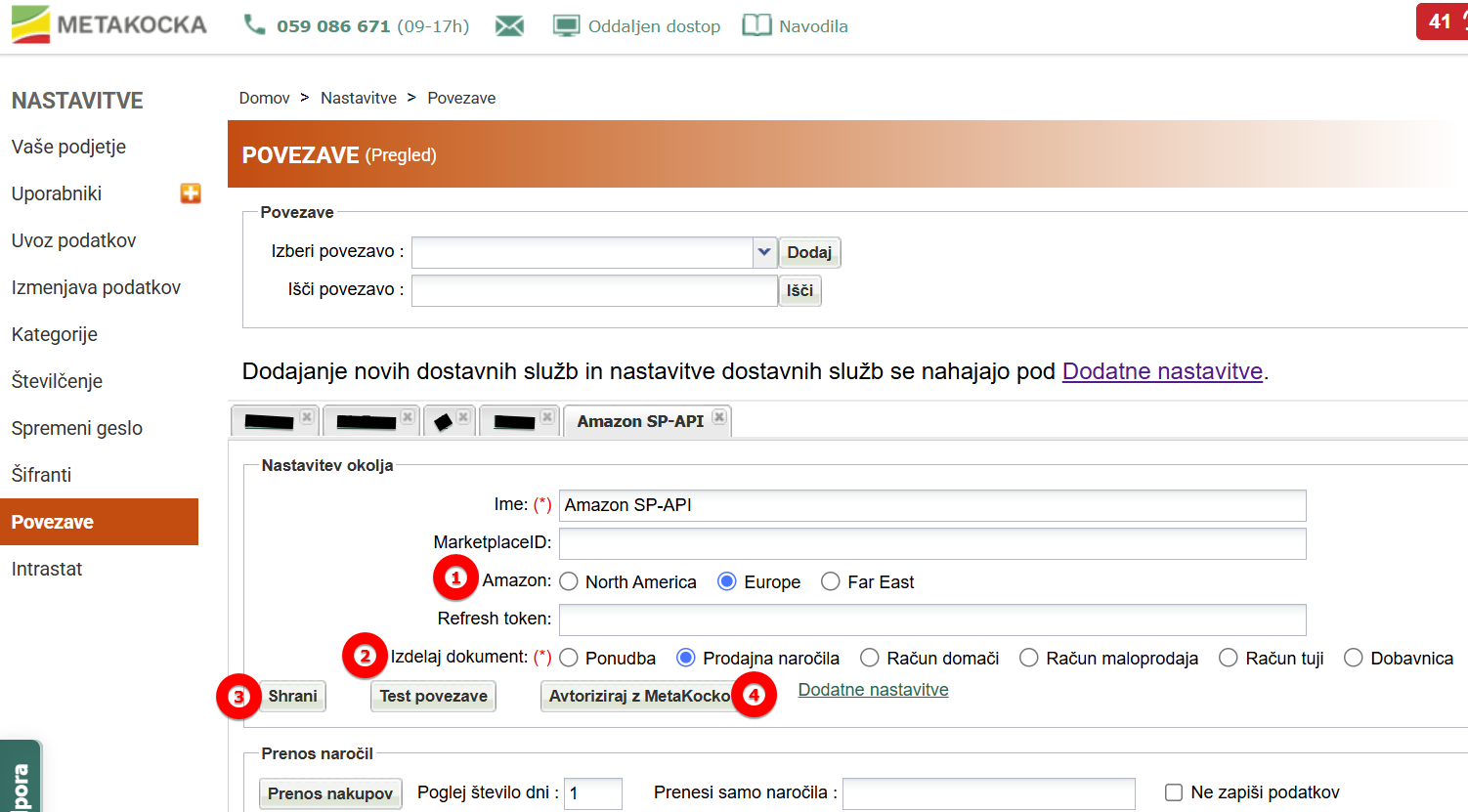
- When the new connection is added, open it and select the settings you want (the location of your Amazon store and the document type to transfer - usually Sales orders), then click Save. Right after that, you can click the Authorize with MetaKocka button:
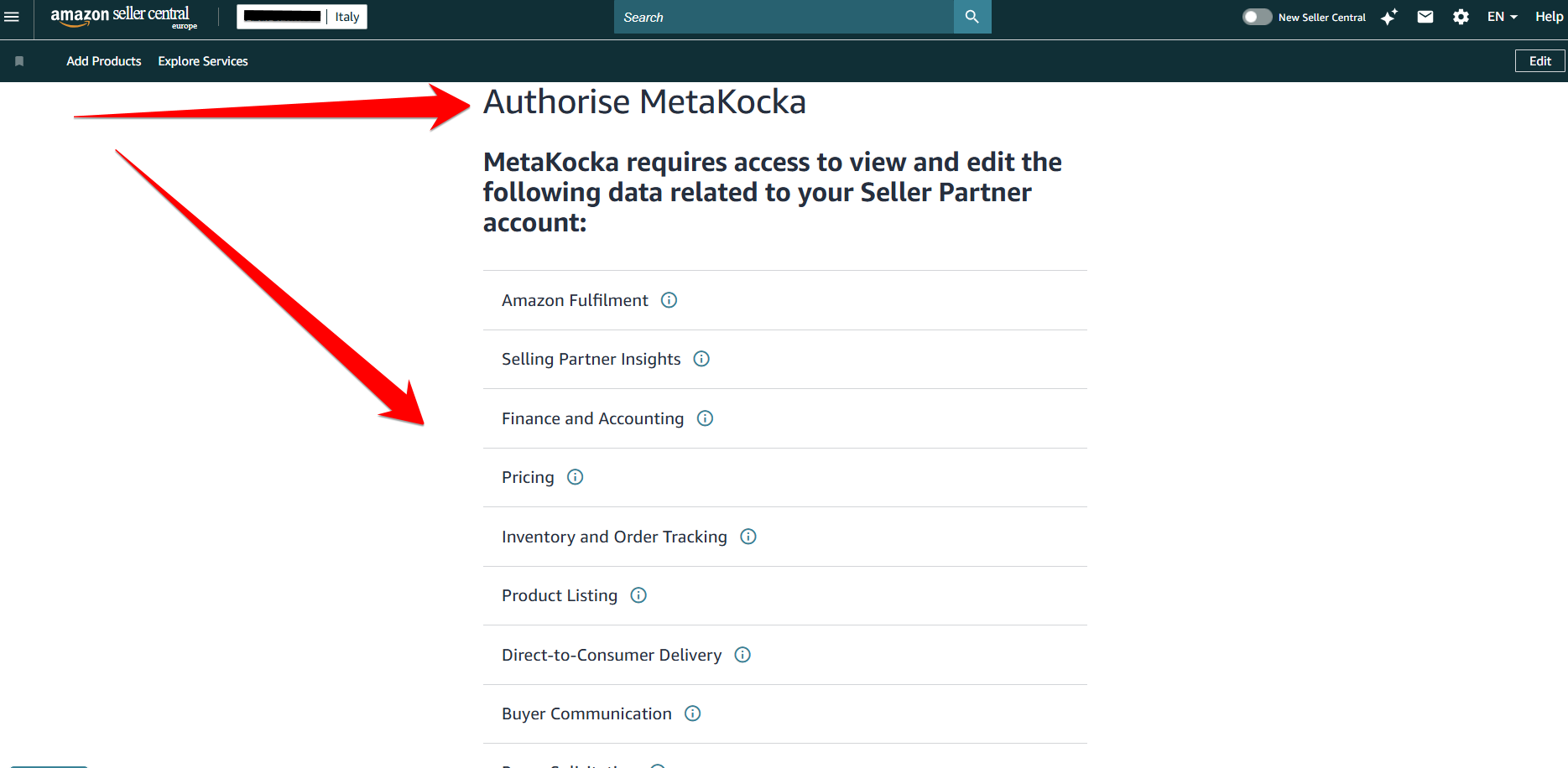
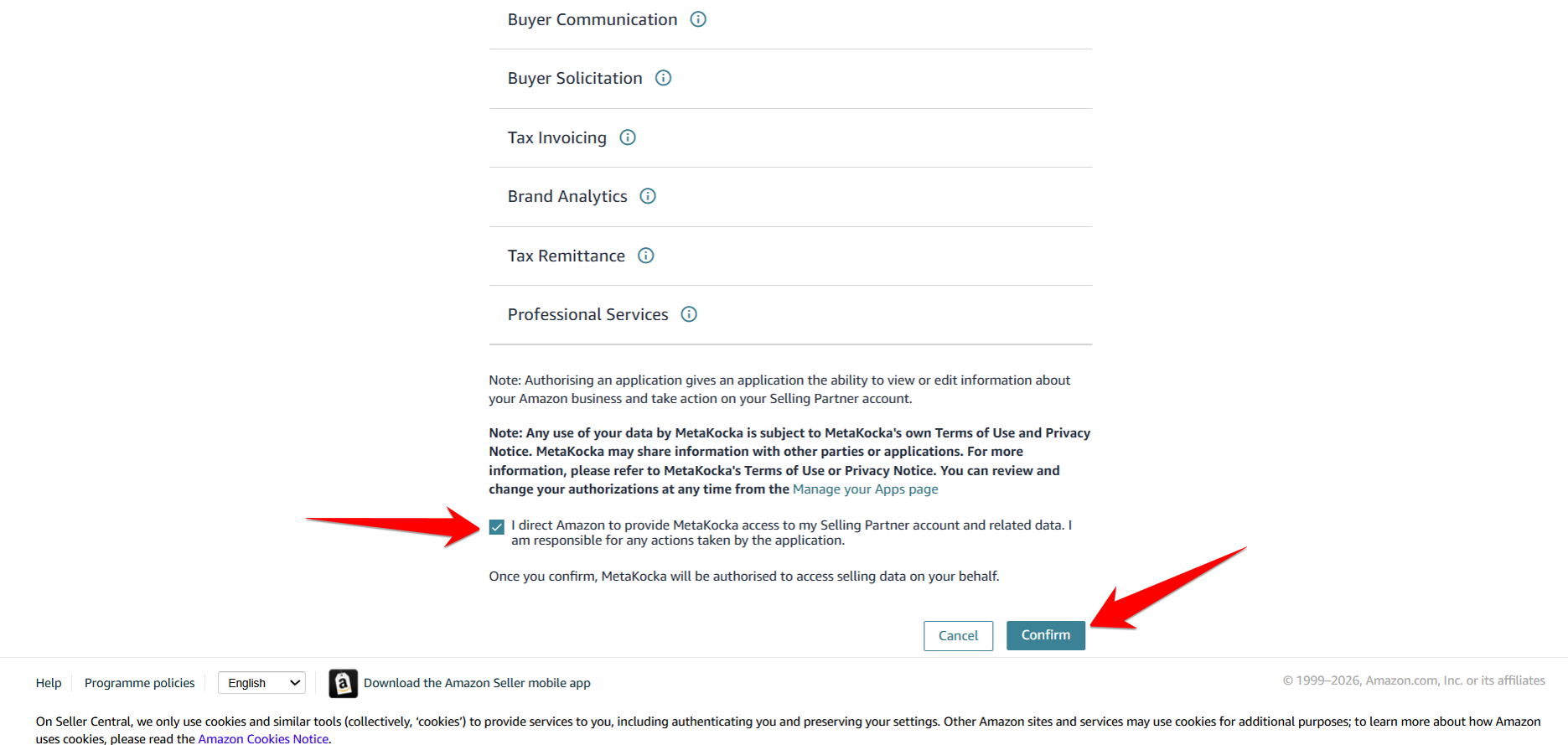
- Clicking this button takes you straight to your Amazon Seller account, where the authorization for the MetaKocka app on Amazon appears. Read the terms and, at the bottom of the page, tick that you allow MetaKocka to access the data. Then click Confirm. MetaKocka then gets access to your orders and other information needed to ship the orders.
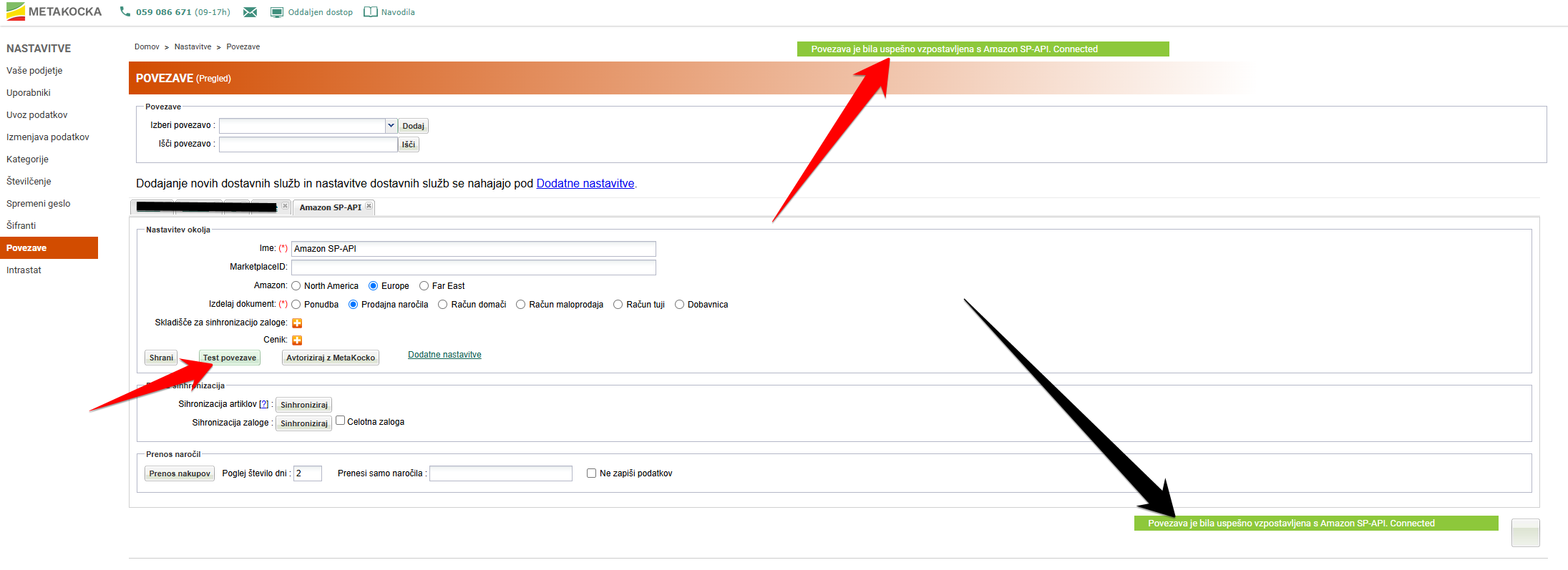
- After you click Confirm, you are automatically redirected back to MetaKocka, where you will see your Amazon SP-API connection. Now you can run Test connection, which should be successful if everything was done correctly:
Was this article helpful?
That’s Great!
Thank you for your feedback
Sorry! We couldn't be helpful
Thank you for your feedback
Feedback sent
We appreciate your effort and will try to fix the article
