
GLS Slovenia customs clearance
GLS customs clearance is supported for the delivery services GLS Slovenia and MyGLS Slovenia.
To use it, enable the feature in Additional settings and set it up accordingly:
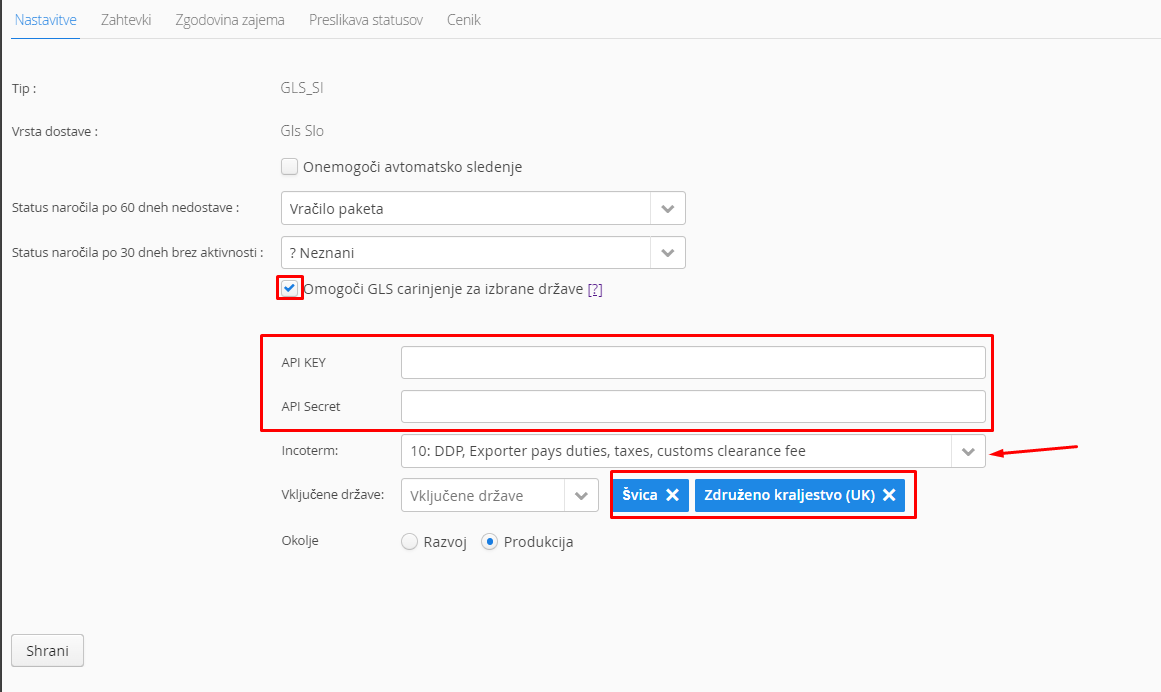
And fill in the required data: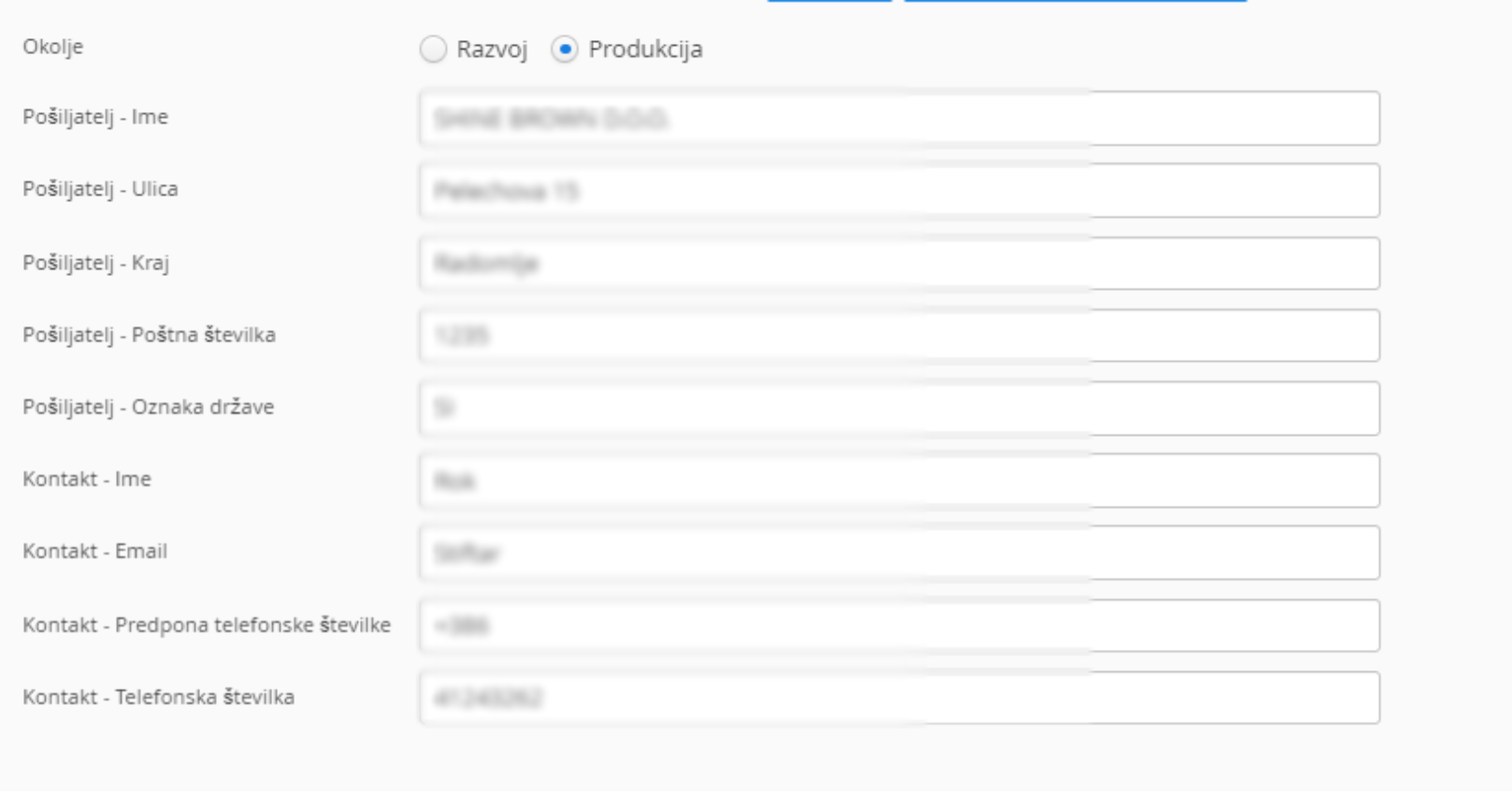
For parcels with a value below €1000, the customs procedure is not required. An export declaration is required, however, and it is forwarded to GLS. In the Send export declaration field, enter the email address the declaration is sent to when the order gets the delivery status with ID 3 or 79.

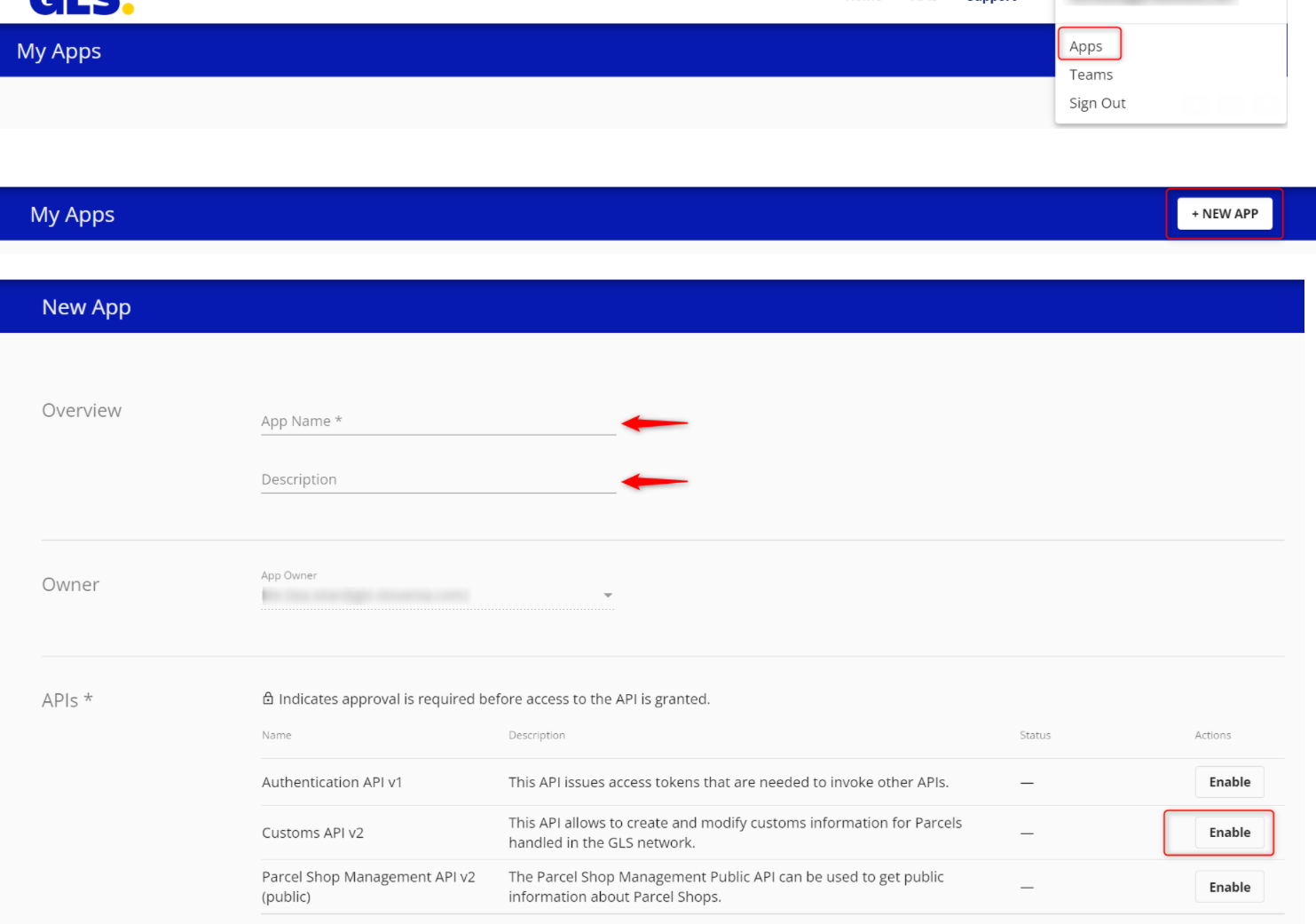
Get the API KEY and API Secret as follows:
1. Register on the portal https://dev-portal.gls-group.
2. After registering on the portal, click your email address to open the APPS field, click +New App, fill in the required
fields, select Custom API v2 and tick Enable
3. You will get the API key and API secret, which you enter in the MetaKocka settings
Additional conditions that must be met for it to work:
- For GLS Slovenia, set "Different return address for the shipment" in the connection settings, as customs clearance requires the sender address. For MyGLS Slovenia this is not needed, as the sender details are already in the connection settings.
- For recipient countries, the foreign tax number is required (it is needed for Incoterm "18", which is enabled automatically under certain conditions)
- All products must have the correct customs tariff set
- All products must have the country of origin set
- All products must have the weight set
- The recipient/customer email is required
Additional information related to Incoterm:
- When sending a parcel to the United Kingdom with a value of 135 GBP or less, Incoterm is set to "18" automatically.
- When sending a parcel to Switzerland with a value of 57 EUR or less, Incoterm is set to "50" automatically.
For customs clearance you need to print the labels and also send the XLS export to GLS. To set up the export, contact podpora@metakocka.si
After the shipment is created, you can follow the data sent for customs clearance in your GLS portal, under the History tab: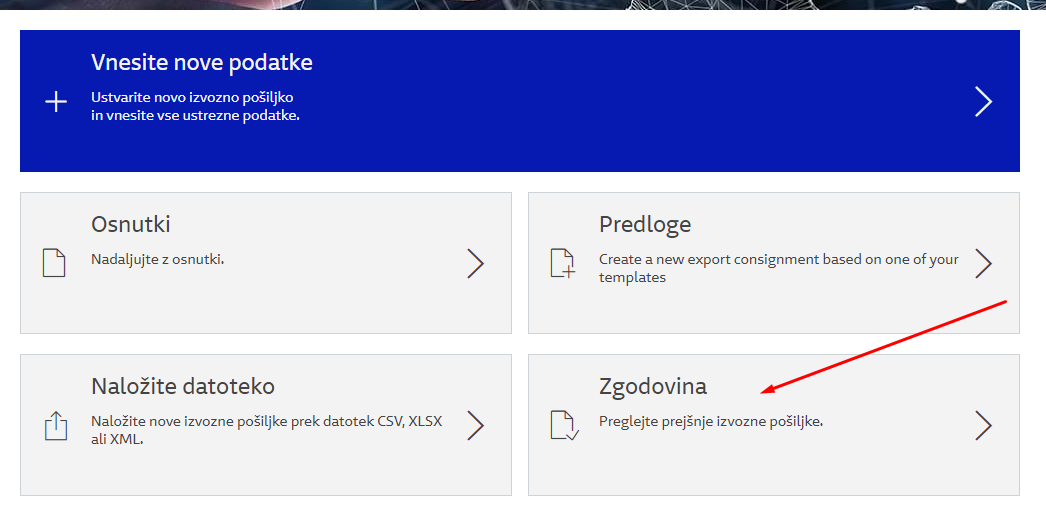
Was this article helpful?
That’s Great!
Thank you for your feedback
Sorry! We couldn't be helpful
Thank you for your feedback
Feedback sent
We appreciate your effort and will try to fix the article