
Delivery services - fast label printing
Note: functionality is still in developing stages and is not available to all companies
Setting up the program DeliveryServicePrintTool
Download the latest software version - V9 - check the file attached below.
Download the software version - V8
Download the software version - V7
- If Java Runtime environment is yet to be set on your computer, please set it first - https://www.java.com/en/download/windows_offline.jsp
- Download the program (via the link above) to your computer and place it on your desktop. Make sure it is the latest program version.
- To open the app, click on the program
Setting up the printer in Additional settings
In additional settings, entering connection data between printer and computer is required. The procedure is the following:
1. Launch the DeliveryServicePrintTool program
A list of printers on the user's computer will be displayed (marked text).
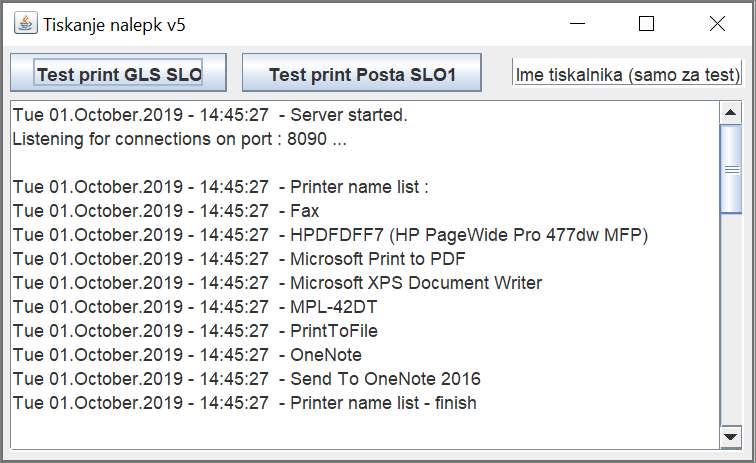
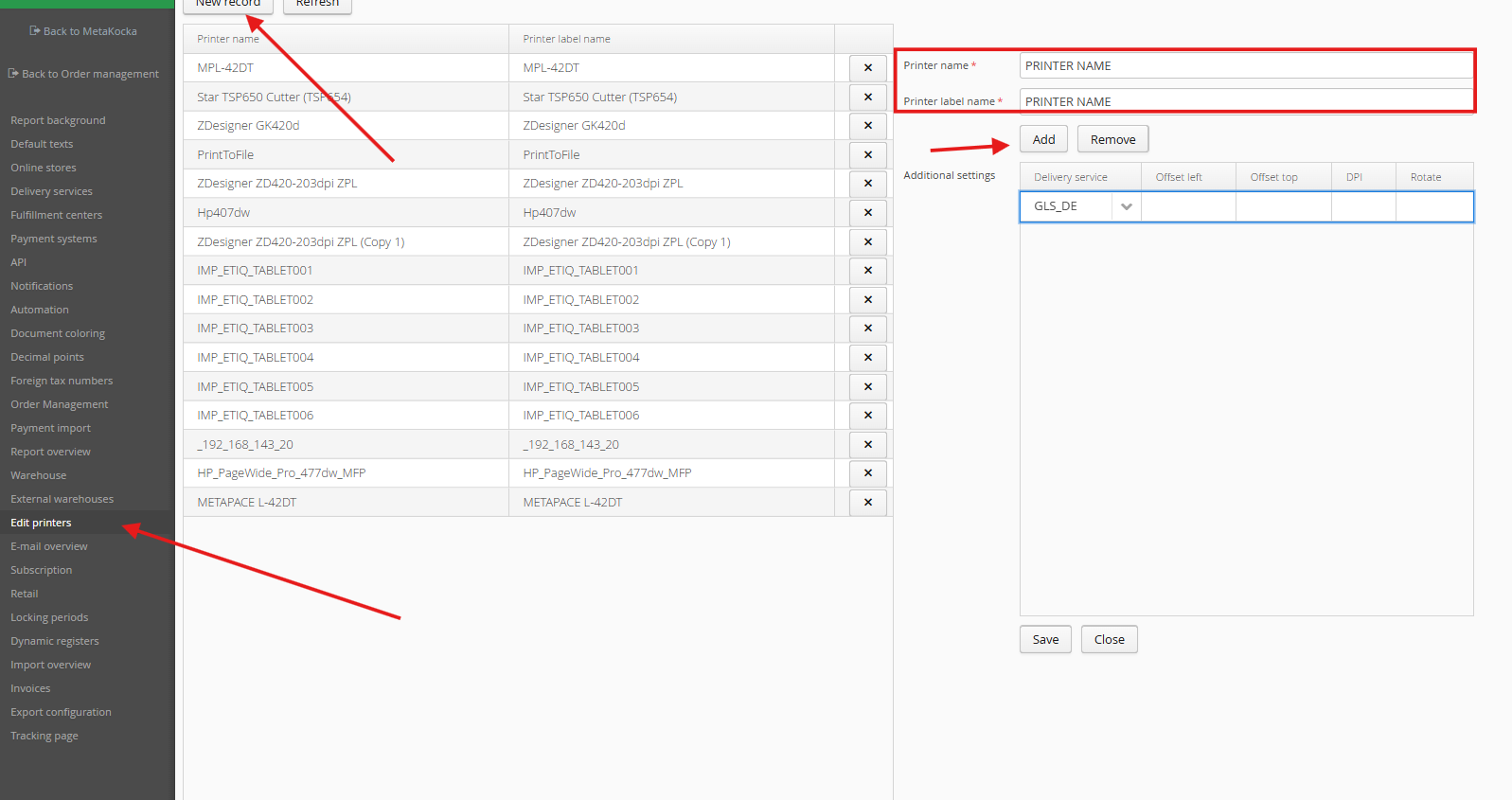
2. Set up a new printer in MetaKocka - Additionl settings
Be cautious about the following:
- "Printer name" must exactly match the name read in the previous point from the printing program
- "The display of the printer name'' is inscription that appears in the Shipping application. It is recommended to be somehow connected to the workplace, so that the user can select its printer.
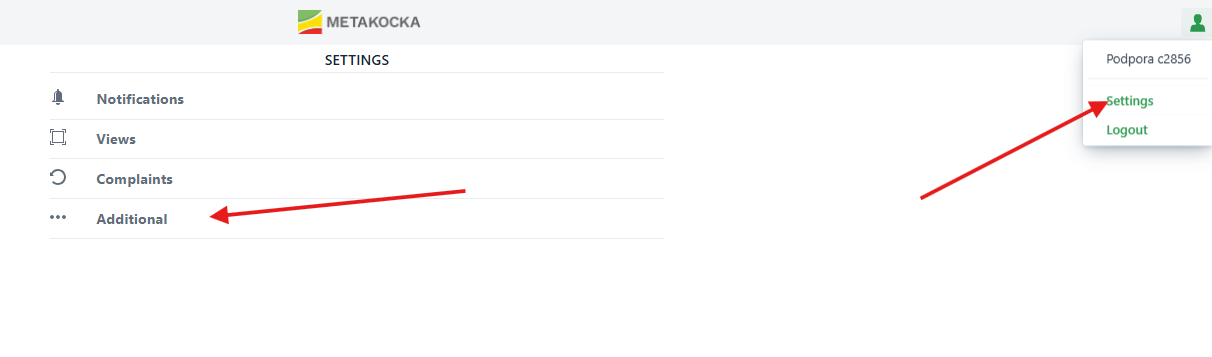
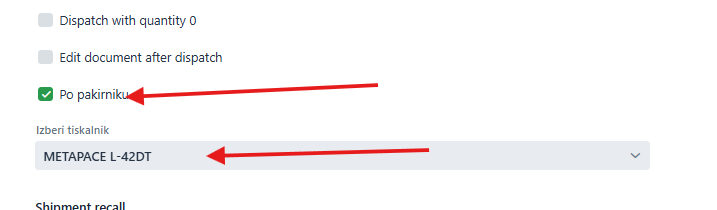
4. Select the printer when printing for the very first time in the Shipping application
'
Setting up the printer for printing the label
Zebra GK420d
The printer should be calibrated based on the label format (A6). The entire procedure is described in the documents below; this can be done by simply holding the button at top of the screen until it flashes twice and releasing it afterwards.
- https://www.zebra.com/us/en/support-downloads/knowledge-articles/g-series-gk-models-calibrating-the-printer.html
- https://support.zebra.com/cpws/docs/gseries/GX_Calibration.pdf
- https://www.zebra.com/ap/en/support-downloads/printers/desktop/zd420d.html
Zebra ZD420
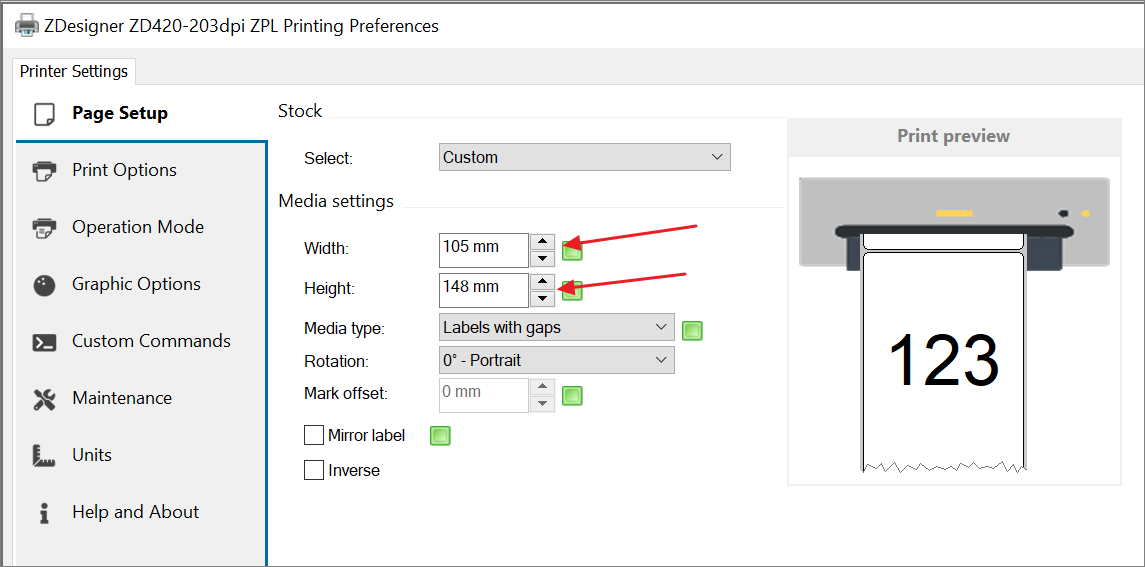
Find the settings for printing A6 format below:
Downloading the driver - https://www.zebra.com/us/en/support-downloads/printers/desktop/zd420d.html#downloadlistitem_abe
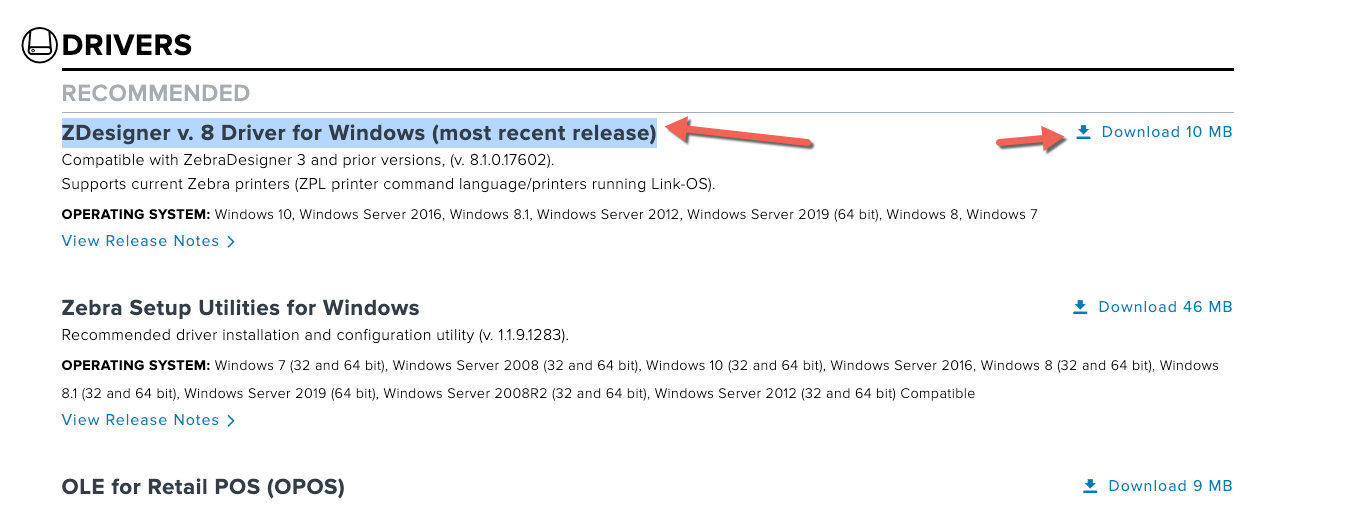
once downloaded, it will be set until the very end and it will open - the label size should be set
Java program is not directly launched from the desktop
Create the Batch file displayed below:
Errors
UnknownHostException
The program should be restarted for fast printing.

Was this article helpful?
That’s Great!
Thank you for your feedback
Sorry! We couldn't be helpful
Thank you for your feedback
Feedback sent
We appreciate your effort and will try to fix the article