
Integration - Early Bird
MetaKocka - Connection Setup
1. Go to Additional Settings / Delivery Services / New
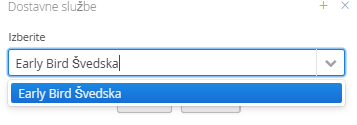
2. Select the delivery service Early Bird
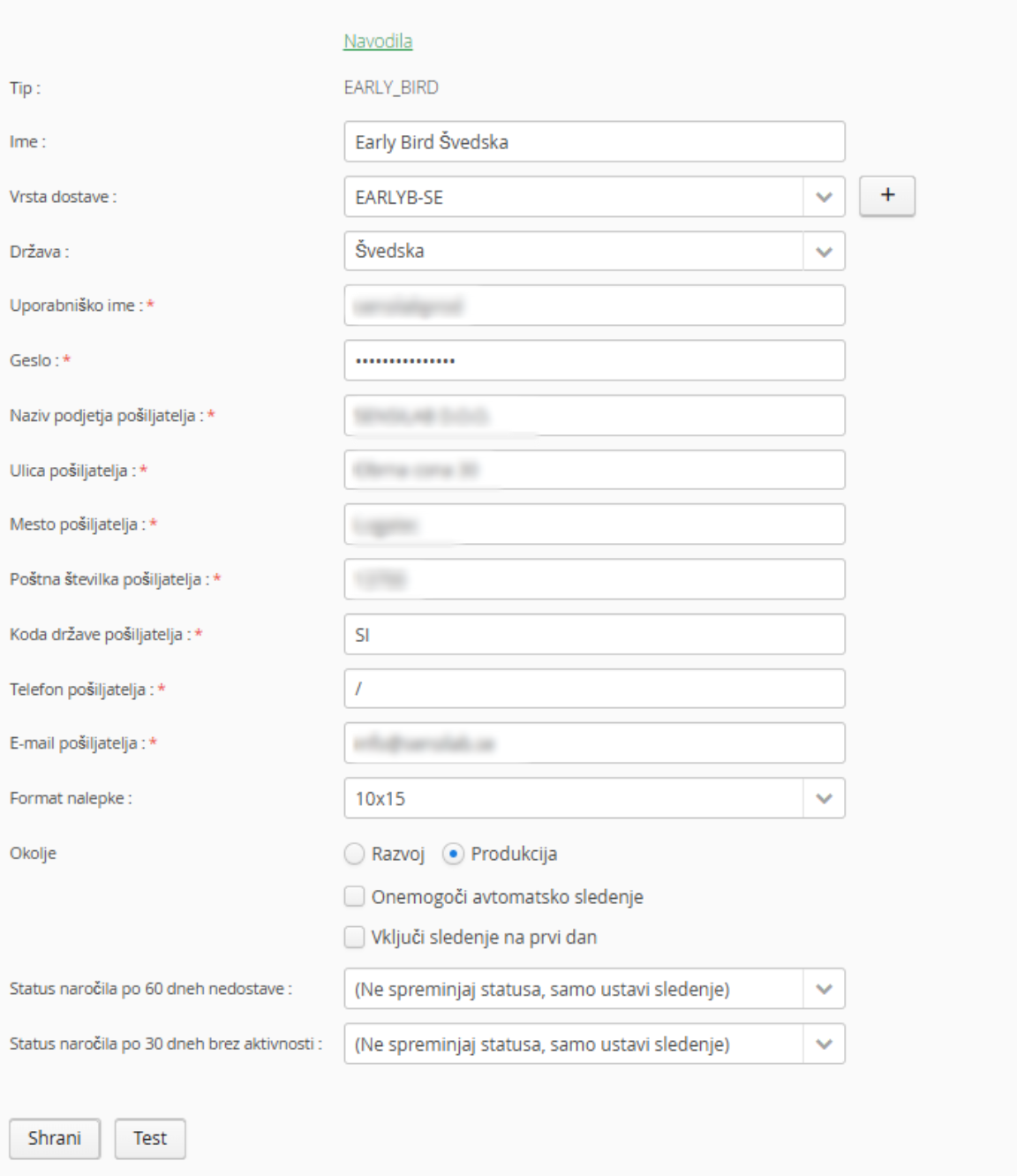
3. Enter the information received from Early Bird
4. Select any additional services (if applicable)
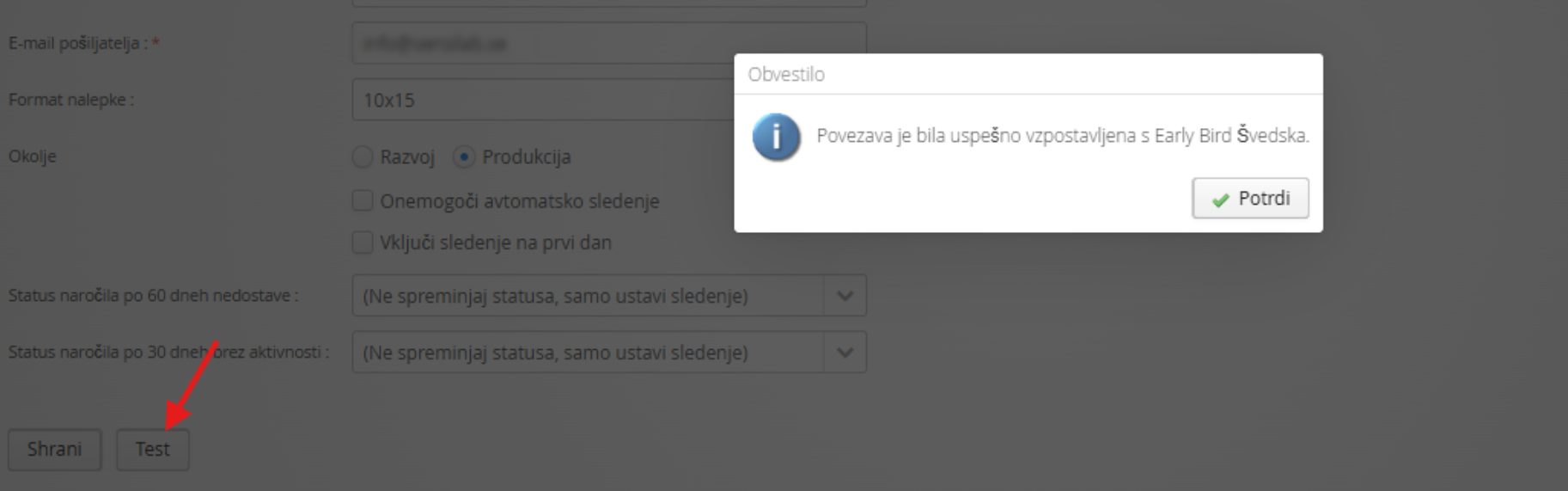
5. Save and test
1. Adding a delivery service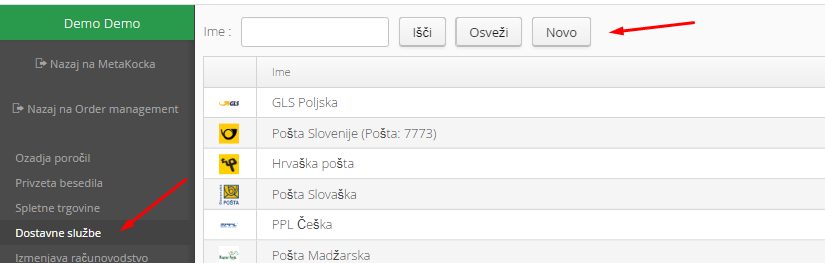
2. Select the delivery service Early Bird and confirm it:
3. Enter the required details received from Early Bird:
- Define the new delivery type you will use for the delivery service (Pošta Češka / Czech Post); you can add a new one (+)
- Username
- Password
- Company name and address
4. Save and test
5. Special Considerations
The delivery service operates primarily in Sweden and is known for its early morning deliveries. Because of this, delivery is not available in certain areas, so it is recommended to check delivery coverage before setting up the connection.
If an area is not covered, you will receive the following error when printing the shipping label: NO_DELIVERY_COVERAGE
Was this article helpful?
That’s Great!
Thank you for your feedback
Sorry! We couldn't be helpful
Thank you for your feedback
Feedback sent
We appreciate your effort and will try to fix the article