
Export customization - Shoppster
Everything in bold is our guide to using Shoppster with MetaKocka.
The rest is the guide we received from Shoppster, which describes the content of the XML in more detail.
Required fields set:
- EAN
- Packaging ID
- Packaging quantity
- Product code
- Category
- Shoppster category
- Brand
- Name
- RRP incl. VAT
- Purchase price
- Description
- Attributes
- Images
- Stock
- Conversion factor
- Tax
- Gross weight
If a product is missing any of these fields, it is not included in the XML. You can also edit the required fields in Additional settings -> Export customization -> Shoppster export -> Required parameters.
If a product was not included in the XML, you can see the errors in the "Requests" tab of the Shoppster customization with the "M" button in the list. If there are too many errors, it will not open; in that case click the row and use the "Download" button (you need to click it twice).
If your MetaKocka products are missing additional text fields needed for the Shoppster exchange, please contact us.
EAN
Each product must have a unique EAN code.
Example:<ean>8055180386866</ean>
If the product is a bundle (made up of several products - several EAN codes), the EAN code of the bundle is entered in the tag<ean_kompleta>, and the EAN codes of the individual products in the bundle in the tags <ean1>, <ean2>… In this case, the <pakiranje> tag must also be filled in, with the packaging type and the number of pieces in the package
Example: <ean_kompleta> 5035048410646</ean_kompleta>
<ean1> 5035048410647</ean1>
<ean2> 5035048410648</ean2>
<pakiranje id="skatla">2</pakiranje>


Product 1 (ean1: 5035048410647) + Product 2 (ean2: 5035048410648) = bundle (ean:5035048410646)
METAKOCKA: The EAN is read from the "Bar (EAN) codes" field of the product. If the product is a bundle, the EAN codes of the products in the bundle are written to "ean1", "ean2",... if these products are also on the exchange price list.
Packaging - ID (e.g. škatla = box) is entered in the additional field "Tip pakiranja" (packaging type) on the product. The quantity is filled in automatically based on the number of products in the bundle. If the product is not a bundle, the number = 1.
SKU
Enter your internal code in this tag, if you have one. Otherwise, you can also enter the EAN code.
Example: <SKU>1568</SKU>
METAKOCKA: Product code from MetaKocka
CATEGORY / CATEGORY CODE
The product must have a category. Categories should be as detailed or specific as possible. A category "T-shirt" that contains all types of T-shirts (men's, women's, short sleeves, long sleeves) is too general. You need several separate categories: "women's short-sleeve T-shirts", "men's sleeveless T-shirts", ... Add your category code next to the name.
Example:<kategorija>ženske majice s kratkimi rokavi 0123</kategorija>
METAKOCKA: Categories are entered, as Shoppster requires, in the additional field "Kategorija" (category) on the product.
You can also use the existing category selection in MetaKocka; the categories will be written to the XML separated by commas, but in the export customization you need to replace "customCategory" with "category" in the required parameters and in the XML response.
SHOPPSTER CATEGORY CODE
Enter the code of our category in this tag; it is used to sort products into the right category on our website. We will send you the list of category codes.
Example:<sifra_kategorije>1568</ sifra_kategorije >
METAKOCKA: The Shoppster category code is entered in the additional field "Koda kategorije spl.tr" (online store category code).
BRAND
Each product must have a brand. The brand should be written in UPPERCASE.
Example:<proizvajalec>SAMSUNG</proizvajalec>
METAKOCKA: The brand is entered in the additional field "Blagovna znamka" (brand)
MODEL
Enter the product model designation in this tag.
Example: <model>WAN28262BY</model>
METAKOCKA: The model is entered in the additional field "Model"
NAME
The product name must contain three pieces of data: BRAND + product type + model designation (ARMANI EXCHANGE + women's short-sleeve T-shirt + 8NYTDL YJ73Z).
<naziv>ARMANI EXCHANGE ženska majica s kratkimi rokavi 8NYTDL YJ73Z</naziv>
METAKOCKA: Product name in MetaKocka
RRP
Recommended retail price including VAT. Use a dot as the decimal separator.
Example:<ppc>83.90</ppc>
METAKOCKA: RRP incl. VAT from the price list. Discounts are taken into account.
PURCHASE PRICE
Net purchase price for Shoppster in EUR. Use a dot as the decimal separator.
Example: <nabavna_cena>41.58</nabavna_cena>
METAKOCKA: In Additional settings, select "Additional price list 1". The selected price list must be a purchase price list in which the net price is entered for each product from the exchange sales price list (a discount, if entered, is taken into account); this price is used as the purchase price in the XML.
DESCRIPTION
The description should be in HTML inside a CDATA tag.
Example:<opis>
<![CDATA[ Univerzalni fiksni stenski nosilec GoGEN za LED, LCD in plazemski televizor. Nosilec nudi hitro in enostavno vgradnjo na steno zahvaljujoč integrirani vodni tehtnici. Ima nastavljive ročice in inteligenten sistem pritrditve ročic na vodoravni konzoli. Nastavljive roke nudijo združljivost s standardi VESA do 200 x 200 mm.<br>Zasnova nosilca je preizkušena za TV-je do 43 "diagonale in teže do 30 kg.Tehnične lastnosti: - za diagonalo od 24˝ (62 cm) do 43" (106cm)<br>- primeren za: 75x75, 100x100, 200x100; 200x200<br>- oddaljenost TV-ja od stene 26mm<br>- maksimalna obremenitev 30 kg<br>- barva: črna<br>- vodna tehtnica<br><br>Garancija: 1 leto ]]>
</opis>
METAKOCKA: Product description from MetaKocka.
ATTRIBUTES
In addition to the description, add the tag <atributi> , which contains the product properties that can later be used to filter products in the category.
Example:<atributi>
<atribut id="Barva">črna</atribut>
<atribut id="Blagovna_znamka">SAMSUNG</atribut>
<atribut id="Diagonala_zaslona">127 cm (50 inch) </atribut>
<atribut id="Energijski_razred">A</atribut>
</atributi>
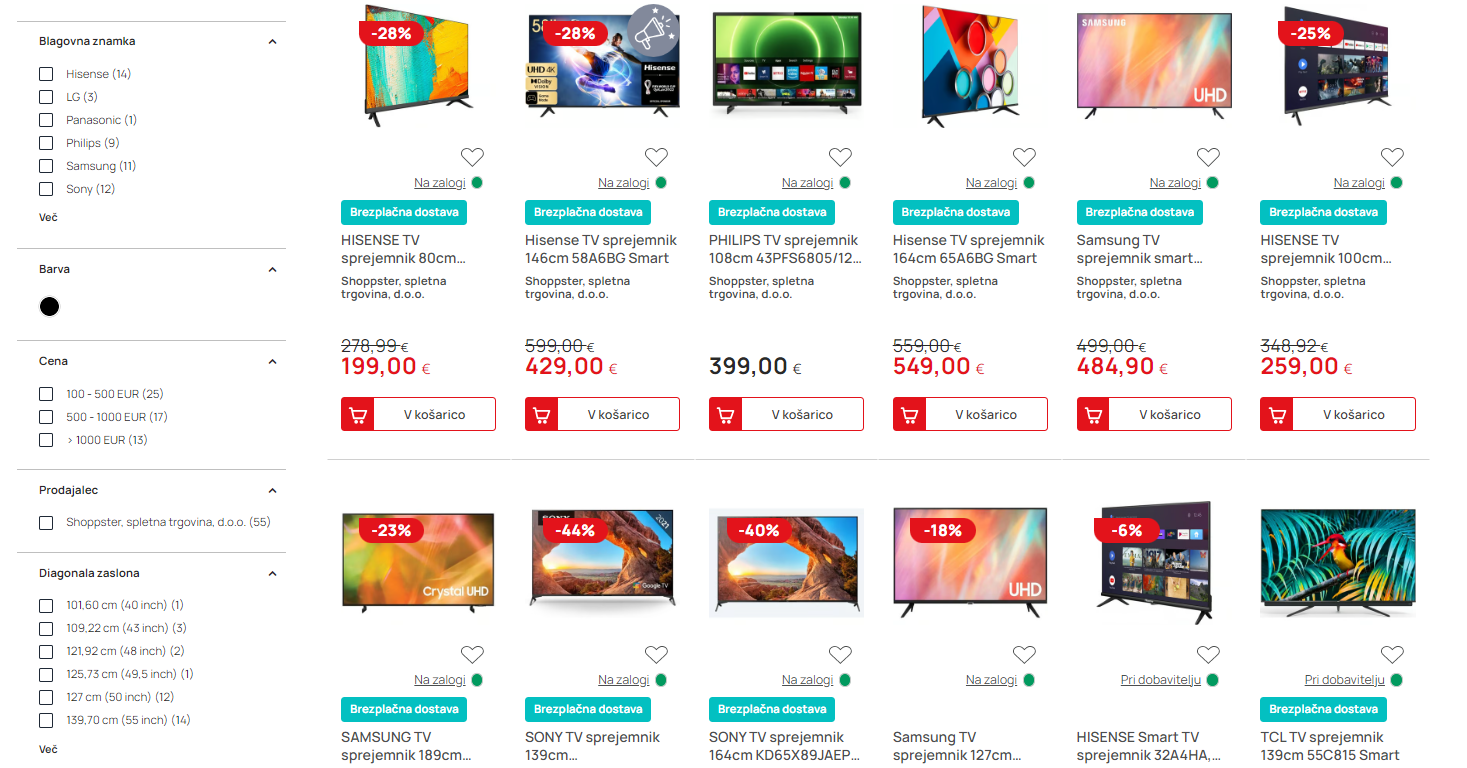
Example of an attribute filter.
METAKOCKA: Attributes are entered in the additional field "Atributi" (attributes) like this: "Barva=Bela;Velikost=M;Svetlost=200,..." (without quotes).
The attribute ID and value are separated by "=", and attributes are separated by ";".
MEDIA
- Tag <slika>
Images must be in .jpg format. Enter the image links in one line, separated by commas.
Example:
<slika>https://www.shoppster.si/nohtek/1600/xml-382-1903176-9999-7.jpg,https://www.shoppster.si/nohtek/1000/xml-382-1903176-9999-7-2.jpg</slike>


The most important image always comes first.
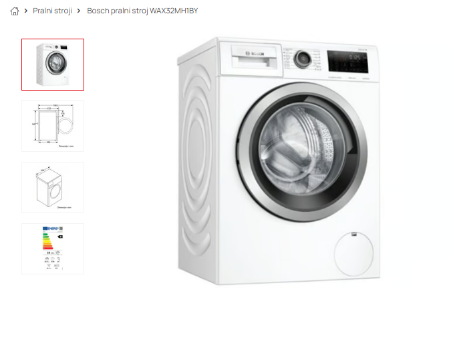
Product images: the first image is always shown as the main product image; the other images are shown in the gallery
- Tag <varnostni_list>
If a safety data sheet is required for the product, add it to the tag <varnostni_list>as a link (PDF format).
Example:<varnostni_list>http://test.com</varnostni_list>
- Tag <produktni_list>
If a product sheet is required for the product, add it to the tag <produktni_list>as a link (PDF format).
Example:<produktni_list>http://test.com</produktni_list>
If a product/information sheet is present, a label with a link to the product sheet is shown next to the product.
- Tag <energijska_nalepka>
If an energy label is required for the product, add it to the tag <energijska_nalepka>as a link (PDF format).
Example:<energijska_nalepka>http://test.com</energijska_nalepka>
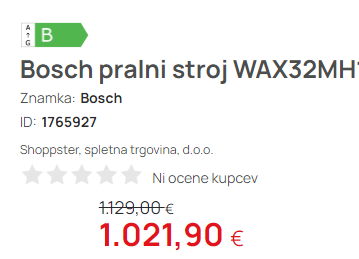
If an energy label is present, a label with the energy class is shown with the product.
METAKOCKA: The main product image is entered in the additional field "Slika velika" (large image). Other images are entered in the additional field "Dodatna slika 1" (additional image 1). In MetaKocka, the URLs of additional images are separated by ";".
You can also use only the "Dodatna slika 1" field; the main image is then the first URL in the list.
The energy label, product sheet and safety data sheet are entered in the fields of the same name on the product.
BENEFIT
If the product has a benefit (extended warranty, etc.), add it to the tag as a code that we will send you.
Example:<benefit>Bosch_pomivalni_stroji_5_let</benefit>
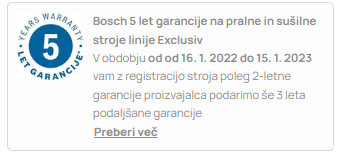
The benefit is then shown with the product
METAKOCKA: The benefit is entered in the additional field "Benefit".
STOCK
A numeric stock of pieces available for delivery/sale is required.
If the current stock of the product is 0 but it will be available again in a relatively short time (up to 10 days), an extended delivery time is set according to the delivery time you enter in the tag <dobavni_rok>.
Example:<zaloga>12</zaloga>
METAKOCKA: Stock is read from the selected warehouses. Reservations are not taken into account (but this can be set).
CONVERSION FACTOR
Enter the number of items in the product package in this field (example: CD-R - package of 10 pcs). This value is required to calculate the price per piece. If the product is 1 piece, enter 1.
Example: <faktor_pretvorbe>10</faktor_pretvorbe>
METAKOCKA: The number of pieces in a package is entered in the "Qty/package (packages)" field on the product.
WARRANTY
Each product should have the warranty period in months. The format is always value (24) + unit (mesecev = months)
Example:<garancija>24 mesecev</garancija>
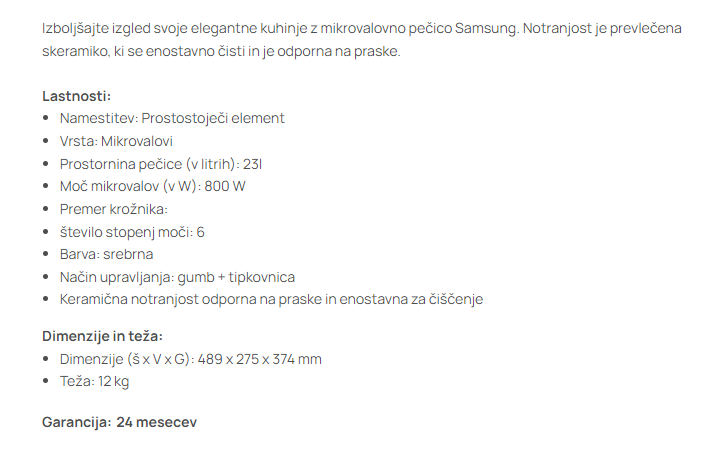
Example of the warranty period shown below the product description.
METAKOCKA: The warranty is entered in the additional field "Garancija" (warranty).
TAX
Each product must have a tax rate. The values used in the system are si-22=22%, si-9.5=9.5%, si-5=5%).
Example:<davek>si-22</davek>
If all products have the same tax (usually 22), the tag is not required.
METAKOCKA: Entered in the "VAT%" field on the sales price list. "si-" is added to the XML automatically.
GROSS WEIGHT
The product weight is required (in kg). The gross weight is the weight of the product with its transport packaging.
Example:<bruto_teza enota="kg">70</bruto_teza>
METAKOCKA: Entered in the "Gross weight" field on the product. It is in kg.
LOGISTICS DATA
These fields contain the size of the product in its transport packaging. The unit is cm.
Example:<globina_bruto enota="cm">80</globina_bruto>
<sirina_bruto enota="cm">90</sirina_bruto>
<visina_bruto enota="cm">70</visina_bruto>
METAKOCKA: Entered in the "Height", "Width" and "Length" fields on the product. They are in mm.
PACKAGING
Enter the type of transport packaging of the product in this tag (box, pallet...).
Example: <pakiranje id="skatla">1</pakiranje>
METAKOCKA: Packaging - ID (e.g. škatla = box) is entered in the additional field "Tip pakiranja" (packaging type) on the product. The quantity is filled in automatically based on the number of products in the bundle. If the product is not a bundle, the number is automatically 1.
ID GROUP
Products can be linked into groups. If there are, for example, headphones in different colors (sizes), these products can be grouped. The purpose of groups is to help the customer find other colors or sizes of the same product.
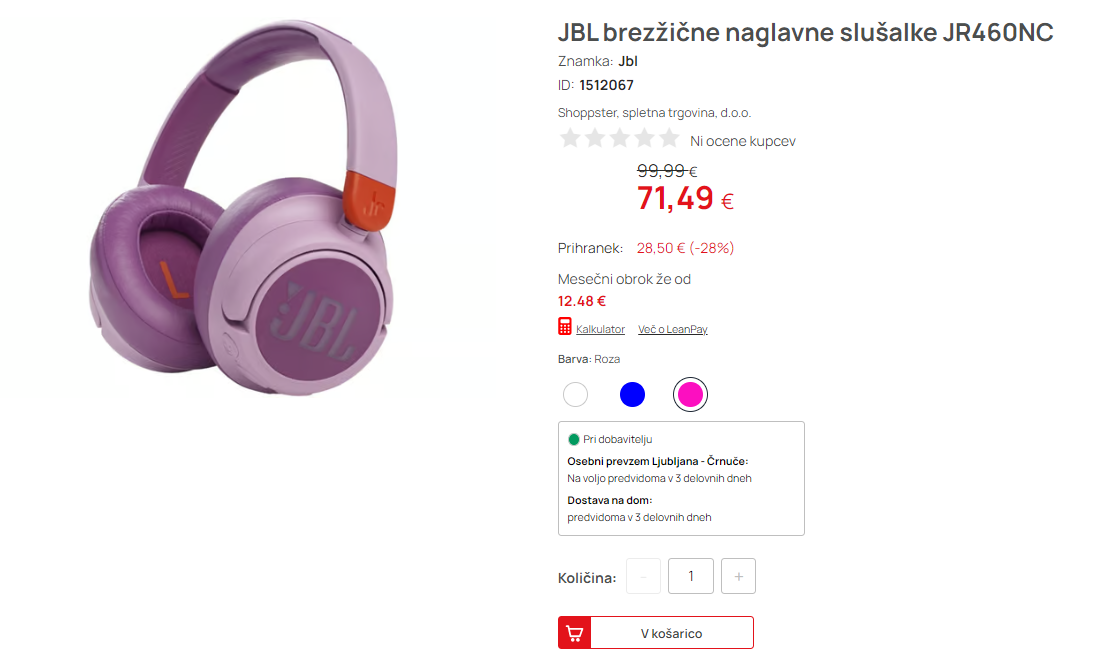
For this, each product needs two pieces of data. The first is <id_group>which marks all products that belong together. All products in the same group must have the same<id_group>. This can be any code or number; it only has to be unique for each group.
Example:<id_group>AX125</id_group>
METAKOCKA: Entered in the field "ID skupine artiklov" (product group ID).
SIZE/COLOR
The second piece of data important for grouping products is the color and/or size. This is what distinguishes the grouped products from each other. Each product in the same group must have a different value. Enter the data in the attributes tag, each in its own sub-tag.
Example:
<atributi>
<atribut id="Barva">bela</atribut>
<atribut id="Velikost">M</atribut>
</atributi>

Example of color and size selection shown with the product.
Note:The naming of the tags themselves is not important.
METAKOCKA: Attributes are entered in the additional field "Atributi" (attributes) like this: "Barva=Bela;Velikost=M;Svetlost=200,...". The attribute ID and value are separated by "=", and attributes are separated by ";".
Was this article helpful?
That’s Great!
Thank you for your feedback
Sorry! We couldn't be helpful
Thank you for your feedback
Feedback sent
We appreciate your effort and will try to fix the article