This article is not available in Polish, view it in Slovenian
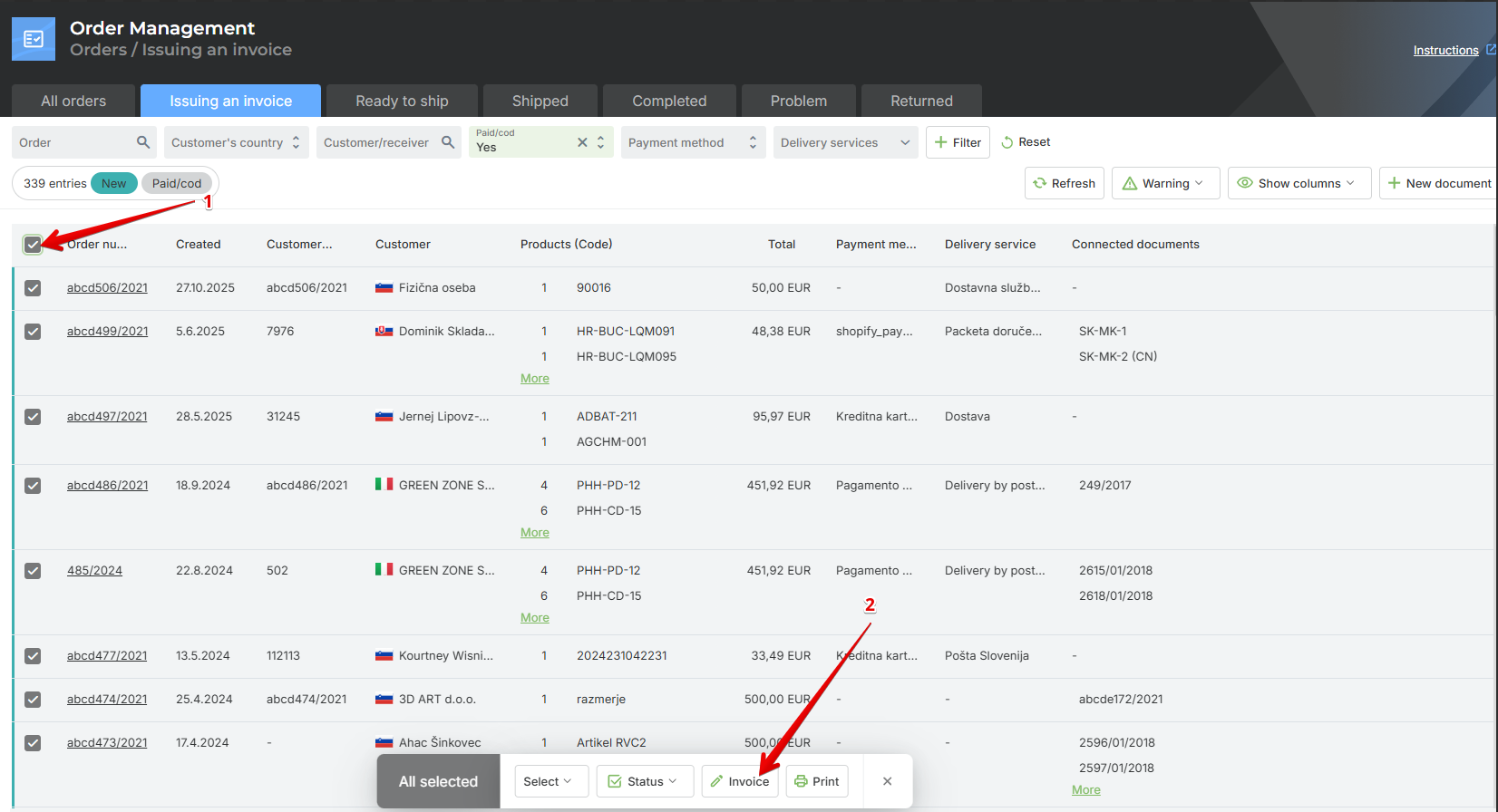
Invoices are created for the orders, and the order status is automatically changed to Ready for Shipment.
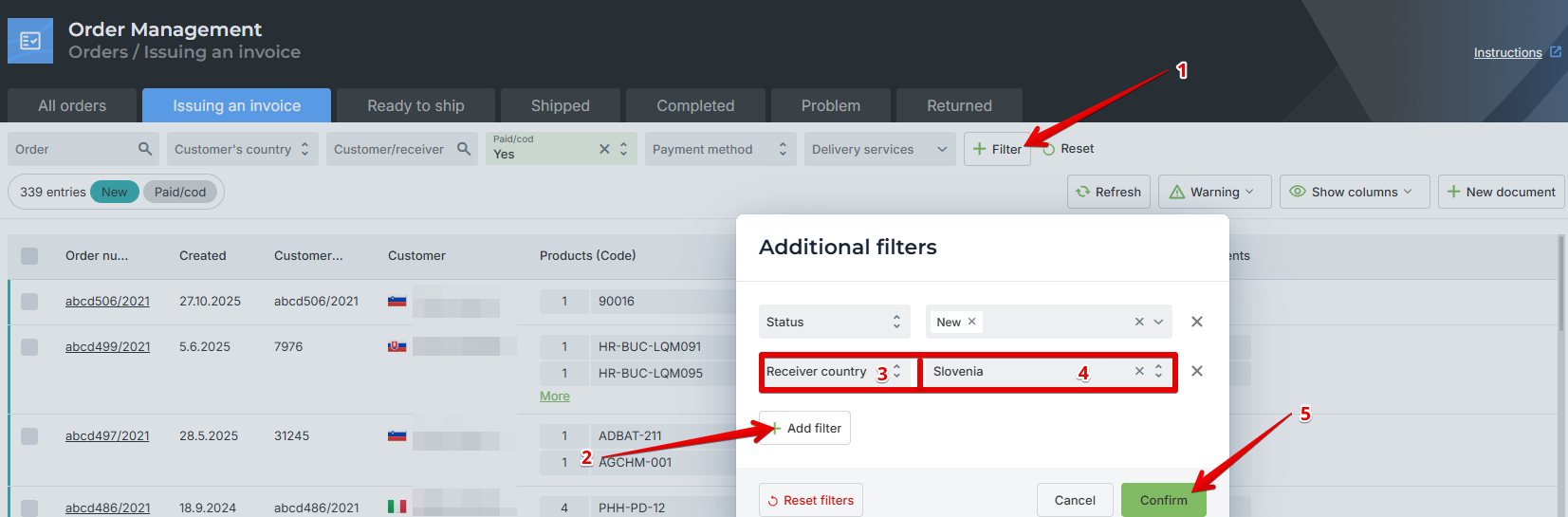
You can create invoices for all orders at once or use filters. For example, if you want to issue invoices only for a specific country, you can filter the orders by the selected country.
Click on Filter.
Select Add filters.
Enter the filter you want to use – Country.
Select the country, for example Slovenia.
Confirm.
Was this article helpful?
That’s Great!
Thank you for your feedback
Sorry! We couldn't be helpful
Thank you for your feedback
Feedback sent
We appreciate your effort and will try to fix the article