
Order Management 2 - Imoprt Credit Notes
When you receive a file from the delivery service with packages that were not delivered, you can use this file to create credit notes.
IMPORT – Credit Notes
In Order Management, go to Import – Credit Notes, where you click on Example Import File.
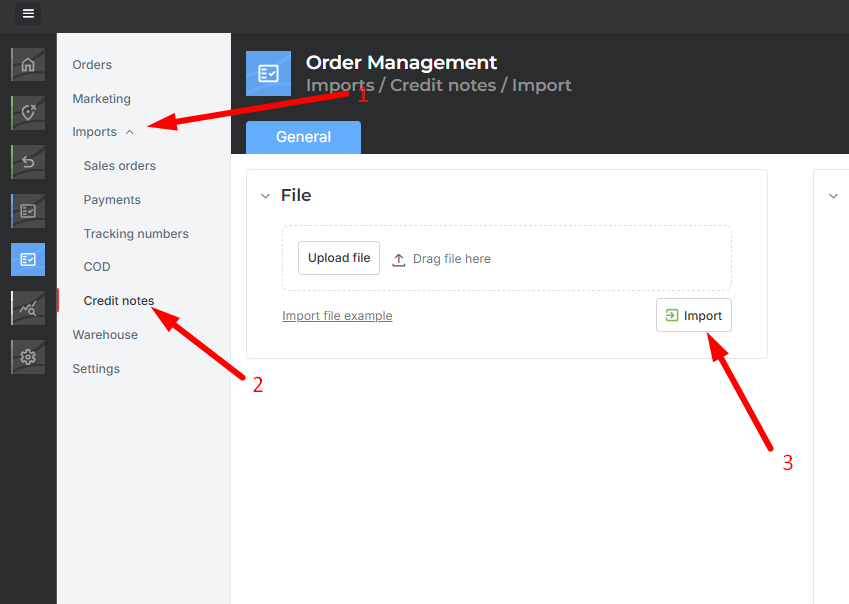
In the file you receive, copy the data from the delivery service file. On the right side of the file, instructions are provided on which data to use for the import. Only one piece of information is required – tracking code, order number, or customer order.

Importing Credit Notes
Once you have filled out and saved the file, import the credit notes.
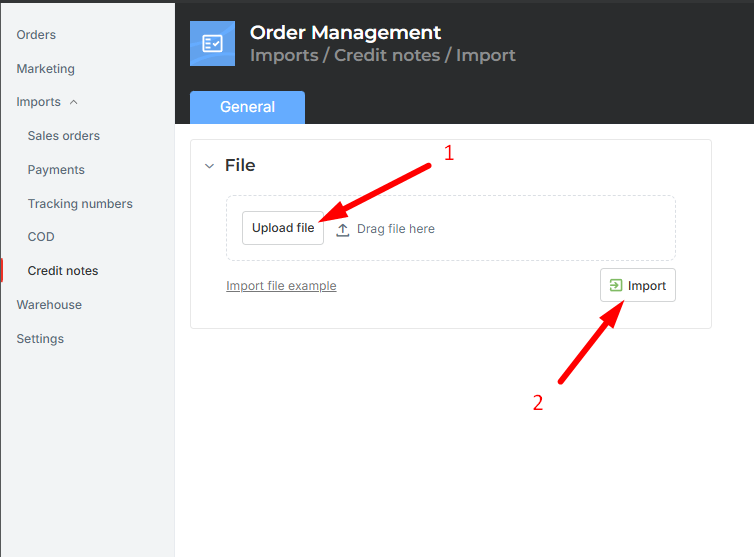
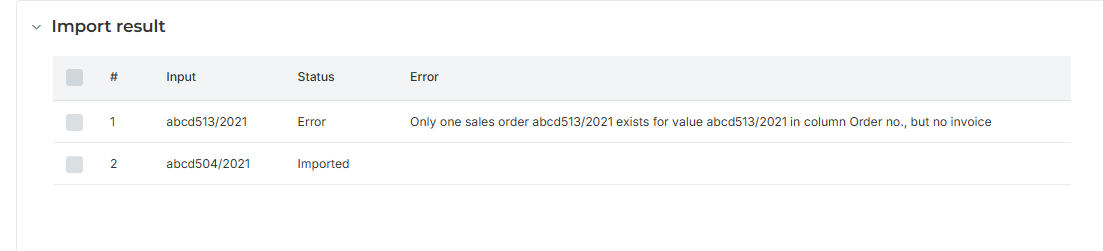
After the import is completed, the import results will appear on the right side. In case of an error, a message will indicate that an error occurred.
Was this article helpful?
That’s Great!
Thank you for your feedback
Sorry! We couldn't be helpful
Thank you for your feedback
Feedback sent
We appreciate your effort and will try to fix the article