
Quickly add products to the delivery note and inter-warehouse
Inter-warehouse :
Suggested use for:
Stock movements
Qucik microlocation selection
Instructions:
The change applies to items from the inter-warehouse date onwards.
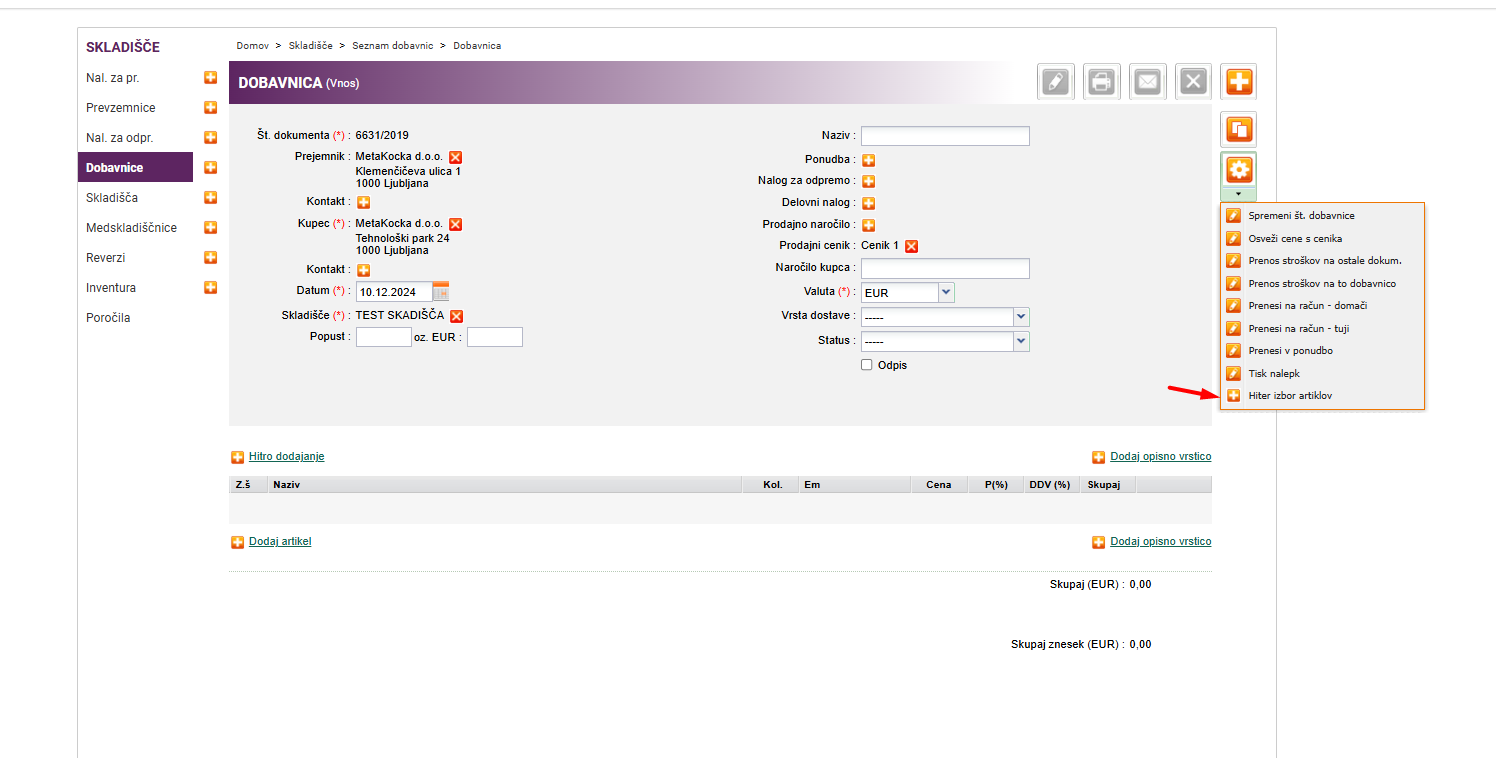
You add an intermediate warehouse where warehouse 1 and 2 are the same warehouse. Then select Tools -> Quick Item Selection
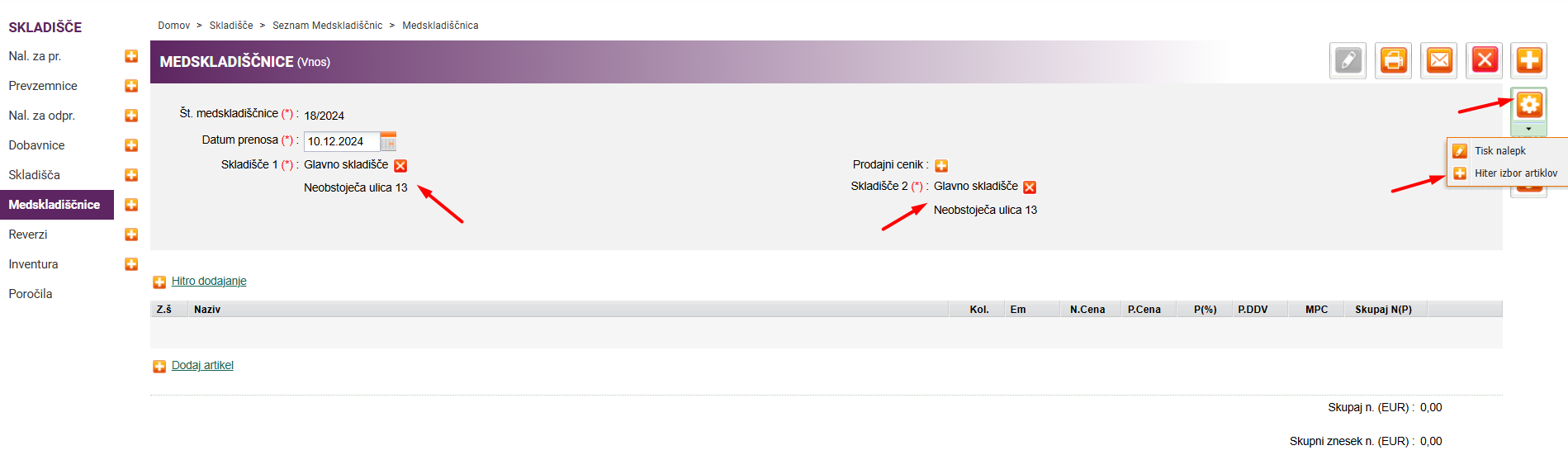
Different ways according to quantity:
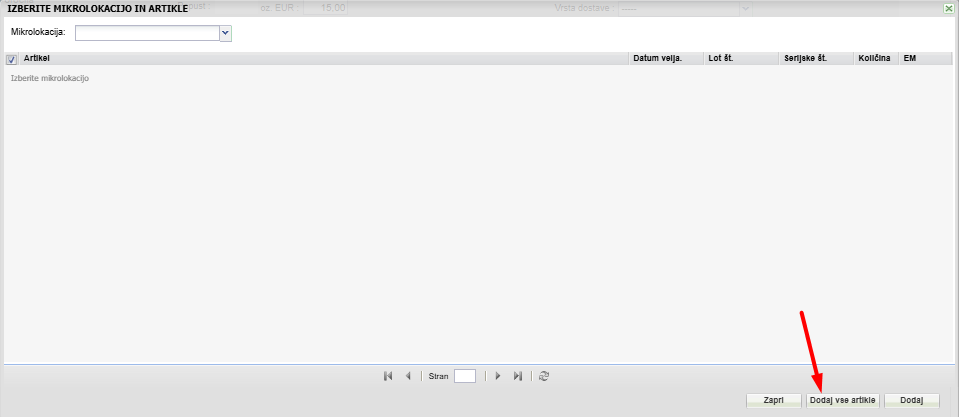
1. All items: Highlight the target microlocation, add all items, and you'll add absolutely all items from that repository.
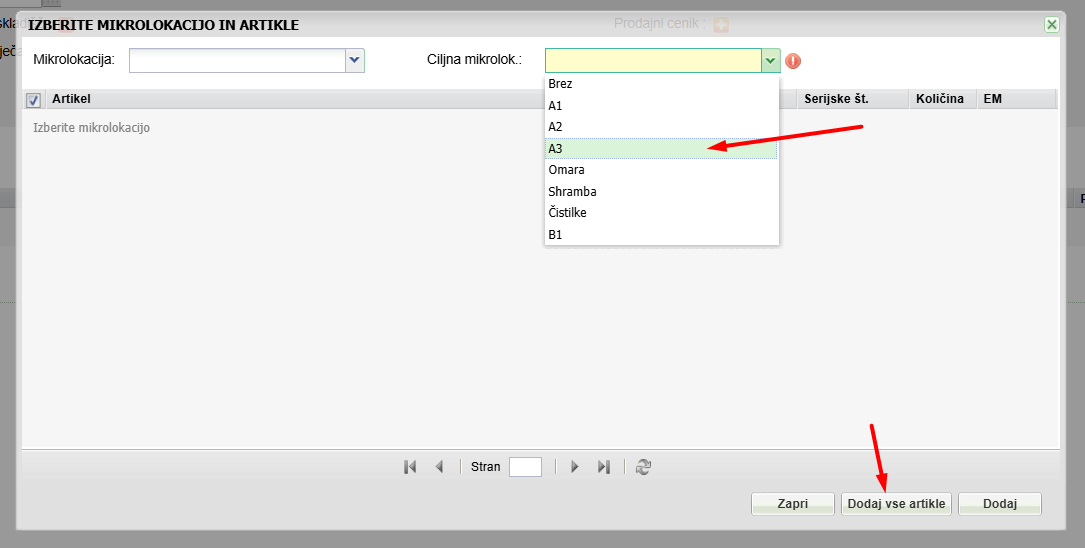
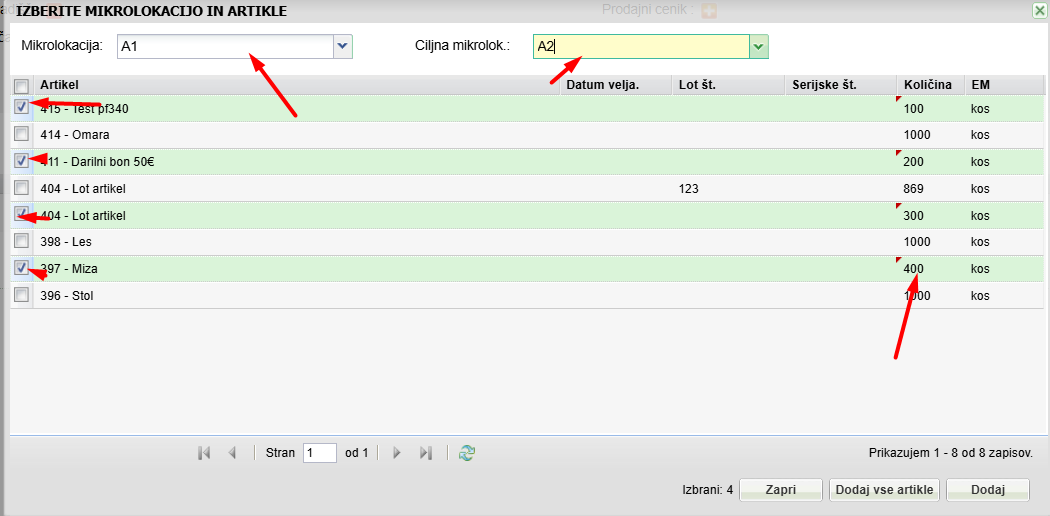
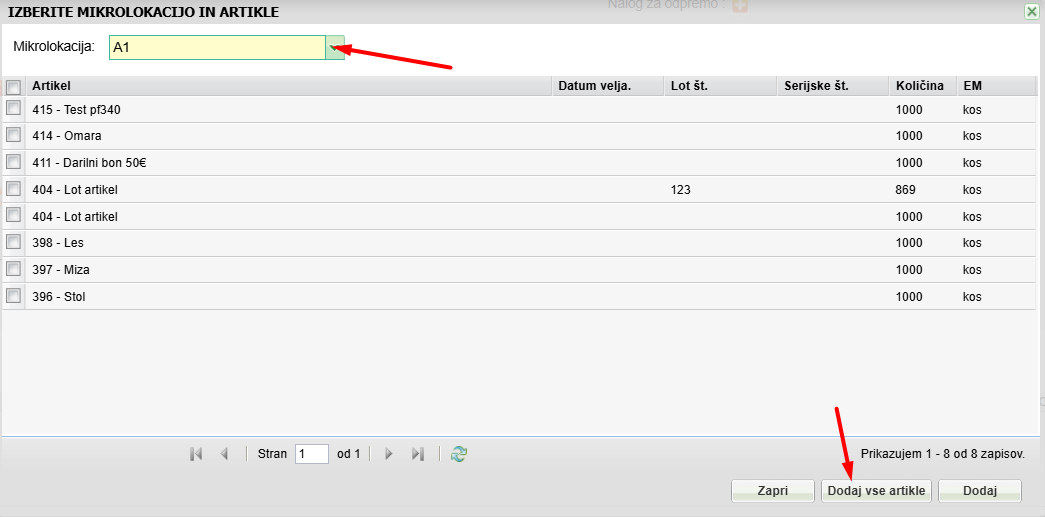
2. All items from the selected Microlocation: Mark the microlocation and the target microlocation, and add all items from this warehouse for the microlocation in question.
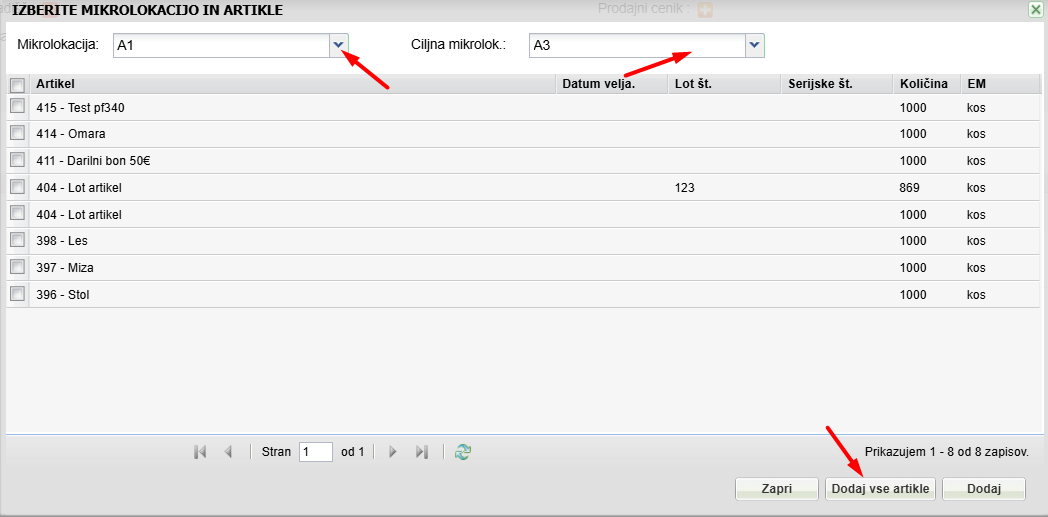
3. Entire page - mark the entire page here (up to 50 articles). Mark the 1st checkbox, and you will mark the whole page. The amount can be changed here.
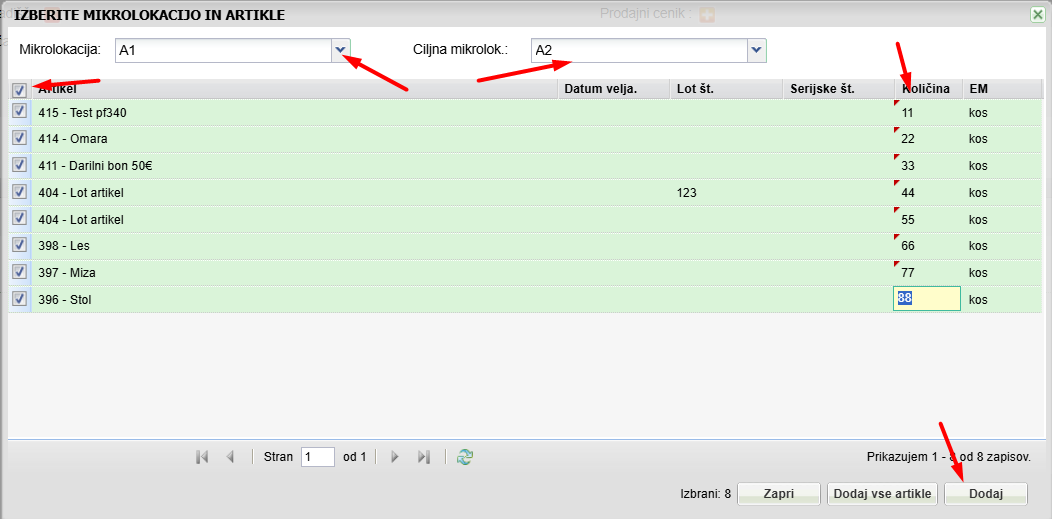
4. Specific items (select 1 by 1): mark 1 by 1 item to select the respective items. The amount can be changed here.
Delivery note
Suggested use for:
Dispatch
Write-off
Instructions:
By selecting Tools and Quick item selection, a dialog for quickly adding items opens.
1. All products from the warehouse
2. Al products from microlocation
3. Whole page - mark the whole page here (up to 50 articles). Mark the 1st checkbox, and you will mark the whole page. The amount can be changed here
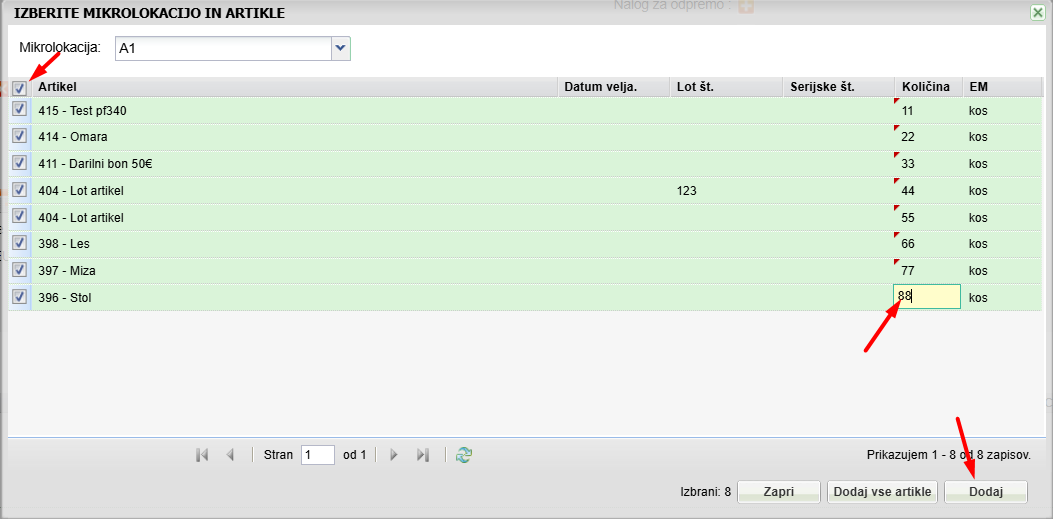
4. Specific items (select 1 by 1): mark 1 by 1 item to select the respective items. The amount can be changed here.
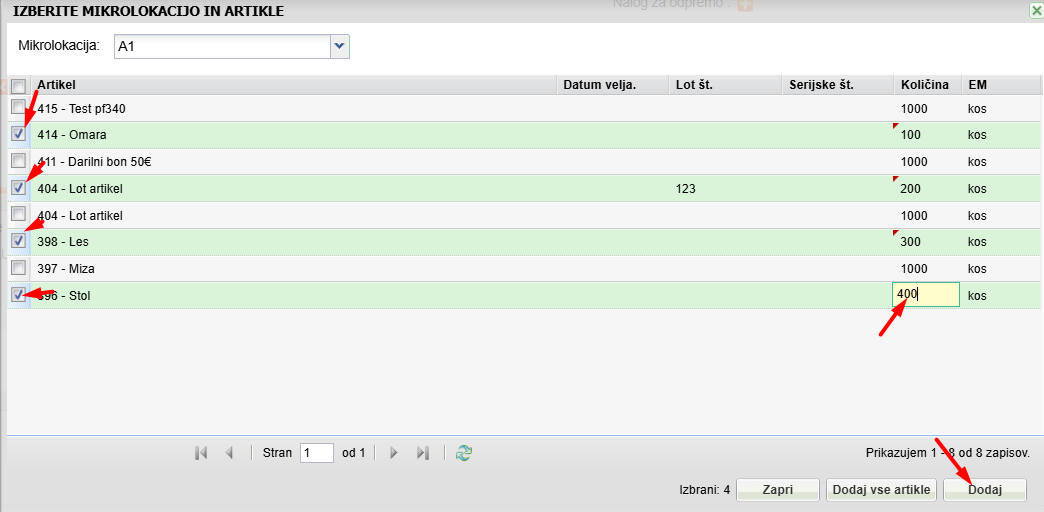
Additional instructions:
If you're not using microlocations and would like to start, check it out instructions
If you would like to check how the write-off is done, check it out instructions
Was this article helpful?
That’s Great!
Thank you for your feedback
Sorry! We couldn't be helpful
Thank you for your feedback
Feedback sent
We appreciate your effort and will try to fix the article