
Integration - Czech Post - new API
MetaKocka - setting up the connection
1. go to Additional settings/Delivery services/New
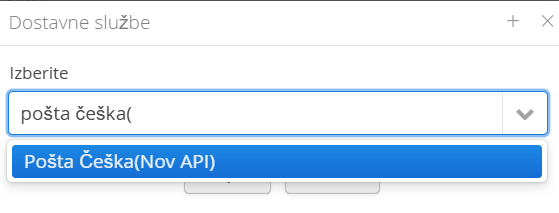
2.Select the delivery service Pošta Češka Nov API
3.enter the data you received from Czech Post
4.Select any additional services
5. Save and test
1. Adding the delivery service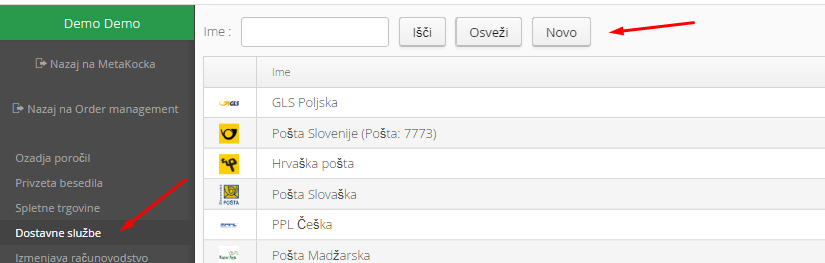
2. Select the Pošta Češka delivery service and confirm:
3. Enter the required data you received from Czech Post: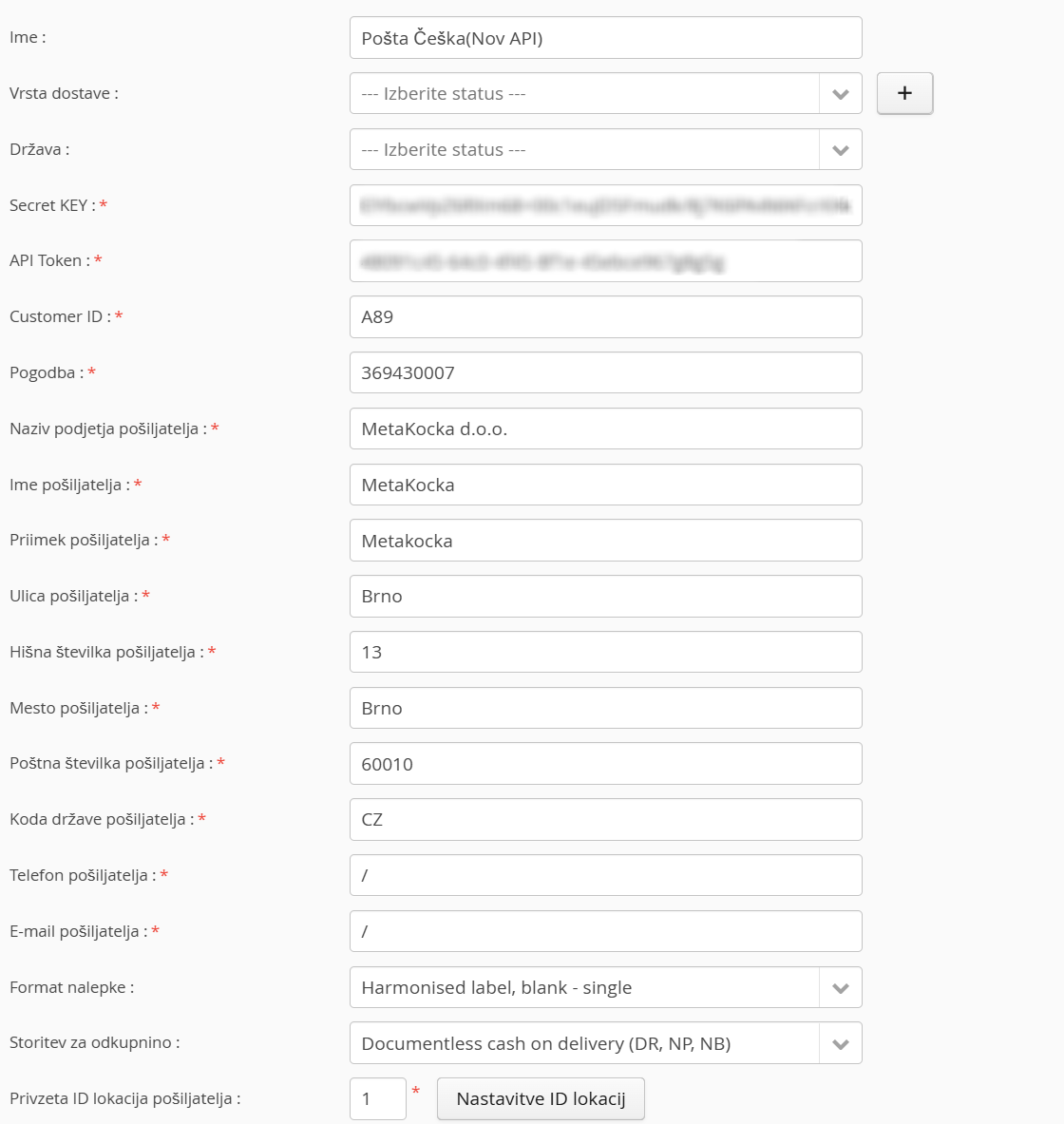
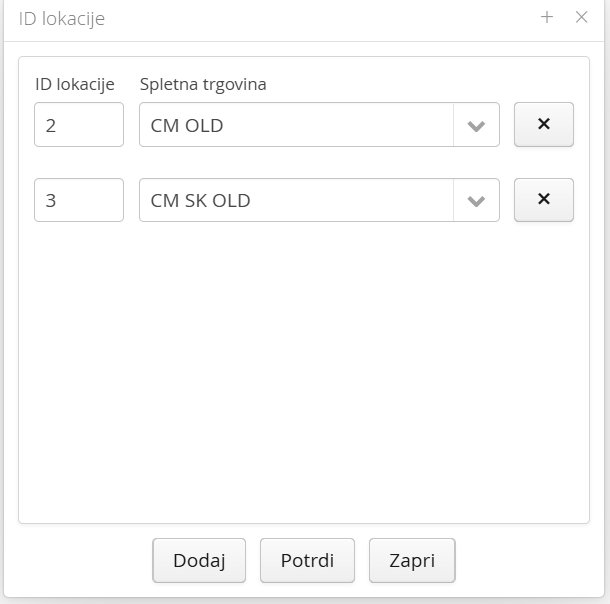
In the Default sender location field, set the location ID you received from Czech Post. With the Location ID settings button, you can choose which ID is used for each online store; the IDs must be registered by Czech Post beforehand:
Special notes
Czech Post delivers to parcel lockers, to the post office or to an address. To adjust your checkout and send the right data to MetaKocka, see theINSTRUCTIONS
Was this article helpful?
That’s Great!
Thank you for your feedback
Sorry! We couldn't be helpful
Thank you for your feedback
Feedback sent
We appreciate your effort and will try to fix the article