
Intereuropa - integration
1. Entering data for integration with Intereuropa
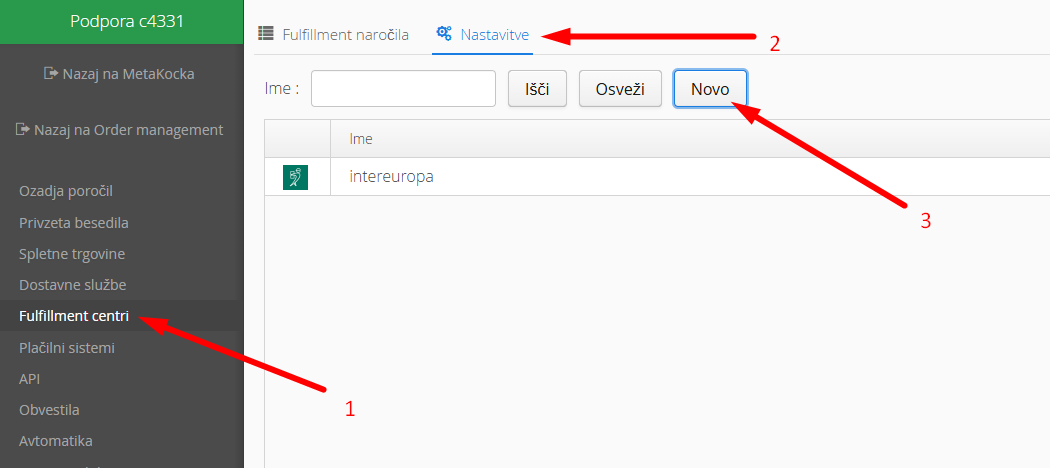
1. Go to additional settings
2. Fulfillment centers
3.New
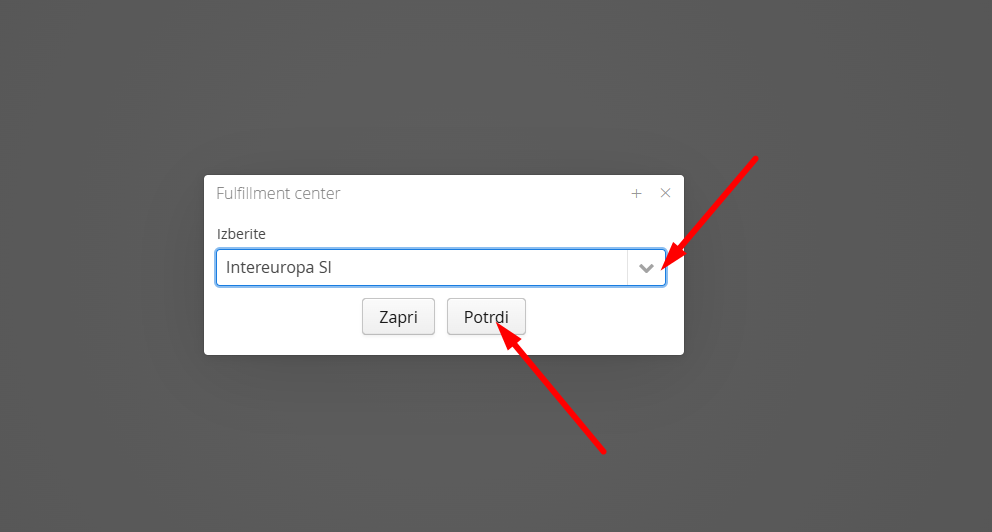
Select Intereuropa SI and click confirm
Enter the data you received from Intereuropa into the entry fields
For environment select Production - this means live operation with Intereuropa
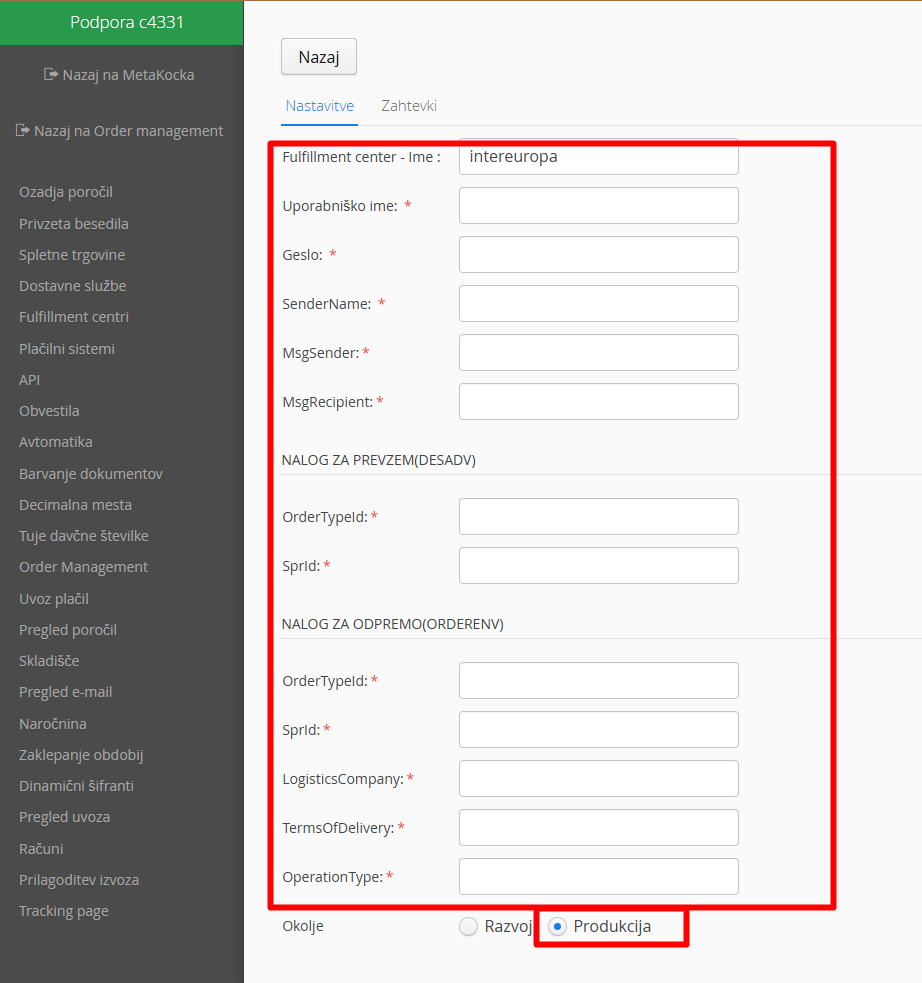
Then click "save"
2. Creating a receipt order (document with which Intereuropa will accept the goods you send to their warehouse)
When goods are sent to Intereuropa, you manage this by creating a Receipt Order in Metakocka.
For instructions on how to create an equipment order click HERE
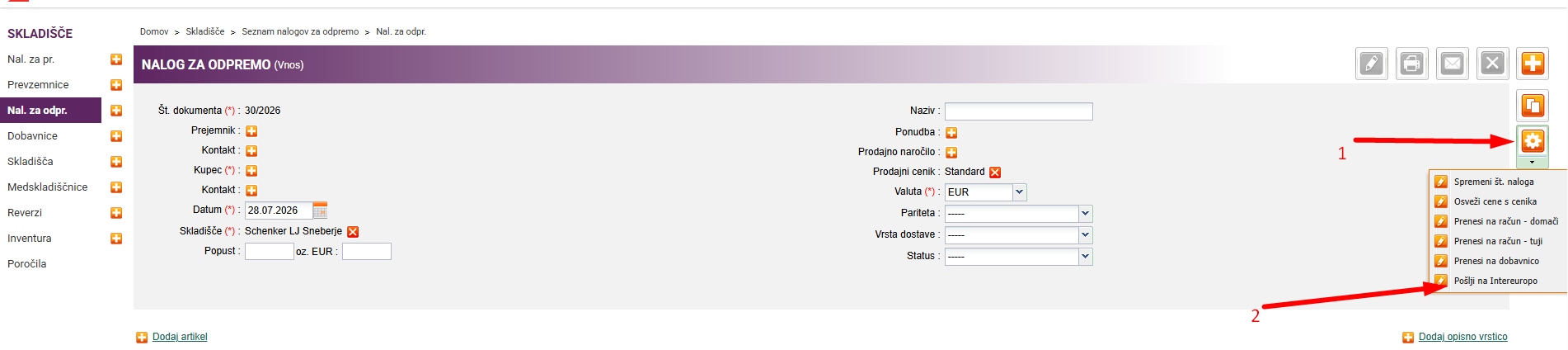
When the receipt order is ready, send it to Intereuropa. You do this by clicking on tools and then Send to Intereuropa
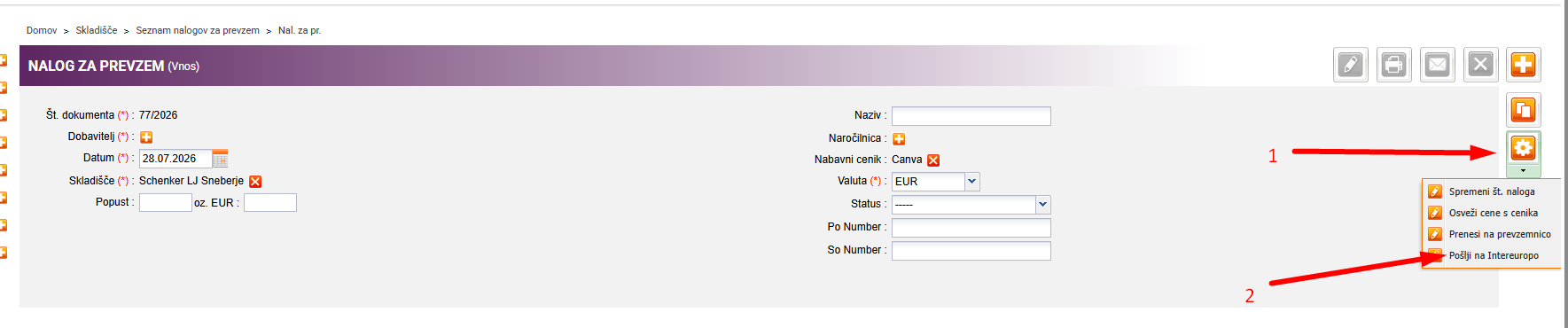
If the document was successfully sent to Intereuropa, on the Receipt Order
When Intereuropa receives items into stock via the Receipt Order, a Goods Receipt is created in Metakocka.
3. Dispatch of order
When the order is in Metakocka (among sales orders), it must first be transferred to a Dispatch Order.
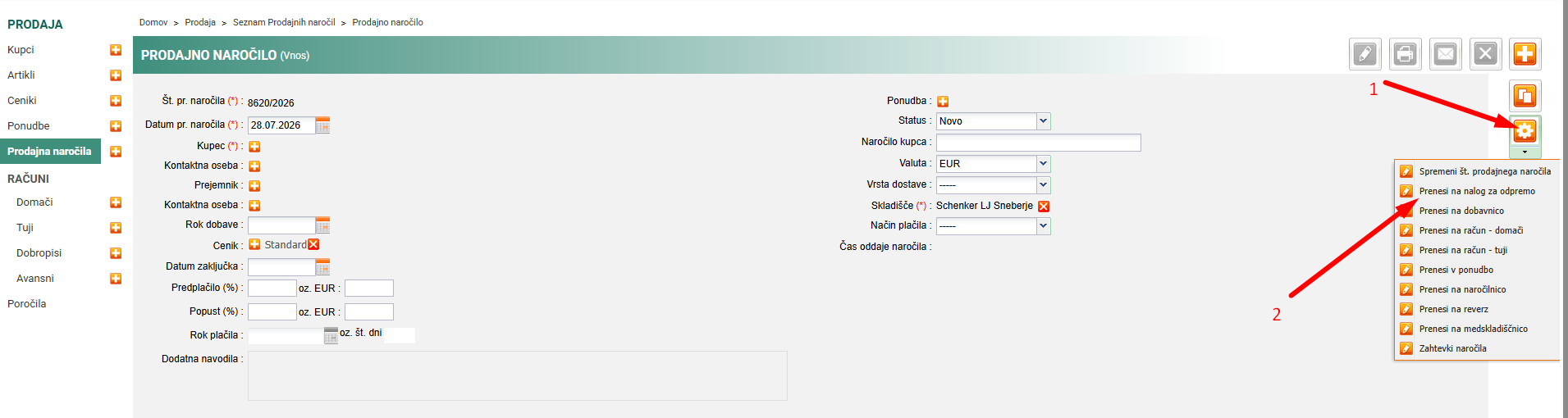
Once the dispatch order is created, it is also necessary to send the dispatch order to Intereuropa
Was this article helpful?
That’s Great!
Thank you for your feedback
Sorry! We couldn't be helpful
Thank you for your feedback
Feedback sent
We appreciate your effort and will try to fix the article