
Fulfillment Integration - Helpship
Helpship is a fulfillment center located in Romania.
More information about the fulfillment center can be found at the LINK
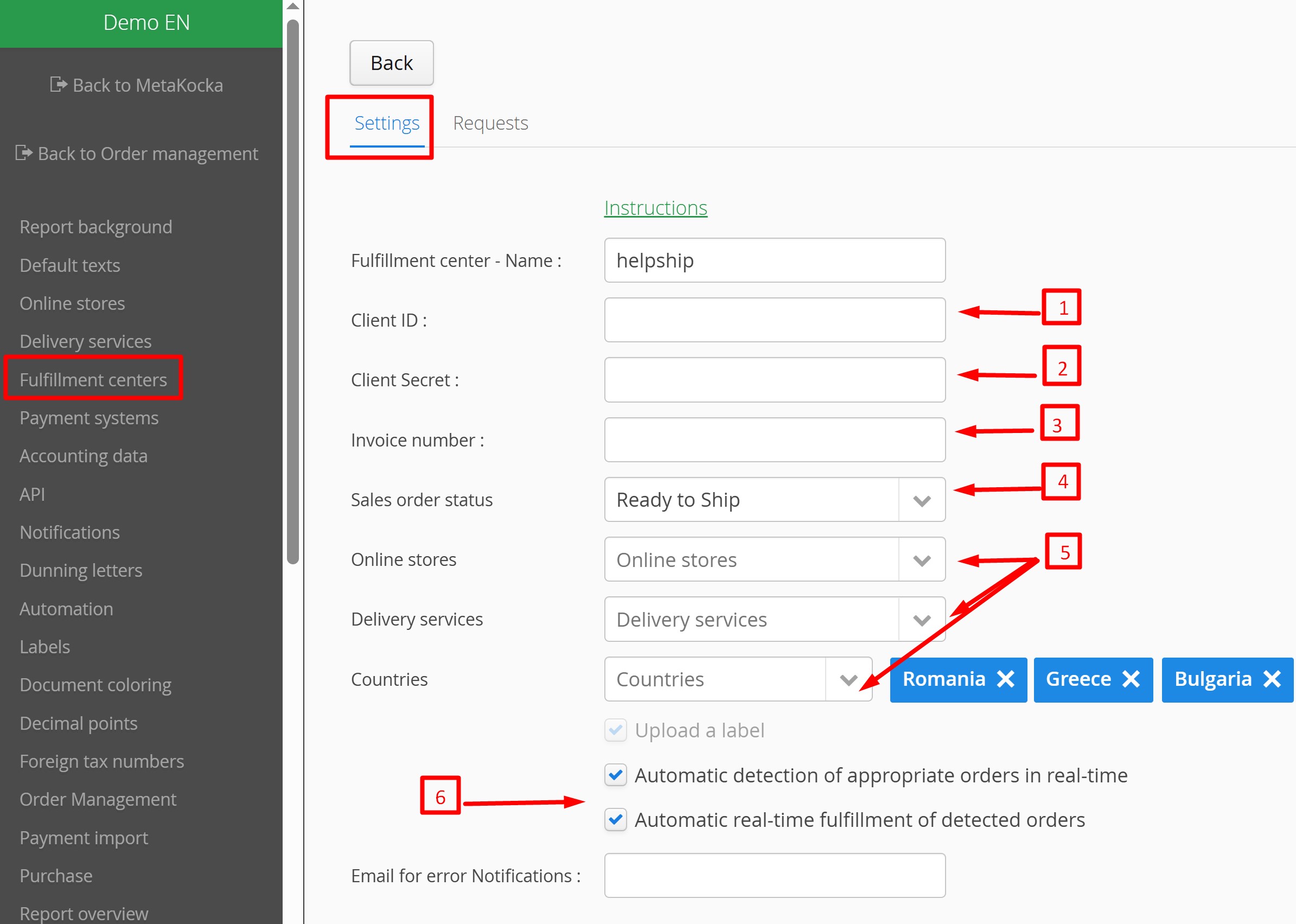
If you would like to transfer orders from MetaKocka to the Helpship fulfillment center, set up everything necessary for order synchronization in additional settings, Fulfillment centers.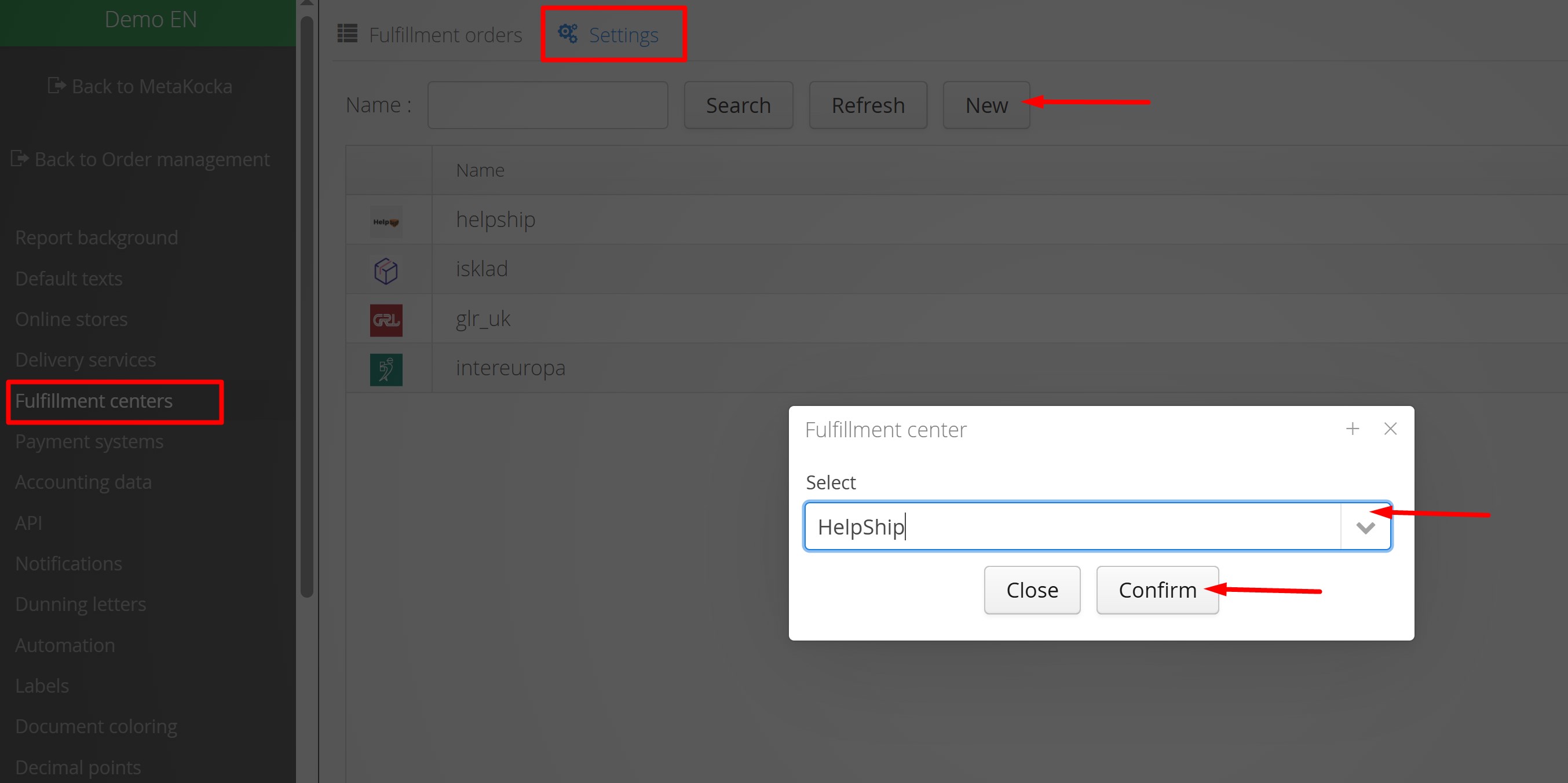 1. Fill in the client ID details
2. Enter Client Secret
3. Enter account number
4. Set the status that will be the trigger for transferring orders to Helpship. Only orders that already have an invoice and a delivery service label created will be transferred
5. Set any additional conditions for which orders should be transferred, specific online stores and selected delivery types and countries. Settings are not mandatory; if the fields are empty, all orders matching the selected status will be transferred
6. When automatic real-time order detection and automatic execution are enabled, orders will be automatically added as long as the above conditions are met.
When using the Helpship Fulfillment service, we recommend using the functionality of automatic creation of invoices and labels. Instructions can be found at:
Automatic invoice creation
Automatic label creation
Was this article helpful?
That’s Great!
Thank you for your feedback
Sorry! We couldn't be helpful
Thank you for your feedback
Feedback sent
We appreciate your effort and will try to fix the article